
Real estate portal software for your town, city or coast.
Launch a property portal where agents and owners list homes for sale and to rent. Yclas gives you property search and a map, agency pages, viewing bookings and open houses, price per square metre, energy ratings, virtual tours, Kyero and XML feed import, and SEO pages for every area and property type.
Free for 15 days · No credit card · Property pack included on every plan
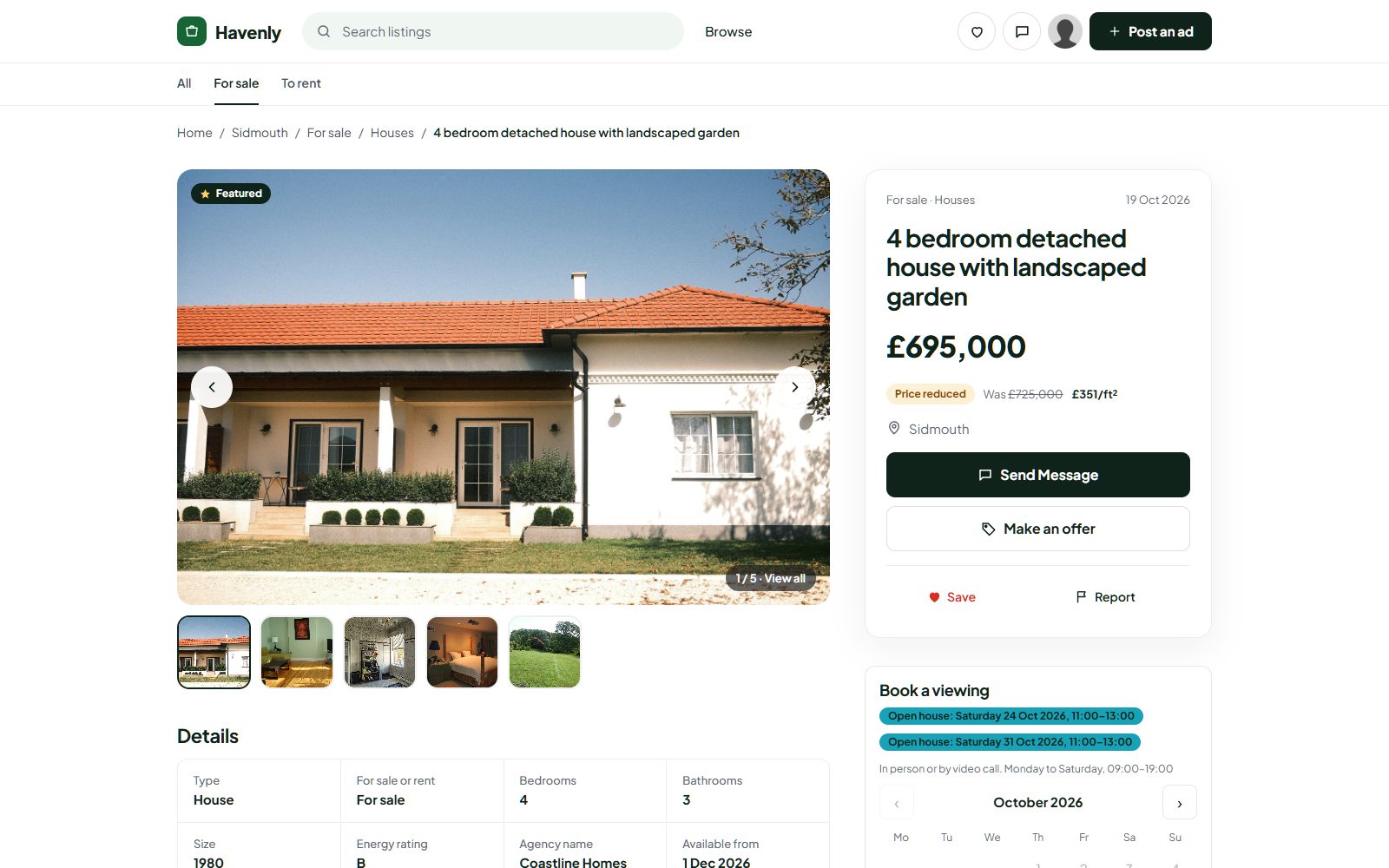
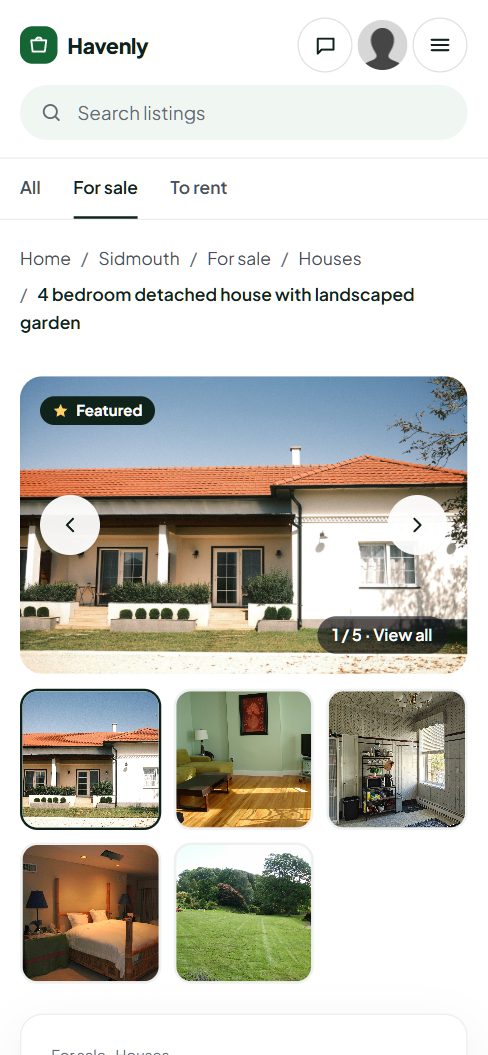
A portal for the way people really look for a home.
Sales, long lets, holiday homes or land: the pack reads your own fields, in your language, and works in square metres or feet.
A property portal, page by page.
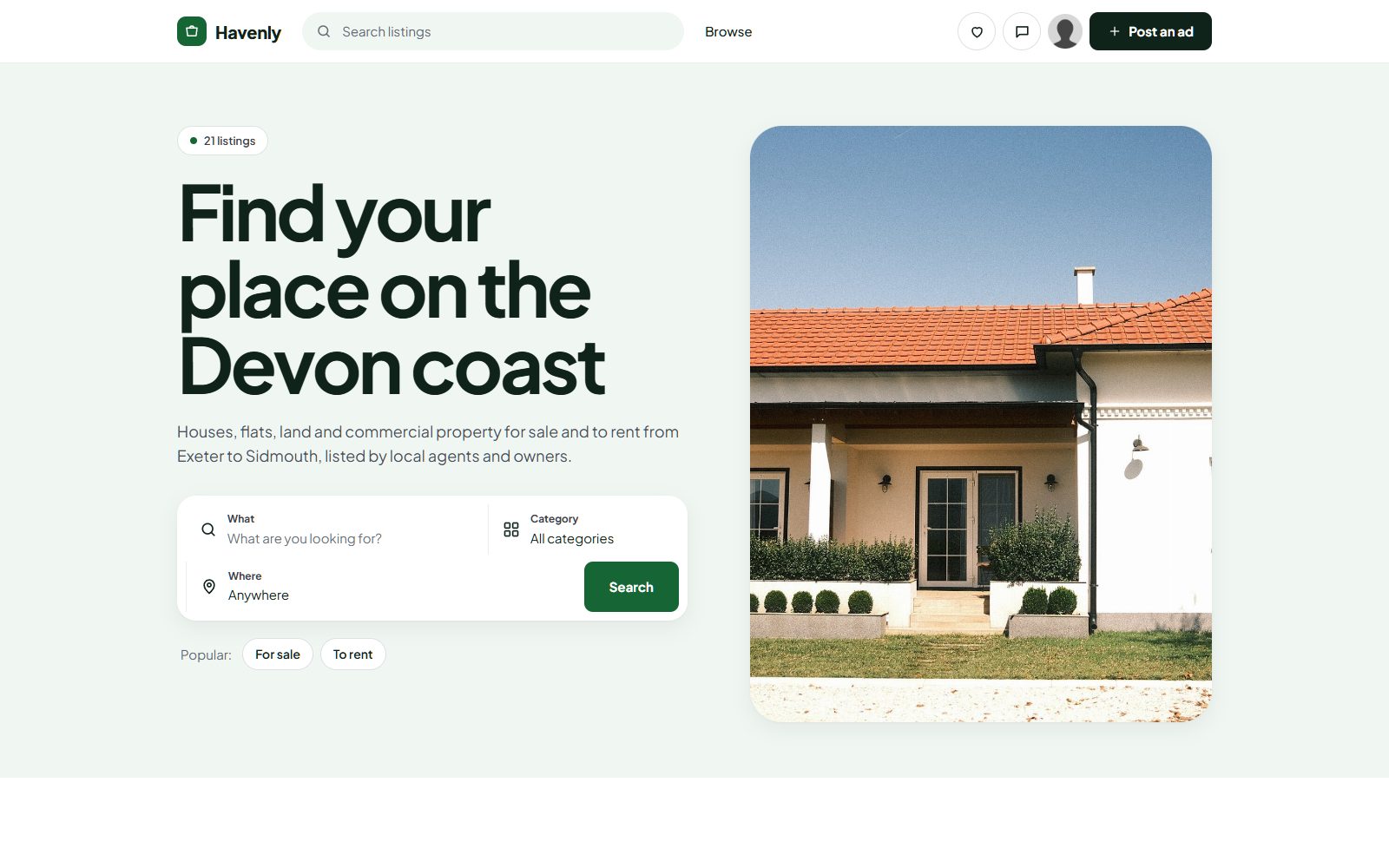
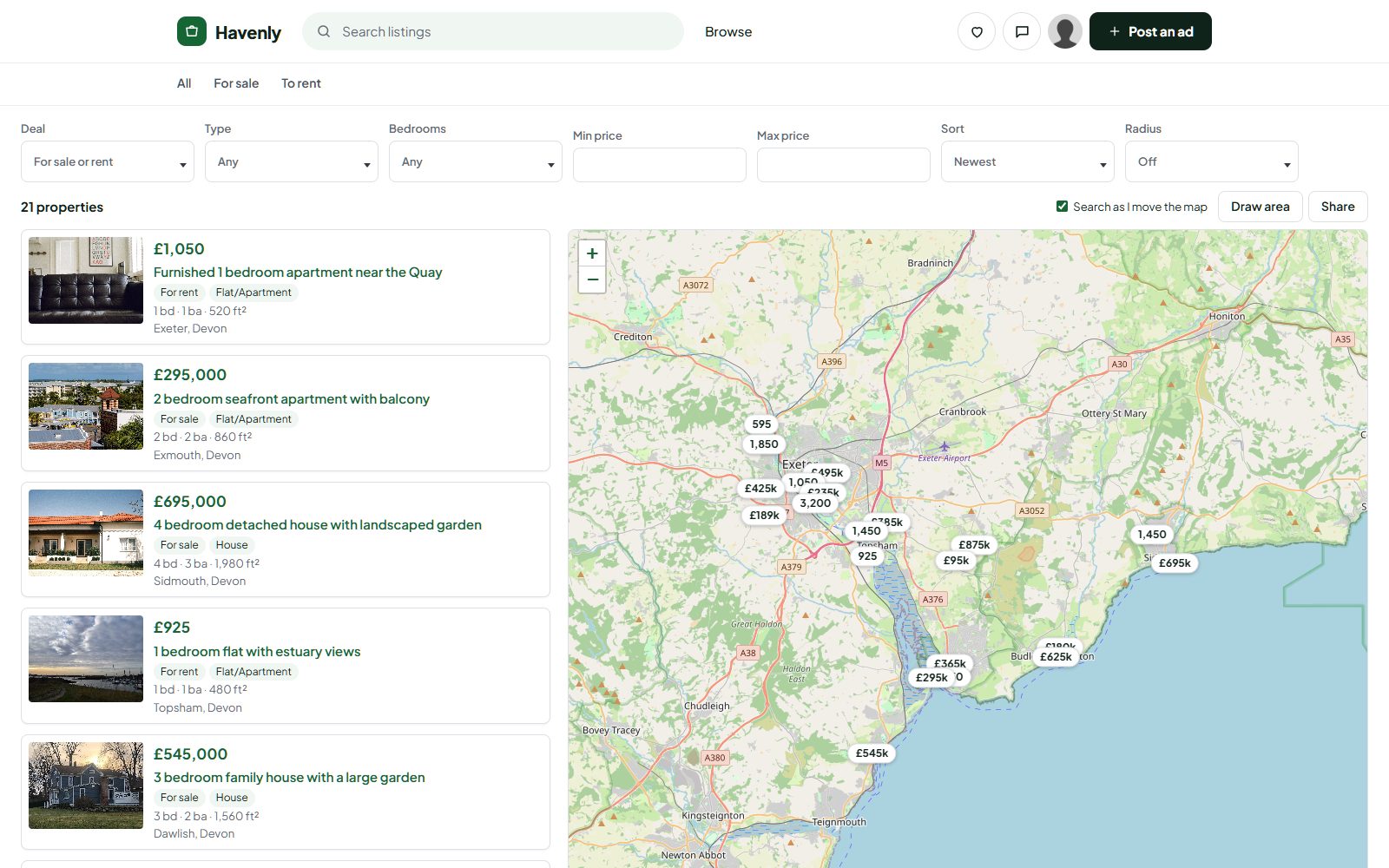
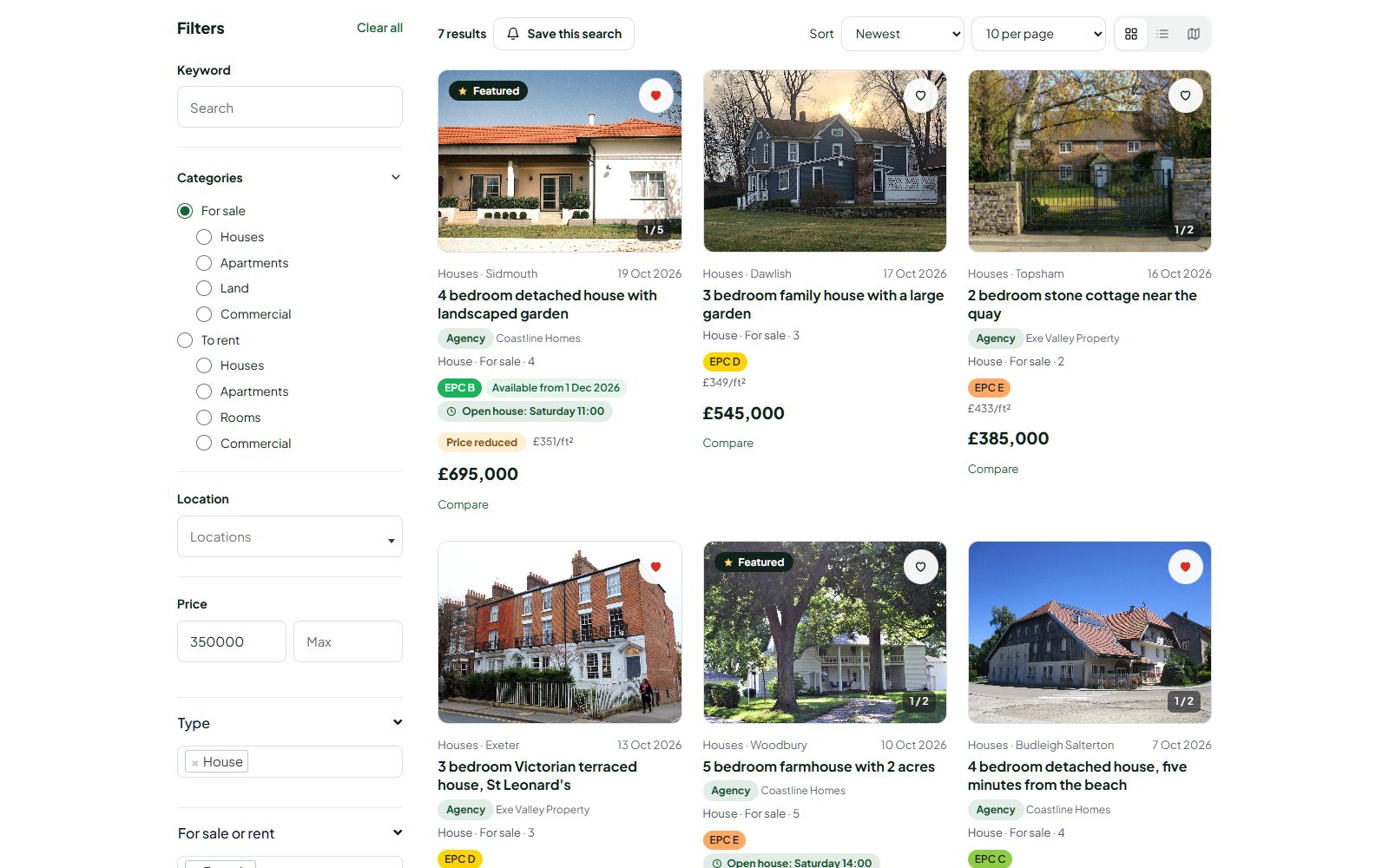
Real screenshots of Havenly, a demo site made with Yclas and the Property pack. The agencies and homes are made up; the pages are the real thing.
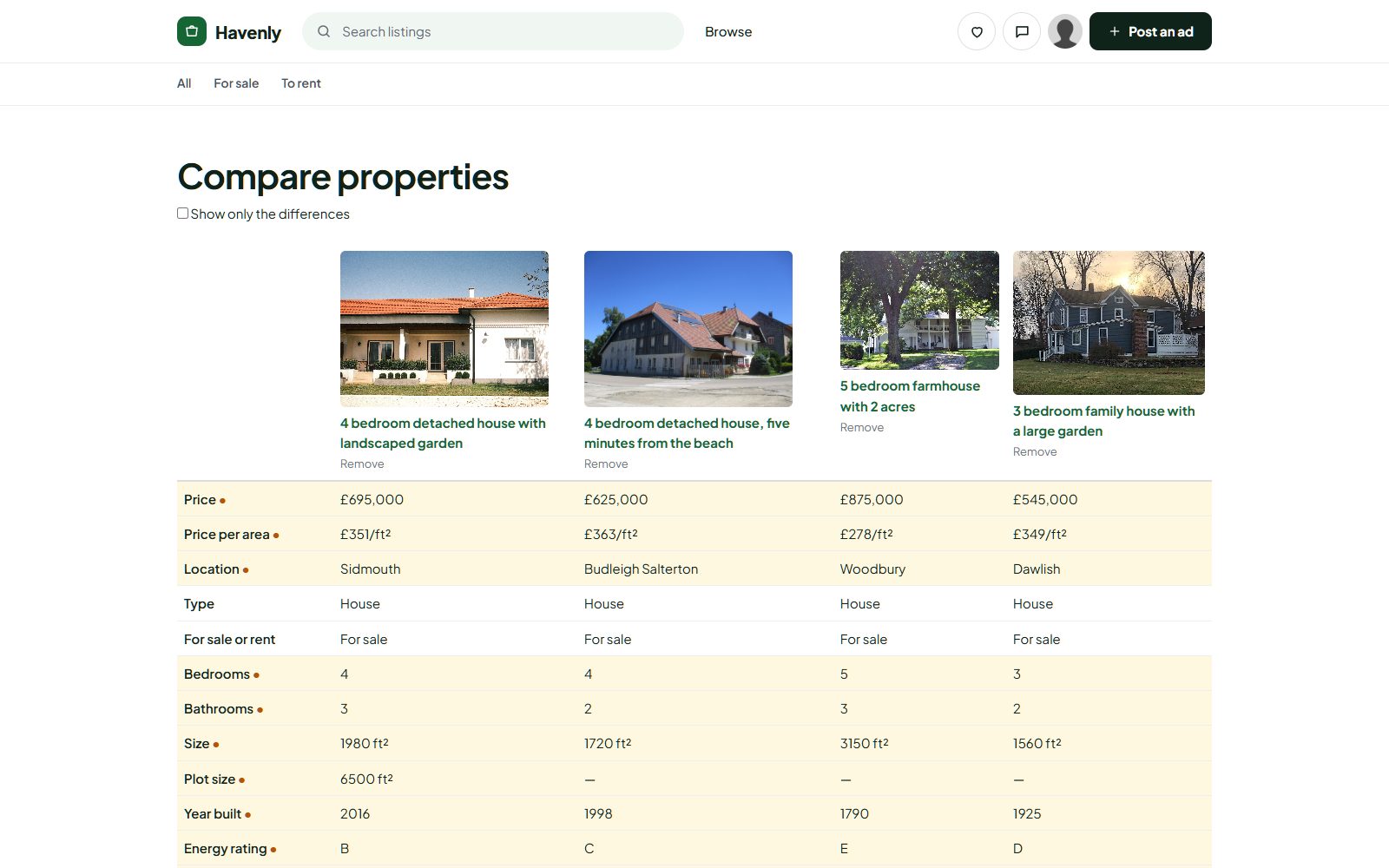
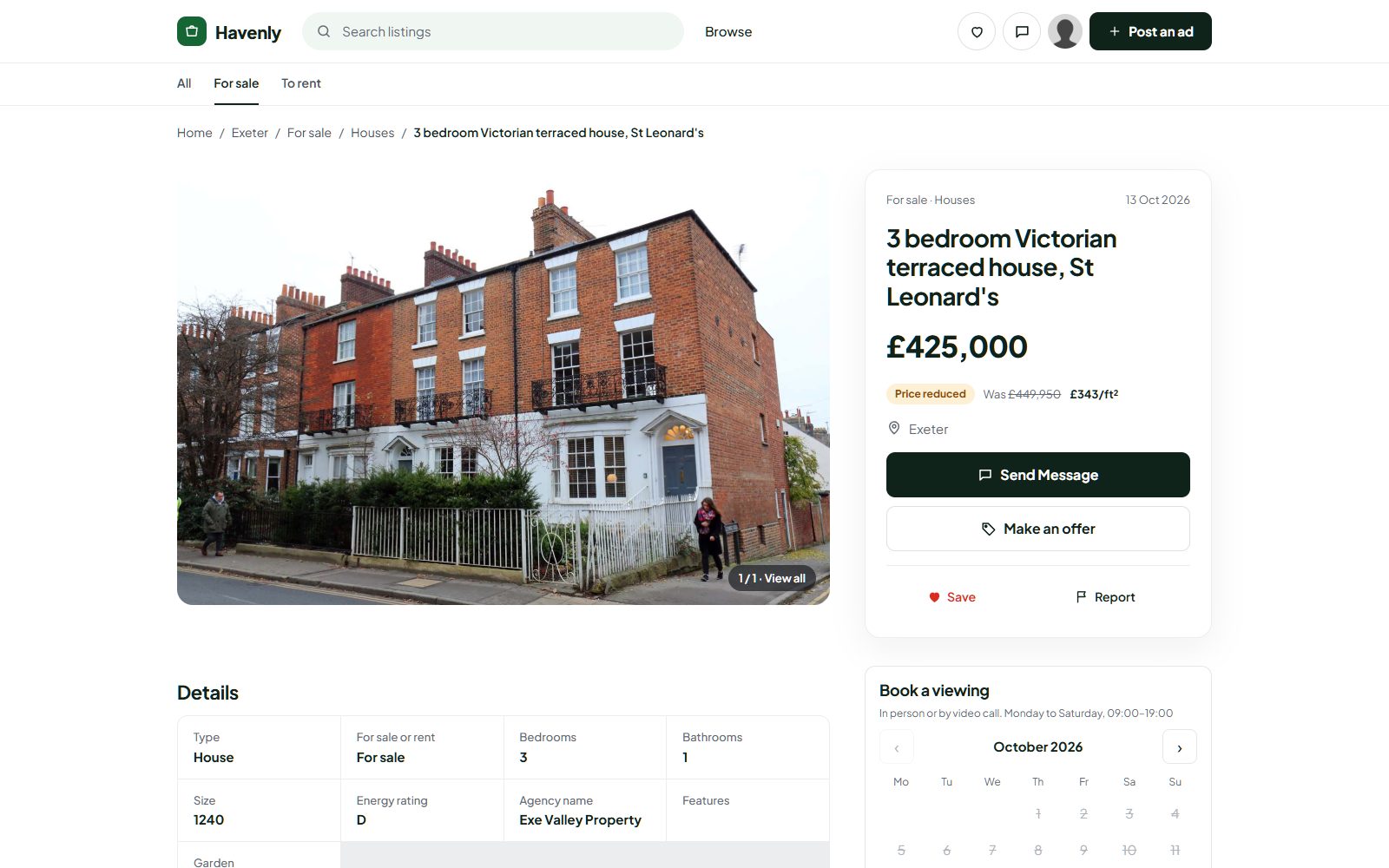
The details people check before they call.
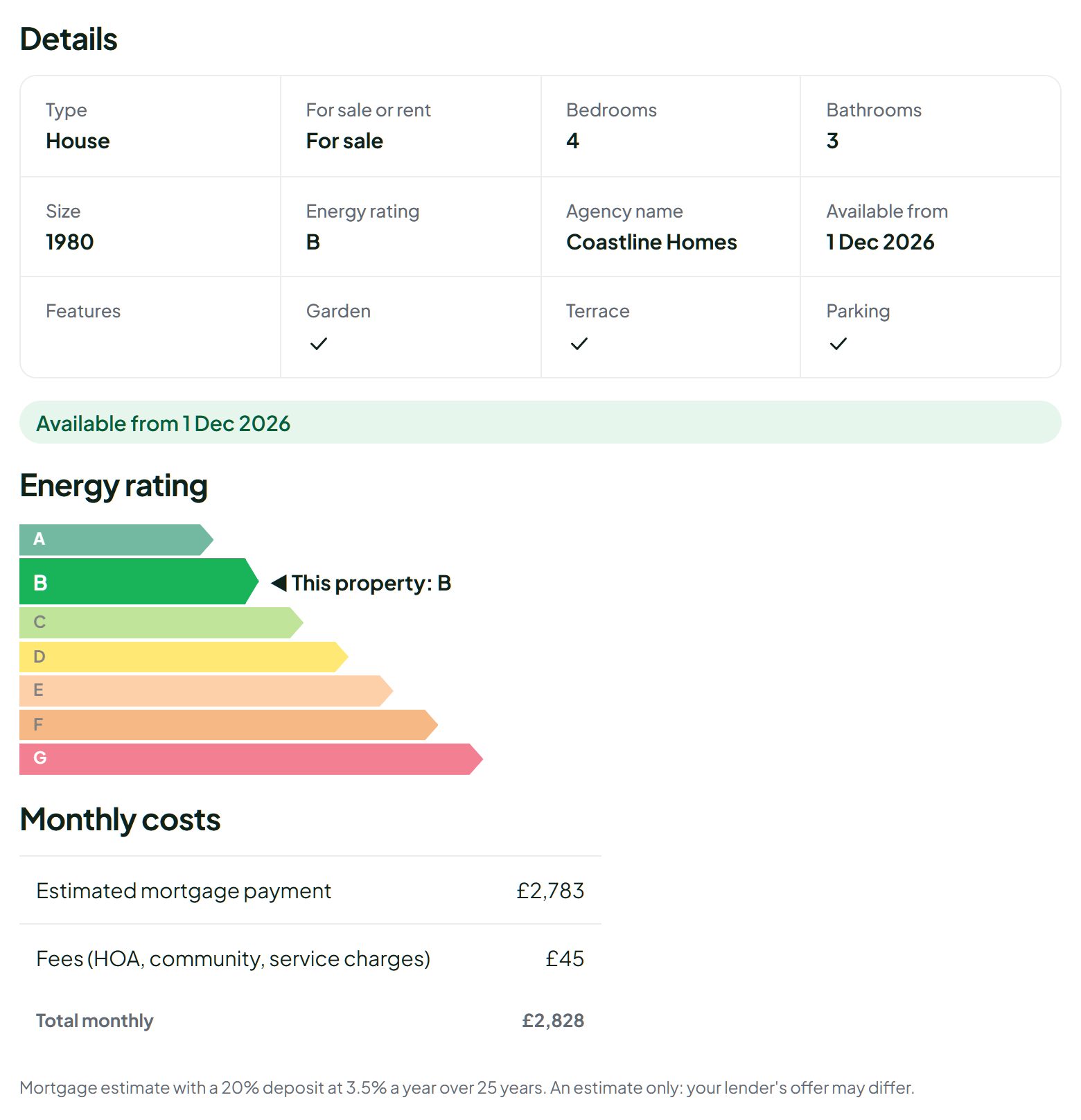
The Property pack reads the fields your site already has, whatever they are called, and turns them into a clean block of key facts: type, sale or rent, bedrooms, bathrooms, size, plot, floor, year built, energy rating, furnished, parking and availability.
- Floor plans: up to six per property, separate from the photos.
- Energy rating shown on the familiar A to G colour scale.
- Monthly costs: a mortgage estimate plus fees for a sale, or rent plus fees for a rental.
- Virtual tours from Matterport, Kuula, YouTube or Vimeo, loaded only when the visitor clicks.
- Square metres or feet, and field names read in nine languages, so an existing site keeps its fields.
Let buyers draw the area they want to live in.
The property map shows a list beside a map with a price on every pin. Visitors can search as they move the map, draw an area by hand, or pick a radius around a point, then filter by sale or rent, type, bedrooms and price.
- Draw or radius: a drawn area, or 1 to 50 km around a point.
- No map bill: it uses OpenStreetMap tiles, so you don't need a Google key.
- Fast: results come in pages of 20 as the map moves.
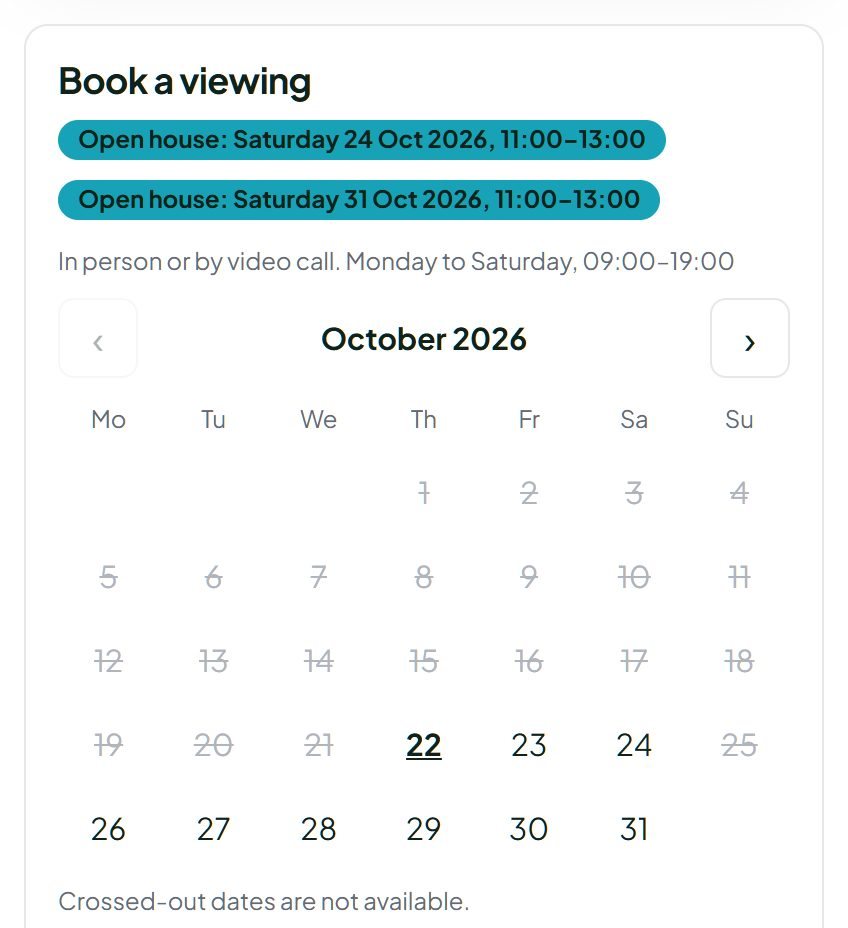
Book viewings on the listing, not by phone tag.
A "Book a viewing" button offers 30-minute slots, in person or by video, up to 60 days ahead. If nothing suits, the buyer proposes a time. The agent accepts or declines from their account, both sides get an email, and a reminder goes out the day before.
- Open houses: agents add up to 10 upcoming dates per property, shown as a badge on the listing.
- Serious requests: buyers sign in and leave a phone number.
- Free for both sides: no payment is ever taken for a viewing.
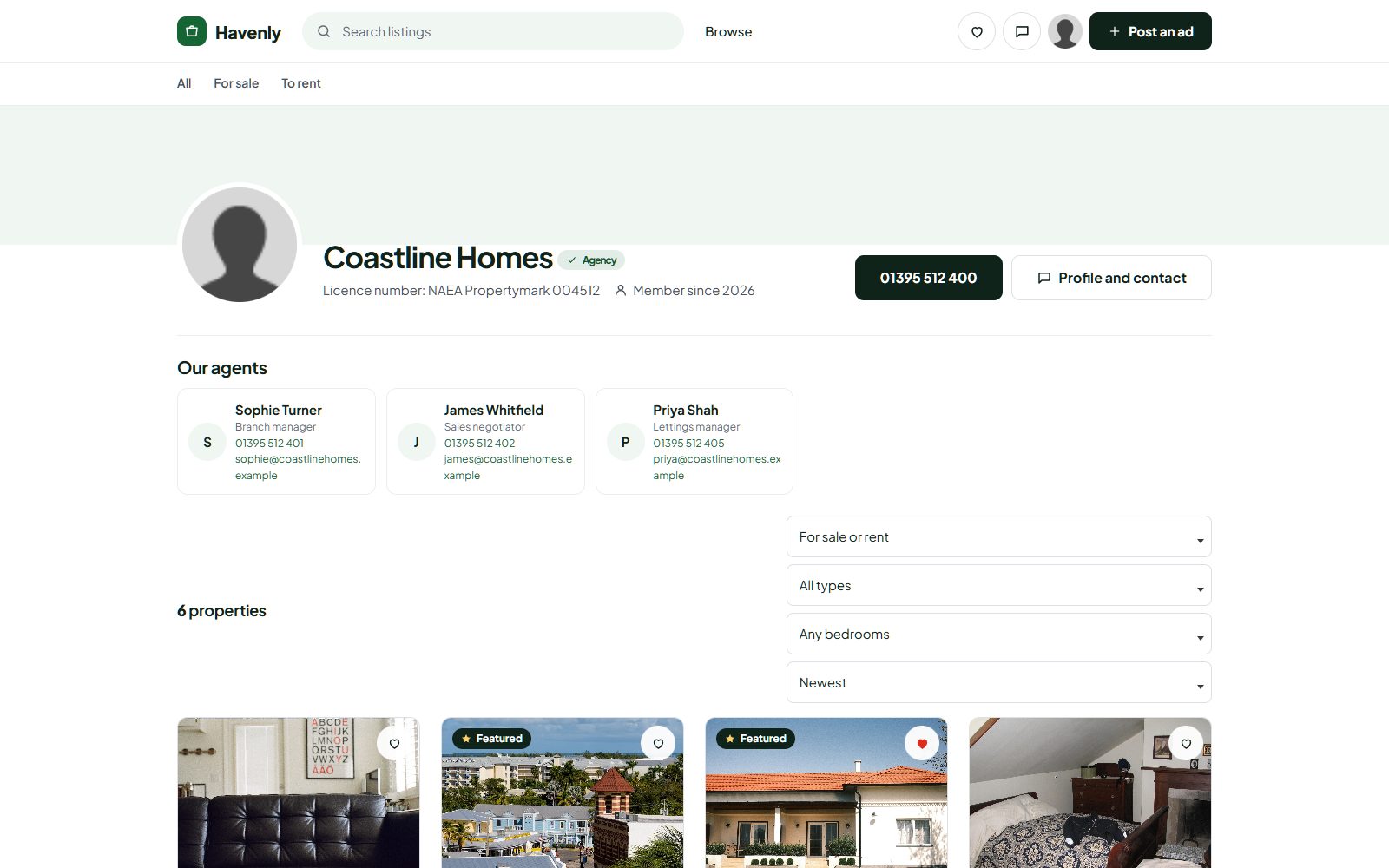
Agencies get a branded page, and their listings come in by feed.
Every approved agency has a page with its logo, licence number, phone, team of up to 20 agents and all its properties, filtered by sale or rent, type and bedrooms. Its listings carry an Agency badge.
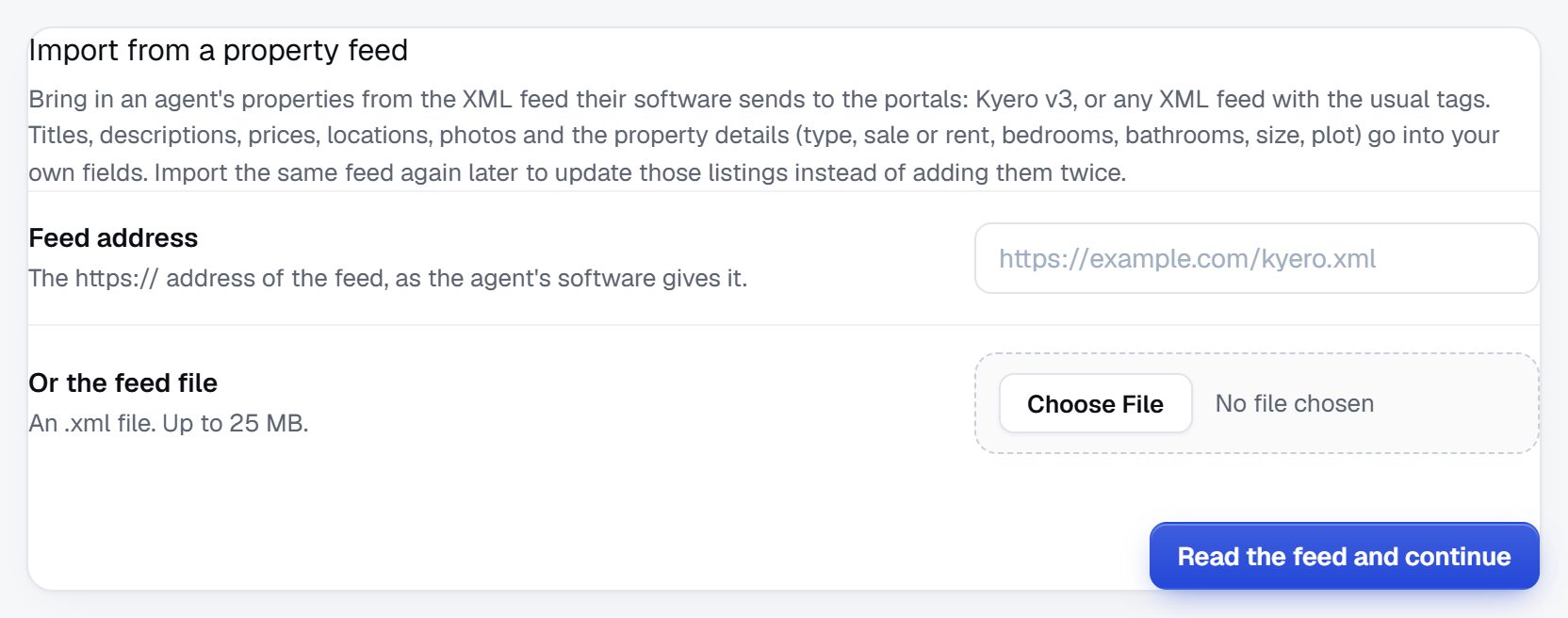
- Kyero and XML feeds: import from a link or a file, with up to 50 photos per property and 20,000 properties per import.
- Re-import to update: properties are matched by reference, and sold, let or withdrawn ones are taken down.
- Scheduled sync: keep a feed in sync every 6 or 12 hours, daily or weekly. Properties that leave the feed are made unavailable, and published again if they come back.
- Categories matched for you, sizes converted to your units, and a title written when the feed has none.
- CSV import too, with a dry run and undo.
If a synced feed suddenly has less than half of its properties, or can't be read to the end, nothing is taken down and you get an email.
Rank for "3 bedroom villas for sale in Jávea".
Yclas builds a landing page for each property type and deal, each number of bedrooms and each area that has at least three live listings. Each page has an intro with live counts and the price range, links to its neighbours, structured data and hreflang tags, and goes into your sitemap.
- Your own words: page addresses come from your own values, in any language.
- No thin pages: fewer than three listings and the page doesn't exist.
- Up to 5,000 pages in the sitemap, refreshed every hour.
Prices buyers can compare at a glance.
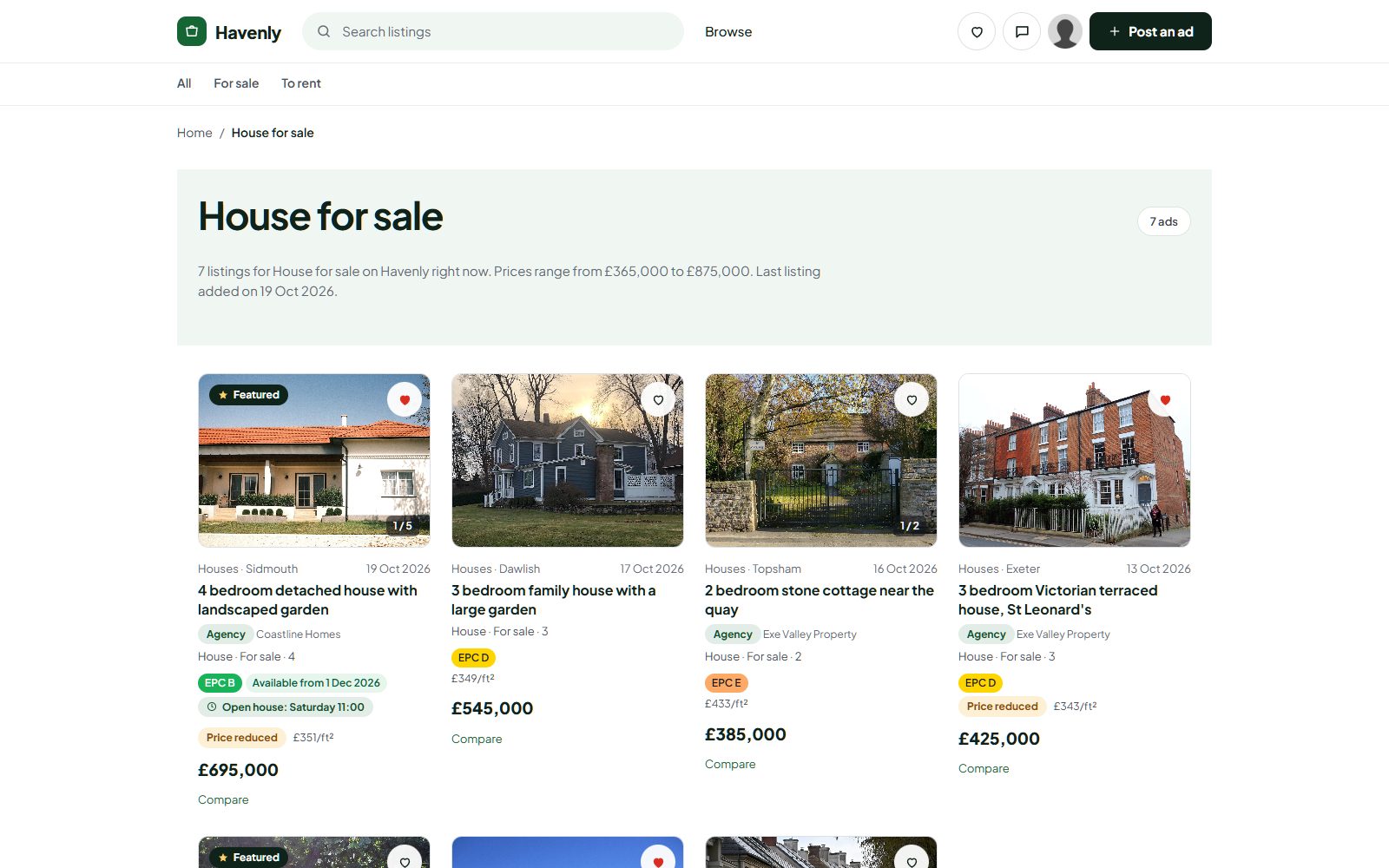
Every property shows its price per square metre or foot, per month for rentals. When there are enough similar homes nearby, a hint says whether it is above, below or about the area average. When a price comes down, the listing shows "Price reduced" with the old price for 14 days.
- Price-drop emails to everyone who saved the property, at most once a day.
- Compare up to four properties side by side, with the differences highlighted.
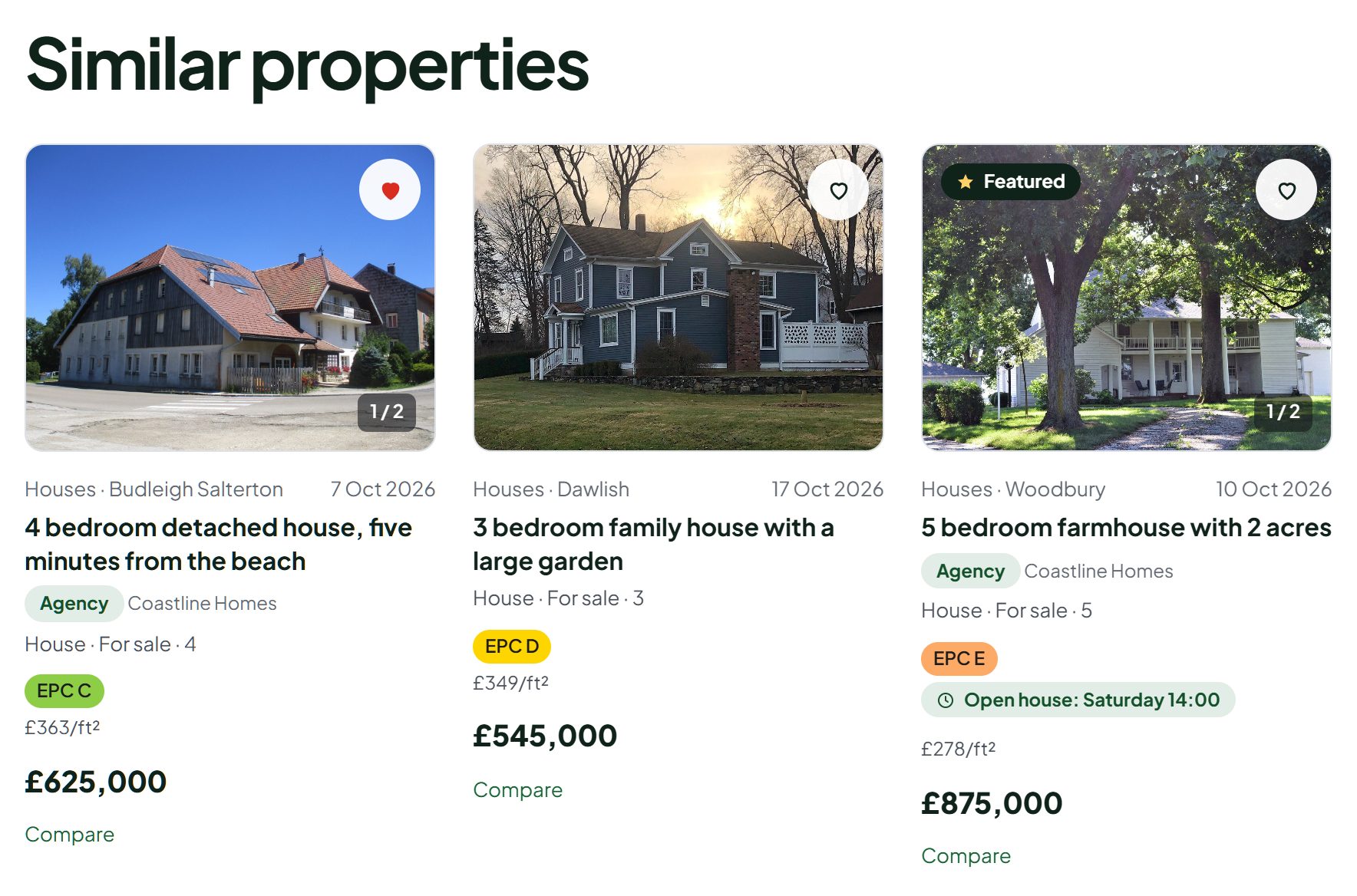
- Similar properties: the same type and deal, a bedroom either side, within 30% of the price.
Better photos, and a first draft of the listing.
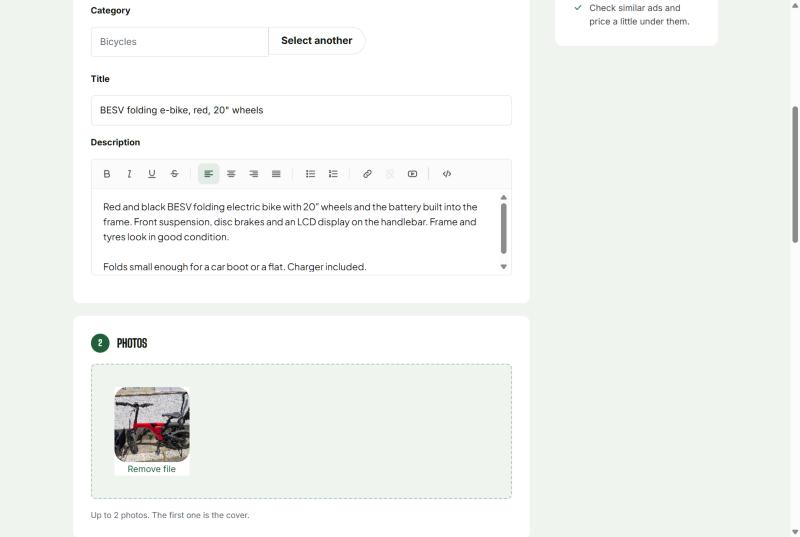
"Check my photos" on the post form names the room in each photo, suggests the best cover photo and order, and flags dark, blurry, sideways or duplicate shots. On the first batch it also suggests the type, bedrooms, bathrooms, a title and a description, filling only empty fields and never the size or price.
- Privacy: it spots faces, house numbers and number plates and can blur them.
- Fair limits: six photos at a time, within your plan's monthly allowance.
A listing agents can fill in two minutes.
- Type, sale or rent, bedrooms, bathrooms and size, all searchable.
- Energy rating, year built, floor, parking, furnished and pets when you want them.
- Virtual tour, community fees and available-from added in one click.
- Up to 30 photos on the Marketplace plan, plus up to six floor plans.
List a property
An example of the post form, with the fields this niche gets.
Everything in the Property pack, and around it.
The full list, so you can check it against your plan.
For buyers and renters
- Search by sale or rent, type, bedrooms, bathrooms, size and price
- Map search with price pins, a drawn area or a radius
- Saved searches with email alerts
- Price per m² or ft², and the area average hint
- Price reduced badge and price-drop emails
- Compare up to four properties
- Similar properties on every listing
- Book a viewing, in person or by video
- Virtual tours, floor plans, energy rating and monthly costs
For agents and owners
- Agency page with logo, licence number and team
- Agency badge on every listing
- Viewing requests to accept or decline
- Open house dates on the listing
- AI photo check: rooms, cover order, quality, blurring
- Bulk CSV import for business accounts
- Views, contacts and saves per listing
- Featured listings and bumps to the top
For you, the owner
- Kyero and XML feed import, up to 20,000 properties
- SEO pages for every area, type and bedroom count
- Agent memberships and paid listings
- Banner zones for mortgage brokers, movers and lawyers
- Moderation, reports and a blacklist
- Several languages on one site, with hreflang
- Property looks for Nova: Estate, Residence, Lettings, Holiday
- Property search and mortgage calculator sections for Nova
How a property portal makes money.
Owners might list free. Agents and developers pay to reach serious buyers.
Prices are examples: you set your own, in your currency. Yclas takes no commission on what you earn. All the ways to make money →
From sign-up to your first agency.
- Pick a nameChoose "Property" in the sign-up wizard. The Property pack and property categories are set up for you.
- Choose a lookStart from Estate, Residence, Lettings or Holiday, then make it yours.
- Import the first homesBring an agency's Kyero or XML feed, or a CSV file, and check the dry run.
- Invite agenciesSwitch on business accounts, set an agent membership and send them the link.
- Go liveConnect your domain and share it. Area pages appear as listings grow.
Where each part is switched on.
Sites that sign up as a property site get the pack switched on. On an existing site, the owner switches it on in one place, and each extra can be turned off on its own.
| Feature | Where to switch it on | Works with |
|---|---|---|
| Property pack | Settings › General › Property pack | Every theme; the full set on Nova |
| Viewings, price insights, SEO pages, agency pages | On with the pack; each can be switched off in Settings › Listings | Every theme |
| Property map | On with the pack; listings need a location on the map | Every theme |
| Kyero and XML feed import | Add-ons › Tools › Move your site to Yclas | Every theme |
| Agency pages | Settings › General › Business accounts | Every theme |
| Price-drop emails | On with the pack; Settings › Listings | Every theme |
| AI photo check | AI features page | Nova; monthly amount by plan |
| Property search and mortgage sections | Design › page builder | Nova |
Real estate FAQ
Other niches:
Can agencies import all their listings at once?
Yes. Import a Kyero or generic XML feed from a link or a file, up to 20,000 properties with up to 50 photos each, or a CSV file. Running the import again updates the properties it made before.
Does the feed update itself?
Yes, if you want it to. Keep a feed in sync every 6 or 12 hours, daily or weekly, or run an import yourself whenever you like. Each sync updates existing properties by reference, adds new ones within your plan's listing limit, and makes unavailable the ones that are sold, let, withdrawn or no longer in the feed. If a feed suddenly shrinks by more than half, nothing is taken down and you get an email.
Can I have both sales and rentals?
Yes. Sale or rent comes from a field or the category, rentals show the price and price per area per month, and the map and search filter by deal.
Can buyers search on a map?
Yes. The property map has price pins, search as you move the map, a drawn area or a radius, and filters for deal, type, bedrooms and price. It uses OpenStreetMap, so no Google key is needed.
How do viewings work?
Buyers pick a 30-minute slot, in person or by video, up to 60 days ahead, or propose their own time. The agent accepts or declines, both get an email, and a reminder goes out the day before. No payment is taken.
Will Google index pages for each area?
Yes. There is a landing page for each type and deal, bedroom count and area with at least three live listings, with structured data and hreflang, and up to 5,000 of them go into your sitemap.
Can I show square feet instead of square metres?
Yes. Set your measurement in Settings, or add a size unit field. Feed sizes are converted to your units.
Can I send my listings to other portals?
Yes. Turn on your property feed and give its private address to the portals you list with. It is in the Kyero v3 format most property portals read, with prices, details, sizes in m², location, descriptions with their translations and photos, updated every hour. Each agency can have its own feed with only its listings.
Can I charge only agents?
Yes. Make agent memberships paid and leave private owners free, or charge per listing in chosen categories.
I already run a property site. Will my fields work?
Usually, yes. The pack reads bedrooms, bathrooms, size, type and more by their names in nine languages, so you can switch it on without renaming fields.
Which theme should I use?
Nova, the default for new sites, shows everything, including AI photo checks and the property search section. Older themes get the key facts, viewings, agency, price and compare in one block on the listing.
Can the site run in several languages?
Yes. Yclas runs in more than 40 languages and one site can use several, which suits portals for overseas buyers.
More pages on this topic.
The parts of Yclas this niche leans on.
Your property portal, live this afternoon.
Pick a name and choose Property: the pack and the categories are set up for you. Free for 15 days.
Start my property portal
Photo credits
The screenshots show demo sites with made-up sellers. Their photos come from Wikimedia Commons, some cropped or with signs and plates blurred; these ones are under Creative Commons licences:
- Modern house exterior with red roof and landscaped garden under clear blue sky, CC BY 2.0
- Furnished apartment in Cambridge, December 2008, CC BY-SA 3.0
- Front lawn at Holehird - geograph.org.uk - 2046271, CC BY-SA 2.0
- Terraced houses on Walton Street - geograph.org.uk - 5233085, CC BY-SA 2.0
- Stone Cottage, Watnall, CC BY-SA 2.0
- View of the "Lost Dining Table and Chairs" in Eltham Palace - geograph.org.uk - 5797282, CC BY-SA 2.0
- Mountain's chalet in summer, CC BY-SA 4.0
- Monument, bench and flowers at Akureyri Botanical Gardens, CC BY 3.0
- Building plot - geograph.org.uk - 6532306, CC BY-SA 2.0
- Mid Devon , Countryside ^ Farmland - geograph.org.uk - 1953042, CC BY-SA 2.0
- Industrial unit on the Coppi Industrial Park - geograph.org.uk - 4974502, CC BY-SA 2.0
- Burnham Yacht Harbour Marina - geograph.org.uk - 7039536, CC BY-SA 2.0
- Office Chairs at Long Table conference, CC BY 2.0