Online classified websites have to work well on phones. Mobile users form a significant portion of the user base, and providing them with a seamless experience is no longer optional. It's critical.
From enhanced navigation to robust security, the right mobile-specific features can significantly improve user engagement, drive listings, and increase overall success for classified platforms.
Below, we dive into the must-have features, challenges, and strategies for innovation in mobile-focused online classified platforms.
In short
- Mobile was 58.99% of worldwide web use in September 2026, and Google now crawls and ranks the mobile version of your site, so nothing important should be hidden on mobile.
- Aim for Core Web Vitals of LCP 2.5 seconds or less, INP 200 milliseconds or less and CLS 0.1 or less. INP replaced FID in March 2024.
- You don't need AMP: Google applies the same standard to all pages, so a fast responsive site is enough.
- A home-screen web app (PWA) beats a native app for most small marketplaces, and iPhone now supports web push and opens home-screen sites as web apps.
- Must-have mobile features include location search, smart filters, quick photo-first posting, in-app chat, secure payments and two-factor login.
Part of the guide Running your marketplace
1. Mobile-Friendly Design and Responsive Layouts
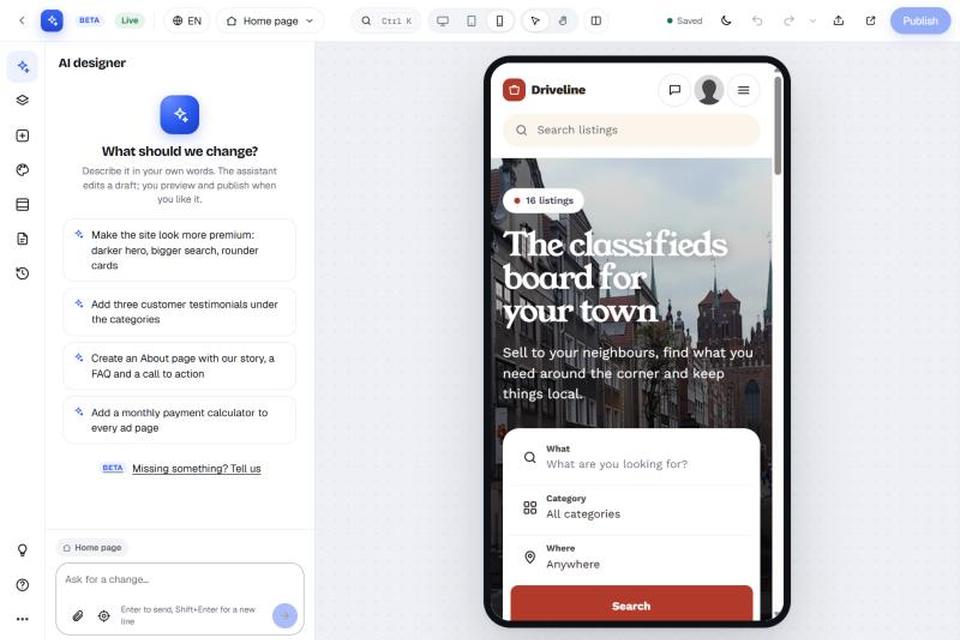
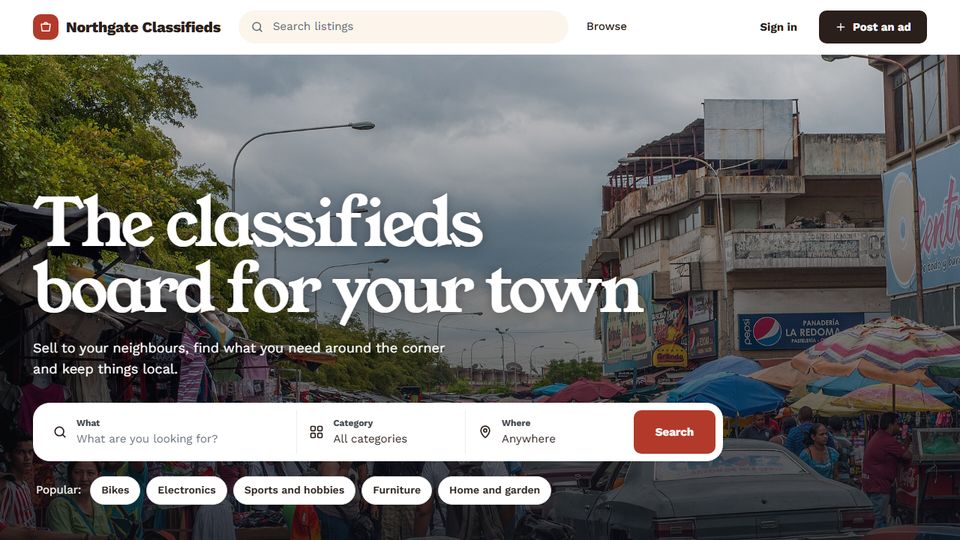
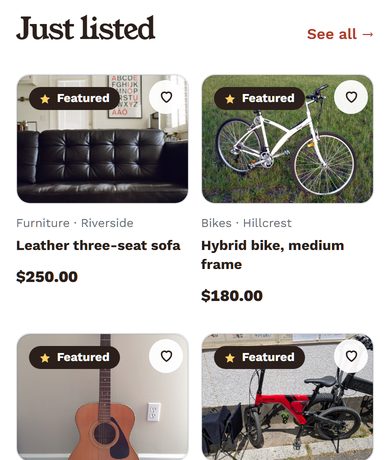
A responsive design ensures your platform functions perfectly on devices of all screen sizes. A mobile-friendly layout is not just a good-to-have but a necessity.
- Touch-friendly buttons and links.
- Auto-scaling text and images for smaller screens.
- Swipe-based navigation for enhanced usability.
Why It Matters: According to Statista, mobile devices accounted for approximately 54.8% of global website traffic in 2023. A poor mobile design can lead to higher bounce rates and lost opportunities.
Mobile benchmarks for 2026: the numbers Google actually measures
"Mobile-friendly" now has measurable targets. Here are the figures that matter for a classifieds site in 2026, each from its original source.
1. Mobile is now the majority of the web
StatCounter Global Stats puts mobile at 58.99% of worldwide web use in September 2026, desktop at 39.26% and tablet at 1.76%. That is up from the 54.8% for 2023 quoted above. For local classifieds, where people browse while out and post photos straight from their phone, your own share is often higher. Check your analytics by device type.
2. Google ranks the mobile version of your site
On 31 October 2023 Google announced that mobile-first indexing has landed: Google now crawls and indexes sites mainly as a smartphone. The only exceptions were "a very small set of sites which do not work on mobile devices at all". The errors Google listed for those sites are worth checking on your own: pages that show errors to mobile users, a mobile version blocked in robots.txt, and mobile pages that all redirect to the homepage. Google says a mobile page needs to be as complete as the desktop version. If a category filter, an ad's description or contact details are hidden on the mobile layout, Google may not take them into account.
3. Core Web Vitals targets
Google's web.dev guidance sets three thresholds, measured at the 75th percentile of page loads and split between mobile and desktop:
| Metric | What it measures | "Good" threshold | Typical classifieds culprit |
|---|---|---|---|
| Largest Contentful Paint (LCP) | Loading | 2.5 seconds or less | Large, uncompressed first photo on the ad page |
| Interaction to Next Paint (INP) | Responsiveness | 200 milliseconds or less | Heavy filter/search scripts and third-party chat widgets |
| Cumulative Layout Shift (CLS) | Visual stability | 0.1 or less | Banner ads and images loading without set dimensions |
INP is the newest of the three. It replaced First Input Delay on 12 March 2024, so older advice that mentions FID is out of date. Google's page experience documentation says Core Web Vitals "are used by our ranking systems". Good scores alone don't guarantee top rankings, though, and Google still puts the most relevant content first.
4. You don't need AMP
Older advice, including earlier versions of this article, suggests AMP. Google's AMP documentation (updated July 2026) says Search "applies the same standard to all pages, regardless of the technology used". AMP gets no special ranking treatment, so a fast responsive site is enough.
A 15-minute mobile check you can run today
- Run your home page, a category page and a busy ad page through PageSpeed Insights and note the mobile LCP, INP and CLS.
- Post a test ad from your phone with 5 or more photos. Time it, and note every field that is awkward to fill on a small screen.
- Check that contact buttons, filters and the full description show on mobile, not only on desktop.
- Look at the Core Web Vitals report in Search Console: it groups similar slow URLs so you can fix a whole template at once.
If you are starting a new marketplace, choose a platform that handles this for you. For example, Yclas sites resize photos for phones automatically and can be added to the home screen like an app (features). Each plan has its own photo limit per listing: 5 on Starter, 20 on Professional and 30 on Marketplace (pricing).
Home-screen web apps (PWAs) and other mobile details for 2026
This page also replaces our older posts on why mobile responsiveness matters for classifieds marketplaces, on how mobile growth is changing classified websites, and on using progressive web apps (PWAs) for online marketplaces.
Mobile-first indexing, speed and desktop users
In a 3 June 2024 post on the Google Search Central blog, Google said it would crawl all remaining sites with its smartphone crawler after 5 July 2024, and that content not accessible on a mobile device would no longer be indexable. Google's current guidance (last updated December 2025) adds points that matter for classifieds:
- Google won't load content that needs a swipe, click or typing to appear. If an ad's description, price or seller details only load after a tap on mobile, Google may never see them. If the mobile page hides the custom fields or the photos' alt text, Google ranks that thinner version.
- Use the same titles, meta descriptions and structured data, such as Breadcrumb, Product and VideoObject, on mobile and desktop.
INP, the responsiveness metric in the table above, looks at the slowest responses across a whole visit, not just the first tap (web.dev, 31 Jan 2024). That makes category and price filters, location pickers and multi-photo uploads in the post-ad form much more visible in your scores. On an ad page, don't lazy-load the first photo: it is usually the LCP element. Lazy-load the rest of the gallery.
Desktop is still about four visits in ten, and many sellers prefer a big screen to write long descriptions or upload a dozen photos. The goal is one responsive site that works well on both, not a stripped-down mobile version.
A home-screen web app before a native app
Most small marketplaces get further with a fast mobile site visitors can add to their home screen than with a separate native app to build and maintain. The iPhone used to be the weak point for these web apps (PWAs). Most of that has now changed:
| When | Change | What it means for a marketplace |
|---|---|---|
| 2023 (iOS/iPadOS 16.4, announced 16 Feb 2023) | Web Push and the Badging API arrive for web apps added to the Home Screen. The permission request must come from a user tap, such as a "subscribe" button (WebKit, 16 Feb 2023). | You can alert iPhone users about new matching ads, replies and price drops, but only after they install the app to their Home Screen. |
| Mar 2024 (iOS 17.4, EU) | Apple had planned to switch off Home Screen web apps in the EU, citing the Digital Markets Act, then reversed course (MacRumors, 1 Mar 2024). | European buyers and sellers keep the same PWA experience as everyone else. |
| 2025 (iOS 26, announced 9 Jun 2025) | Every website added to the Home Screen opens as a web app by default. Users can still switch this off and add a plain bookmark (WebKit, 9 Jun 2025). | Installing is now one of the default paths on iPhone, not something only power users do. |
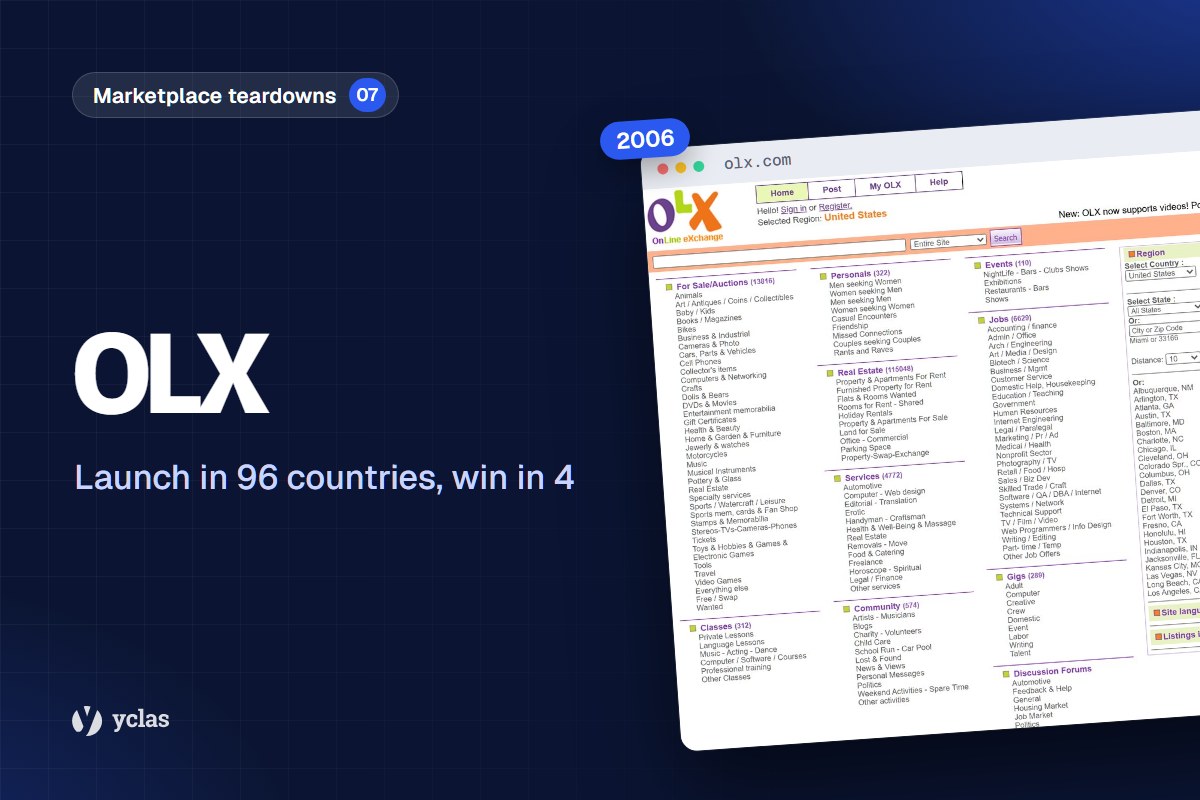
Read the famous PWA case studies with care. Most date from 2016-2017 and come from Google's own write-ups. For OLX, Google reported 23% less time until the page is interactive, an 80% lower bounce rate, a 146% higher click-through rate on ads and 250% more re-engagement, with more than 600,000 users signing up for push notifications (web.dev, last updated May 2017). These results compare a new PWA with an old, slow mobile site, and much of the gain came from speed.
A PWA checklist for marketplaces
- Manifest and icons: a web app manifest with 192px and 512px icons, a short name and a start URL.
- Offline page: a service worker that shows a friendly offline page instead of a browser error.
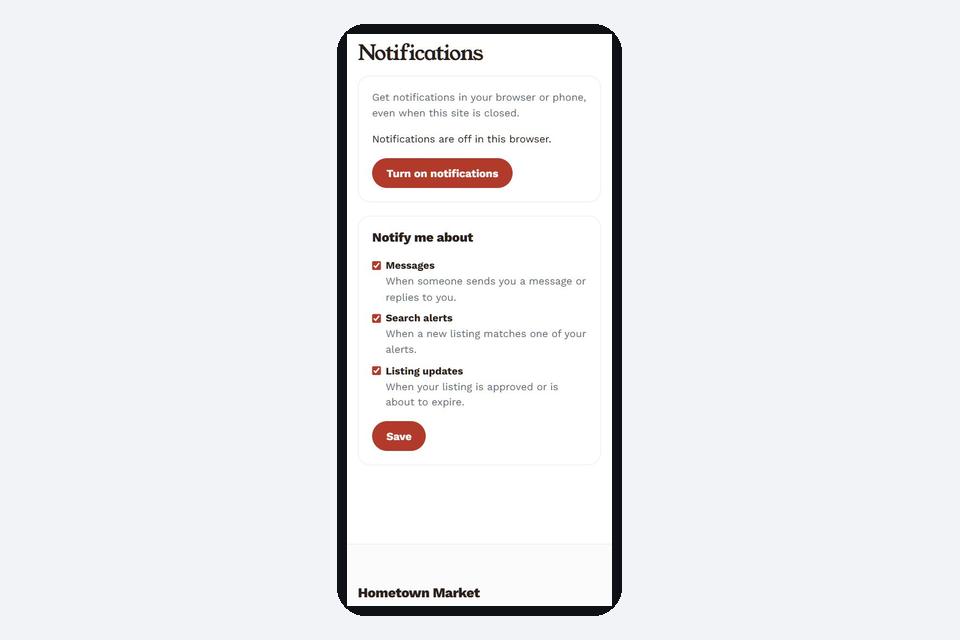
- Ask for push at the right moment: after a meaningful action, such as saving a search or posting an ad, not when the page loads.
- Measure installs and opt-ins separately: on iPhone, push only works once the app is installed.
On Yclas, the optional "Add to home screen" add-on gives your site a web app manifest, a service worker and an offline page.
What has changed for the platforms named on this page
| Platform | What happened | Source |
|---|---|---|
| Letgo | Acquired by OfferUp (official on September 21, 2020). OfferUp became its successor in North America, and Letgo now operates only in Turkey, Spain and Norway. | Wikipedia |
| OLX India | Acquired by CarTrade in August 2023 for ₹535.54 crore | Wikipedia |
| Craigslist | Official iOS app launched in December 2019, with a beta on Android | Wikipedia |
2. Dedicated Mobile App Integration
While responsive websites are vital, having a dedicated mobile app often delivers an even better experience. Apps enhance usability, engagement, and brand loyalty.
- Push notifications for updates on listings or saved searches.
- In-app payment gateways for quick transactions.
- Offline functionality for viewing saved listings without internet access.
Case Study: Platforms like OLX have seen significant success after launching mobile apps.
3. Location-Based Search and Listings
For classified websites, hyperlocal functionality is indispensable. Mobile users often want results near them, and integrating geolocation features can make this seamless.
- GPS-enabled search filters to find nearby listings.
- Location-specific notifications (e.g., “New job postings in your area!”).
- Localized content suggestions.
Challenge: Managing location accuracy and data privacy regulations.
Solution: Use secure geolocation APIs like Google Maps or Mapbox to ensure compliance and accuracy.
4. Streamlined Search and Filter Options
Mobile users expect fast and intuitive navigation. Complex or slow search systems can frustrate users and drive them away.
- Voice search functionality.
- Smart filters (e.g., price range sliders, keyword-specific filters).
- AI-powered recommendations based on user behavior.
Real-Life Success: Craigslist is known for a plain, fast search with simple filters.
5. Easy Listing Creation
The core of any classified platform is user-generated listings. For mobile users, this process must be simple, fast, and intuitive.
- One-click photo upload using the phone’s camera.
- AI-based auto-fill for forms (e.g., detecting item categories from images).
- Drag-and-drop functionality for arranging photos.
Impact: A long, fiddly posting form loses listings, so streamlining this process helps listing volumes.
6. In-App Chat and Messaging
Seamless communication between buyers and sellers is critical for mobile users who expect real-time interactions.
- Instant messaging with read receipts.
- In-app voice and video call options.
- Spam filters for blocking unwanted messages.
Why It Matters: Built-in messaging keeps buyers and sellers on your site and boosts convenience and trust.
7. Mobile Payments and Escrow Services
Many mobile users prefer platforms that offer secure and simple payment options directly within the app or site.
- Integrated payment gateways like PayPal, Stripe, or Apple Pay.
- Escrow services to protect buyers and sellers until a transaction is complete.
- Instant payment confirmations.
Future Trend: Cryptocurrencies and digital wallets are gaining traction in mobile commerce and can be a valuable addition.
8. Personalization Through AI and Machine Learning
Personalized experiences create better engagement. Mobile users appreciate tailored content, and artificial intelligence can help deliver this.
- Personalized recommendations based on browsing history.
- Predictive search that adjusts results dynamically.
- AI-powered chatbots for customer service.
Case Study: Facebook Marketplace leverages AI to recommend listings that are highly relevant to users.
9. Security Features for Mobile Users
Security concerns are amplified for mobile users due to the increased risk of phishing and data theft.
- Two-factor authentication (2FA) for login and payments.
- End-to-end encryption for in-app communications.
- Fraud detection tools powered by machine learning.
Why It Matters: Users avoid platforms they consider insecure. Addressing these concerns builds trust and credibility.
10. Challenges and Solutions in Mobile Optimization
- Challenge 1: Limited screen space can hinder user experience. Solution: Prioritize content using collapsible menus and tabs.
- Challenge 2: Handling large-scale images or media uploads on mobile. Solution: Compress images automatically to maintain quality without increasing load times.
- Challenge 3: Balancing feature-rich designs with fast load times. Solution: Keep pages light and the layout responsive (AMP is no longer needed; see section 4 of the 2026 benchmarks above).
11. Predicting Future Innovations
The classified marketplace is evolving rapidly. Keeping an eye on trends ensures platforms stay relevant.
- Voice Commerce: Enabling users to browse and post listings using voice commands.
- Augmented Reality (AR): Letting users preview products in their space (e.g., furniture in their living rooms).
- Super Apps: Integrating classifieds with other services like delivery or rentals, similar to apps like WeChat.
12. Real-Life Case Studies of Mobile Success
- Facebook Marketplace: Its app integration and AI-based personalization have made it one of the most used classified platforms globally.
- OfferUp: A mobile-first strategy with location-based listings helped OfferUp become a leader in U.S. local marketplaces.
Conclusion: Building Mobile-First Classified Platforms
Incorporating the right features for mobile users is essential for the success of any online classified platform. From responsive designs and geolocation to AI-driven personalization, the possibilities for innovation are endless.
Looking to Create a Marketplace? Contact Us at Yclas for expert solutions tailored to your business needs.
By investing in mobile-first strategies, businesses can ensure long-term growth, user satisfaction, and a competitive edge in the online classifieds space.
Want to run a classifieds site for your own town, region or niche instead? Our classified website builder sets one up in minutes, this guide shows how to create a classifieds website, and our classifieds software page compares the options.