The digital landscape is brimming with classified marketplace websites, making it essential to stand out.
A user-friendly design isn’t just a luxury—it’s the key to success.
From intuitive navigation to accessibility, every detail matters.
This article explores how to create a classified marketplace that users love.
In short
- Fix the six most common accessibility failures first: low-contrast text, missing alt text, missing form labels, empty links, empty buttons and missing page language.
- Since 28 June 2025 the European Accessibility Act applies to e-commerce, with WCAG 2.2 level AA as the usual benchmark.
- Test listing and search pages on a mid-range phone against Core Web Vitals: LCP 2.5 s or less, INP 200 ms or less, CLS 0.1 or less.
- Map your most frequent search queries, abbreviations and synonyms, and give no-results pages nearby locations, recent listings and an alert.
- Show the full price early, trim sign-up and post-an-ad forms, and don't delete pages for sold or expired items.
Part of the guide Running your marketplace
Why User-Friendly Design Matters in Marketplaces
A well-designed website determines user retention and transaction rates. According to HubSpot, 88% of visitors won’t return after a bad user experience.
Key Benefits of User-Friendly Design
- Higher Conversion Rates: Simple layouts encourage users to act.
- Reduced Bounce Rates: Easy navigation keeps users engaged.
- Stronger Brand Loyalty: Positive experiences build trust and repeat visits.
Challenges
- Overcrowded Interfaces: Complicated designs overwhelm users.
- Slow Loading Times: Websites taking over 3 seconds to load lose 40% of visitors.
- Mobile Optimization: Nearly 54% of traffic is mobile-based but poorly optimized.
Solutions
- Focus on minimalist design principles.
- Invest in speed optimization tools like caching.
- Prioritize responsive design for mobile users.
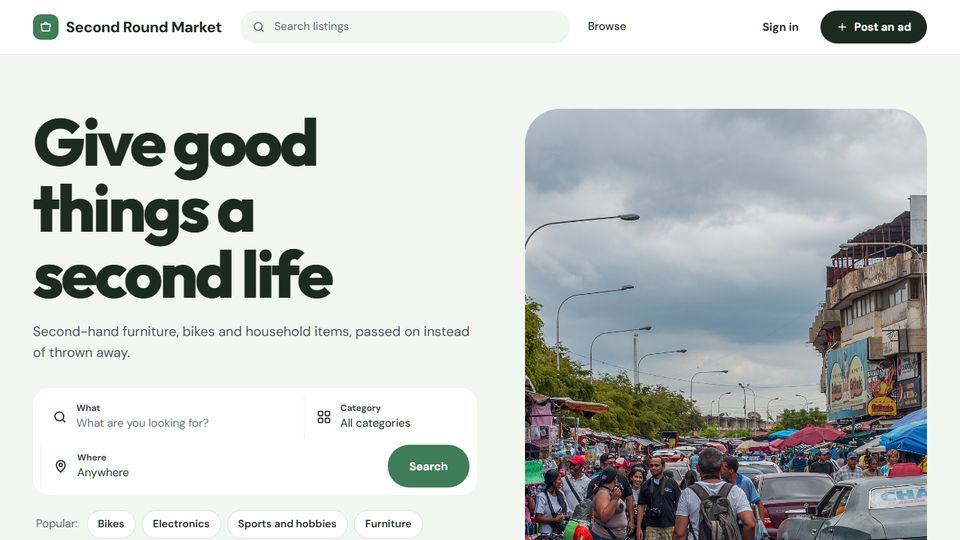
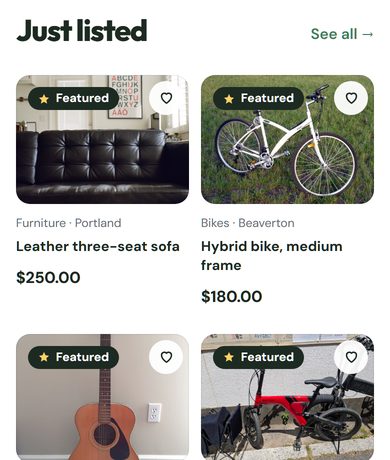
Core Features of a User-Friendly Classified Marketplace
1. Intuitive Navigation
Users should find items with minimal effort.
Tips for Better Navigation:
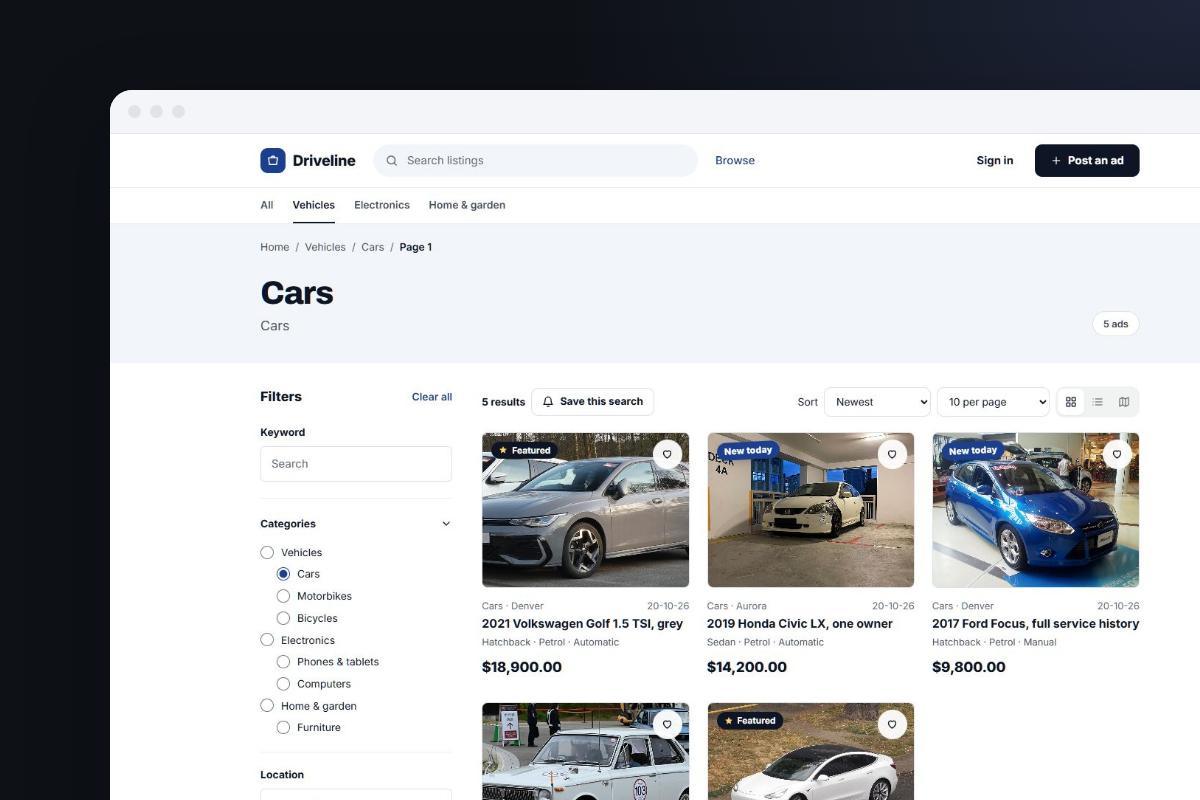
- Breadcrumbs: Guide users back easily.
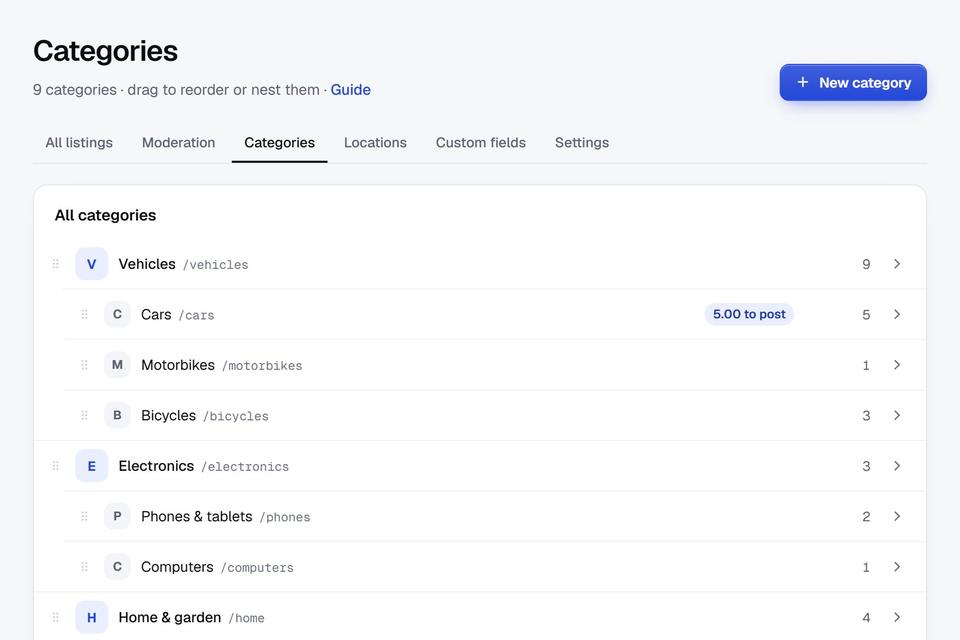
- Categorization: Use clear, logical groups like “Vehicles,” “Real Estate,” or “Jobs.”
- Search Functionality: Include filters for price, location, and product type.
2. Seamless User Registration and Login
Simplify how users access your platform.
Features to Include:
- Single Sign-On (SSO) via Google, Facebook, or Apple.
- Two-factor authentication (2FA) for security.
- Guest browsing options to reduce barriers.
3. Mobile Optimization
With Statista reporting mobile devices account for over 50% of global web traffic, responsive design isn’t optional.
Best Practices:
- Optimize images for faster load times.
- Use large, tappable buttons.
- Ensure text readability across devices.
4. Clear Call-to-Actions (CTAs)
Guide users toward desired actions like listing or purchasing.
Effective CTAs:
- “Post Your Ad Today!”
- “Find Your Dream Home Now!”
- “Upgrade to Premium for More Visibility!”
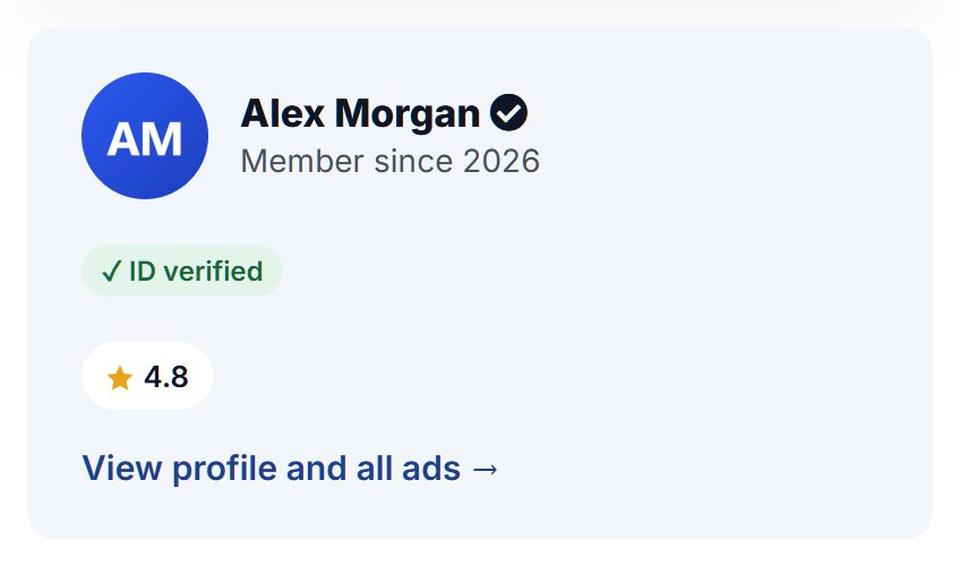
5. Trust Signals and Reviews
Build credibility with user reviews and secure payment options.
Trust Signals to Implement:
- Verified badges for sellers.
- HTTPS encryption for secure transactions.
- Refund policies for risk-free purchases.
Designing for Accessibility
Essential Accessibility Features:
- Screen Reader Compatibility: Use alt text for images.
- Keyboard Navigation: Allow navigation without a mouse.
- Adjustable Font Sizes: Offer scalable text for better readability.
Legal Compliance
Non-compliance with accessibility standards like WCAG could result in lawsuits, as seen with the Domino’s Pizza case.
Accessibility and Speed in 2026: The Rules and Numbers That Now Apply
Since this article was first published, accessibility has gone from good practice to a legal requirement in Europe, and the yardsticks for speed and mobile use have changed too. Here is where things stand in 2026, and what it means for a classified site.
What has changed
- The European Accessibility Act is in force. Since 28 June 2025, EU Member States can enforce the EAA, and its scope includes e-commerce services, meaning buying and selling online through a website or app. Microenterprises providing services (fewer than 10 employees and under EUR 2 million turnover) are exempt from some requirements, and WCAG 2.2 level AA is the usual benchmark for websites (Travers Smith, June 2025).
- WCAG 2.2 is the current standard. It adds nine success criteria (W3C, edition of 12 December 2024). Four of them affect marketplaces directly: Target Size (Minimum) for small favourite, share and close icons; Dragging Movements, so a price slider or map needs a non-drag alternative such as min/max boxes; Accessible Authentication (Minimum), so logins should not rely on memory tests (allow pasting and password managers); and Redundant Entry, so a multi-step "post an ad" form should not ask sellers for the same details twice.
- Speed is measured differently. Google's Core Web Vitals are now Largest Contentful Paint (2.5 s or less), Interaction to Next Paint (200 ms or less, replacing First Input Delay since 2024) and Cumulative Layout Shift (0.1 or less) (web.dev). On listing pages, INP is usually hurt by heavy filter scripts and CLS by photos loading without fixed dimensions.
- Mobile now leads. In September 2026, mobile accounted for 58.99% of worldwide web traffic, against 39.26% for desktop and 1.76% for tablets (Statcounter).
The six failures to fix first
WebAIM's February 2026 scan of the top one million home pages found detected WCAG failures on 95.9% of them, with 56.1 errors per page on average. The same six problems account for 96% of all detected errors (WebAIM Million 2026):
| Failure | Share of home pages | Typical fix on a classified site |
|---|---|---|
| Low-contrast text | 83.9% | Check price badges, "Featured" labels and grey meta text (date, location) against the background |
| Missing image alt text | 53.1% | Use the ad title as the default alt text for listing photos and category icons |
| Missing form labels | 51% | Give every search filter and post-an-ad field a visible or programmatic label |
| Empty links | 46.3% | Add accessible names to icon-only links (favourite, share, social) |
| Empty buttons | 30.6% | Label gallery arrows, close (×) and menu buttons |
| Missing document language | 13.5% | Set the page language, especially on multilingual sites |
Fixing these six covers most of what automated checkers flag, and it also helps mobile users and search engines, so it is a sensible first step before any redesign.
Search, Checkout Friction and Common Design Mistakes: What the Research Shows
This page also replaces our older posts on navigation and search for marketplaces, on reducing friction, on common UI/UX and ecommerce website mistakes, and on how images shape a marketplace. Here are the findings from those posts that this guide did not already cover.
Where marketplace search fails
The Baymard Institute tests e-commerce sites with real users. Its 2026 search benchmark (updated April 29, 2026, covering 170+ sites and apps) found that 56% of sites don't adequately support what users type into the search box. Here is how often each type of query fails:
| What the user types | Sites with issues | Marketplace example |
|---|---|---|
| Exact searches (a specific item or model) | 12% | "iPhone 13 128GB" |
| Product type searches | 20% | "sofa", "apartment" |
| Symptom searches | 37% | "bike chain keeps slipping" |
| Feature searches | 39% | "4x4", "pet friendly" |
| Use case searches | 43% | "furniture for a small balcony" |
| Compatibility searches | 44% | "tyres for Golf 2015" |
| Abbreviation and symbol searches | 54% | "2br", "4wd", "€500" |
| Non-product searches | 66% | "how to post an ad", "safety tips", "contact" |
The same benchmark found 58% of mobile sites and 64% of apps with mediocre or worse search, compared with 46% of desktop sites, so test search on a phone first. Two more Baymard findings point to quick wins:
- Autocomplete: found on 80% of sites, but only 19% implemented it well (August 2022). Show at most 10 suggestions on desktop and 4 to 8 on mobile, and suggest categories as well as keywords.
- No-results pages: nearly 50% of sites give users no effective way to recover from a search with no results (updated February 18, 2025). On a young marketplace with few listings this page comes up often. Suggest nearby locations or the parent category, show the most recent listings, and offer an alert for when a matching ad appears.
To apply this, list the 50 most frequent queries in your search log, sort them into the types above and fix the ones that return nothing. Map abbreviations, synonyms and local slang. Make sure "post ad", "fees", "safety" and "contact" lead to your help pages. Feature and compatibility searches go much better when listings have structured fields, such as bedrooms or engine size, that buyers can filter on.
Why people leave before they finish
The Baymard Institute (updated 22 September 2025) puts the average documented cart abandonment rate at 70.22%, based on 50 studies. Many of those shoppers were only browsing. Among those who meant to buy, the most common reasons were:
| Reason shoppers abandoned checkout | Share |
|---|---|
| Extra costs too high (shipping, tax, fees) | 40% |
| Delivery was too slow | 20% |
| Did not trust the site with card details | 19% |
| Site required creating an account | 18% |
| Checkout too long or complicated | 17% |
| Website errors or crashes | 17% |
| Returns policy not good enough | 13% |
| Could not see the total cost up front | 12% |
| Not enough payment methods | 9% |
Two practical takeaways. First, show the full price, including shipping and any buyer or listing fee, as early as possible, and never only at the last step. Second, trim the form. Baymard finds that an ideal checkout needs only 12 to 14 form elements (7 to 8 fields), while the average US checkout shows 23.48 form elements (14.88 fields) by default. The same applies to a "post an ad" form, and to sign-up: track how many people start registering but don't finish, and cut fields until that improves.
Passwords are another drop-off point. In its May 2025 consumer survey (1,389 adults in five countries), the FIDO Alliance found that 47% of consumers will abandon a purchase if they forget their password. It also found that 69% had enabled passkeys on at least one account, and that passkeys were offered on 48% of the world's top 100 websites. Passkeys or sign-in with an existing Google or Apple account make buyers less likely to drop off when asked to log in before contacting a seller.
Dark patterns and seller details are now regulated
The EU Digital Services Act, applicable to all platforms since 17 February 2024, bans deceptive design such as aggressive pop-ups and confusing consent buttons. It also requires marketplaces to verify and display sellers' contact details and offer an easy way to flag illegal goods. Micro and small companies get lighter obligations, but the dark-pattern ban is a good design rule regardless of size. In practice, check your cookie and consent banners, how seller contact details are shown, and that every listing has a report button.
Three common mistakes worth fixing
- Deleting sold or expired items. If a page someone linked to, or that Google indexed, is deleted, visitors get an "Error 404". This hurts both buyers and SEO, so don't delete pages for items that are no longer available.
- Testing speed only on the home page. On a marketplace, slow search filters, image galleries and "load more" buttons count against you, because INP covers every tap and click during a visit, not just the first one. Enter a listing page and a search results page into PageSpeed Insights, and test on a mid-range phone, not your laptop. Upload large photos, but serve compressed, resized versions in listing grids and keep full resolution for the zoom view, since the main photo is often what Largest Contentful Paint measures.
- Moving servers to reach a country. Older advice says to host your server in your target country. Google's guide to multi-regional sites (updated 10 December 2025) says server location is not a definitive signal. A country-code domain (such as .de or .co.uk) is the clearest signal, followed by subdomains or subdirectories, plus hreflang annotations. For speed, a good CDN close to your users is often a simpler fix.
Data-Driven Insights for Better Design
Statistics to Consider:
- 65% of users favor personalized experiences (McKinsey).
- Sites using AI-driven recommendations see a 30% boost in sales.
How to Use Data for Optimization:
- Implement heatmaps to track popular areas of the site.
- Use A/B testing to refine elements like CTAs.
- Analyze user feedback to identify pain points.
Real-Life Case Studies of Successful Marketplaces
1. Craigslist
Challenge: Simplistic, text-heavy interface with limited features.
Solution: Retained a no-frills design focusing solely on functionality.
Key Takeaway: Simplicity can be powerful if your audience values it.
2. Facebook Marketplace
Challenge: Integrating marketplace features into an existing social platform.
Solution: Leveraged user profiles and social trust to enable seamless buying/selling.
Key Takeaway: Combining convenience and trust fosters growth.
3. OLX
Challenge: Scaling a marketplace across diverse geographies.
Solution: Adapted UI to local languages and preferences while maintaining a cohesive global look.
Key Takeaway: Localization enhances user engagement.
Predicting Innovations in Classified Marketplaces
1. AI-Powered Features
- Personalized Search Results: Tailored recommendations based on behavior.
- Fraud Detection: Identifying fake ads automatically.
- Chatbots: Offering real-time support 24/7.
2. Augmented Reality (AR)
- Virtually inspect real estate listings.
- Preview furniture in their homes before purchase.
3. Blockchain for Transactions
- Payment Security: Faster, transparent transactions.
- Seller Verification: Immutable records for added trust.
Steps to Future-Proof Your Marketplace Design
- Embrace Scalability: Build infrastructure that grows with user demand.
- Focus on Personalization: Use AI to deliver tailored experiences.
- Integrate New Technologies: Stay ahead with innovations like AR and blockchain.
- Monitor Trends: Regularly adapt to changing user behaviors.
Conclusion
A user-friendly classified marketplace website is the cornerstone of success. By focusing on intuitive navigation, accessibility, and emerging technologies, you can create a platform users love.
Learn from successful marketplaces and incorporate future trends to stay competitive.
Looking to Create a Marketplace? Contact Us at Yclas Today!