The online marketplace KPIs worth watching on a small classifieds site are few: new listings per week, active sellers, the share of listings that get a reply, liquidity (how often a listing sells and a search finds something), repeat sellers, where your visitors come from, and what each new listing costs you. You can follow all of them in about 15 minutes a week with your site's own stats and Google Analytics 4 (GA4). This post explains each of these marketplace metrics, how to set up classifieds website analytics in GA4 as of October 2026, and ends with a one-page weekly dashboard you can copy.
A quick word on terms: a metric is any number you can measure; a KPI (key performance indicator) is one of the few metrics you have decided to steer by.
In short
- Track seven numbers: new listings per week, active sellers, listings with a reply, liquidity, repeat sellers, traffic sources and cost per listing.
- If you only have time for three, follow new listings, contacts per listing and searches with no results, weekly rather than daily.
- In GA4, paste the tag, add your search parameter to site search (title on Yclas) and mark two to four key events such as listing_published and generate_lead.
- Set data retention to 14 months, link Search Console, tag email and social links with UTM parameters, and use consent mode v2 for EU visitors.
- Skip total registered users and old Universal Analytics bounce-rate benchmarks, and check GA4 against your site's own stats, which count everyone.
Part of the guide Growing your marketplace
The marketplace metrics that matter for a small classifieds site
A one-person classifieds site, directory or niche marketplace has a simpler question: are sellers posting, are buyers finding what they want, and are both coming back? The seven numbers below answer that.
1. New listings per week
This is your supply, and on a young site it matters more than traffic. A visitor who finds empty categories does not come back, and a search engine has little to show. Count the listings published each week, not the total: the total only grows, the weekly number tells you whether growth is speeding up or stalling. If it drops, look at where your sellers came from and go back there. The guide to getting your first sellers and buyers has the steps.
2. Active sellers
Count the people (or businesses) who published or renewed at least one listing in the last 30 days. Fifty listings from one dealer and fifty listings from forty neighbours are very different sites: the first disappears if that dealer leaves. Watch both the number of active sellers and how much of your supply comes from your top few.
3. Listings with a reply
This is the number most owners skip, and the one that best predicts whether sellers return. A seller who gets no message in two weeks rarely posts again. The exact figure is the share of listings that received at least one contact. If you can't get it per listing, use contacts divided by active listings as a rough stand-in, and every month ask a handful of sellers directly whether they heard from anyone. A falling reply rate with rising listings means you need buyers, not more sellers.
4. Liquidity: does a listing sell, does a search find something?
Investor Julia Morrongiello of Point Nine described liquidity as the efficiency with which a marketplace matches buyers and sellers, and split it into two sides ("WTF is Marketplace Liquidity?", Point Nine, October 2019):
- Seller liquidity (sell-through or utilization rate): the share of listings that end in a sale or a booking. On a classifieds site you rarely see the sale itself. Ask sellers when they remove a listing whether it sold, or survey a sample of sellers each month. A rough answer tracked over time is enough.
- Buyer liquidity (search to fill): the share of searches that lead to a contact or a purchase. GA4 can measure this once site search and a contact event are set up (see below). Even before that, the list of searches that return few or no results tells you exactly which listings to go and find.
For more on both measures, see CobbleWeb's guide to marketplace liquidity.
5. Repeat sellers
The share of this month's sellers who also posted in an earlier month. Repeat sellers are free supply: you paid (in time or money) to get them once. Calculate it as repeat sellers divided by all sellers this month, times 100. The guide on community and retention covers what brings them back.
6. Traffic sources
Where visitors come from: search engines, social media, email, other websites, or typed directly. You don't need every channel. You need to know which one or two bring people who contact sellers or publish listings, and put your time there. GA4 shows this in the Traffic acquisition report (more below).
7. Cost per listing
Add up what you spent on marketing in a period (ads, printed posters, paid posts, and your own hours if you want an honest figure) and divide by the new listings in the same period. Do the same per channel when you can: if Facebook ads cost you 6 per listing and posters at the local hardware store cost 1, the decision is easy. This is a small-site version of customer acquisition cost (CAC), the total cost of acquiring customers divided by the number acquired (HubSpot). If you advertise, the guide to paid advertising explains how to keep that number down.
Calculator
What will paid ads bring your marketplace?
Use the cost per click your ad platform shows for your keywords and country, and your own sign-up rate once you have one.
Compare the cost per seller with what a seller brings you over a year: ads pay off when it is clearly lower. More free tools →
A one-page weekly dashboard
Copy this table into a spreadsheet, add one column per week, and fill it in on the same day each week. Comparing this week with last week, and with the same week four weeks ago, is enough to spot a problem early.
| Number | How to calculate it | Where to find it | What to do if it falls |
|---|---|---|---|
| New listings this week | Listings published in the last 7 days | Your site's stats (on Yclas: Panel > Stats, set the dates), or a GA4 key event for "listing published" | Go back to the channel your last sellers came from; invite sellers one by one |
| Active sellers (30 days) | People who published or renewed a listing in the last 30 days | Your listings list, by date | Contact sellers who posted before and stopped |
| Share from top 3 sellers | Listings by your 3 biggest sellers ÷ all active listings | Your listings list | If it is above half, recruit more small sellers |
| Contacts per listing | Buyer contacts this week ÷ active listings | Site stats (contacts), or a GA4 contact key event | You need buyers: work on search, social and sharing |
| Sell-through (monthly) | Listings sold ÷ listings that ended | Ask sellers when they remove a listing, or a short monthly survey | Check prices, photos and whether the right buyers are arriving |
| Searches with no results | Top search terms that found nothing | GA4 site search terms, after setup | Find sellers for those items; add the category if it is missing |
| Repeat sellers (monthly) | Sellers this month who posted in an earlier month ÷ all sellers this month | Your listings list or a spreadsheet of seller emails | Ask why they did not return; remind past sellers |
| Visitors by source | Sessions per channel, and contacts or listings per channel | GA4: Reports > Acquisition > Traffic acquisition | Spend less time on channels that bring visits but no contacts |
| Cost per listing | Marketing spend this week ÷ new listings this week | Your own spend notes | Pause the most expensive channel; try a cheaper one for a week |
That's nine lines. If you only have time for three, track new listings, contacts per listing and searches with no results.
Template
Weekly KPI review sheet for a marketplace
Copy it into a spreadsheet or document and fill it in on the same day each week; set your own targets from your past weeks, not from other sites.
Track the same definitions every week; if you change how a number is counted, note it so you do not compare unlike weeks. More free tools →
Google Analytics for classifieds sites: setting up GA4 in 2026


Google Analytics is still the default tool. In W3Techs' survey of 26 October 2026 it runs on 46.9% of all websites and holds 81.9% of the traffic-analysis market, ahead of Meta Pixel (14.8%) and Microsoft Clarity (7.3%) (W3Techs).
Only one version exists now. Google says standard Universal Analytics properties (the old "UA-" tracking IDs, the version with "goals") stopped processing data on July 1, 2023, and access to all Universal Analytics data, including historical reports, was removed starting the week of July 1, 2024. An old UA code records nothing. You need a GA4 property with a "G-" measurement ID, and any guide or benchmark written for the old tool, especially bounce-rate ranges, does not compare one to one.
Step 1: add the tag
In GA4, create a property and a web data stream for your domain, then copy its Google tag (gtag.js) snippet. On a Yclas site you don't edit any code: open Panel > Integrations > Google Analytics and paste the snippet. Yclas adds it to every page of your site.
Step 2: turn on site search tracking
Enhanced measurement, set per web data stream, collects page views, scrolls, outbound clicks, site search, video engagement, file downloads and form interactions without extra code. For site search, GA4 recognizes the search term only in the URL parameters q, s, search, query and keyword, and you can add others under its advanced settings (Google Analytics Help). Check what your site's search URL uses. On a Yclas site the search term is in the title parameter, so add title. GA4 then records a view_search_results event with the term, and you can see what visitors look for, including the searches that come up empty. Yclas's "Recruit sellers" tool also shows which searches on your site found nothing, so you know which sellers are missing.
Step 3: choose two to four key events
GA4 has no goals. It records events, and you mark the ones that matter as key events, the name GA4 has used for conversions since 2024. Any event you collect can become one, and if you advertise you can create Google Ads conversions from key events (Google Analytics Help). Google publishes recommended event names; using them keeps your reports readable. For a classifieds site:
| What happens on your site | GA4 event | Key event? |
|---|---|---|
| A seller publishes a listing | A custom event such as listing_published | Yes: your supply |
| A buyer contacts a seller | generate_lead | Yes: the clearest sign your listings work |
| Someone pays for a featured listing, a membership or a paid category | purchase | Yes, if you charge |
| A visitor creates an account | sign_up | Optional |
| A visitor searches listings | view_search_results (site search) | No: use it to find missing listings |
| A visitor shares a listing | share | No |
You can often create these events without code. In GA4 Admin, under Data display > Events, Create event makes a new event from an existing one, for example when event_name equals page_view and page_location contains a given URL fragment. It needs the Editor role, applies only to data from then on, and allows up to 50 such events (Google Analytics Help). On a Yclas site, a seller who publishes a free listing lands on a page whose address contains /ad/thanks/, so a listing_published event built on that fragment counts new listings. Mark only two to four events as key events; if everything is a key event, the key event rate stops telling you anything.
Step 4: read engagement, not the old bounce rate
In GA4, a session is engaged if it lasts longer than 10 seconds, has a key event, or has at least two page views. Engagement rate is the share of engaged sessions, and bounce rate is the share that were not engaged (Google Analytics Help). A visitor who lands on one listing from Google, reads it for 30 seconds and leaves is not a bounce. That suits classifieds, where one listing view is often a successful visit. Compare engagement rate across categories and traffic sources to find the pages that disappoint visitors; for time on site, use average engagement time, which counts only the time your page was in focus.
Step 5: tag your links so traffic sources are right
Visits from newsletters, WhatsApp messages and social posts often show up as "direct" unless you tag the links. Add UTM parameters: Google says to always use utm_source, utm_medium and utm_campaign, and the visits then appear in Acquisition > Traffic acquisition by session source, medium and campaign (Google Analytics Help). For example, a link in your weekly email could end in ?utm_source=newsletter&utm_medium=email&utm_campaign=weekly. The guides on email marketing and social media cover what to send.
For search traffic, link your GA4 web data stream to Google Search Console. You get two extra reports, Google Organic Search Queries and Google Organic Search Traffic, with up to 16 months of data; the Search Console collection has to be published from the Library before it shows (Google Analytics Help). Yclas sites already send search engines what they need, with XML sitemaps updated daily, new listings submitted through IndexNow and structured data for listings (SEO and speed on Yclas), so Search Console shows you which searches and pages bring people in. More on that in the guide to SEO for classifieds sites.
Step 6: change data retention on day one
A standard GA4 property keeps event-level and user-level data for 2 or 14 months. The setting affects explorations and funnel reports, not the standard reports (Google Analytics Help). Set it to 14 months in the Data retention setting under Admin so you can compare a season with the same season last year.
Step 7: visitors in the EU need consent mode
If people in the European Economic Area visit your site, Google's EU user consent policy applies: to keep using Google tags for measurement, ad personalization and remarketing, you must collect consent from EEA users and pass their choices to Google. Sites with their own cookie banner should use consent mode v2, which adds the ad_user_data and ad_personalization signals (Tag Manager Help). Consent mode has two setups (Google Analytics Help):
- Basic: Google tags stay blocked until the visitor accepts. Nothing is collected from people who refuse, and GA4 cannot model that missing data.
- Advanced: tags load before the banner and, when a visitor refuses, send cookieless pings without cookies. GA4 uses them to model behaviour and key events for the people who said no.
Whichever you choose, your consent choices have to reach the tag: either the consent settings are part of the snippet you paste, or they come from a consent management platform certified by Google. Expect GA4 to show fewer visitors than really came, more so in Europe.
Step 8: check GA4 against your own numbers
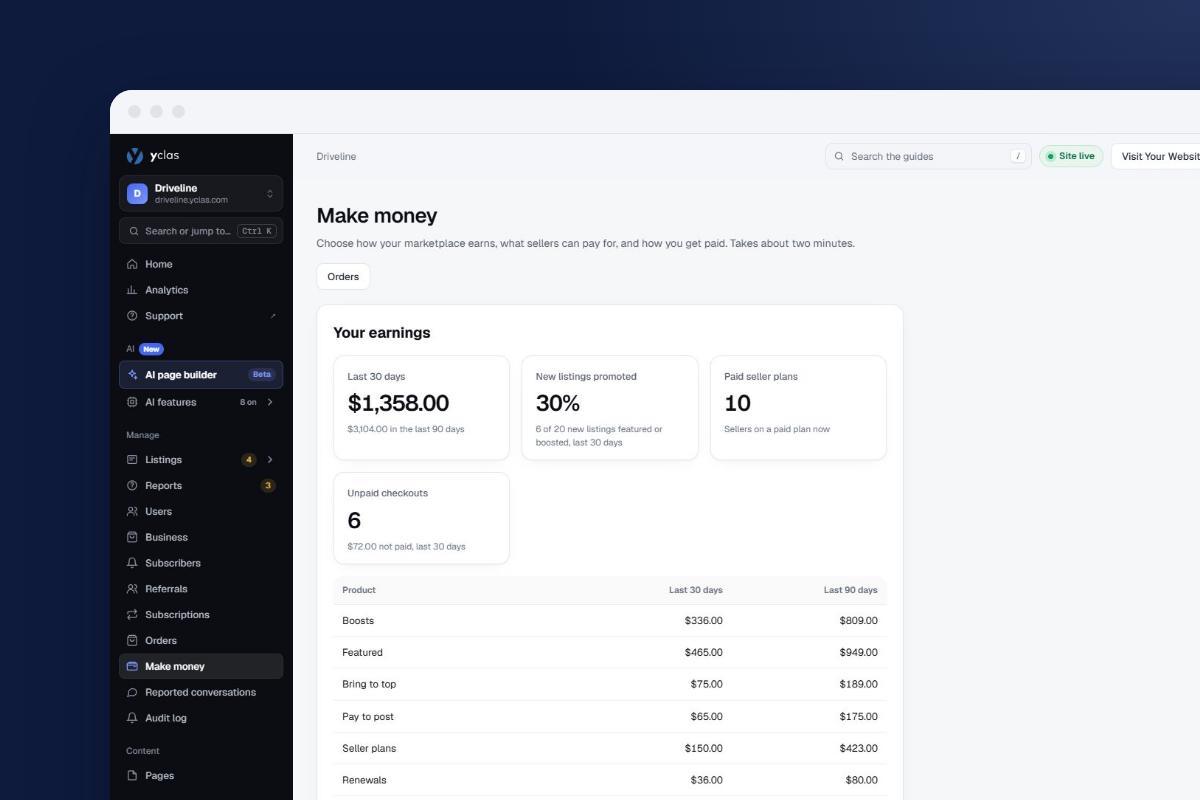
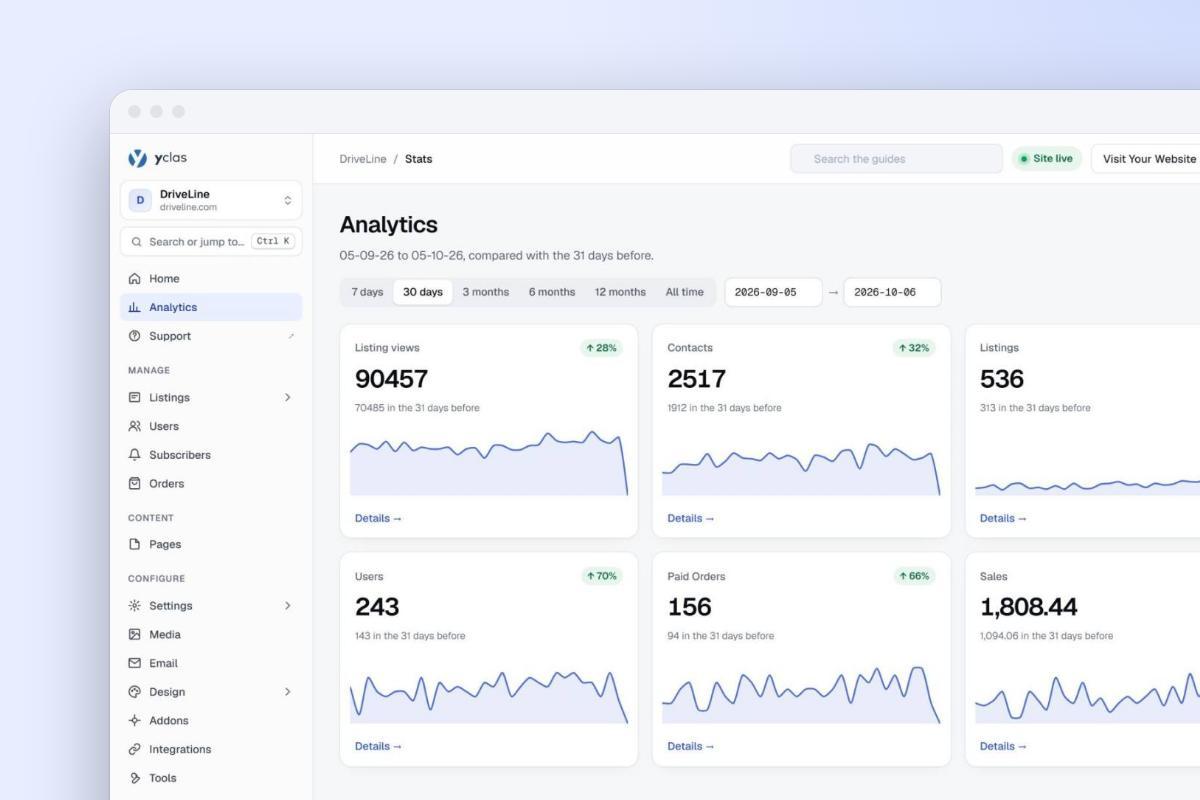
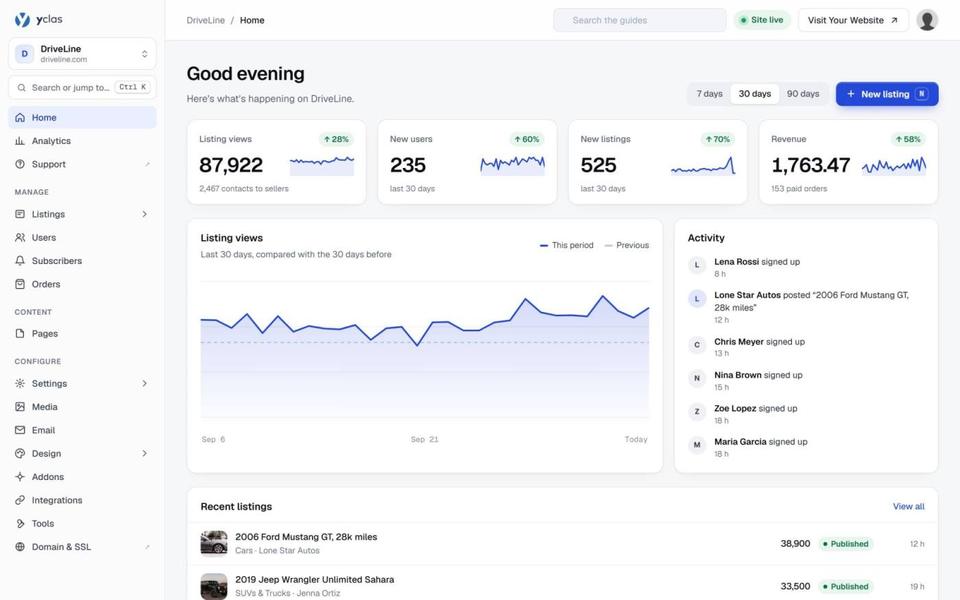
Ad blockers and refused consent mean GA4 never sees everyone. Your site's own database does. The Stats page of the Yclas panel counts listings, users, visits, contacts, paid orders and sales for any date range, compared with the previous period, and sellers see views and stats for their own listings. Use your own stats for counts (listings, contacts) and GA4 for the questions only it can answer: which sources, which pages, which searches.
Business metrics for later: GMV, AOV, CAC and CLV
Once you take payments or commissions, four more numbers become useful:
- Gross merchandise value (GMV): the total value of everything sold through your site in a period. It shows size, not health: a few large sales can hide a site where most sellers sell nothing.
- Average order value (AOV): revenue divided by the number of transactions.
- Customer acquisition cost (CAC): marketing and sales costs divided by new paying customers. Your cost per listing above is the early, simpler version.
- Customer lifetime value (CLV): roughly, average payment × number of payments × how long a customer stays. For growth that pays for itself, CLV has to be higher than CAC. If a featured listing earns you 5 and a seller buys two a year for two years, that seller is worth about 20, and you can't spend 30 to win one.
Ask users directly: NPS and CSAT

Numbers show what people do, not why. Two short surveys fill that gap:
- Net Promoter Score (NPS): one question, "How likely is it that you would recommend us to a friend or colleague?", scored 0 to 10. Promoters answer 9 or 10, passives 7 or 8, detractors 0 to 6. NPS is the percentage of promoters minus the percentage of detractors (Bain & Company). Promoters are the people to ask for referrals; the guide to referrals and word of mouth explains how.
- Customer satisfaction score (CSAT): one question after an action, such as "How satisfied are you with selling on our site?" on a 1 to 5 scale, with an optional "Why?" box. The answers to "why" are worth more than the score.
On a small site, ten email replies from recent sellers tell you more than any survey tool.
Surveys, A/B tests and where buyers drop off
This page also replaces our older posts on running user surveys in a marketplace, on A/B testing for marketplace conversions and on improving marketplace sales. Here is what those posts added to the numbers above.
Keep surveys under five minutes
SurveyMonkey analysed roughly 100,000 surveys. Respondents spent about 75 seconds on the first question (including reading the intro), about 30 seconds on each of questions 3-10, and only about 21 seconds per question by questions 16-25. A 10-question survey takes about 5 minutes. Abandonment rises once a survey takes more than 7-8 minutes, with completion rates dropping 5% to 20%. When you run NPS, Bain recommends following the score with "Why?" and "What could we do better?" (Bain & Company).
| Survey | Send it when | Questions |
|---|---|---|
| NPS (loyalty trend) | Every few months, to active buyers and sellers separately | 1 score + 1-2 open "why" questions |
| Post-listing check | Right after a seller publishes their first ad | 2-3 (ease of posting, what was missing) |
| Post-contact check | A few days after a buyer messages a seller | 2-3 (did they get a reply, did the deal happen) |
| Pre-launch niche validation | Before you open a new category or region | 5-10, finishing in under 5 minutes |
Two rules apply when you email surveys. The UK Information Commissioner's Office (guidance updated 20 August 2025) says genuine market research is not direct marketing, but a survey message becomes direct marketing if it includes promotional material or the research is used to send marketing to the people involved. Keep survey emails free of promotions, or send them only to users who opted in. And if a survey also asks for a public review, the US FTC rule that took effect on October 21, 2024 bans incentives that require a particular sentiment. On Yclas, the built-in newsletter tool can email users by behavior, such as users who haven't published an ad yet, so each survey reaches the group it is meant for.
Check you have enough traffic before an A/B test
Evan Miller's rule of thumb ("How Not To Run an A/B Test") estimates the visitors needed per variant as n = 16 × p(1 − p) / δ², where p is your current conversion rate and δ the smallest absolute change you want to detect:
| Current conversion (e.g. visitor to "contact seller") | Change you want to detect | Visitors per variant | Days needed at 500 visitors/day (250 per variant) |
|---|---|---|---|
| 2% | to 2.5% (+25% relative) | 12,544 | about 50 |
| 5% | to 6% (+20% relative) | 7,600 | about 30 |
| 10% | to 12% (+20% relative) | 3,600 | about 14 |
| 10% | to 11% (+10% relative) | 14,400 | about 58 |
- Test bold changes (a shorter "post an ad" form, a different listing-page layout) on the busiest steps of your funnel. A site with a few hundred visitors a day can only detect large improvements.
- Decide the sample size first and don't stop early. In Miller's worst case, checking after every visitor, the real false-positive rate reaches 26.1% instead of the intended 5%.
- Pick a current tool. Google Optimize shut down on 30 September 2023; Google points to tools that integrate with GA4, naming AB Tasty, Optimizely and VWO.
- Protect your rankings, following Google Search Central's testing guidance: no cloaking,
rel="canonical"from variant URLs to the original, 302 (not 301) redirects to variants, and remove the variants when the test ends.
Where buyers drop off
In September 2026 mobile devices accounted for 58.99% of web traffic worldwide (Statcounter Global Stats), so test listing pages, filters and contact buttons on a phone first. If you take payments, the Baymard Institute puts the average cart abandonment rate at 70.22% (50 studies, page updated September 2025). Leaving aside people who were only browsing, shoppers gave these reasons:
| Reason for abandoning checkout | Share of shoppers |
|---|---|
| Extra costs too high (shipping, tax, fees) | 40% |
| Delivery too slow | 20% |
| Didn't trust the site with card details | 19% |
| Site required creating an account | 18% |
| Checkout too long or complicated | 17% |
| Website errors or crashes | 17% |
Baymard also found the average US checkout has 23.48 form elements, while a well-designed one manages with 12 to 14. Show all fees on the listing page, cut form fields and make it clear how payments are protected. Two more rules affect sales: the FTC's rule on fake reviews bans fake or AI-generated reviews, reviews bought on condition they are positive and suppressing negative ones; and since February 1, 2024, Google's sender guidelines require anyone sending more than 5,000 messages a day to Gmail accounts to set up SPF, DKIM and DMARC, offer one-click unsubscribe in marketing messages and keep the reported spam rate below 0.30% (Google recommends under 0.10%).
What to skip
- Total registered users. It only goes up. Track active sellers instead.
- Monthly active users on their own. GA4's active users is useful for size, but a big number with few contacts means visitors are not finding listings.
- Old bounce-rate benchmarks. Figures such as "20% to 45% is average" were written for Universal Analytics and don't apply to GA4's definition.
- Daily checking. On a small site, daily numbers are noise. Weekly is enough.
Start this week
- Paste your GA4 tag and add your site's search parameter to site search (on Yclas,
title). - Create a "listing published" event and a contact event, and mark them as key events.
- Set data retention to 14 months, link Search Console, and check your consent setup if you have EU visitors.
- Copy the weekly dashboard above and fill in the first column today, from your site's stats.
- Pick the weakest number and work on it for four weeks. The guide's marketing plan for a marketplace helps you choose what to do.
Don't have a site yet? You can build a classifieds site or marketplace with Yclas and try it free for 15 days; Google Analytics can be added from the panel on day one. See the plans.