Hello!
More new stuff for your site ;)
- Payline payment gateway
- OAuth2 to integrate your login
- Import ads with custom fields
- Now 2 step auth requires you to insert the code before enabling it
- Added Kazakhstani tenge currency
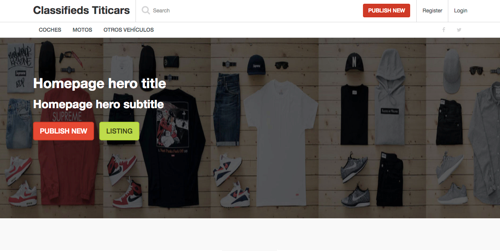
- Small fixes and improvements on themes
How to use these features on your Yclas site today
This was a short release note. Below is how each of these features works on a Yclas site in 2026, checked against the current app.
Payline is now Monext
Payline was the online payment brand of the French processor Monext. The old payline.com address now redirects permanently to monext.com. On Packagist, the Payline PHP library (monext/payline-sdk) is marked as abandoned. Its last version is 4.77, released on 28 February 2024 (Packagist, checked October 2026), and Monext now publishes its PHP SDK under its own name on GitHub. Your admin panel still has the Payline settings under Integrations: merchant ID, access key, contract number and a testing switch. If you already have a Monext merchant contract, ask Monext to confirm that your credentials still work with the Payline interface before you rely on it. If you are choosing a gateway from scratch, start with the ones on the Yclas features page: Stripe, PayPal, Mollie, Razorpay, Mercado Pago, PayFast, PayTabs, 2Checkout, BitPay and Escrow.com. Pick the one that pays out in your country and currency. Mollie, for example, suits European merchants, Razorpay India, Mercado Pago Latin America and PayFast South Africa.
OAuth2: log in with your own system
The OAuth2 option is separate from the ready-made Google and Facebook buttons. It is for marketplaces that already have their own user system, such as a club, an association portal or a company intranet. In the admin's social login settings, enable OAuth2 and fill in five values from your identity provider: Client ID, Client Secret, the authorize URL, the access-token URL and the resource-owner (user details) URL. In your provider, register https://your-site/social/oauth/1 as the redirect URL. Yclas recognises returning users by the ID your provider sends (such as sub or id) and takes their name and email from the profile. If the profile has no email, the user is asked to finish a short registration form, so include the email in the profile your provider returns. An existing Yclas account with the same email is only linked when the provider marks that email as verified.
Importing ads with custom fields
The CSV import in your admin panel checks the header row exactly, including the order of the columns. It starts with user_name, user_email, title, description, date, category, location, price, address, phone, website. A multilingual site then adds locale, and a site with stock enabled adds stock. Next come image_1, image_2 and so on, one column for each image allowed per ad in your settings. To import custom fields, add one column per field at the end, named cf_ followed by the field's name (for example cf_mileage). You must include a column for every custom field your site has. If one is missing or the order is different, the file is rejected, and the error message lists the header the import expects. Create your custom fields first, then copy that header into your spreadsheet.
2-step verification and the tenge
Users turn on 2-step verification from their own profile. They scan the QR code with Google Authenticator or any compatible authenticator app, then type a current code. Verification is only switched on once that code is accepted, which is the change this post announced, so nobody can lock themselves out with an app that was never set up. The features page also lists SMS codes as an alternative. The Kazakhstani tenge (KZT) is still in the currency list, along with any other currency you need to show prices in.
Enjoy!!