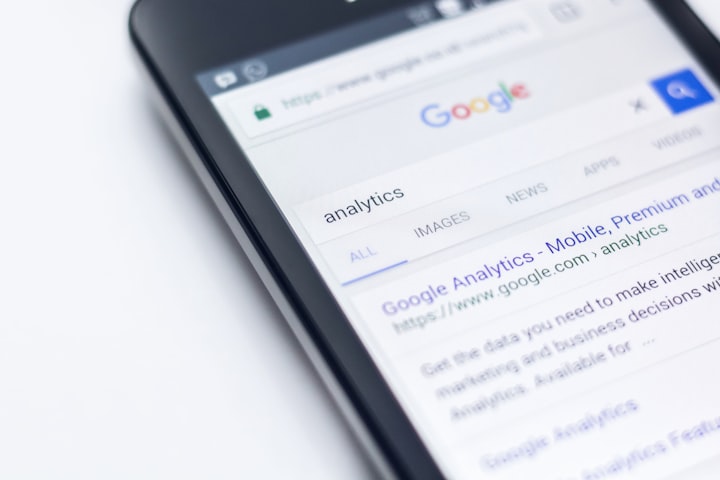
Currently, there are free web analytics tools like Google Analytics that you should use to get to know the user who visits your website.
What is Google Analytics?
Google Analytics is a powerful web analytics tool that can be used on any web page. Regardless of the volume of traffic, this tool can perform complex statistics and detailed reports of the traffic that a web page that has its tracking system installed can receive.
Google Analytics currently holds over 80% of the web statistics market because it is free, easy to implement, requires no programming skills, and offers very specific and accurate results.
Google Analytics in 2026: setting up GA4 for a classifieds site
This article was written for Universal Analytics, the version of Google Analytics that used 'goals'. Universal Analytics is gone. According to Google's own sunset notice, standard Universal Analytics properties stopped processing data on July 1, 2023. Access to all Universal Analytics data, including historical reports, ended in the week of July 1, 2024. Every site now uses Google Analytics 4 (GA4). The tips below still apply, but the setup steps are different.
Google Analytics is still the default choice. In W3Techs' survey of October 8, 2026, it runs on 47.2% of all websites and holds 82.6% of the traffic-analysis market. Next by market share are Meta Pixel (14.9%) and Microsoft Clarity (7.2%). A site can use more than one tool, so these shares add up to more than 100%.
Goals are now "key events"
GA4 has no goals. It records events, and you choose which ones count for your business by marking them as key events in Admin. Google's documentation says any event you collect can become a key event. Key events can then be imported into Google Ads as conversions. So the business-plan question from tip 1 below still applies: decide what success means for your site, then mark only those actions as key events.
An event plan for a classifieds marketplace
Google publishes a list of recommended event names. If you use them, GA4 understands your data without extra setup. For a classifieds site, they map like this:
| What happens on your site | Recommended GA4 event | Mark as key event? |
|---|---|---|
| A visitor creates an account | sign_up | Yes |
| A buyer contacts a seller or sends an enquiry form | generate_lead | Yes. This is the main measure of whether your listings work |
| A seller pays for a featured listing, a membership or a paid category | purchase | Yes |
| A visitor searches listings | search | No. Use it to find popular searches that return few results |
| A visitor shares a listing | share | No |
| A returning user logs in | login | No |
A practical rule: mark only two or three events as key events. If you mark every event, your conversion rate stops telling you anything.
Two settings worth changing on day one
- Data retention. A standard GA4 property keeps event-level data for either 2 or 14 months. According to Google, this setting affects explorations and funnel reports, not the standard reports. Set it to 14 months so you can compare seasons year over year.
- Consent mode. If visitors from privacy-regulated regions use your site, your cookie banner should pass their choice to Google through consent mode. In the 'advanced' setup, Google tags still send cookieless pings when consent is refused, and GA4 models the missing data. In the 'basic' setup, tags stay blocked, so you get less modelled data.
On a Yclas site you don't need to edit any code. Copy the Google tag snippet for your GA4 web stream and paste it into Panel > Integrations > Google Analytics. The tag then loads on every page. The campaign-tracking advice in tip 3 still works in GA4: add UTM parameters to the links in your newsletters and social posts, and the visits appear under Traffic acquisition.
Tips for success in Google Analytics
1- Target configuration
Most Google Analytics users never configure them, and not only should they be well configured, but it should also be the first step after installing the Google Analytics code on the website. It is a priority step to know if our objectives on the Internet are being met and, if it is from day one, better than better.
List of the best tricks for Google Analytics objectives
The objectives are the basis for studying the return on the investment you make in your website since you invest time and money in it and it is vital to know your conversion rate, that is, whether it is the money you invest that you are recovering with sales and to what extent. It's about your company's goals.
Creating goals in Google Analytics is like sitting down to make a business plan, the first thing you need to know is: what is the purpose of your website? is it an online store that sells tangible products? is it intangible products? is it a blog that is going to earn revenue from ads, ebook downloads or the number of newsletter subscriptions?
Once you have done this, you can begin to set these goals.
2- Follow-up of events
Event tracking is another feature of Google Analytics that can help you keep track of:
- Number of people who downloaded your eBook
- The most effective ads and who clicked on them
- Which registration form do you best convert (sidebar, under the post, on the page)?
- Who pauses, fast-forwards,, or stops at a video?
With the latest version of Google Analytics, we are also able to set these events as targets that can help you see the performance of events based on different metrics.
3- Campaign Tracking
Keeping track of your online marketing campaigns will help you control the visits that come from URL shorteners like bit.ly and services like TweetDeck.
It will also offer you the possibility of monitoring, in a more precise way, the links that come from other web pages and the links that you use to promote your content in your marketing campaigns.