Hello!
We are listening to your feedback continuously.
That's why today we got 2 new small improvements to make your site more customizable ;)
Widget Image
With this new widget, you will be able to place an image on any sidebar with a link within seconds, upload the image to your favorite image hosting platform paste the URL, and be ready!
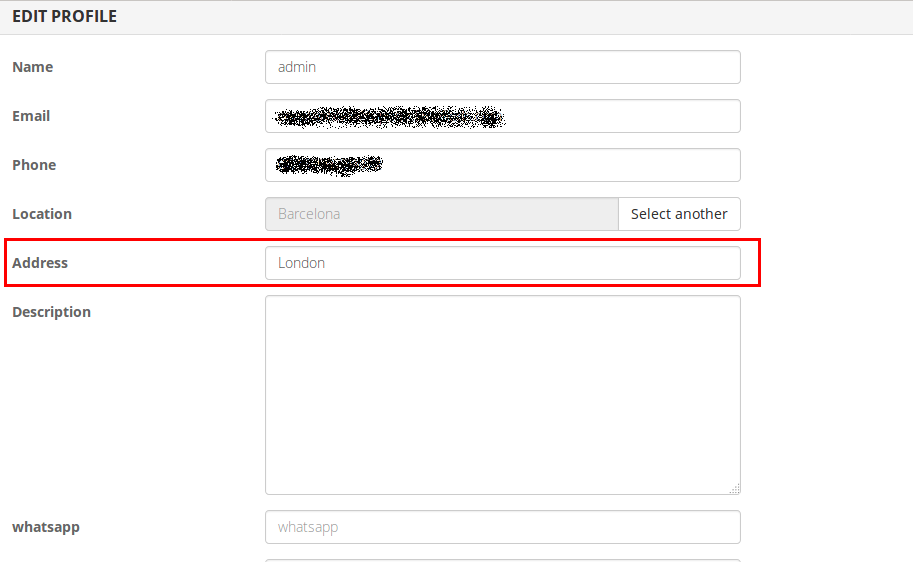
URL Custom field
Do you want your customers to place a URL in the ads? now is easier than ever, create a custom field for example called website, choose type URL, and then once is filled will appear directly as a link in the ad details.
Using image banners and seller links in 2026 without hurting your SEO
Both features are still part of every Yclas site. Here is how they work in the Nova theme, which new sites get by default, and what Google's current rules mean for them.
Where an image banner can go
In Nova, widgets go in three places: the sidebar, the footer and the post-a-listing page. The sidebar appears on category and search pages, and in the theme options you can put it on the left, on the right, or hide it. The Image widget has three fields: a title, the image URL and an optional link to open when visitors click. Use an image hosted on a reliable service over HTTPS. If that host deletes the file or blocks hotlinking, the banner breaks without any warning.
Paid banners: mark them as sponsored
Many site owners use the Image widget to sell banner space to local businesses. Google's spam policies (last updated August 28, 2026) say that advertising and paid links are allowed only if they carry a rel="nofollow" or rel="sponsored" attribute. Paid links that pass ranking credit count as link spam. The Image widget outputs a plain link with no such attribute and no alt text. For a paid banner, use the Text widget instead, which accepts HTML, and paste something like:
<a href="https://advertiser.example" rel="sponsored noopener" target="_blank"><img src="https://.../banner.jpg" alt="Advertiser name: what they offer" width="300" height="250"></a>
The alt text describes the banner for screen readers and search engines. The width and height keep the page from jumping while the image loads. Keep the Image widget for your own promotions, such as a banner linking to your pricing or featured listings page.
Seller links: treat them as user-generated content
The URL custom field shows a link in the listing details. The link text is the field's label (for example "Website") and it opens in a new tab. Because sellers fill it in, these are user-generated links. Google's guide on qualifying outbound links (updated December 10, 2025) recommends rel="ugc" for links in user-generated content. Its spam policies also count spammy content that users add to a site as user-generated spam, and spammers look for exactly this kind of field. To keep it useful:
- Only add the URL field to categories where a link makes sense, such as businesses, services or jobs, not to every listing.
- Use a clear label ("Company website") and a tooltip saying what kind of link is allowed.
- Moderate new listings, at least from new users, and remove listings whose only purpose is the link.
- Check a sample of the links now and then. Domains expire and get taken over, and a link that was fine last year can now point to a spam page.
As always you do not need to update or do anything to enjoy these 2 new features.
Kind regards Chema.