
Rent it out by the day, night, hour or session.
Turn listings into rentals. Buyers pick free dates on a calendar and send a request, sellers accept or decline, and on the Marketplace plan the card is held when they ask and charged when the seller says yes.
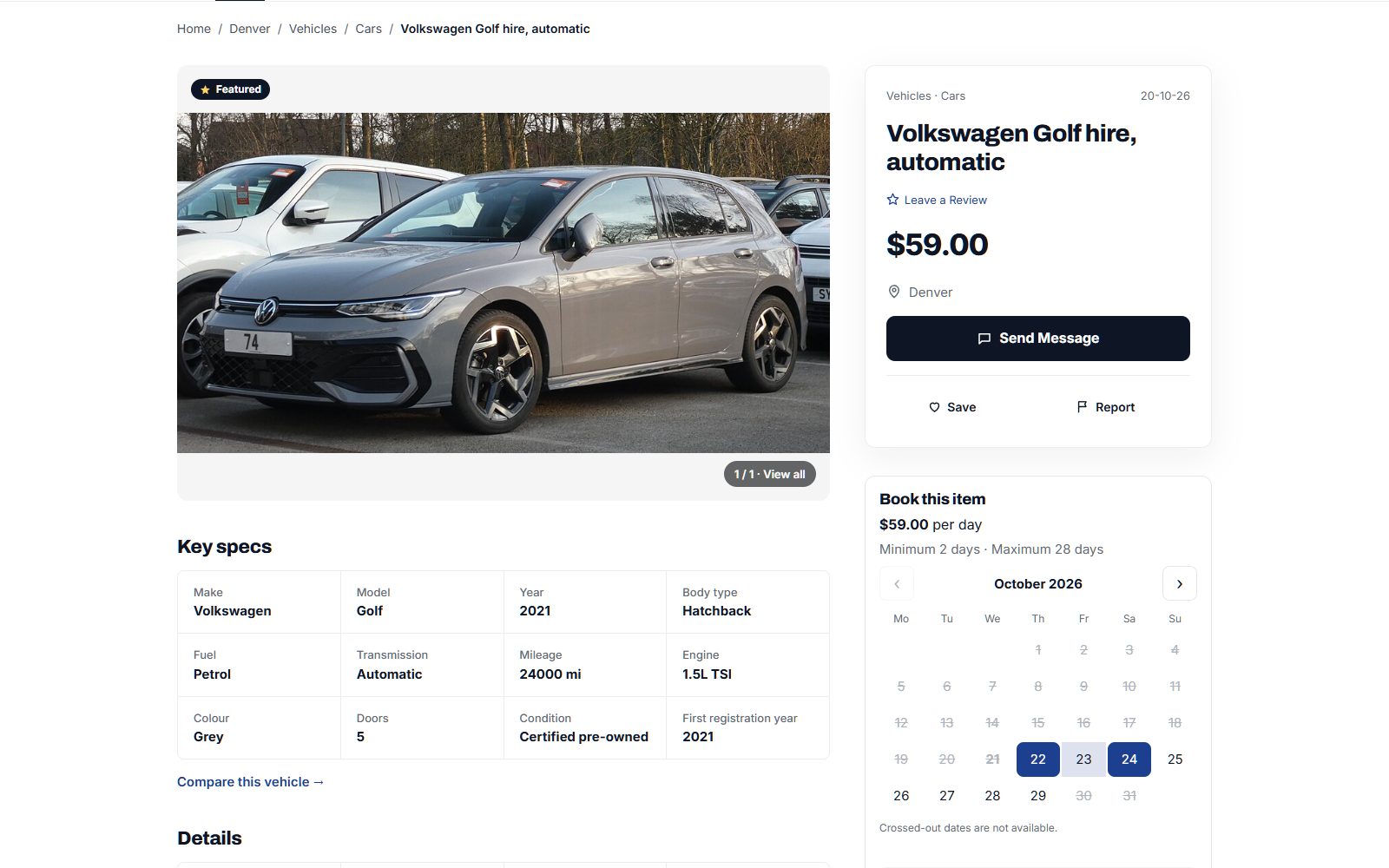
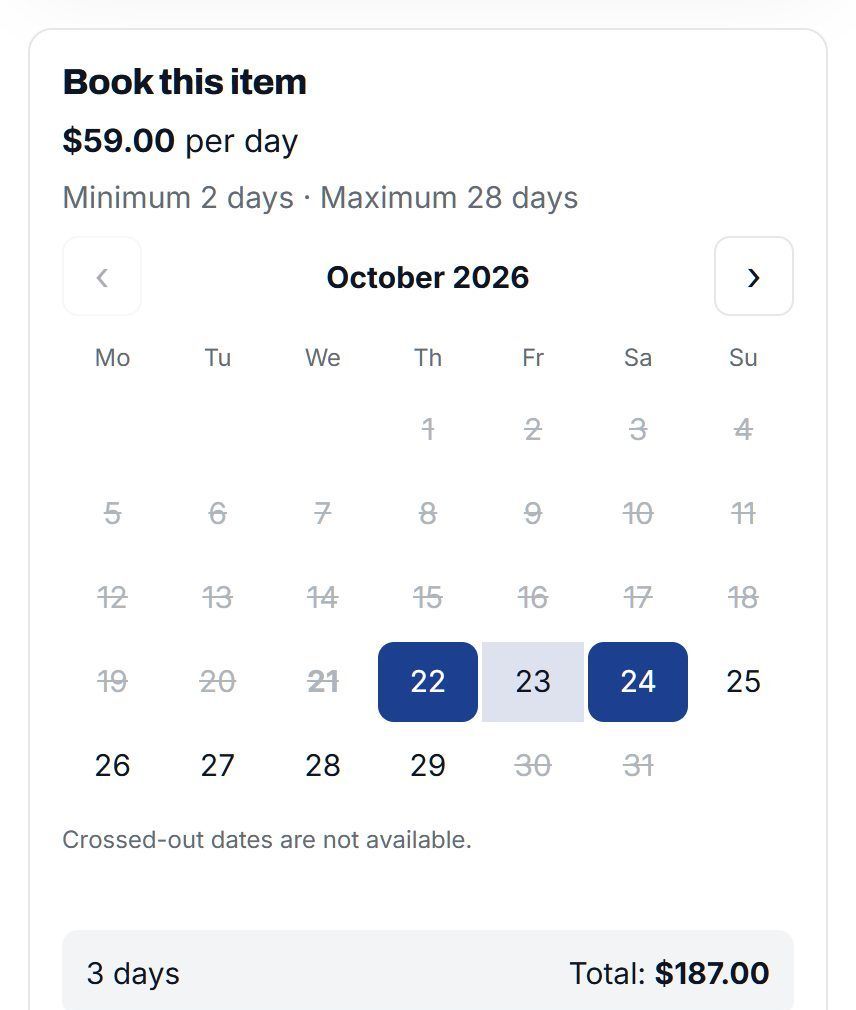
Set up a rental in a couple of minutes.
Each listing has its own booking settings. Sellers choose how it is priced, when it is open and what it costs at the weekend, then answer requests from one page.
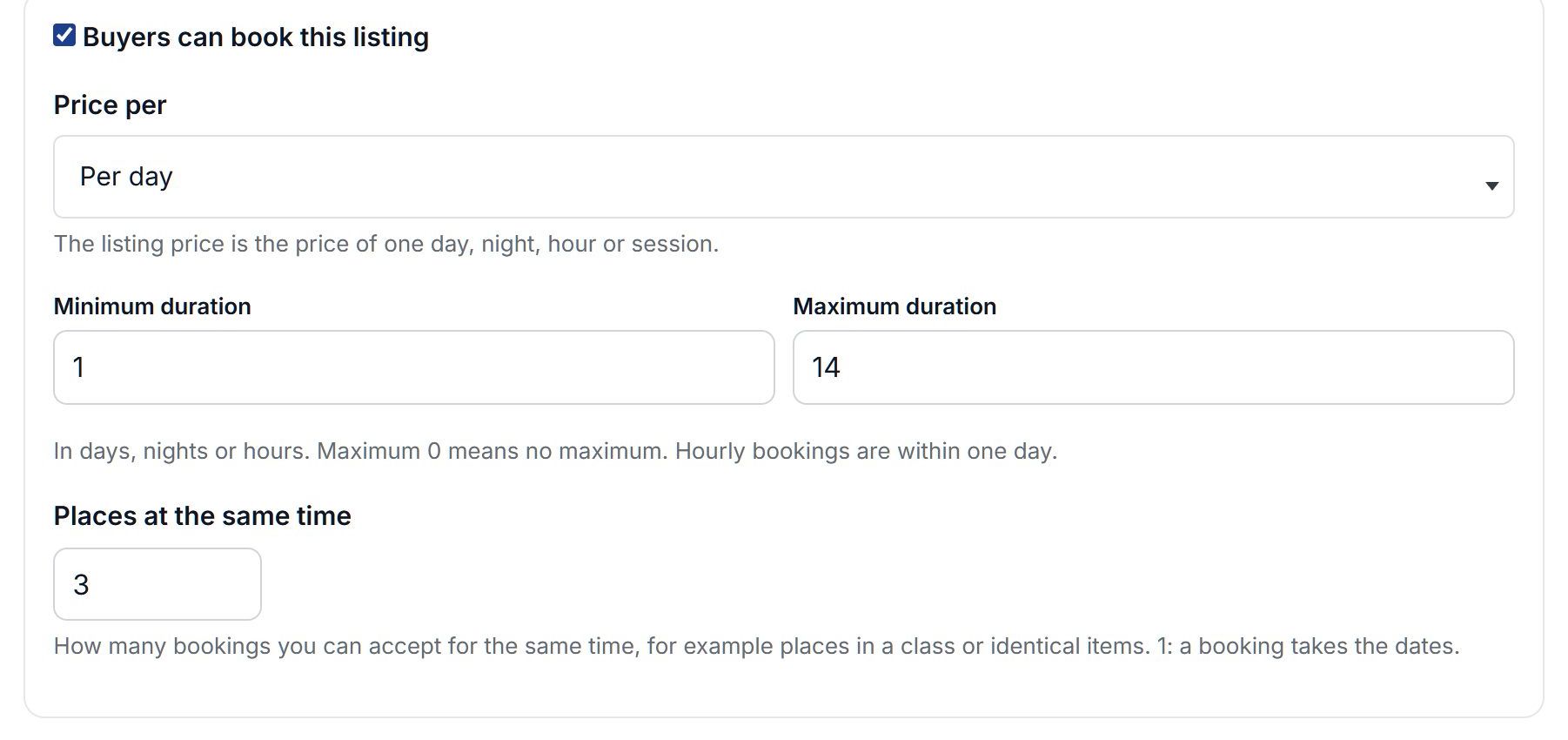
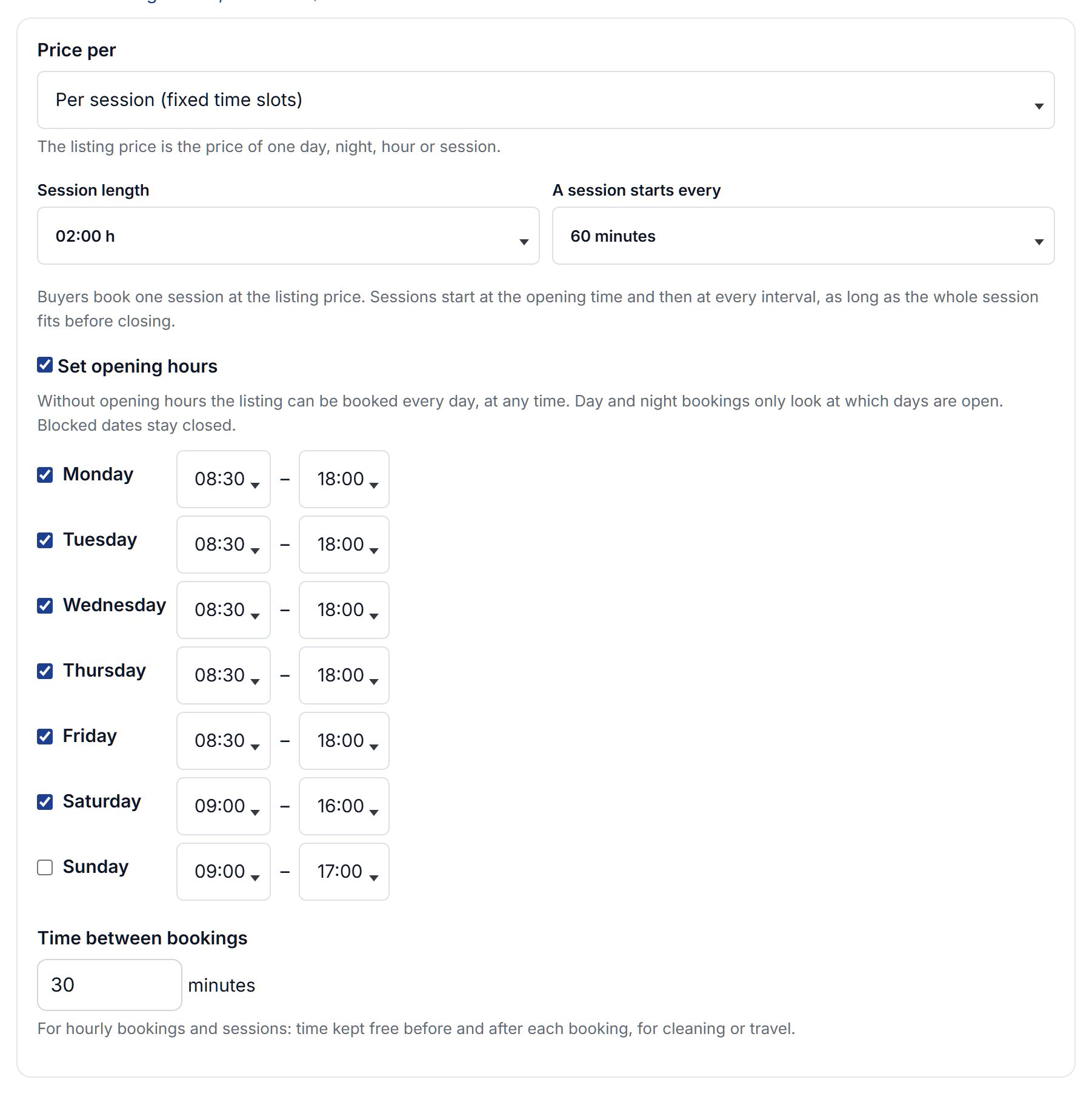
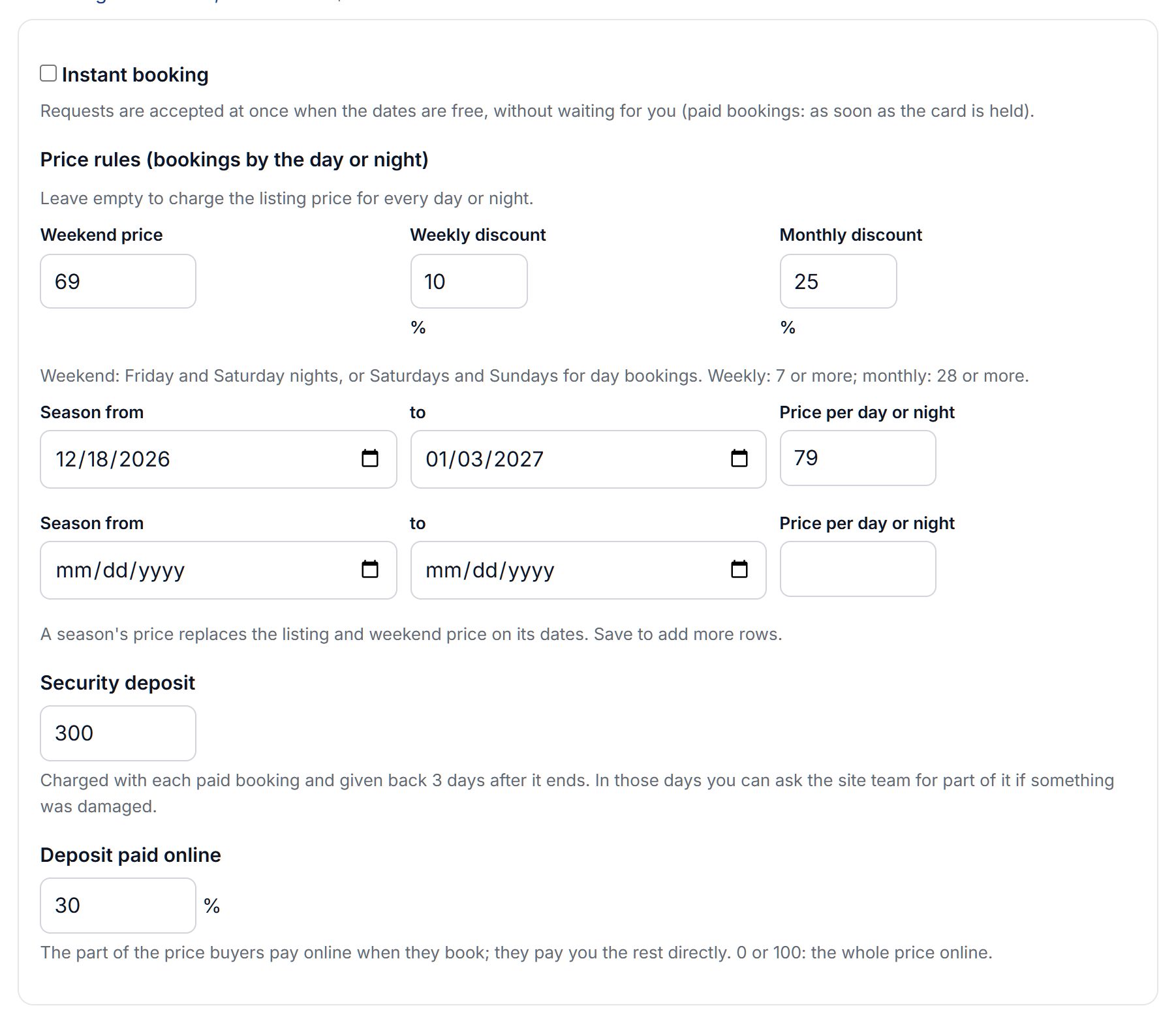
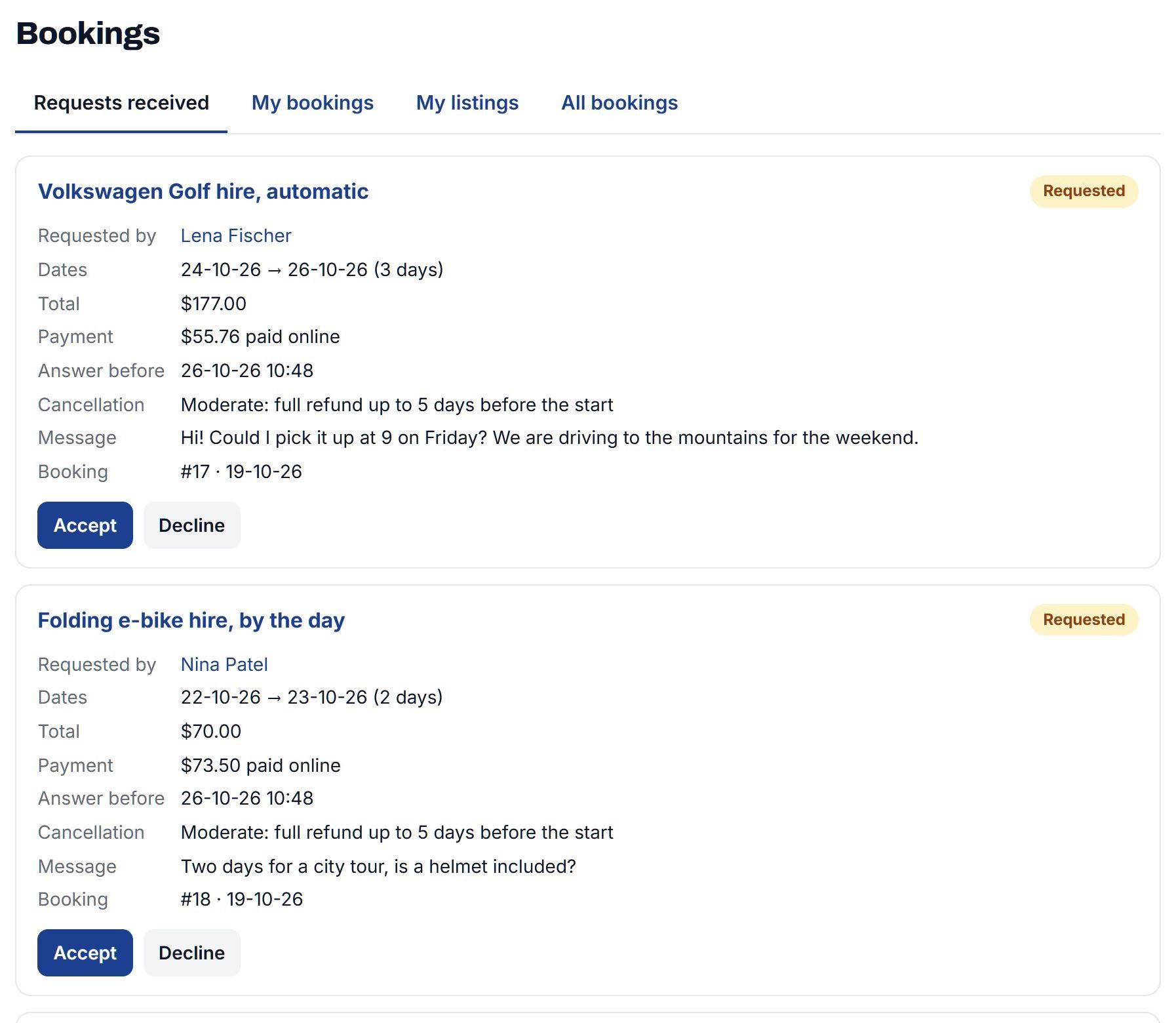
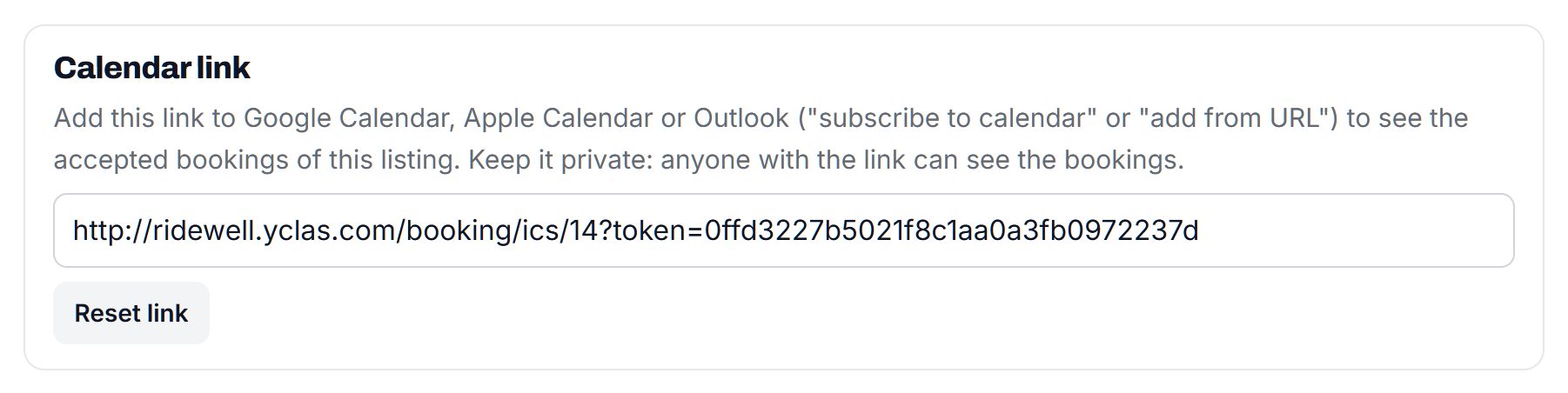
Screenshots of a demo site.
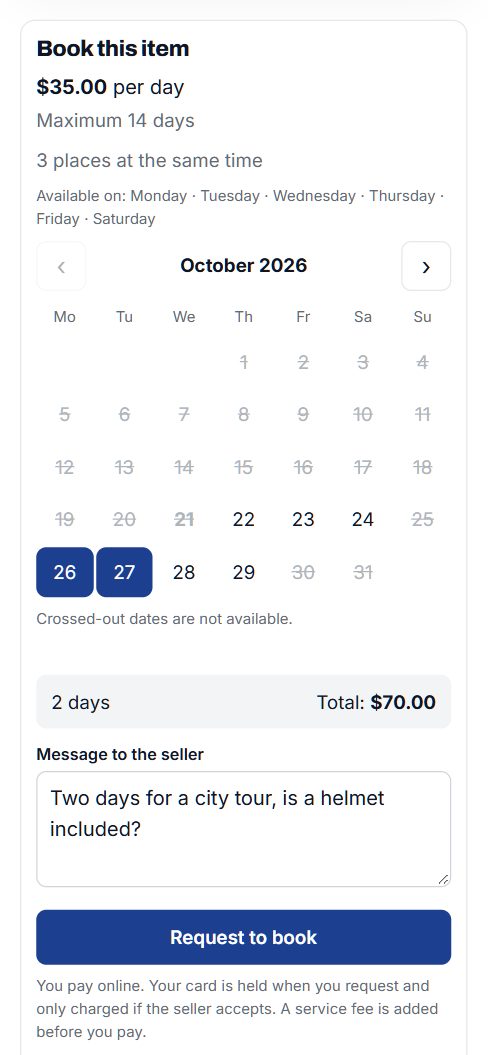
Pick the dates, see the total, ask.
The calendar sits on the listing page. Days that are booked or blocked are crossed out, the total updates as soon as the dates are chosen, and the request goes to the seller with a message. Dates can't be double-booked: accepting a request checks the calendar again first.
- Prices for every day of the stay, with the weekend and season prices and any discount
- "Places at the same time" for listings that several people can book at once
- Bookings up to 18 months ahead, never on the seller's blocked dates
- Every booking in My bookings, with the seller's answer by email
Lessons, tours and appointments too.
Not everything is rented by the day. Price a listing per session and buyers choose a day and a start time from your opening hours, or per hour for anything booked by the hour.
- Sessions from 15 minutes to 12 hours, starting every 15, 30 or 60 minutes
- Opening hours for each day of the week
- Time between bookings for cleaning or travel, and the listing's own time zone
- Instant booking, so a request is accepted as soon as it is sent
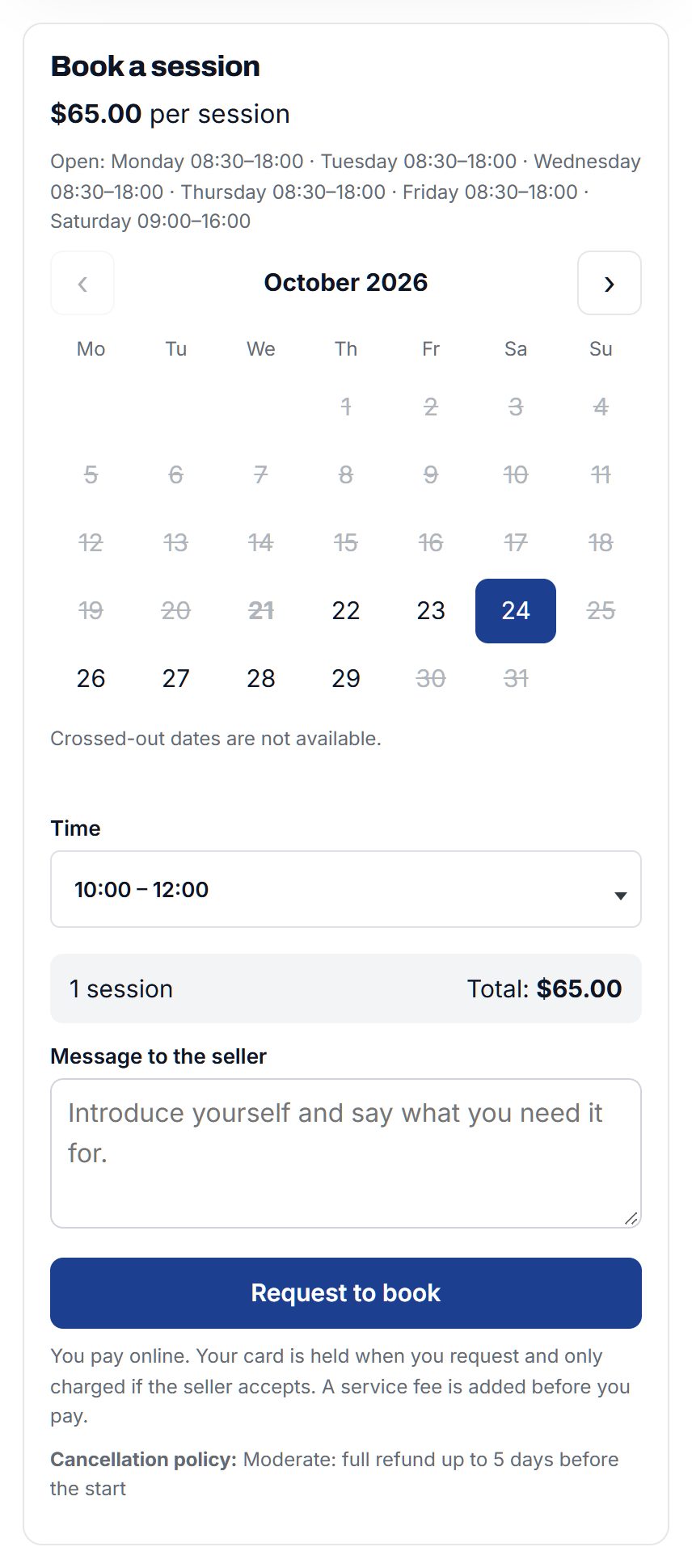
The card is held when they ask, and charged when the seller says yes.
Switch on paid bookings and buyers pay by card through your Stripe account when they request. Nothing is charged until the seller accepts. If the seller declines or doesn't answer in time, the hold is released.
- Sellers are paid by Stripe two days after the booking ends, minus your commission
- A deposit paid online, with the rest paid to the seller directly, if you allow it
- A service fee for buyers, kept by you
- Six cancellation policies, from full refund up to 24 hours before to no refund once accepted, and sellers can choose among the ones you allow
- Security deposits that go back on their own a few days after the end, unless the seller claims for damage and you decide
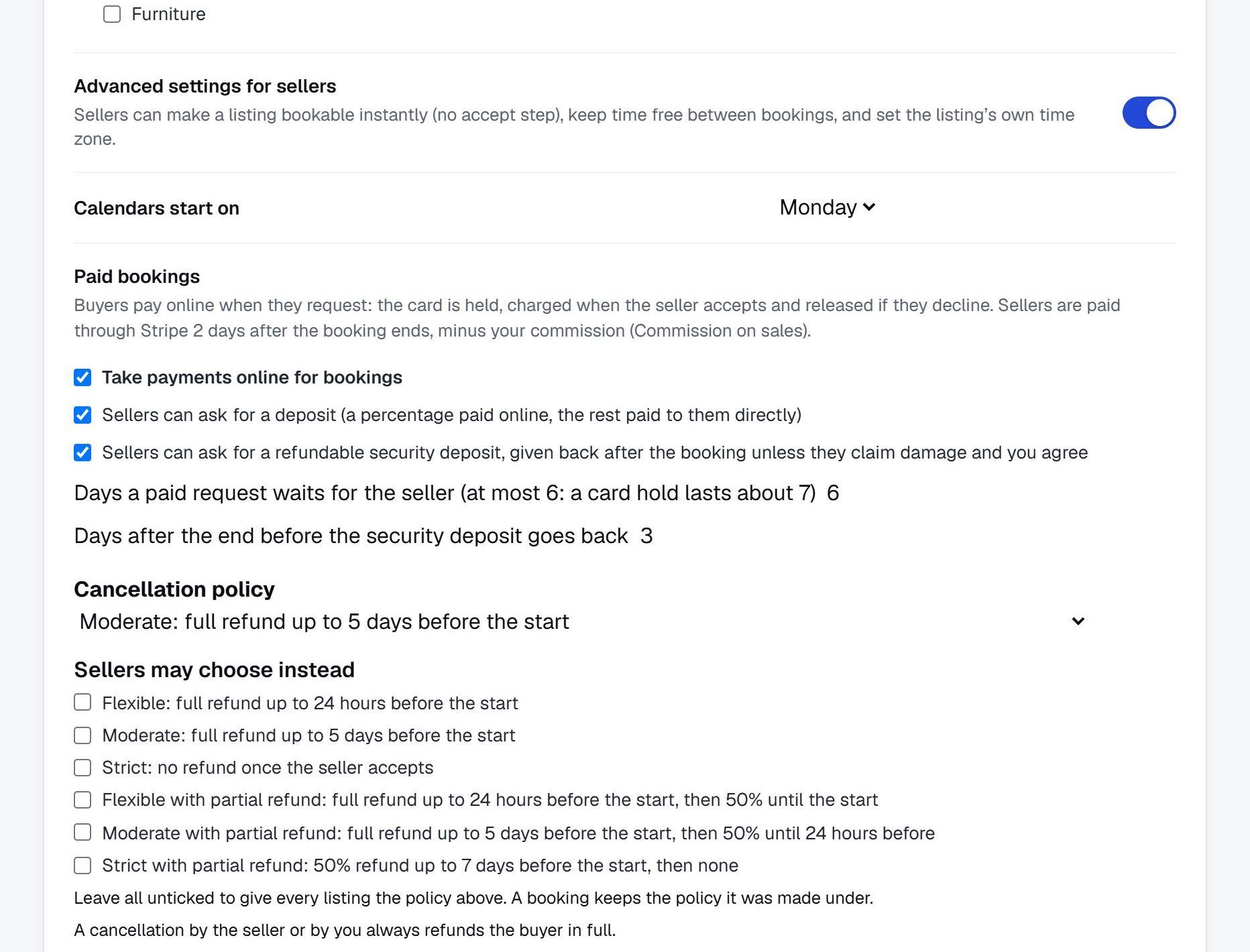
Paid bookings need Stripe Connect with your own Stripe account.
Every booking on your site, in one place.
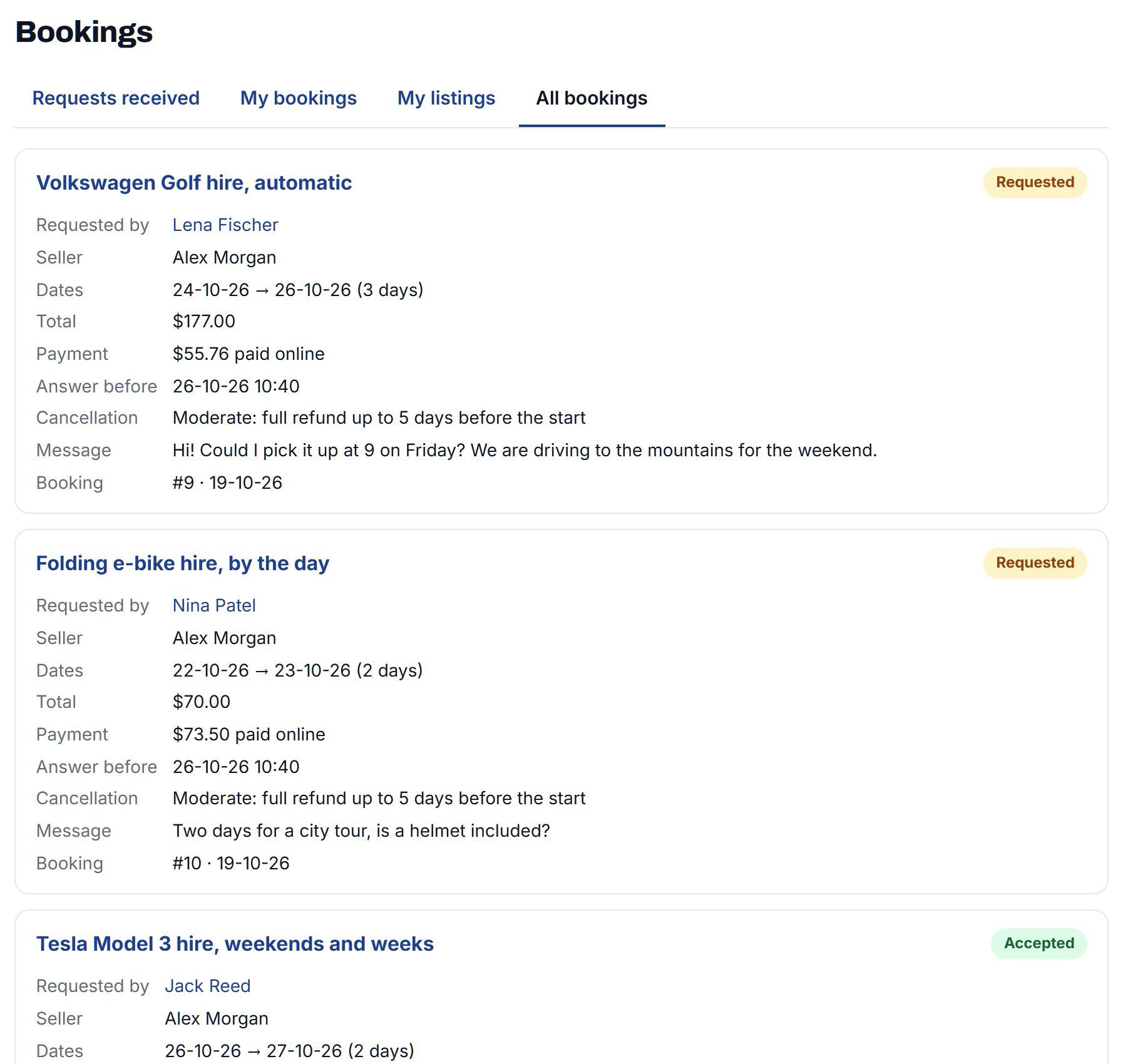
The All bookings tab lists every booking on your marketplace with its dates, seller, buyer, payment and status, so you can answer a question or step in. Paid bookings also count in your marketplace sales report.
- Choose which categories can be booked, or all of them
- Cancel any booking before it starts, with a full refund for the buyer
- Damage claims on security deposits wait for your decision
- Emails for every request, answer and cancellation, and a reminder the day before a paid booking
Buyers find what's free on their day.
Once some listings take bookings, search gets an "Available on" date. Listings already booked that day drop out of the results, so buyers only see what they can actually book.
More on listings and search →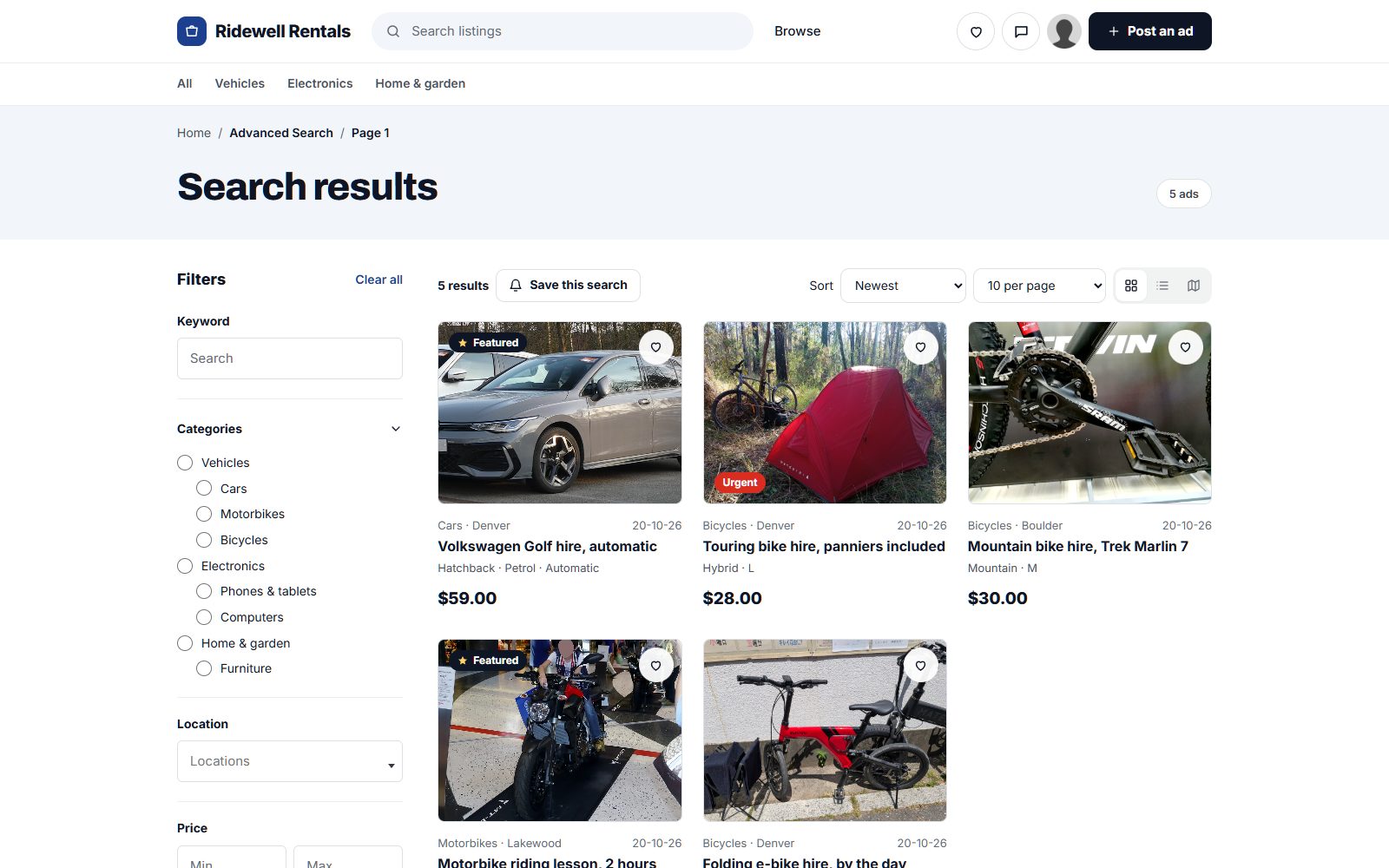
Five of six rentals are free on the date searched.
Questions people ask
Do I need the Marketplace plan?
Only to take booking payments online. Booking requests, where buyer and seller agree on payment between them, work without it.
Can sellers sync with Airbnb or Google Calendar?
Each listing has a private calendar link that adds accepted bookings to Google Calendar, Apple Calendar or Outlook. Calendars from other sites aren't read in, so sellers block those dates by hand.
Can two people book the same dates?
No. When a seller accepts, the calendar is checked again, and requests that now clash can only be declined. For listings that several people can book at once, set the number of places.
What happens if the seller doesn't answer?
With paid bookings, the card hold is released after the number of days you choose, up to six. A request without payment expires when its start date passes.
Which themes show the booking calendar?
Nova, the theme new sites start with, and the default theme.
Can a buyer book straight away?
Yes, if the seller switches on instant booking for that listing. It's one of the advanced booking settings you can offer sellers.
More of what Yclas does
See it with your own listings.
Free for 15 days. No credit card.
Start free trial