
Found on Google. Ready to rank.
Your listings reach search engines ready to rank, old links keep working when you rename things, and an SEO report tells you what to fix. No plugins, no setup.
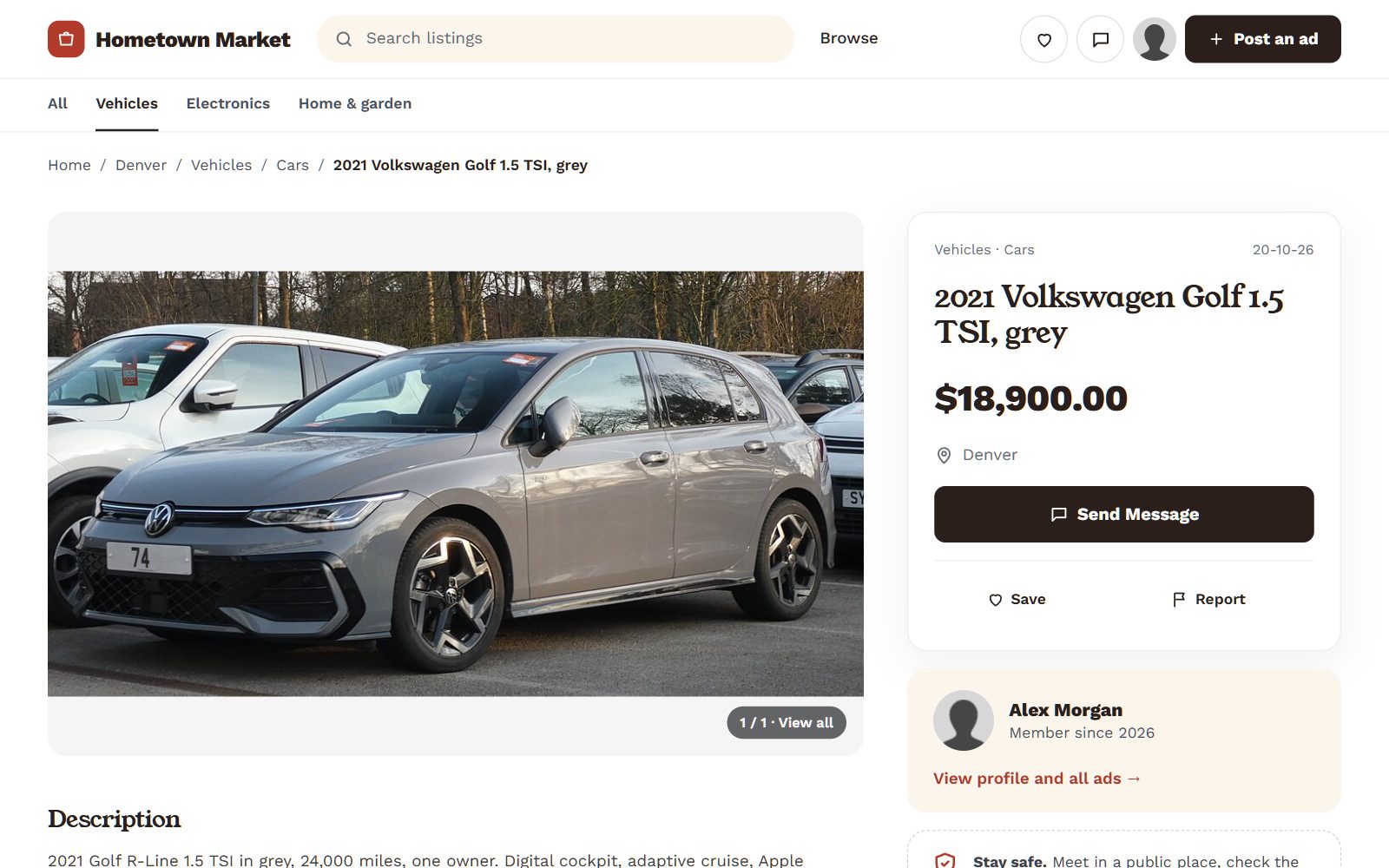

Every page gets a title worth clicking.
Set a title pattern once for the home page, categories, locations, listings, blog posts and pages, and every page fills in its own title and your site name. A preview shows how a listing will look in Google before you save.
- One pattern per kind of page, such as "{title} for sale | {site_name}"
- A default image for shared links that have no photo of their own
- Any listing, category or page can still set its own title, description and image
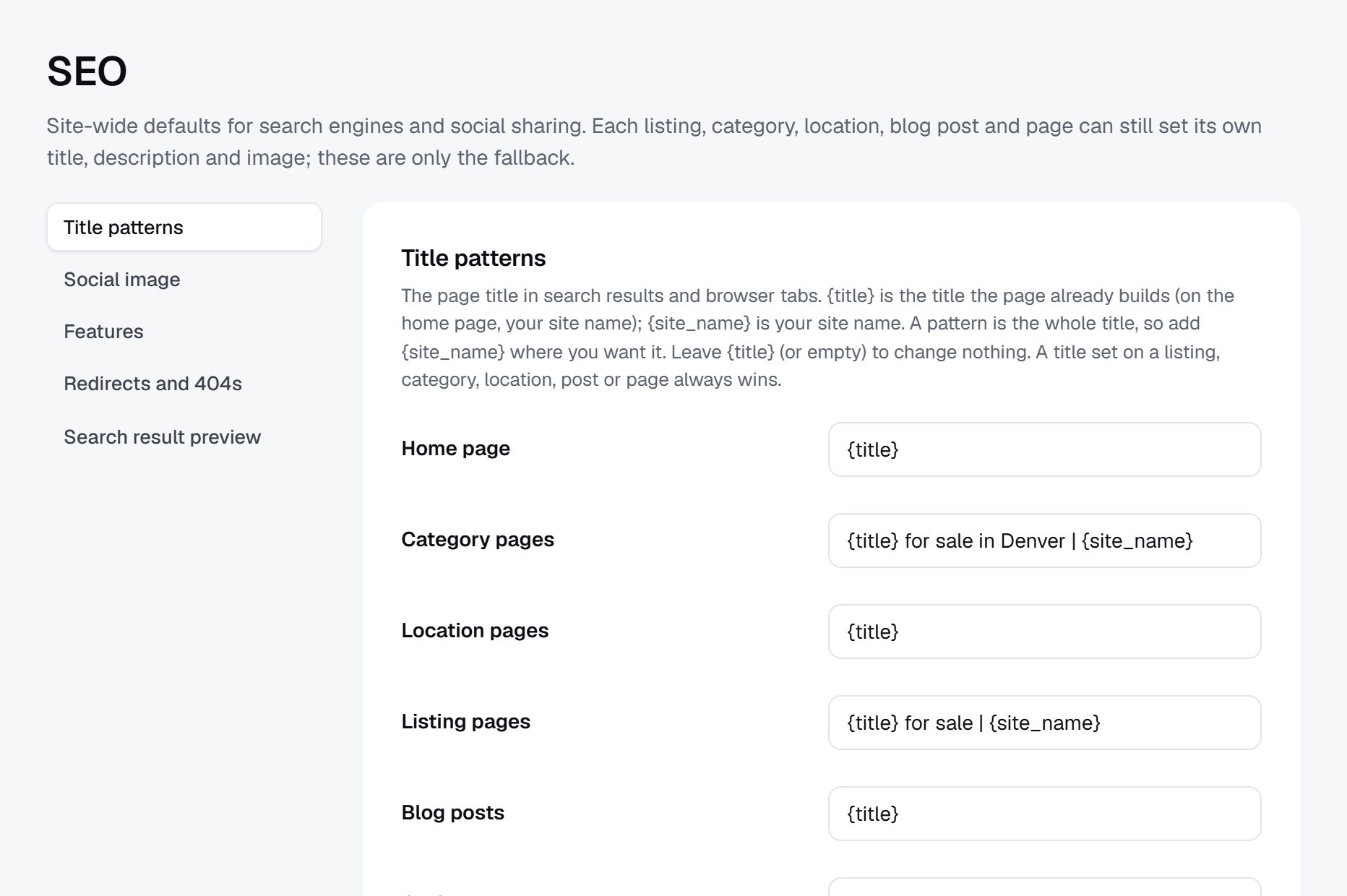
Rename anything. Keep your rankings.
When a category, location, blog post or page changes its address, your site adds a permanent redirect from the old one by itself. Moving from another platform? Add your own redirects so old links land on the right page.
- Automatic 301 redirects whenever an address changes
- Your own permanent or temporary redirects, to a page or a full address
- Hits counted for each one, so you see which old links still bring visitors
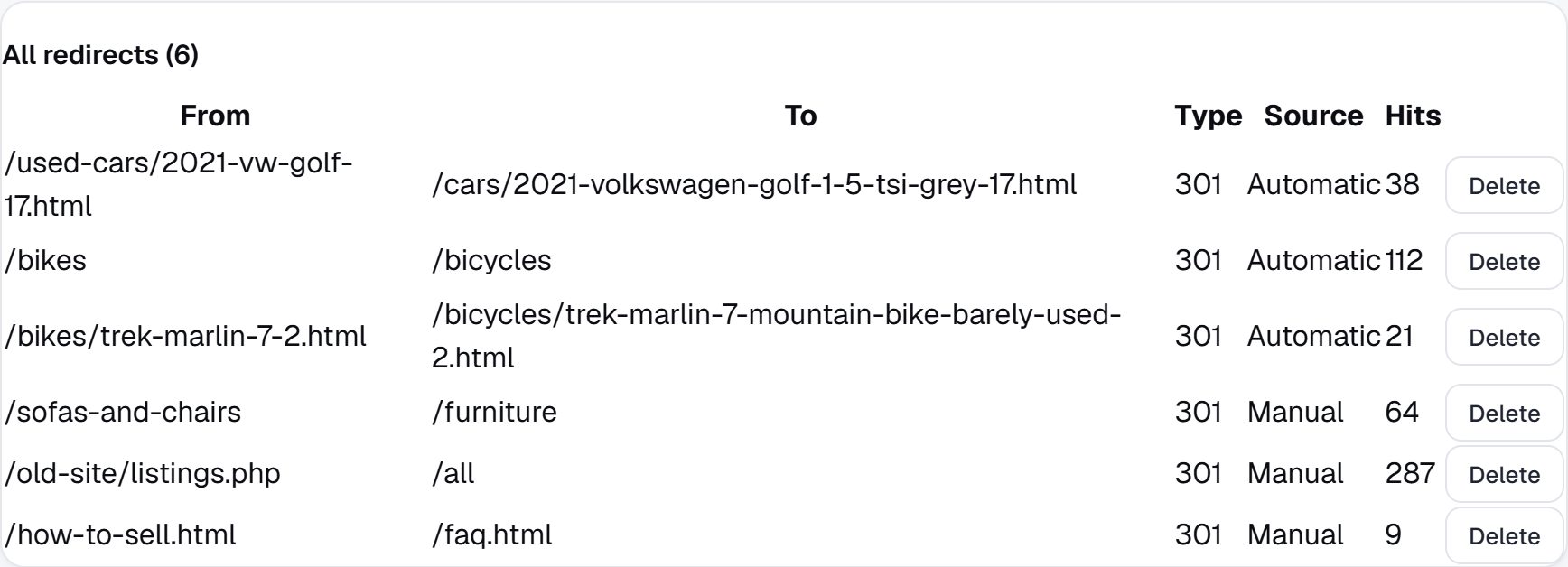
Know what to fix, and fix it in one click.
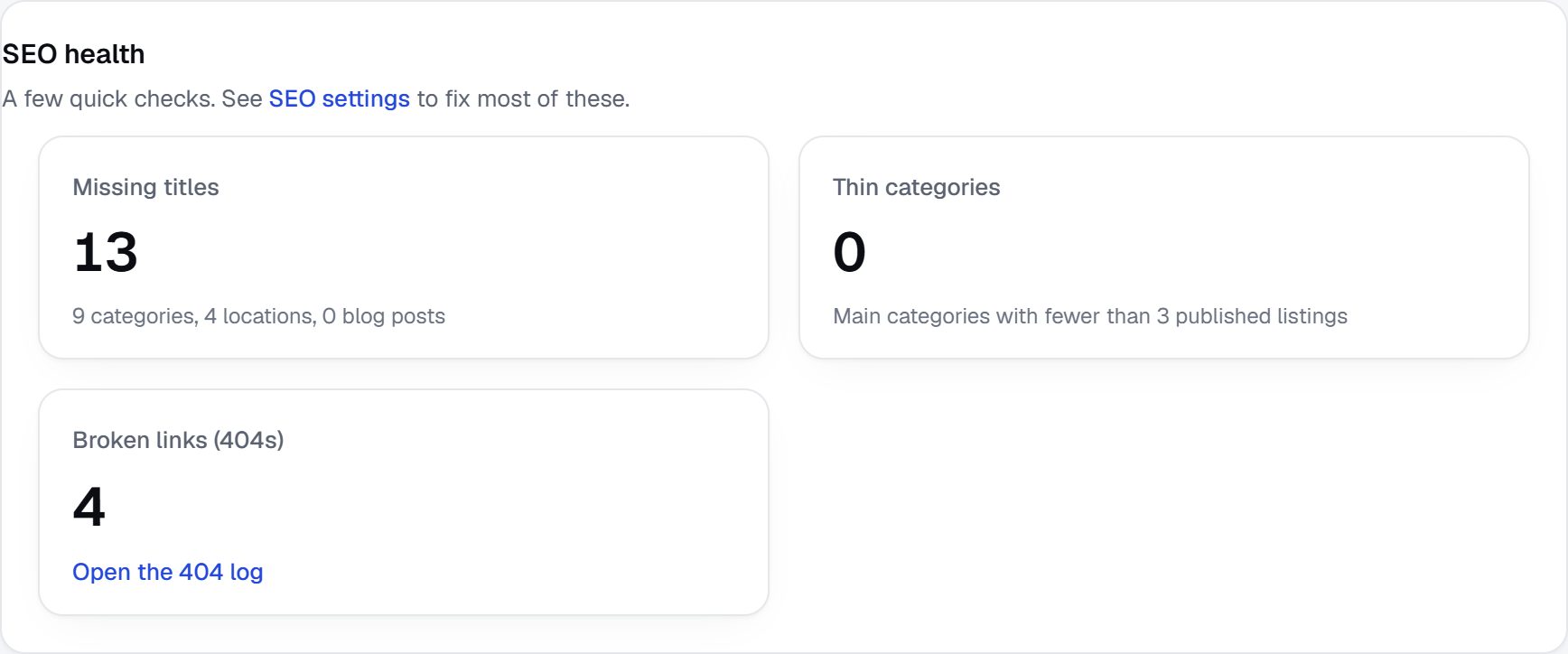
Your dashboard counts pages with no title, categories too thin to rank and links that lead nowhere. Switch on the 404 log and you see every address visitors couldn't find, where they came from, and a button to redirect it.
- Missing titles, thin categories and broken links at a glance
- The 404 log: each missing address with its referrer and hits
- "Make a redirect" right next to each one
More on growing your marketplace
- How to Market an Online Marketplace: A 90-Day Plan
- How to Attract Sellers and Buyers to a New Marketplace
- Online Marketplace KPIs and How to Track Them in GA4
- How to Improve SEO for Classified Websites
- How to Promote a Classified Website on Social Media
- Marketplace User Retention: Keep Users Coming Back
- Marketplace Referral Programs and Word of Mouth
- Multilingual Marketplaces: Languages and New Markets to Grow Into
Questions people ask
Do I need an SEO plugin?
No. Titles, descriptions, structured data, sitemaps, redirects and the SEO report are built into every Yclas site, and they keep working through every update.
Will renaming a category hurt my rankings?
No. The old address redirects to the new one with a permanent (301) redirect, which tells search engines to move what they know about the page to its new address.
Can I bring my old links when I move to Yclas?
Yes. Add a redirect for each old address, or watch the 404 log after you move and turn every address people still visit into a redirect with one click.
Can I use my own domain?
Yes, on every paid plan, with free SSL. Your sitemap, listings and redirects are all served from your own domain.
More of what Yclas does
See it with your own listings.
Free for 15 days. No credit card.
Start free trial