
Every enquiry, followed up.
Leads and CRM gives every seller on your marketplace one list of the people who contacted them: messages, contact forms, booking requests and quote requests. They move each lead from new to won or lost, keep notes and get an email on the morning a follow-up is due. You get a timeline of each member, with private tags and notes.
How it works: a diagram, not a screenshot.
Every buyer who got in touch, in one list.
Each enquiry a seller gets is recorded once, whatever brought it: a message about a listing or to their profile, your contact form when messaging is off, a booking request, a property viewing, a test drive or a quote request. Each lead shows the listing, what the buyer wrote and their details, with buttons to reply, email, call or open WhatsApp when the buyer gave a phone number.
- The same buyer asking again about the same listing within 60 days joins their open lead, so nothing is counted twice
- Replying in the conversation moves a new lead to contacted
- A "Listing sold" badge on open leads once the listing is marked sold
- Messages about a listing
- Messages to a seller's profile
- The contact form with messaging off
- Booking requests
- Paid bookings
- Test drive requests
- Trade-in offers
- Phone and WhatsApp taps if you switch it on
- Viewing requests
- Valuation requests
The enquiries that become leads. Bookings, viewings and test drives count once you switch them on.
Move each lead along until it's won or lost.
Each lead has a status: new, contacted, meeting, won or lost. Sellers add notes, pick a follow-up date and type what a won sale was worth. The top of the page shows their open leads, the ones to follow up today, their win rate and the value they've won.
- A history on each lead: when it came, and every status change, note and follow-up
- Views for open leads, today's follow-ups and every lead
- All of a seller's leads as a CSV file, in one click
How it works: a diagram, not a screenshot. Sellers can pick any other follow-up date.
No buyer left waiting.
On the morning a follow-up is due, the seller gets one email listing those leads. A lead still new after two days gets one gentle nudge in the same email. With suggested replies on, Write a reply with AI drafts an answer from the listing and what the buyer wrote, for the seller to edit and send.
- One reminder email a day at most
- A lead assigned to a teammate reminds that teammate
- AI drafts are never sent without the seller
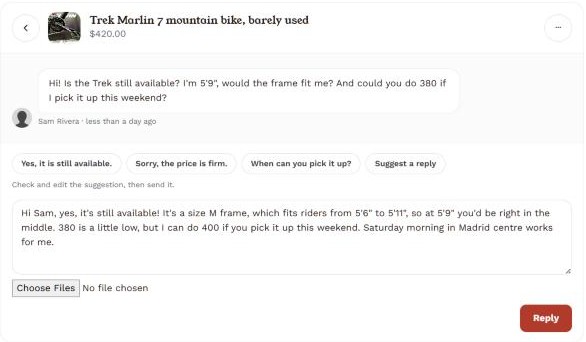
A suggested reply in messages. The Leads page drafts replies the same way.
A dealership's whole team, on one inbox.
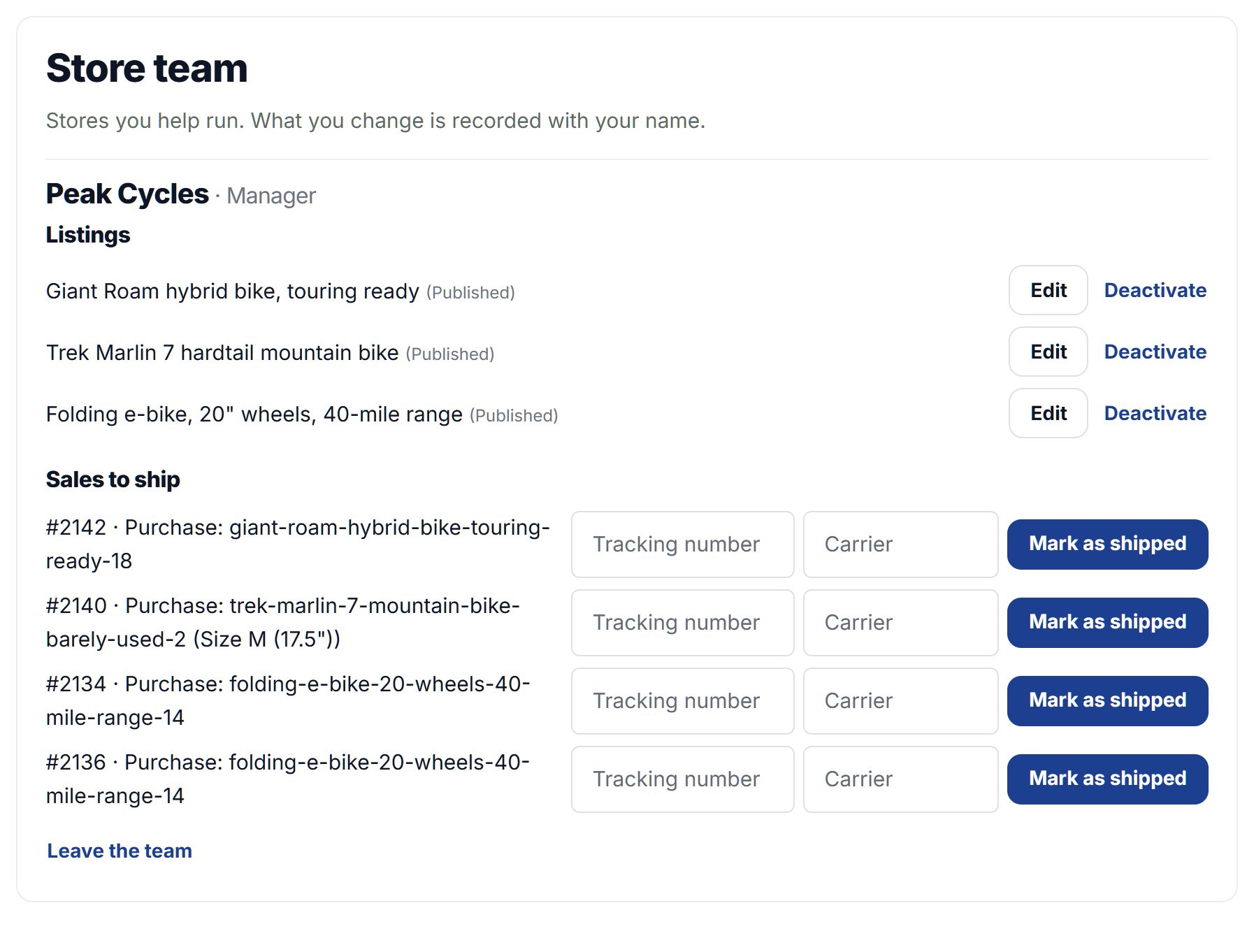
Switch on store teams and a seller can invite up to ten people to help run their store. Team members work the store's Leads: they see the enquiries, move leads along, add notes and assign each lead to themselves or a teammate. An estate agency's linked agents work its inbox the same way.
- An "Assigned to me" view for each team member
- Only the store's owner can delete leads or download them all
- Members never see the owner's messages, payouts or settings
Everything about a member, on one page.
Open any member from your Users list and see their timeline: when they signed up, the listings they posted, their payments, what they reported, and the reviews they wrote and received, in date order. Messages are counted, never shown: inboxes stay private.
- Private tags and notes that only your admins see
- A newsletter to every member with one tag, sent only to those who agreed to newsletters
- Admins only: moderators don't see timelines
- Sign-up
- Listings posted and published
- Payments
- Reports
- Reviews written and received
- Tags
- Notes
- Newsletter by tag
What a member's timeline holds.
Send each new lead where you work.
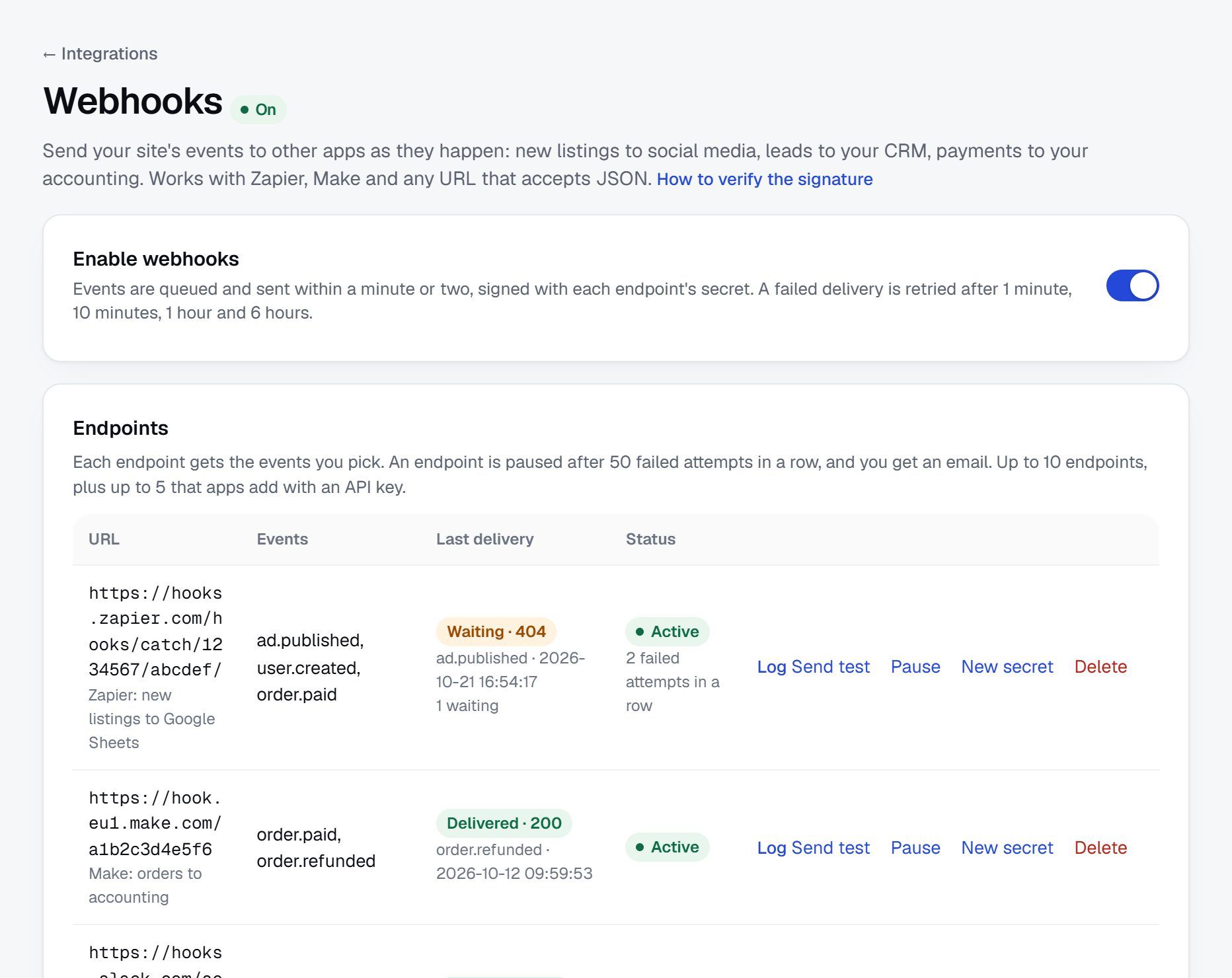
Sellers download their leads as a CSV file. Add a webhook for New lead and each lead goes to Zapier, Make or your own app as it arrives. With Enterprise, each new lead also becomes a Lead in Salesforce or Zoho CRM, or a contact in ActiveCampaign.
- Webhooks on the Professional and Marketplace plans
- A quote request paid per lead is sent once its details are unlocked
Questions people ask
Which plans include Leads and CRM?
The Professional and Marketplace plans. It's also on during the 15-day free trial, so you can try it with your own sellers.
Do sellers have to set anything up?
No. Once your plan includes it, every seller's enquiries are recorded on their Leads page from the first one. You can switch it off for the whole site on the same page.
Does it replace messages?
No. Buyers and sellers keep talking in messages or by email as before. Leads keeps track of each enquiry: where it stands, the notes and the next follow-up. Reply opens the conversation.
Who can see a lead?
Only the seller who got it, and their store team if you switch teams on. On a member's timeline your admins see counts of their messages, never the messages themselves.
Can I bring leads into my own CRM?
Yes. Sellers download their leads as a CSV file, and a webhook sends every new lead to Zapier, Make or your own app. With Enterprise, Salesforce, Zoho CRM and ActiveCampaign get each new lead directly.
Are AI replies sent automatically?
Never. With suggested replies on, Write a reply with AI drafts an answer to the lead, and the seller edits it and sends it themselves.
What happens when someone deletes their account?
A buyer's name, email, phone and message are cleared from every seller's leads, and a seller's own leads are deleted with their account. A member's data export includes their leads.
More of what Yclas does
See it with your own listings.
Free for 15 days. No credit card.
Start free trial