
The AI page builder
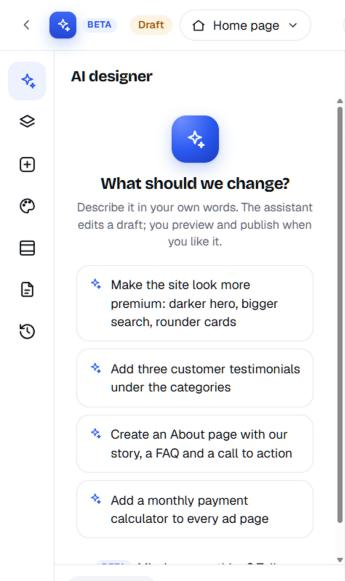
Describe a change, such as "darker hero, bigger search, rounder cards", and the AI makes it in a draft you preview before you publish. Start from 109 ready-made looks, then edit anything by hand.
Where it shows up: The Studio (oc-panel/builder), on the Nova theme.
Step by step.
- Open the Studio and type what you want changed, in your own words.
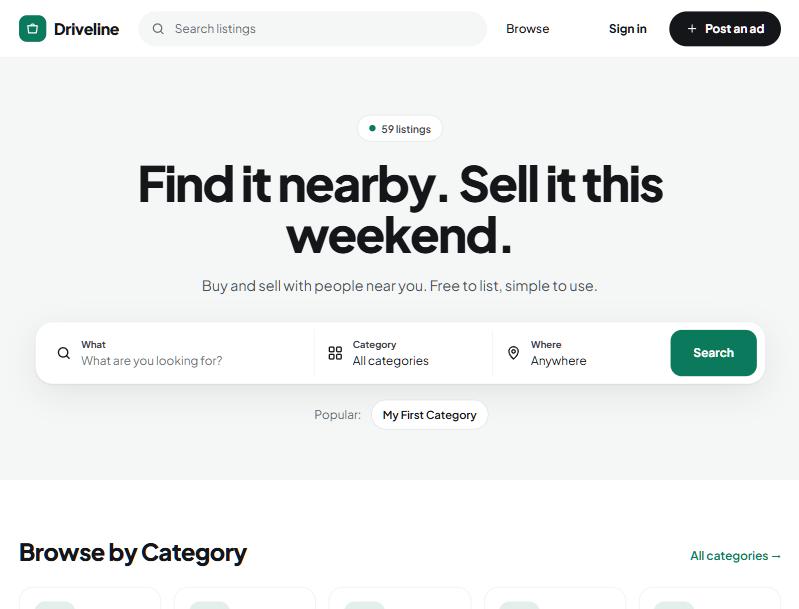
- The AI edits a draft of your site: new sections, colours, text or photos.
- Preview the draft next to your live site, on desktop, tablet and phone.
- Publish when you're happy, or keep asking for changes. Undo any step, or restore an earlier version.
Questions people ask
Other AI features:
Do I need to know how to design?
No. Describe the change the way you'd explain it to a person: "make the hero darker" or "add a testimonials section". The AI makes the edit and you see it before it goes live.
Can I still make changes by hand?
Yes. Drag sections into place, edit text right on the page, change colours, fonts and spacing, and write custom code for anything the section library doesn't cover.
What if I don't like the result?
Nothing publishes until you choose to. You can keep asking for changes, undo a step, or restore an earlier version. A published page also schedules up to 90 days ahead and can be shared as a preview link for 7 days.
Which plan includes it?
The page builder and the other AI features are part of Yclas plans, with the exact plan and monthly amount shown in your site's AI page. See the pricing page for what each plan includes.
See it with your own listings.
Free for 15 days. No credit card.
Start free trial