
How to create an auction website, from first rule to first winner.
How to create an auction website in eight steps: decide who sells and what, set the bidding rules, decide how winners pay, choose the software, set the site up, write lots that sell, launch, and know the costs. Including what an auction website for free really involves.
Free for 15 days · No credit card
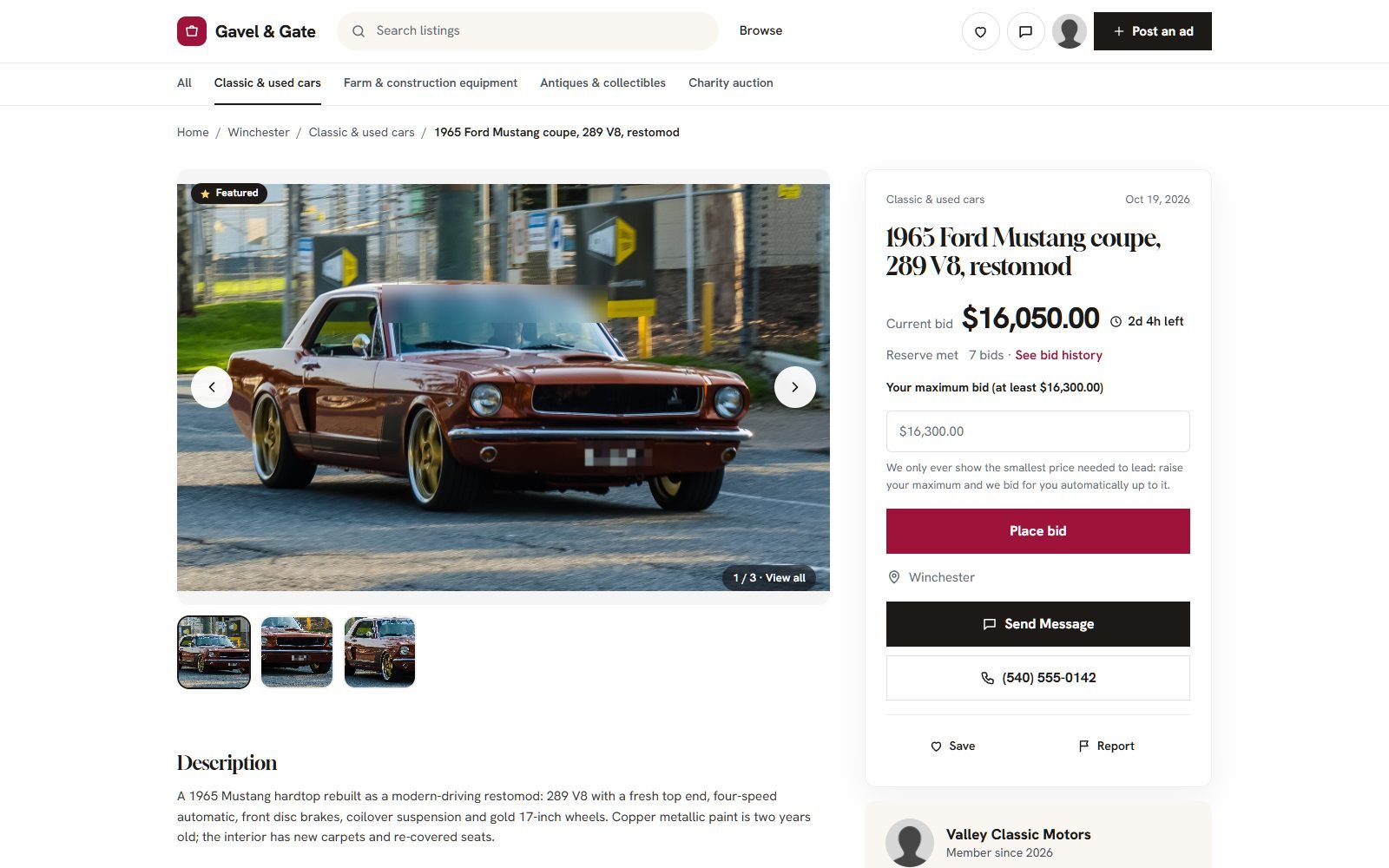
Decide who sells and what.
Everything else follows from two choices: whether you auction your own lots or let others sell, and what the lots are.
| Model | Example | What it needs |
|---|---|---|
| Your own lots | A dealer auctioning stock, a charity, an estate sale | Payments to your account |
| Consignment | You list items for owners and take a fee | Clear terms and a fee per lot |
| Open auction marketplace | Anyone signs up and lists, like eBay in a niche | Seller accounts, moderation, payouts to sellers |
Set the bidding rules before the first lot.
Bidders trust a site whose rules are clear and never change mid-auction. The ones to decide:
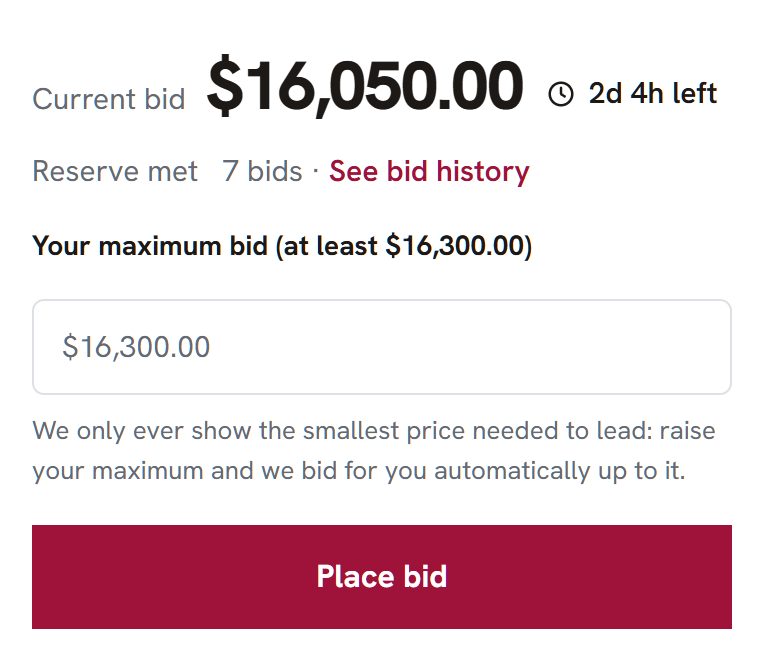
- Proxy bidding: bidders enter a maximum and the site bids for them. It is what eBay taught everyone to expect.
- Increments: a step that grows with the price, or one flat amount.
- Reserve: a hidden minimum the seller will accept. Show only whether it is met.
- Buy-now: a price that ends the auction at once.
- Anti-sniping: a late bid extends the clock, so nobody wins in the last second.
- Length: 7 days suits most lots; high-value ones can run longer.
Write the rules on a "How bidding works" page and link it from every lot.
Decide how winners pay and sellers get paid.
An auction ends with a promise to pay. Plan what happens next:
- Who receives the money: you, for your own lots, or the seller, for a marketplace.
- When: a deadline to pay, and what happens if the winner does not.
- Collection or delivery: shipping costs on the lot, or pickup by appointment.
On Yclas the winner gets a Pay now link to an order at the winning price and pays through your checkout with Stripe, PayPal or another provider you set up. If they have not paid after 14 days, the seller can relist. On the Marketplace plan, sellers can be paid through Stripe Connect with your commission taken.
Choose the software, and be honest about free.
Searching for an auction website for free turns up three things. None is free for long once you count hosting and your time.
| Route | Cost | The catch |
|---|---|---|
| Comment auctions in a social media group | Free | Not your site; bids are comments you track by hand |
| WordPress with an auction plugin | Plugin free or paid, plus hosting from a few dollars a month | You install, combine and update plugins that handle money |
| Dedicated auction software | Often a quote, or a monthly fee | Strong on live sales; more than a small site needs |
| A hosted builder with auctions, such as Yclas | Free 15-day trial, then $99 a month on Professional | Timed auctions only; no live bidding |
We make Yclas. Our comparison of auction software lists the others, with year-one costs.
Best auction software, compared →Build the auction website.
On Yclas, the setup is a short list:
- Describe the site in the setup wizard; it writes categories and an About page.
- Switch on auctions in Settings › General › Listing types.
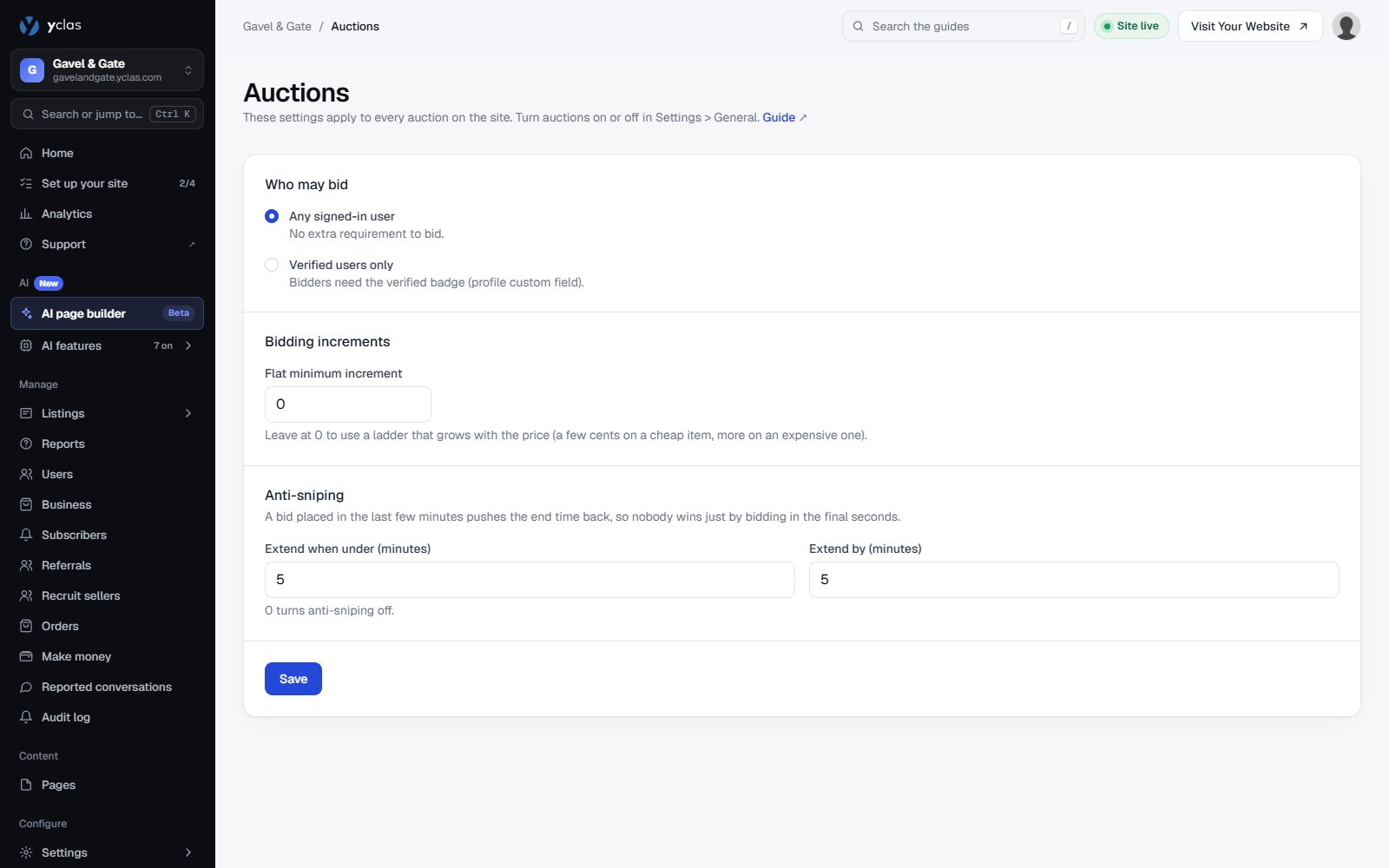
- In Settings › Auctions, choose who may bid, the increments and the anti-sniping minutes.
- Add fields bidders need: year and mileage, hours, dimensions, condition.
- Connect your payment provider and your domain.
Write lots that draw bids.
A bidder cannot touch the item, so the page has to answer every question:
- Photos from every side, faults included.
- The facts of your niche: VIN and mileage for cars, engine hours for machinery, provenance for art.
- Inspection: where and when the item can be seen.
- A low start and a fair reserve: a low starting price brings the first bids; the reserve protects the seller.
- End times in the evening, when people are home.
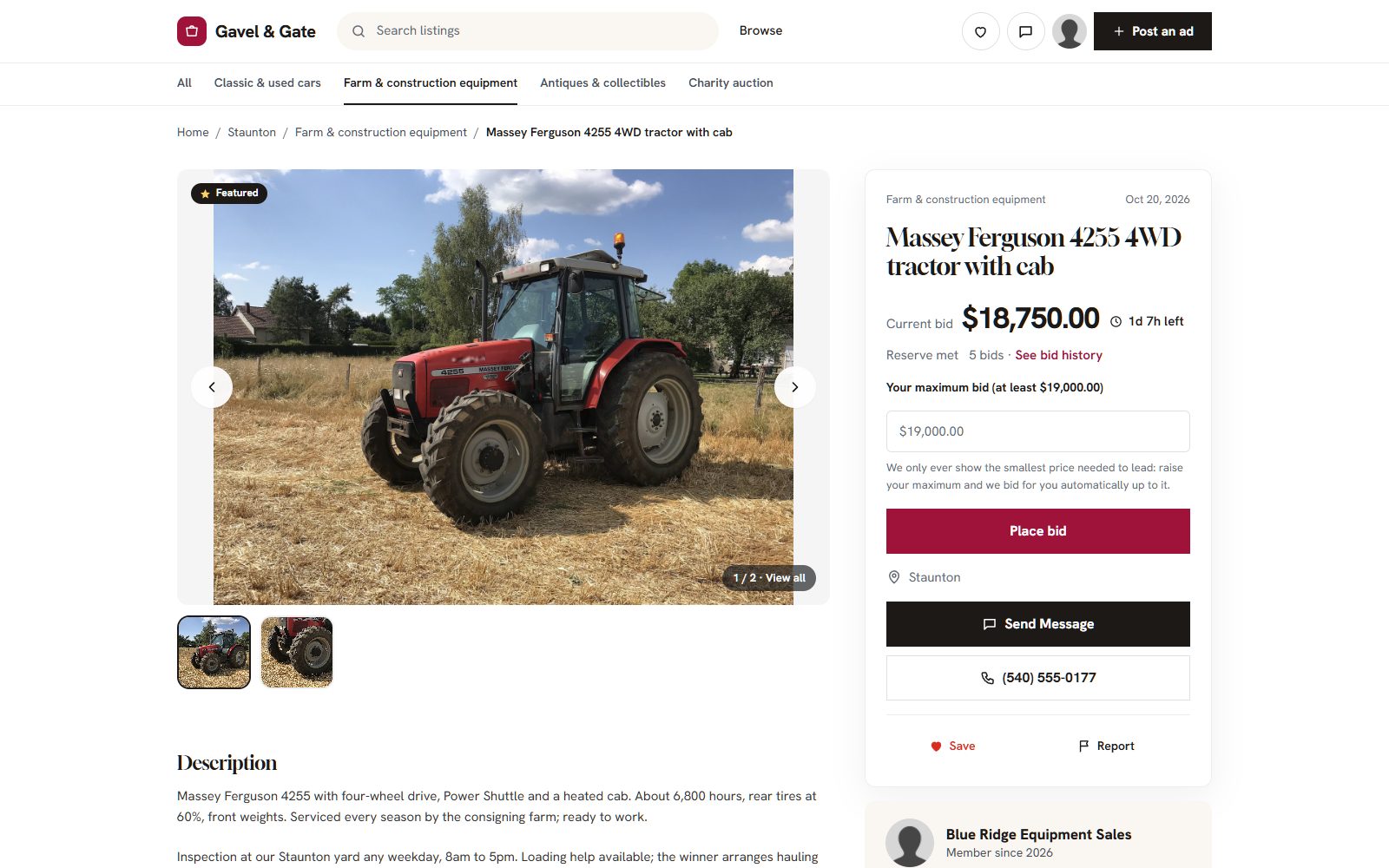
Gavel & Gate, our demo auction site made with Yclas.
Launch with a first sale people hear about.
An auction needs bidders on the day it ends. Gather them before the first lots close:
- Open with 15 to 30 good lots ending over one week, not one lot at a time.
- Announce it where your bidders already are: a club, a trade paper, a farm supply store.
- Ask bidders to create an account early; they need one to bid.
- Publish results on the blog: prices achieved bring the next sellers.
What an auction website costs in year one.
Typical lines for a small timed auction site:
| Cost line | Typical range | On Yclas |
|---|---|---|
| Domain | $10 to $20 a year | Your own; SSL included |
| Software and hosting | $0 to $200+ a month | Professional $99 or Marketplace $149 a month |
| Payment fees | About 3% per payment | Your provider's fees; Yclas takes nothing |
| Photography | Your time, or a photographer per sale | Not included |
| Marketing | Ads, flyers, trade papers | Not included |
Ranges are typical market prices in 2026, not quotes.
How to create an auction website in a week.
- Day 1Choose the model, write the rules page.
- Day 2Set up the site, auctions and payments.
- Days 3 to 5Photograph and list the first lots.
- Days 6 to 7Invite bidders; lots end the week after.
Can I create an auction website for free?
Not for long. Comment auctions in a social group cost nothing but are not a website. Free plugins still need paid hosting. Yclas has a free 15-day trial to build and test the site.
How do I build an auction website without coding?
Use a hosted builder with auctions built in. On Yclas you switch auctions on, set the rules in Settings and post lots; no plugins or code.
How much does it cost to create an auction website?
A domain, a platform and payment fees. On Yclas, auctions come with Professional at $99 a month; payment providers charge about 3% per payment.
What is proxy bidding?
The bidder sets the most they will pay, and the site bids one step at a time for them, only as high as needed to lead.
How do auction sites stop sniping?
With an extension: a bid in the last minutes pushes the end time back. On Yclas the default is five minutes.
Can I run live auctions?
Not on Yclas, which runs timed auctions. For live sales with an auctioneer, use a live auction platform.
Related pages.
Keep reading.
Create your auction website today.
Switch on auctions, set your rules and post the first lots. Free for 15 days, no credit card.
Build my auction website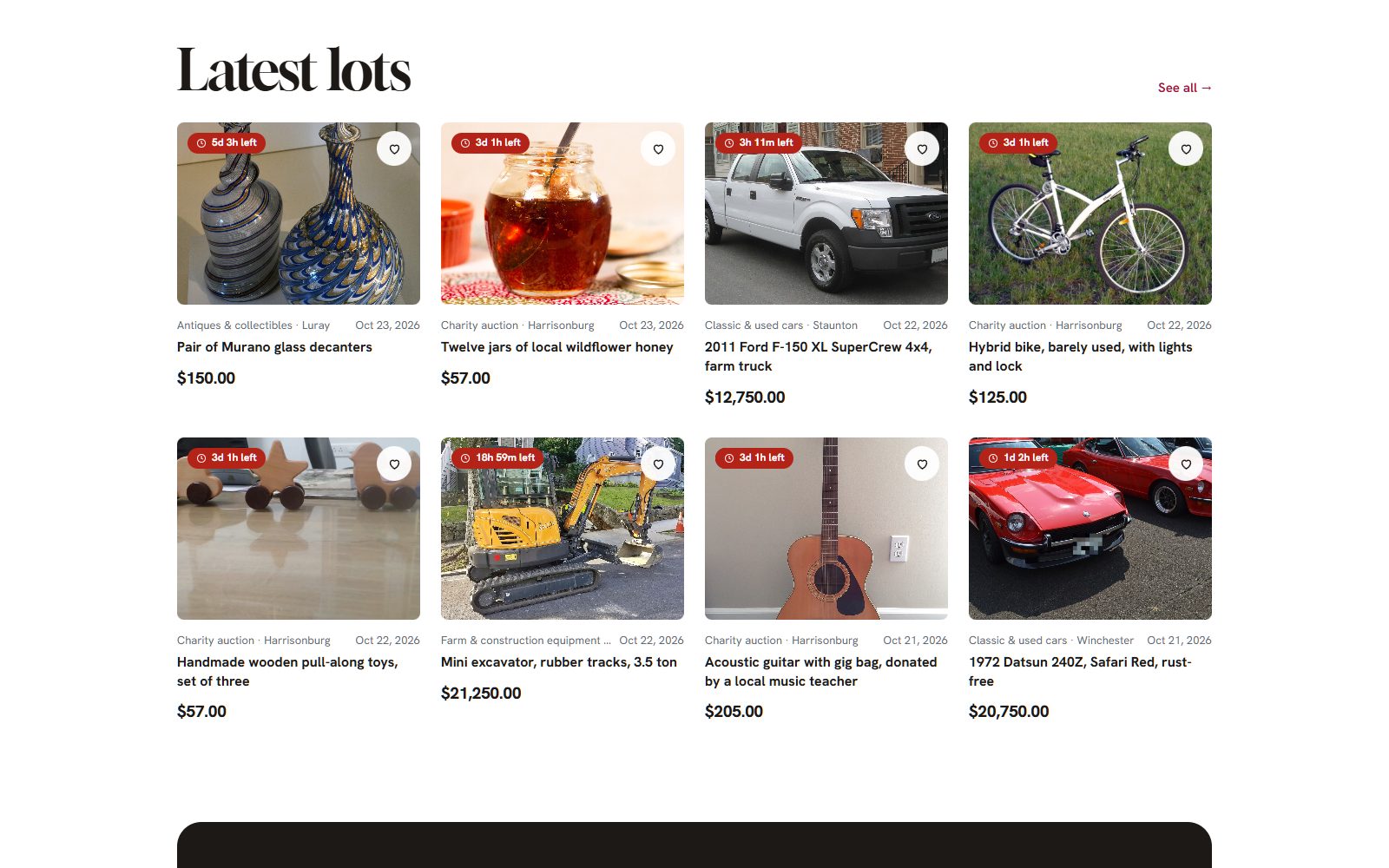
Photo credits
The screenshots show demo sites with made-up sellers. Their photos come from Wikimedia Commons, some cropped or with signs and plates blurred; these ones are under Creative Commons licences:
- Jaguar E-Type Series 1 3.8 Litre 1961 by DeFacto, CC BY-SA 4.0
- Caterpillar 330 excavator on a pile of dirt by Matthew T Rader, CC BY-SA 4.0
- Seth Thomas tambour mantel clock ca. 1930 by Smerdis of Tlön, CC BY-SA 4.0
- Persian Rug Khorrasan 1 by Carpetbeggers, CC BY 2.0
- 3D illustration image of a gavel by Quince Media, CC BY-SA 4.0