
Osclass migration to a hosted site, step by step.
An Osclass migration to Yclas takes one database export and about an hour of checking. The importer reads your Osclass tables directly, shows a dry run before anything is saved, and can undo the import for 7 days. This guide covers what to export, what comes across, what doesn't, and how to keep your old links working.
Free for 15 days · No credit card · Import included on every plan
Decide what the new site should be before you move the old one.
A move is a good moment to tidy up. Osclass sites that have run for years often carry hundreds of empty categories, listings nobody renewed and accounts that never posted. Yclas brings across what you choose, so spend ten minutes on three decisions first.
- Which listings. Live listings always come across. Listings that weren't live (expired, disabled or waiting for approval) can be skipped or imported as unpublished. Listings Osclass marked as spam are left out.
- Which categories. Yclas creates each category by name. If your Osclass tree is deep, write down the parent of each subcategory: you will arrange them again after the import.
- Which plan. The import stops at your plan's listing limit: Starter takes up to 5,000 listings, Professional up to 100,000 listings.
Keep the Osclass site online until the new one is checked. You need its photos and its addresses for the redirects.
Export the Osclass database as one file.
In phpMyAdmin or your hosting panel, export the whole Osclass database as SQL. Choose gzip compression if you can: a .sql.gz file of a mid-size site is usually a fraction of the plain one, and the upload limit is 25 MB. Any table prefix works, not only the default oc_, and both Osclass 3 and Osclass 8 databases are read.
The importer only reads the tables it needs: listings with their descriptions and locations, users, categories, cities and listing photos. Password hashes are never read from the file, and the file is deleted from our servers when the import ends.
For the photos you have two choices. Upload a ZIP of your oc-content/uploads folder (up to 100 MB) next to the export, or give the old site's address and Yclas downloads each photo from it. The address is easier while the old site is still online.
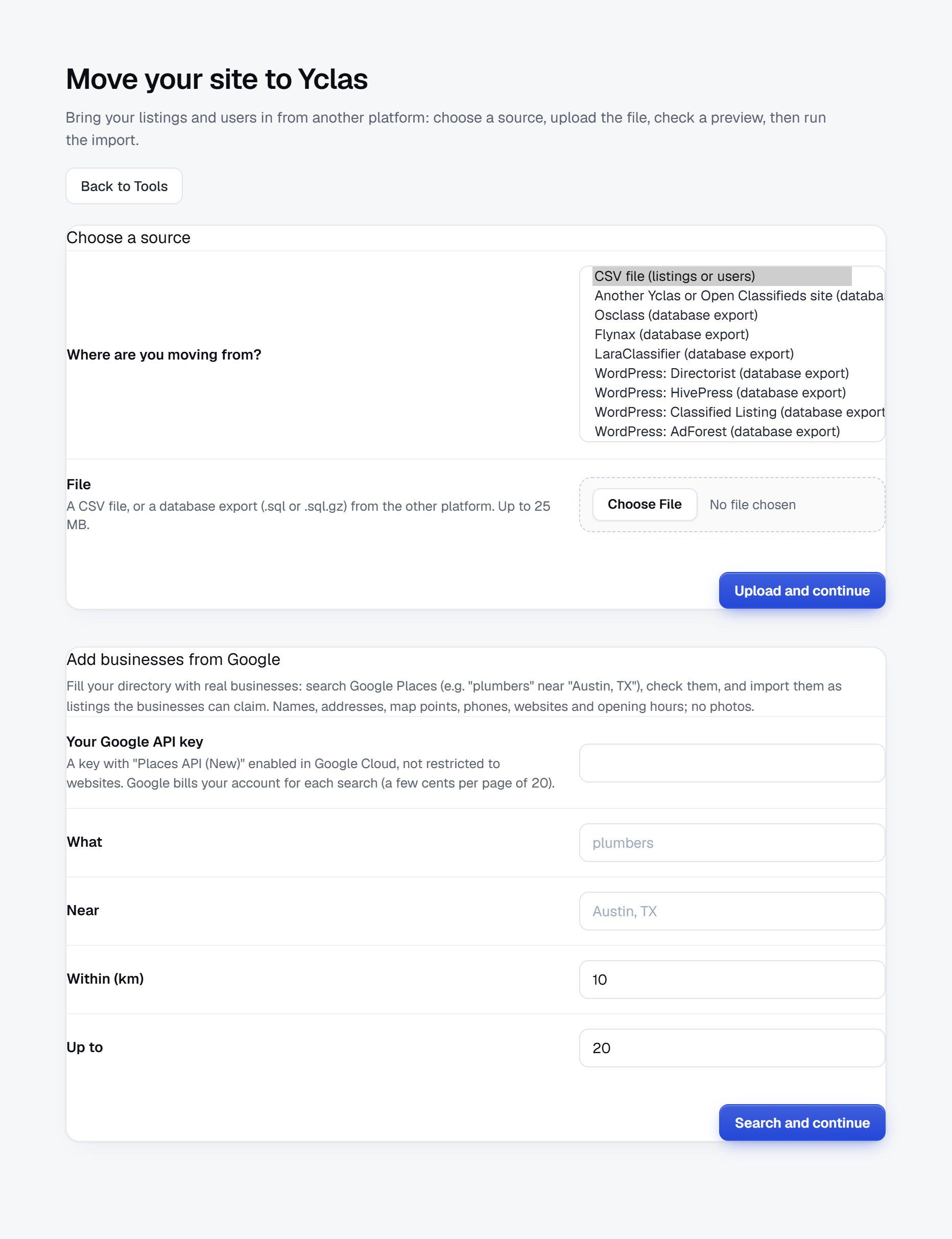
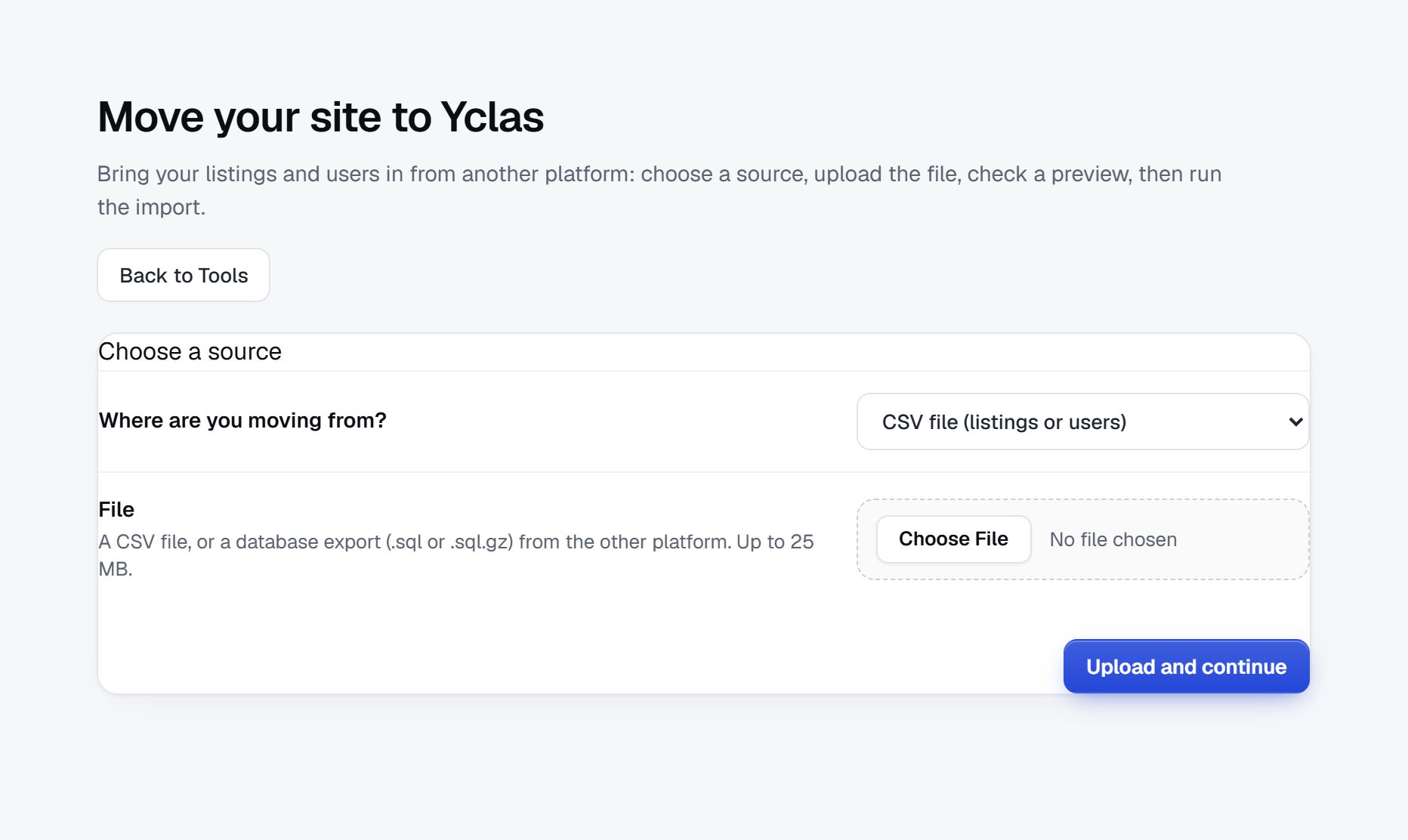
Upload it, match the fields and read the dry run.
Start a free trial and choose "I already have a site" in the sign-up wizard: it opens Move your site to Yclas instead of the AI setup. If you already have a Yclas site, the importer is in your admin under Tools. Then:
- Choose Osclass (database export) and upload the file.
- Check the matched fields, choose what to do with listings that weren't live, and add the photos ZIP or the old site's address.
- Read the dry run. It counts the listings and users ready to import, lists every row it will skip with the reason (a seller without a valid email, for example) and previews the first listings with their price, category, city, seller and photos. Nothing is saved yet.
- Run the import. It works in small batches you can follow, users first, then listings, then photos.
Look closely at the prices in the preview. If they look wrong, go back, fix the mapping or tell our support team before you run the import.
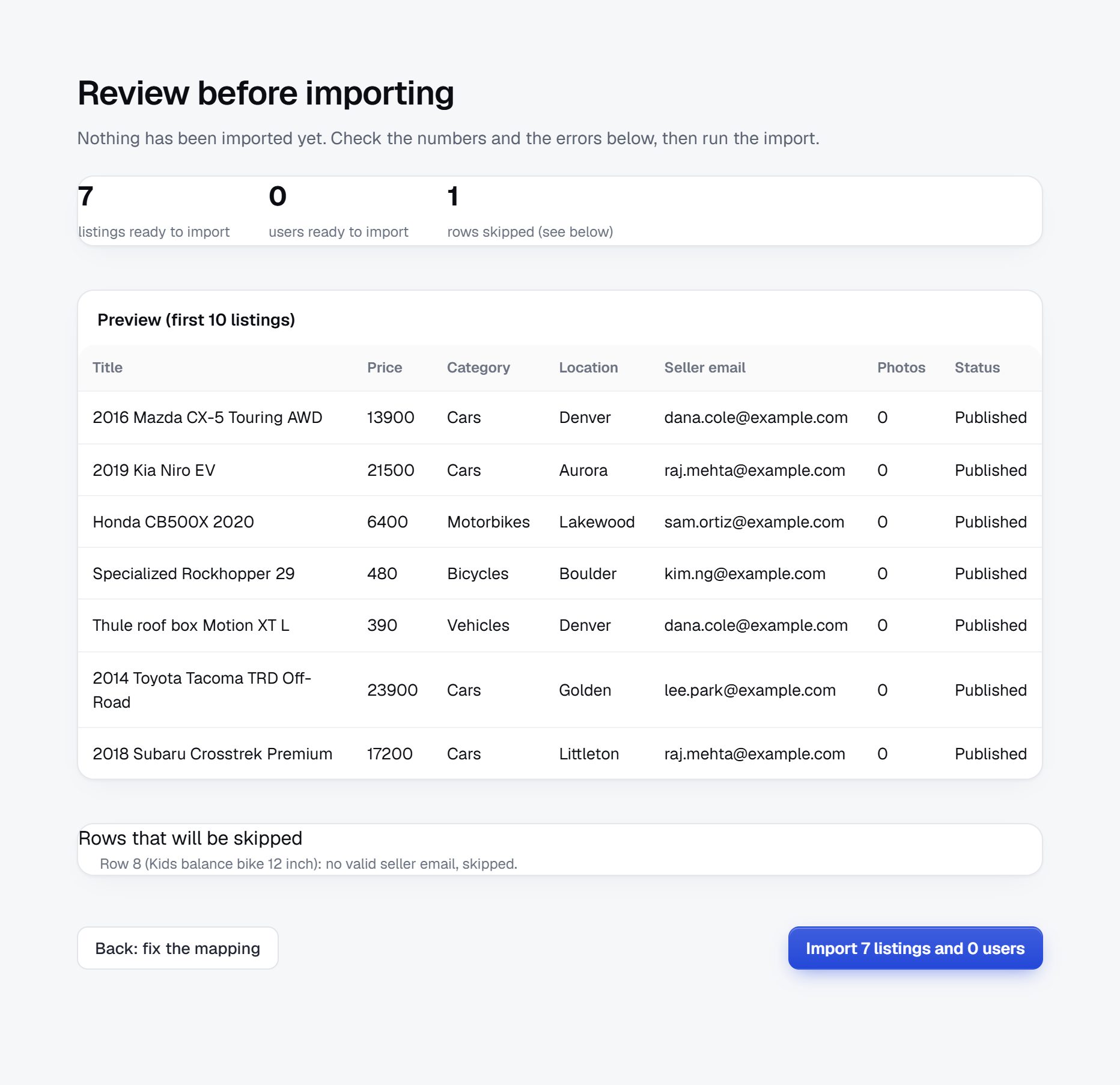
Shown with a sample CSV on a demo site; an Osclass export shows the same review page.
What an Osclass migration brings across, and what stays behind.
The importer moves the content buyers search for and the accounts that posted it. Plugin data and the site's set-up stay behind, because they don't map to anything on the other side.
| From Osclass | On Yclas | What to do after |
|---|---|---|
| Listings | Title, description, price, city, address, phone and publish date; live listings published, others skipped or unpublished, expired ones unavailable | Check a few against the old site |
| Photos | From the uploads ZIP or the old site's address, the original size | Look at listings with many photos |
| Users | An account for every seller with an email, with their name | Users set a password with "Forgot password" |
| Categories | Created by name, at the top level | Put subcategories back under their parents |
| Locations | The listing's city (or region), created by name | Group cities under regions if you use them |
| Custom fields | Not imported | Create the fields again; field packs exist for cars, property and equipment |
| Plugin data | Not imported: Osclass Pay, ratings, messages, comments | Set up payments and reviews on Yclas |
| Pages, theme and settings | Not imported | Pick a look and write your pages |
Passwords are never copied: Osclass hashes them in a way no other software can use. An account that already exists on your Yclas site, such as your own, is left as it is.
Keep your old links working with redirects.
Osclass and Yclas build their addresses differently, so links to your old listing and category pages would lead nowhere after the move. Search engines and visitors who saved them both need a permanent (301) redirect to the new page.
- Redirects manager. In Settings, SEO, Redirects, add an old path and the page it should go to, permanent or temporary. It counts the hits on each one. It is on for new sites.
- Start with the pages that matter. Redirect your categories, your home page variants and your most visited listings first. Your old analytics or Search Console shows which ones those are.
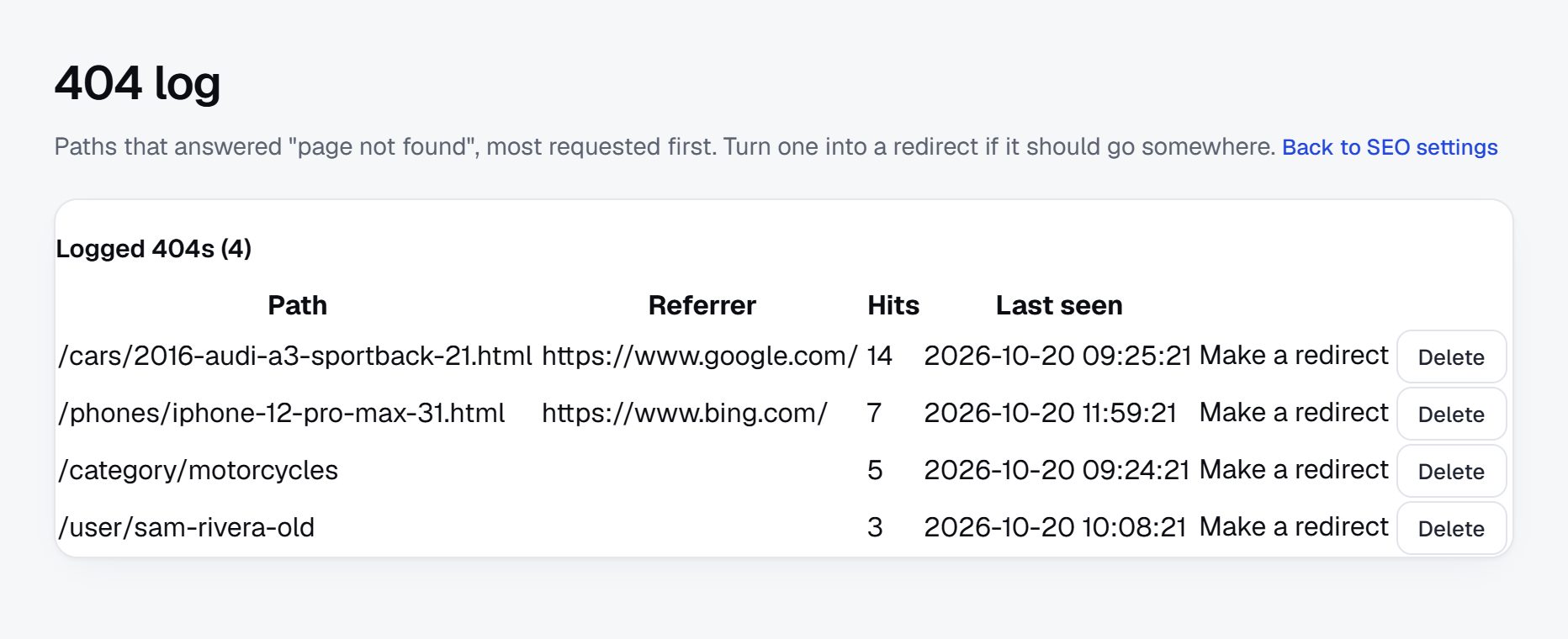
- Then let the 404 log find the rest. Switch it on in the same place. It lists every address visitors couldn't find, where they came from and how often, with a "Make a redirect" link next to each.
Redirects are added one address at a time; there are no pattern rules. For a large site, the 404 log is what keeps the work small: you only redirect what people still visit.
More on SEO and redirects →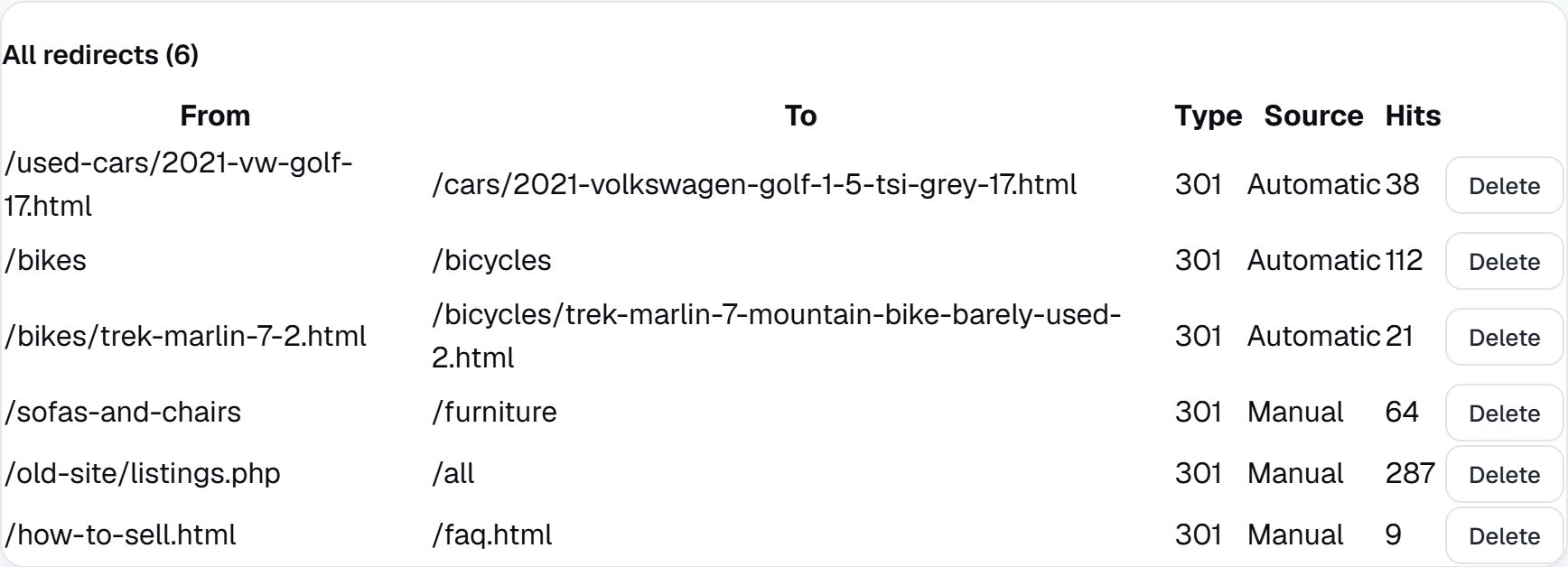
Switch the domain and tell your users.
When the new site looks right, connect your domain from the admin: one DNS record, and SSL is set up for you. Custom domains are on paid plans; the trial runs on a yourname.yclas.com address so you can check everything first.
- Tell your users before the switch that the site is moving and that they sign in with the same email after choosing a new password.
- Submit the new sitemap in Google Search Console. Yclas makes it for every listing and tells search engines that support IndexNow about new listings.
- Watch the 404 log for the first two weeks and redirect what shows up.
- Keep a copy of the Osclass database. If something is missing, you can run another import from it.
If an import goes wrong, undo it from the importer within 7 days: the listings and accounts it created are removed, and you can run it again with a different mapping.
Your Osclass migration in five steps.
- DecideWhich listings, categories and plan the new site needs.
- ExportThe Osclass database as .sql.gz, and the uploads folder as a ZIP if you like.
- ImportUpload, match, read the dry run, then run it.
- RedirectCategories and top listings first, then what the 404 log finds.
- SwitchConnect your domain and tell your users to set a password.
How long does an Osclass migration take?
The export takes minutes, and the import of a few thousand listings usually runs within the hour, photos included. Most of the time goes into checking the dry run, arranging categories and setting up redirects.
Can I migrate from Osclass without losing my users?
Yes. Every seller with a valid email gets an account with their name. Passwords can't be copied from Osclass, so users choose a new one with "Forgot password" and keep their email.
Are Osclass custom fields imported?
No. Create the fields you need on Yclas, or switch on the field pack for cars, property or equipment, and fill them for the listings that matter.
What about my Osclass plugins?
Their data stays behind. Most of what Osclass sells as plugins is built into Yclas: payments for featured listings and memberships, messages, reviews, maps, alerts and social login.
Is the Osclass import free?
Yes. The importer is part of every plan and of the 15-day free trial. Plans start at $19 a month for up to 5,000 listings.
Will my Google rankings drop?
Some movement is normal after any move. Permanent redirects from your old addresses, a new sitemap and watching the 404 log keep it small.
Can someone do the move for me?
Our team does custom design and development as a paid service. Ask on the customizations page for a quote for your move.
Related pages.
Before and after the move.
Bring your Osclass site with you.
Start a free trial, choose "I already have a site", and upload your export. Nothing is saved until you approve the dry run.
Start my move