
A Stripe Connect marketplace on your own Stripe account.
A Stripe Connect marketplace takes one payment from the buyer, keeps your fee and sends the rest to the seller. On Yclas, your own Stripe account is the platform, each seller opens a Stripe payout account from your site, and split payments work for Buy now, a cart of several sellers and paid bookings. It is on the Marketplace plan, set up without code, and Yclas takes no part of the payment.
Free for 15 days · No credit card · Marketplace plan, $149 a month
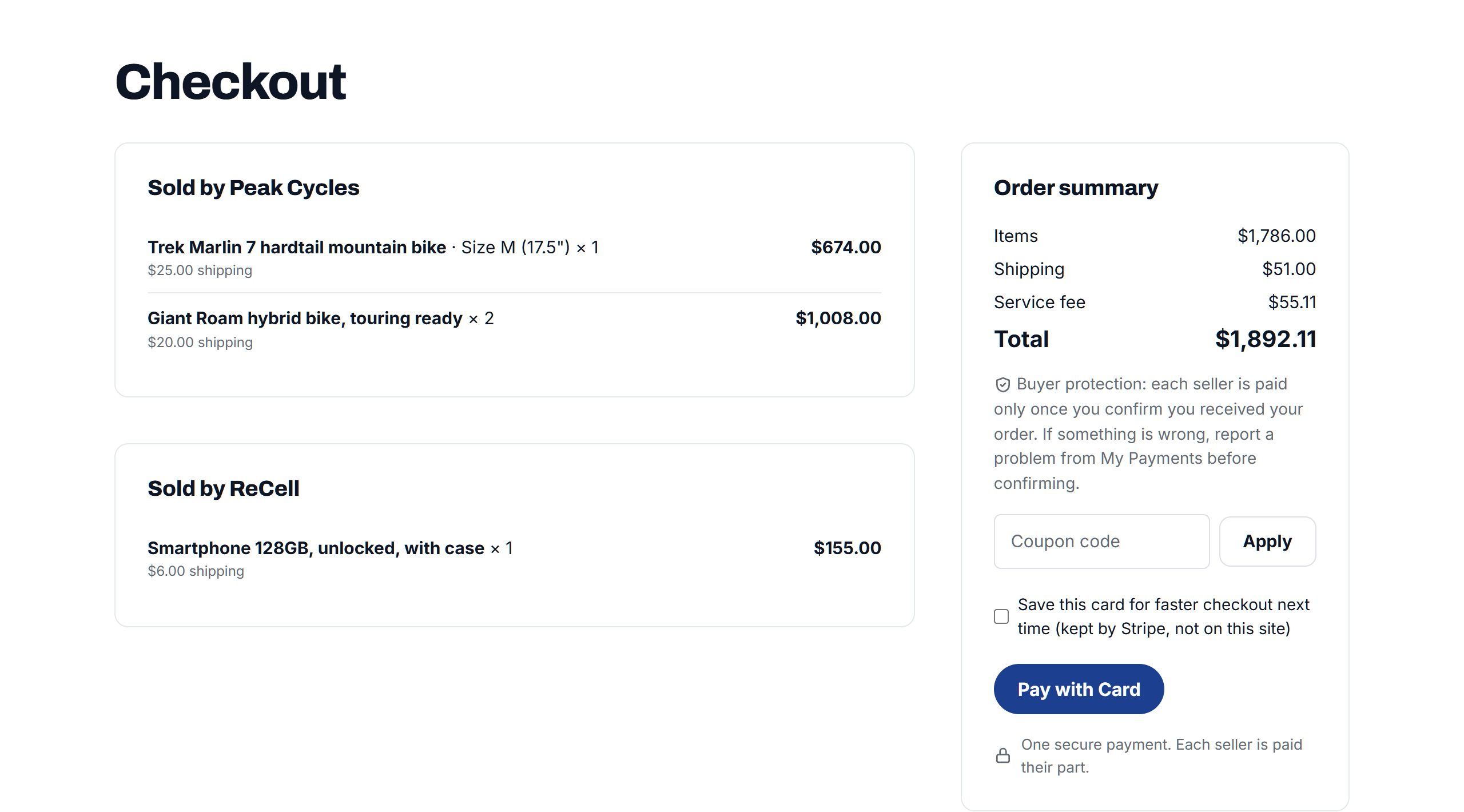
How a Stripe Connect marketplace works.
Stripe Connect is Stripe's product for platforms that take payments for other people, and the usual way to run a marketplace with Stripe. There are three parties: your platform account, the sellers' connected accounts, and the buyer who pays.
On a Yclas site the platform is your own Stripe account, connected in your admin with your keys. When a seller wants to be paid, they open a Stripe Express account from their account on your site. Stripe runs that onboarding on its own pages: it asks for their identity and bank details and checks them. You never handle those details, and neither do we.
| Who | What they have | What they do |
|---|---|---|
| You, the owner | Your Stripe account, with Connect switched on | Set the commission, handle refunds and disputes, see every sale |
| Each seller | A Stripe Express account under your platform | Finish Stripe's onboarding once, then get paid |
| The buyer | A card, or iDEAL if you switch it on | Pays once at checkout |
| Yclas | No account in the money flow | Runs the site; takes no fee |
Your business is on the payment.
For Buy now, Yclas uses what Stripe calls destination charges. The payment is made on your platform account, your fee is taken as an application fee, and the rest is transferred to the seller's account. That means your business is the one on the charge: Stripe's processing fee is paid from your account, and refunds and disputes come to you, with the seller's transfer reversed when money goes back to the buyer.
The cart and paid bookings use separate charges and transfers on the same account: one charge, then a transfer to each seller from it. The responsibility is the same.
Stripe's rules on Connect, and what a platform is responsible for, differ by country. Read Stripe's Connect documentation for yours, and talk to an accountant about tax, before you take your first commission.
Three kinds of sale, one split payments setup.
The same commission rules apply to every kind of sale on your site. What changes is when the seller gets their money.
| Sale | How the buyer pays | When the seller is paid |
|---|---|---|
| Buy now | One payment, your fee kept as an application fee | By Stripe's payouts; or held until the buyer confirms delivery |
| A cart of several sellers | One payment, then a transfer to each seller | At once, or when each order is marked received |
| A paid booking | Card held at request, charged when the seller accepts | Two days after the booking ends |
The cart needs the Nova theme; buyers sign in to pay a cart. Paid bookings need the Bookings feature switched on.
Set your commission once, adjust it where it matters.
- A percentage, a fixed amount, or both, on the items alone or on the whole sale with shipping.
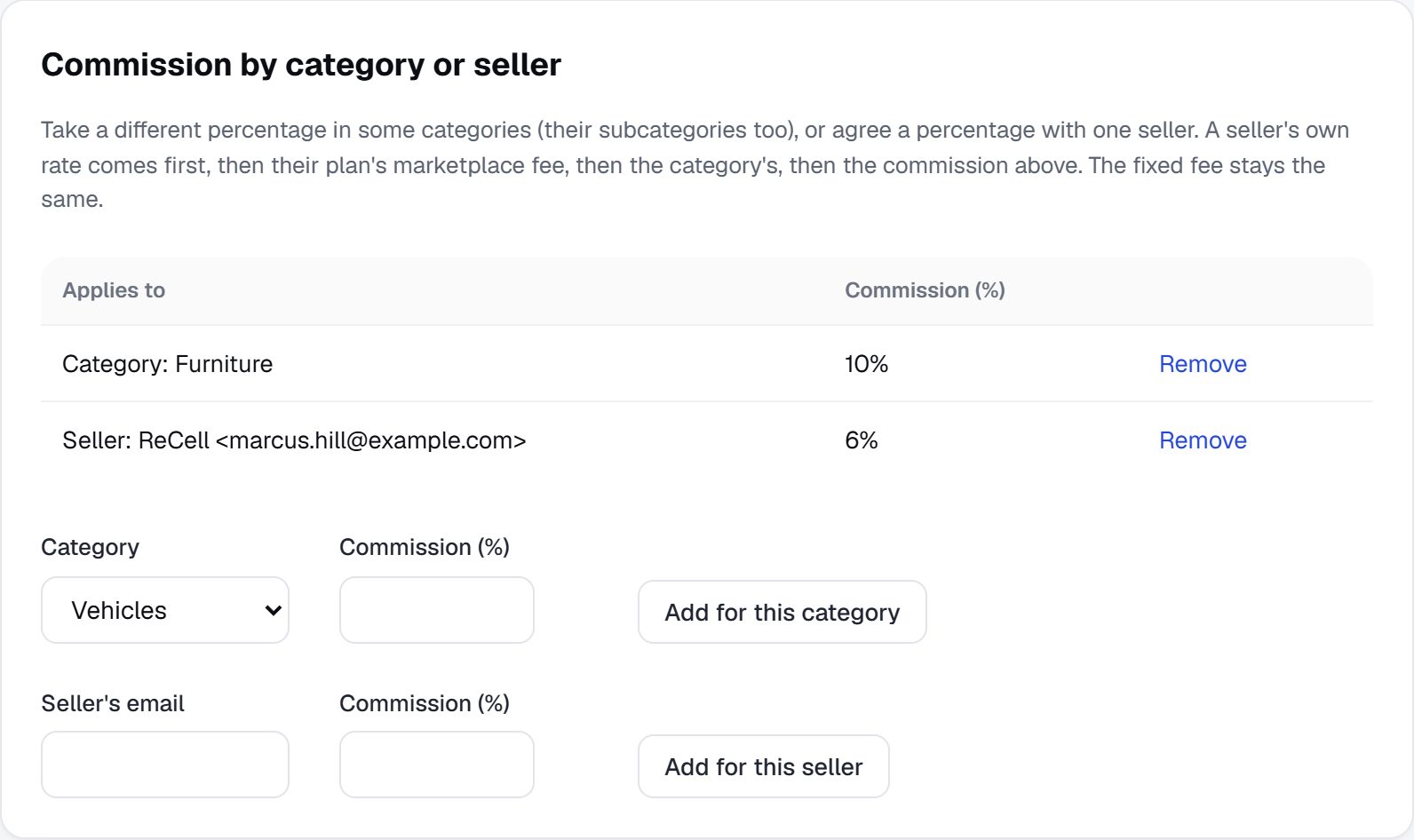
- Other rates for some categories, some sellers, or each seller plan. A seller's own rate comes first, then their plan's, then the category's, then your site's.
- A service fee for buyers, up to 30%, shown as its own line and kept with your commission.
- The Marketplace sales report shows gross sales, what you earned and your take rate.
Refunds, disputes and payment held until delivery.
- Refunds take back the seller's transfer and your fee on that sale. In a cart, only that seller's part is touched.
- Held until delivery: switch it on and sellers' money waits until the buyer marks the order received, or until the number of days you set has passed.
- Disputes: a buyer reports a problem, you read both sides in the conversation and decide: refund the buyer, pay the seller, or close it.
- Chargebacks from a bank are followed for you, and a dispute on a cart payment holds that cart's payouts until it is closed.
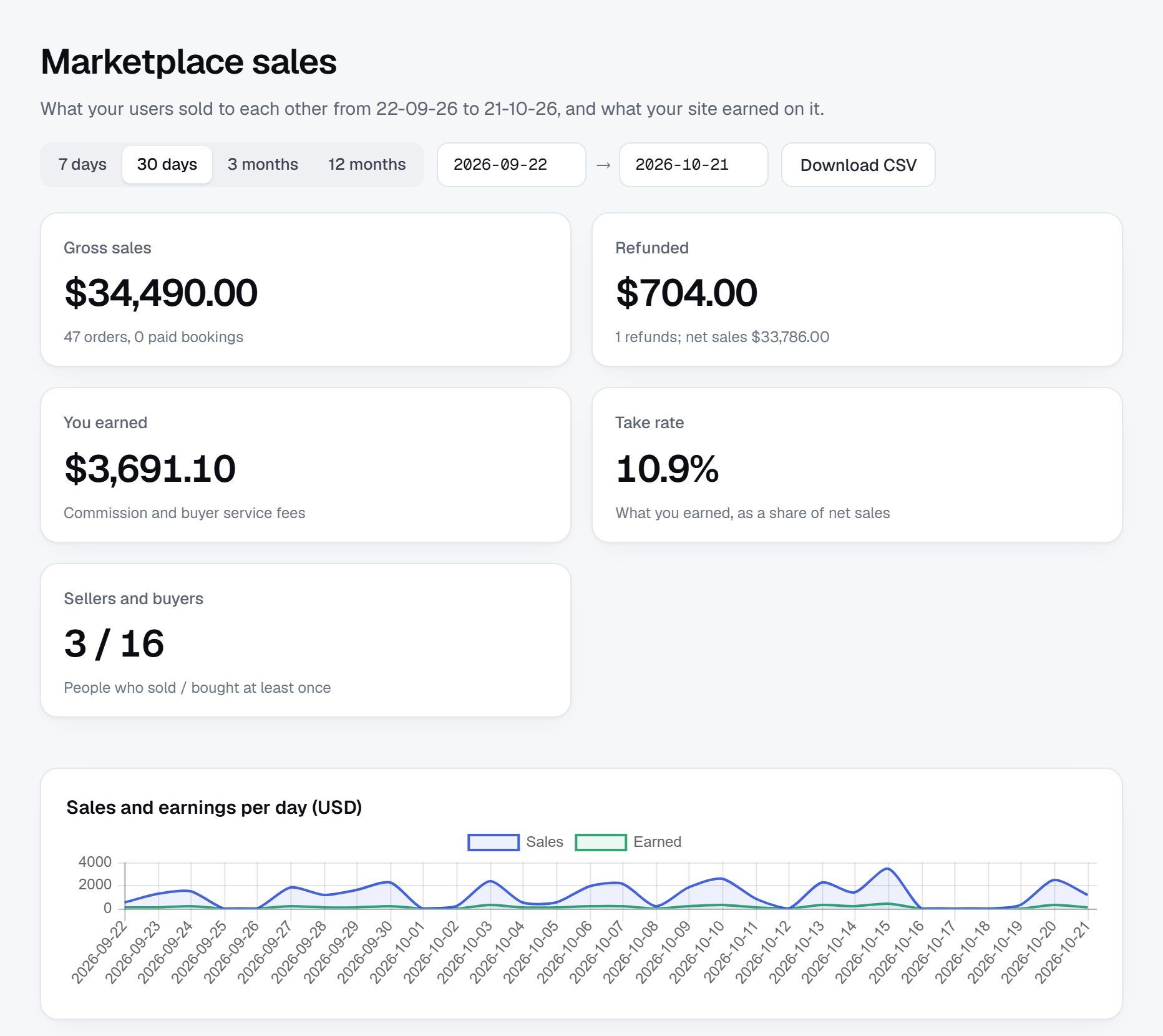
Sample sales on a demo site.
What you need before you switch it on.
- The Marketplace plan, $149 a month.
- A Stripe account for your business, in a country where Stripe offers Connect, with Connect enabled in your Stripe dashboard.
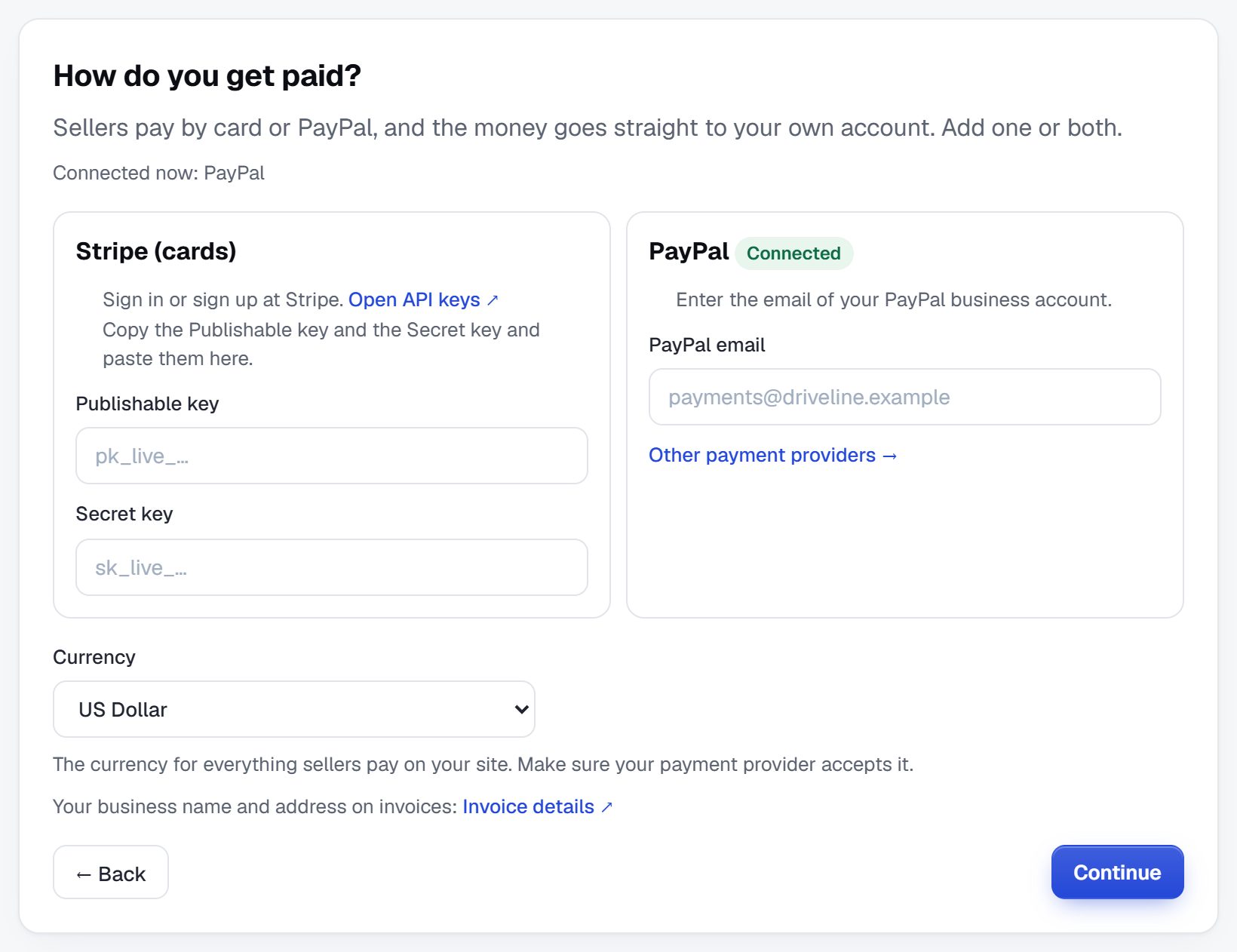
- Your keys in Add-ons, Stripe. The webhooks the site needs are set up from there.
- Test keys first: run a sale end to end before you switch to live keys.
- Sellers in other countries can be onboarded where Stripe allows it; some can only receive transfers.
Without Stripe Connect, a Marketplace site can still take payments for sellers: buyers pay you through any gateway, each seller builds a balance, and they ask to withdraw it by PayPal or bank transfer.
From a Stripe account to the first split payment.
- Enable ConnectIn your Stripe dashboard, for your platform account.
- Add your keysIn Add-ons, Stripe, and switch on Stripe Connect.
- Set the commissionA site rate, then category or seller rates if needed.
- Onboard a test sellerRun a sale and a refund with test keys.
- Go liveSwitch to live keys and invite your sellers to set up payouts.
What is a Stripe Connect marketplace?
A marketplace that uses Stripe Connect to take payments from buyers, keep a platform fee and pay sellers through their own Stripe accounts, without the platform holding sellers' money itself.
Does the money go through Yclas?
No. Payments are made on your own Stripe account, sellers are paid from it, and Yclas takes no fee.
Who is the merchant of record in this Stripe Connect marketplace?
Your platform. Buy now uses destination charges and the cart and paid bookings use separate charges and transfers, all on your Stripe account, so your business is on the charge and handles refunds and disputes.
Which Stripe account type do sellers get?
Express accounts. Stripe hosts the onboarding and the seller's dashboard, and checks their identity and bank details.
Who pays Stripe's fees?
They are taken from your platform account. Set your commission so that it covers them on a typical sale.
Can I use Stripe Connect on a cheaper plan?
Commission on sales, and Stripe Connect with it, is a Marketplace plan feature. On Professional, Buy now is paid to the seller's own PayPal or through Escrow.com, without a split.
Can I hold the money until delivery?
Yes. Switch on held payments and sellers are paid when the buyer marks the order received, or after the number of days you set.
Can I charge buyers a fee too?
Yes, a service fee up to 30%, shown at checkout and kept by you.
Related pages.
Read next.
Take your commission on every sale.
Connect your Stripe account, set your rate and invite sellers. Try it free for 15 days with test keys.
Start my marketplace