How to build a chamber of commerce directory that sends customers to your members.
This guide is for chambers of commerce that want a member directory people in town really use: who searches it besides members, the business details to filter on, how it supports dues tiers and sponsorship, how to load members from your records, lapsed members and fake claims, the local searches to rank for, and a launch built around the chamber calendar.
Free for 15 days · No credit card · Plans from $19 a month
Make the member directory the reason a business joins the chamber.
Ask a chamber member what they get for their dues and "a listing in the directory" is often near the bottom of the list. That is because many chamber directories are hard to use: an alphabetical list in the chamber's membership software, a printed guide distributed once a year, or a page that only filters by member name. Visitors and new residents never find it, so it sends members little business.
Who searches a chamber directory
- Residents who want to buy local and trust a business vouched for by the chamber.
- Visitors planning a trip, who land on the chamber's site looking for places to eat, stay and shop.
- People and businesses relocating to the area, looking for a realtor, a bank, a lawyer or office space.
- Members looking for other members to buy from, which many chambers actively encourage.
- The city, schools and event organizers looking for local sponsors and suppliers.
What the chamber has that others do not
The chamber knows its members personally, runs the ribbon cuttings, and holds the events where owners meet. A directory built on that knowledge can be more accurate than any national listing site for the same town, and it gives members something visible in return for their dues.
Measure the directory by the business it sends members, not by how many pages it has.
Sort members by what customers need, and show the details that decide a visit.
Chambers often sort members by industry codes or membership categories. Customers think in needs: somewhere to eat, someone to fix the roof, a place to hold a wedding. Use those plain words as categories, keep them to two levels, and add the practical details as fields.
Business details people filter on
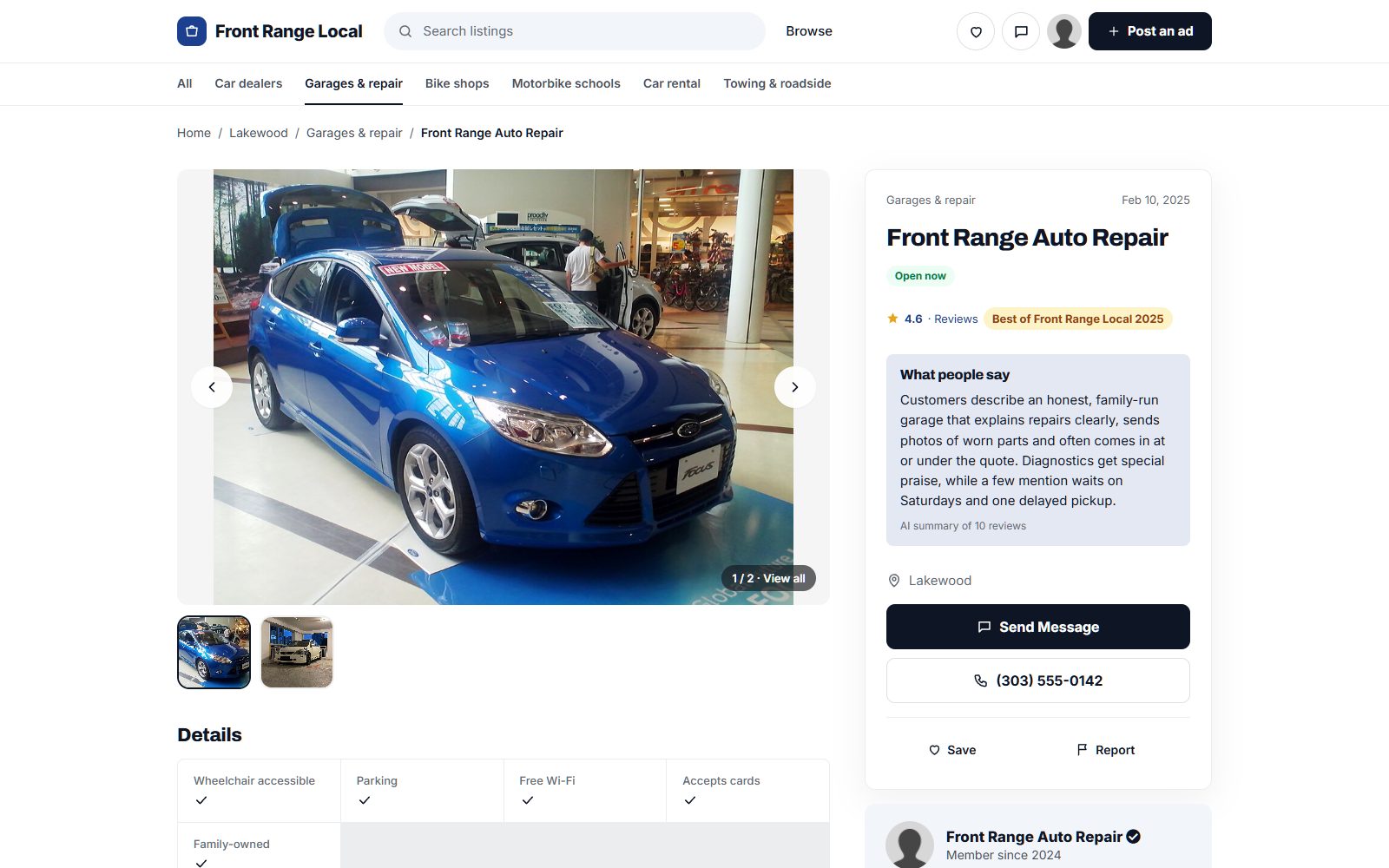
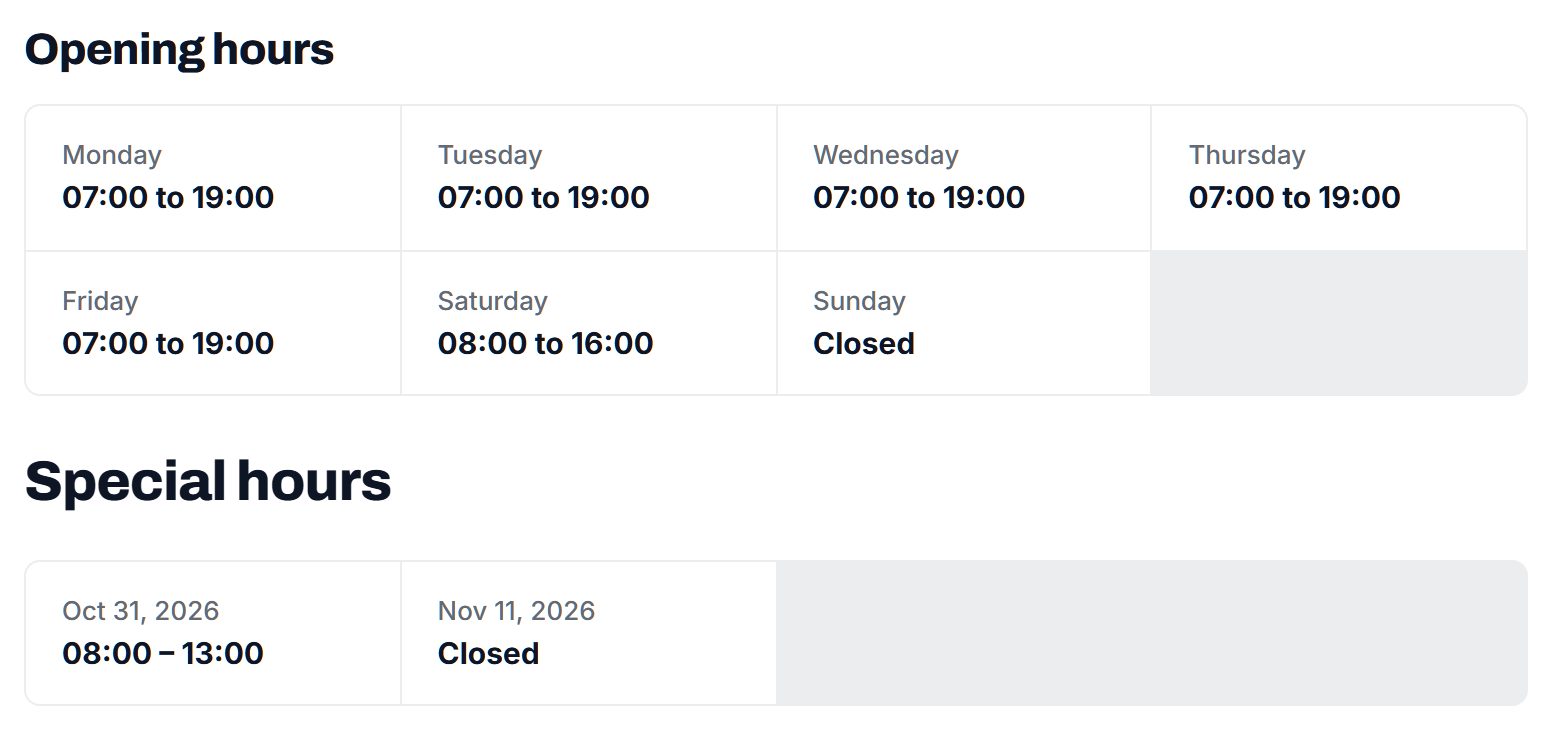
- Opening hours, especially weekends and evenings, so visitors can see what is open now.
- Town or district, for chambers that cover several towns or a whole county.
- Member deals: a checkbox and short text for discounts offered to other members or to chamber event attendees.
- Ownership: locally owned, family-owned, women-owned, veteran-owned or minority-owned, chosen by the owner.
- Services for visitors: group bookings, gift cards, wheelchair access, parking, pet friendly.
- Member since, which long-standing members are proud to show.
Give every member a short description in their own words. The chamber staff can draft it from the membership application, and the owner can edit it after claiming the page.
| Category | Example members | Fields people filter on |
|---|---|---|
| Eat and drink | Restaurants, coffee shops, breweries, caterers | Opening hours, private events, outdoor seating |
| Stay and visit | Hotels, inns, campgrounds, museums, tour operators | Town, pet friendly, group rates |
| Shop local | Boutiques, garden centers, bookstores, jewelers | Opening hours, gift cards, member deal |
| Home and property | Builders, realtors, landscapers, property managers | Service area, residential or commercial, member since |
| Business services | Banks, accountants, printers, IT support, staffing agencies | Services, languages, member deal |
| Community and nonprofit | Schools, hospitals, charities, churches, clubs | Town, volunteering, venue for hire |
Opening hours come with Yclas directories, and fields such as member deal or town can be added as checkboxes or dropdowns shown as search filters.
Build the directory into your dues tiers and sponsorship packages.
A chamber already sells memberships, event sponsorships and advertising in its printed guide. The directory gives each of those something to deliver online. A basic page belongs in every membership, and the extras go to higher tiers or are sold separately.
Where the directory earns
- Basic listing in every membership: only members appear, which gives non-members a concrete reason to join.
- Featured places at the top of a category or on the visitor pages, included in premium tiers or sold by the month.
- Enhanced profiles with more photos, offers and events, as part of a higher dues level.
- Quote requests: a resident or business describes what they need, and the request goes to matching members only. It is a strong renewal argument.
- Banner spaces on the home page and visitor guides, sold to banks, hospitals and larger employers as part of their sponsorship.
Move printed-guide advertisers onto the directory with the same price and a longer season.
| Model | Works when | Switch it on |
|---|---|---|
| Listing included in dues | Residents and visitors use the directory | From launch |
| Premium tier with featured place | Members compete in busy categories | At the next dues review |
| Quote requests for members | People ask the chamber for recommendations | From launch |
| Sponsor banners | Larger employers want visibility in town | When the visitor season starts |
| Monthly featured spots | Smaller members want a seasonal push | Before the holidays or the summer season |
Start from your membership records, fill the gaps from map data, and get members to claim.
Your members are already in a database or spreadsheet. The first job is moving them into the directory without losing anyone and with more detail than the membership record holds.
Where the data comes from
- The member list in your chamber software, exported as a spreadsheet and loaded as a CSV import: business name, category, address, phone, website, member level and member since.
- Google Places: run an import for your area to fill in missing addresses, phone numbers, websites and opening hours. Photos are not imported, so ask members to add their own.
- The printed member guide and the ribbon cutting photos from the past year, which give you descriptions and images to start from, with members' permission.
- Ambassadors and board members, who know which businesses have moved, closed or changed hands.
Getting members to claim pages
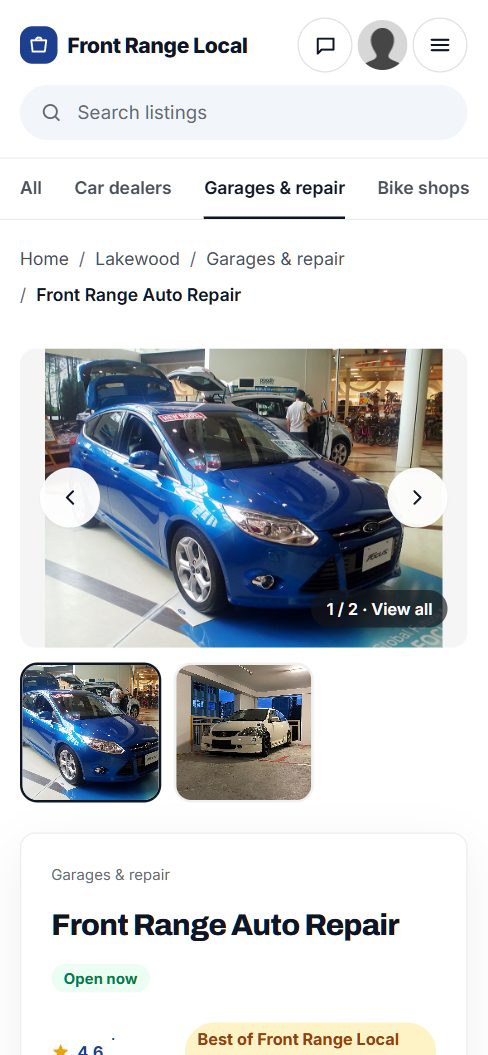
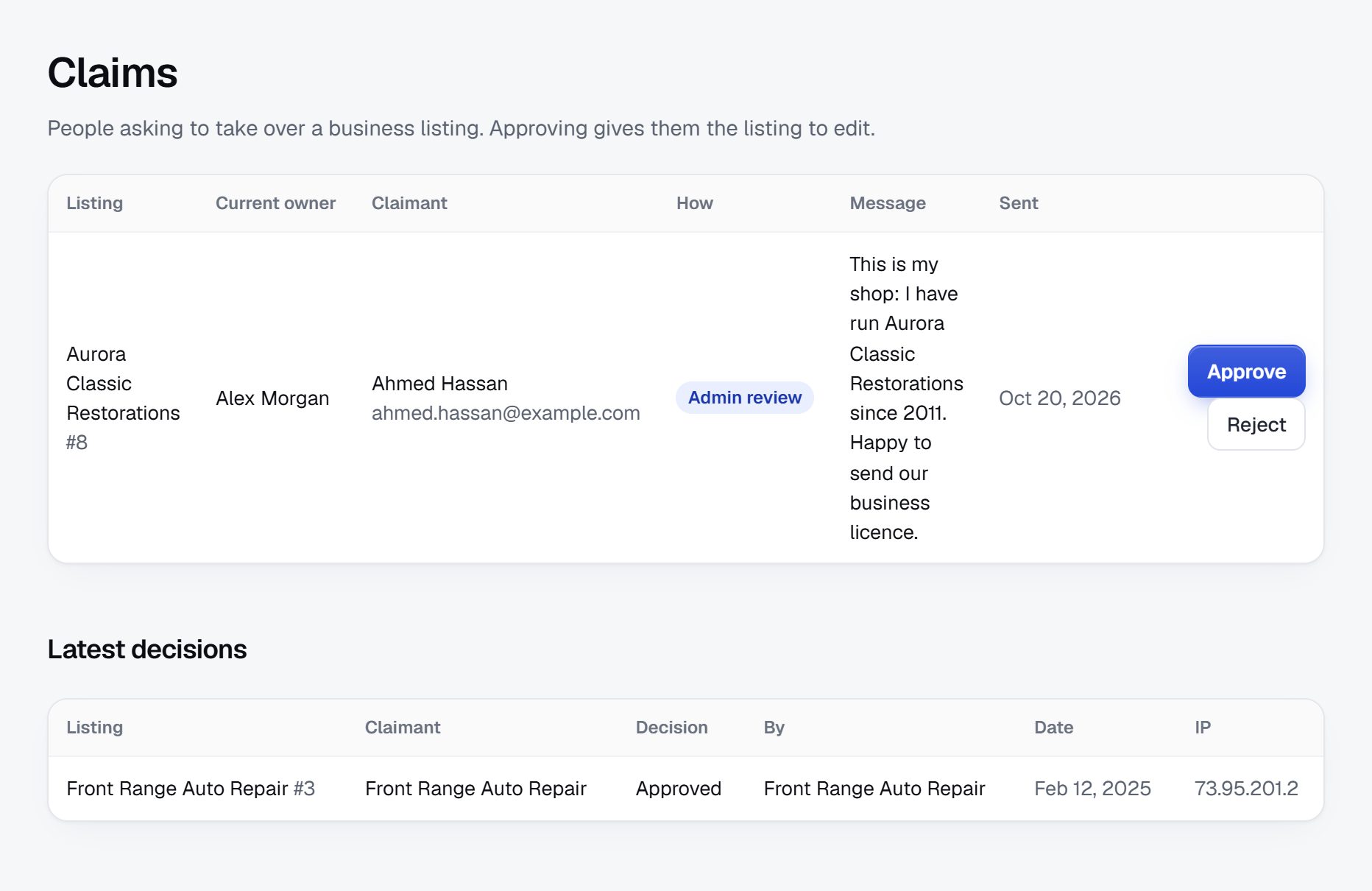
Send each member a personal link to claim their page and correct it, with a deadline before launch. Have staff or ambassadors visit members who do not respond, with a tablet to fill the page in together. In Yclas, owners claim their page and reply to reviews from it.
Decide early what happens to the businesses in town that are not members. Most chambers list only members. Some show non-members as a plain name with a note that they are not chamber members, which doubles as an invitation to join.
Hold the public launch until at least three quarters of members have checked their page.
Keep the list current and make clear what a chamber listing means.
A chamber directory carries the chamber's reputation. Residents assume a listed business is real, open and in good standing, so the problems that matter are mostly about accuracy and fairness between members.
Risks typical of a chamber directory
- Lapsed members still listed, which annoys members who pay. Check the directory against your renewal list every month and unpublish lapsed members after a short grace period.
- Closed or sold businesses: in a small town residents notice quickly. Ask ambassadors to report changes and confirm every page once a year at renewal.
- False claims: someone claims a member's page to change the phone number or take it over after a falling out between partners. Verify claims against the contact person in your membership records.
- Endorsement: a listing means a business is a member, not that the chamber guarantees its work. Say so plainly on the directory.
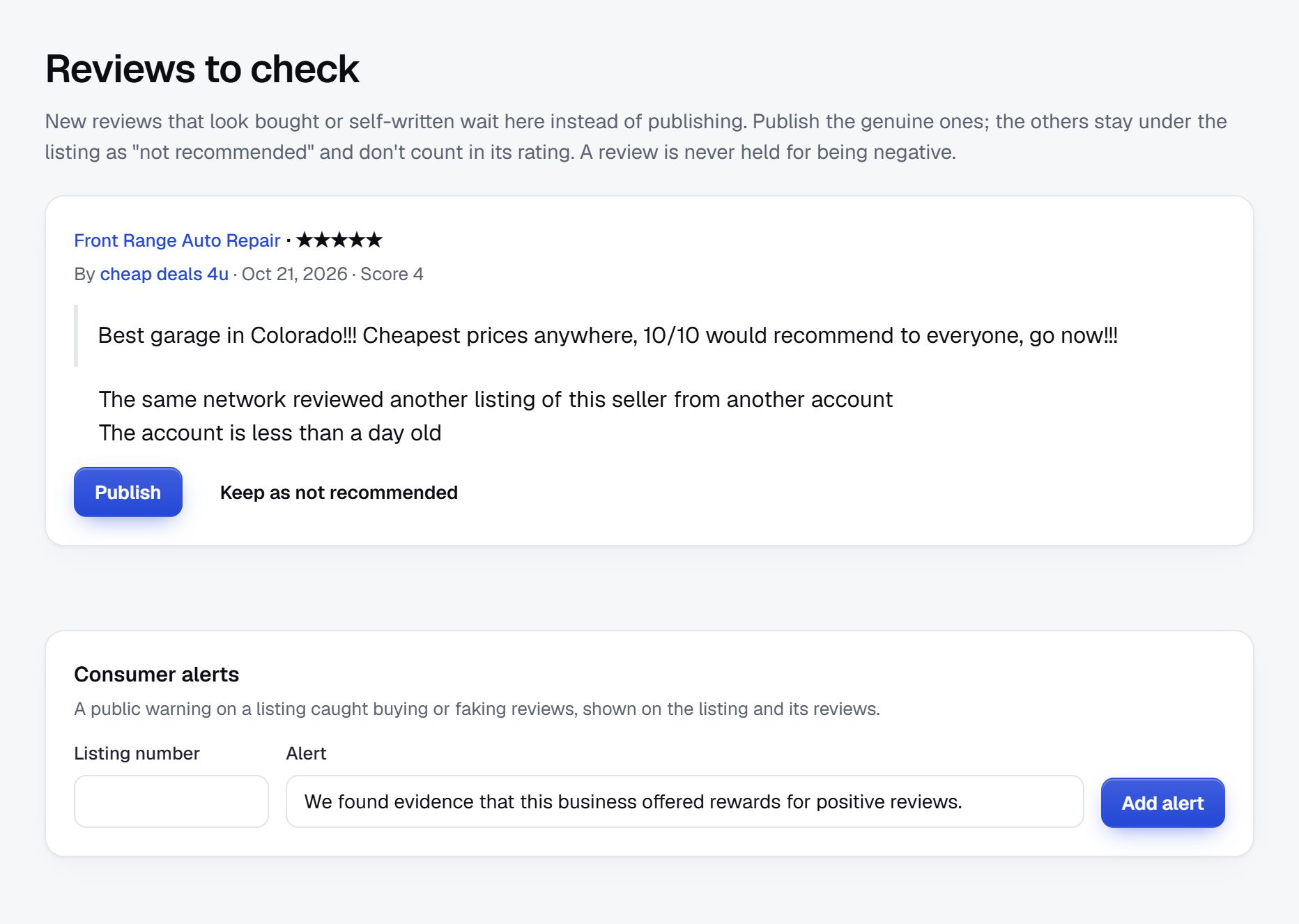
- Reviews between neighbors: if you allow reviews, hold reviews from new accounts, let owners reply, and remove reviews from competitors or from people who were never customers.
- Fairness between members: members notice who appears first. Keep the default order neutral and label paid placement as featured.
Write down how a resident can report a problem with a member and how the chamber responds. Most chambers have a policy already; publish a short version of it.
Rank for what visitors and new residents search about your town.
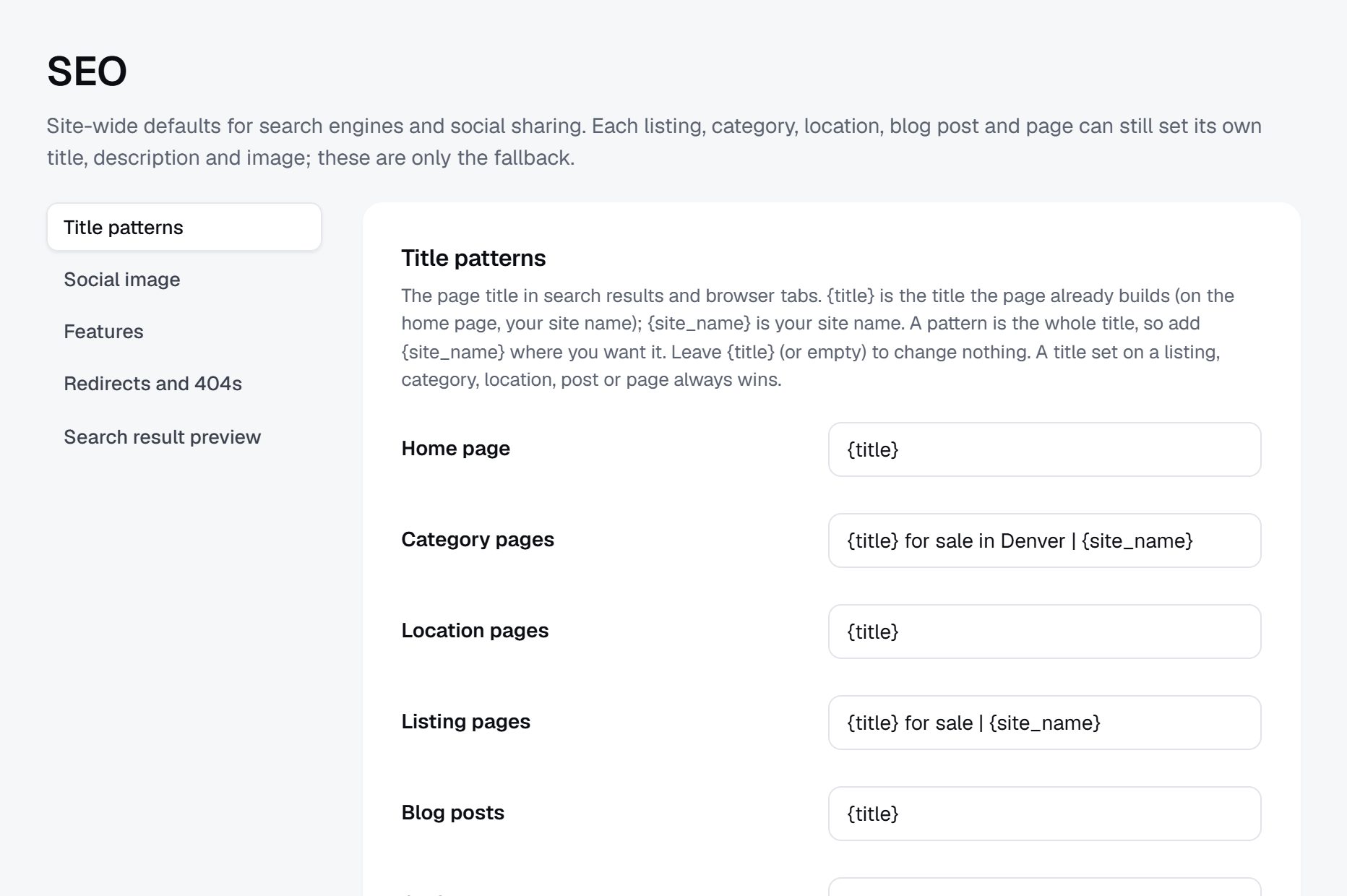
Few people search for a chamber by name. They search for the town and what they need, and a chamber directory with real, current members can rank for both.
Searches to target
- "restaurants in Fredericksburg TX"
- "things to do in Bar Harbor this weekend"
- "plumber in Bozeman"
- "wedding venues near Lake Geneva"
- "moving to Boise guide"
- "shop local gift ideas [town]"
Pages to build
- Category pages per town, for chambers that cover several towns or a county.
- A visitor guide built from member listings: where to eat, stay, shop and what to do.
- A relocation page for new residents and businesses: banks, realtors, schools, utilities, healthcare.
- Member pages with written descriptions, hours and services, not only a logo.
Content ideas
- A shop local holiday gift guide featuring members, updated each year.
- New member spotlights after every ribbon cutting.
- A seasonal events page that links each event to the members hosting it.
- A guide to opening a business in town, with the members who help: accountants, lawyers, sign makers, landlords.
Launch at a chamber event and promote it through the members themselves.
Chambers have built-in launch moments: the annual dinner, a business expo, the first after-hours mixer of the season. Show the directory there, let members look themselves up on their phones, and have staff ready to help with claims.
Getting the word out
- Give every member a window sticker or a counter card that says "Find us in the chamber directory".
- Ask members to add a link from their own website to their directory page.
- Tell the city, the visitor bureau and the local paper, who all field questions about local businesses.
- Feature the directory in the chamber newsletter every month with a new category or member spotlight.
Timing
Launch before your busiest visitor season or the holiday shopping period, so members see results in the first months and renew with a reason.
Launch checklist
- All current members imported and checked against the renewal list.
- Opening hours filled in for shops, restaurants and attractions.
- A statement that a listing means membership, not a guarantee.
- A rule for non-members, written down and applied the same way to everyone.
- Quote requests tested with a few members in home services.
- The chamber's own domain or subdomain connected with SSL.
A worked example: a three-town chamber directory in the Finger Lakes.
Picture a fictional chamber called the Hollowbrook Valley Chamber of Commerce, serving three small towns in the Finger Lakes region of New York, Hollowbrook, Cayford and Lindell Falls, with about 420 members. The valley lives on wineries, summer and fall visitors, a hospital, a community college and a few small manufacturers. Before the new directory, members were listed alphabetically in the chamber's membership software, and the printed visitor guide was the only place most visitors ever saw them.
Categories
- Visit
- Wineries, breweries and tasting rooms
- Places to stay
- Things to do
- Eat and shop
- Restaurants and cafes
- Local shops and farm stands
- Live and work
- Home services
- Health, finance and professional services
- Employers and nonprofits
Who it serves
Visitors who land on the chamber's site while planning a wine weekend, residents who want to hire a member for a job at home, nurses and faculty relocating for work at the hospital and the college, and members who buy from each other. Wedding planners and tour operators from outside the valley use it too, to find caterers, inns and drivers for groups they bring in.
How it started
The chamber's new executive director exported the member list, ran a map import for the three towns to fill in missing hours and phone numbers, and asked the ambassador committee to visit every member who had not claimed a page within a month. Ambassadors took photos at the same visits, with the owners' permission. The public launch came at the spring business expo, timed so wineries and inns had their pages ready for the summer season. Seasonal hours turned out to be the most requested fix, since many tasting rooms cut their days after October. Staff added a short note field so owners could post winter closures without changing their regular hours.
How it makes money
Every membership includes a page. The two premium investment levels include a featured place on the Visit pages and a longer profile with offers. The hospital and a regional bank sponsor the relocation guide and the banner spaces. Quote requests from residents go to members in home services, and the chamber reports each member's count at renewal. The printed visitor guide shrank to a fold-out map that points to the directory, and its advertisers moved online at the same price.
| Member | Category and town | Key details |
|---|---|---|
| Ridge Row Cellars | Wineries and tasting rooms, Cayford | Open daily May to October and weekends in winter, group tastings on request, member since 2011 |
| The Lakehouse Inn | Places to stay, Hollowbrook | Eight rooms, pet friendly, member deal for guests attending chamber events |
| Valley Hardware and Supply | Local shops, Lindell Falls | Family-owned since 1962, open Sundays, sells gift cards |
| Brightwater Plumbing | Home services, all three towns | Emergency calls, answers quote requests, veteran-owned |
| Hollowbrook Community Hospital | Health and employers, Hollowbrook | Largest local employer, relocation contact, sponsor of the newcomer guide |
The first 90 days, from the member export to a launch at a chamber event.
A chamber does not have to find businesses; it has to make an old list useful to people outside the chamber. The first 90 days are about cleaning records, filling gaps, getting members to claim their pages, and timing the public launch for a season when visitors or residents are searching. Most chambers can do this with existing staff plus the ambassador committee.
Choose the launch event first: the annual dinner, a business expo or the first mixer of the season. Count back twelve weeks. In the first weeks, settle the two policy questions that cause the most arguments later: whether non-members appear at all, and whether residents can post reviews. Put both answers in writing and get board approval before anything is published. A short written policy settles later disputes far faster than a long discussion at a board meeting.
Give the ambassador committee a clear job and a list. Personal visits move a reluctant member from an empty page to a complete one, and ambassadors already know most owners. Track each visit so nobody is contacted three times and nobody is missed, and thank the ambassadors publicly at the launch. If the chamber covers several towns, split the list by town so each ambassador visits places they already know, and ask them to note any business that has closed, moved or changed owners since the last renewal.
| Weeks | Focus | Done when |
|---|---|---|
| 1-2 | Board decisions on non-members and reviews; set visitor-friendly categories and fields | A written directory policy and a category list tested on two new residents |
| 3-4 | Export members, run the map import for hours and phones, remove lapsed and closed businesses | Every current member present with an address, phone and category |
| 5-6 | Send claim links, write the "what a listing means" page and the relocation guide | Forty percent of members have claimed and both pages are published |
| 7-8 | Ambassador visits to members who have not claimed, with photos taken with permission | Three quarters of pages claimed or completed with staff help |
| 9-10 | Sell the first premium upgrades and sponsor banners; test quote requests in home services | Two sponsors signed and test requests answered by members |
| 11-12 | Launch at the chamber event, hand out window stickers, tell the visitor bureau and the paper | Public launch done and every member has a sticker or counter card |
Ways to build a chamber directory, and what a small chamber can maintain.
A chamber directory has a mix of needs. It must handle opening hours well, because visitors look for what is open. It needs a map, a visitor-friendly look and pages for each town. It must follow the renewal cycle, since only members in good standing should appear. Members should claim and edit their own pages, while staff control member level and member since. And it should run on the chamber's own domain, with the chamber's look, rather than as a page inside someone else's site.
The directory built into your chamber management software is the obvious first look, and it stays in step with renewals. Check how it looks to a visitor on a phone, whether member pages appear in search results, and whether members can add photos and descriptions themselves.
Building it yourself with developers fits a large metro chamber with a web team and a budget for upkeep. For most chambers it costs far more than the directory will ever bring in.
A WordPress plugin on the chamber's site fits a chamber whose site already runs on WordPress and has a dependable web person. Decide who updates it and who matches it against renewals.
A hosted builder such as Yclas brings opening hours, maps, owner claims, reviews with owner replies and featured places on the chamber's own domain, with members loaded from a spreadsheet export.
| Route | Fits when | Watch out for |
|---|---|---|
| Chamber management software directory | It already shows members well on a phone and in search | Pages search engines cannot index and members unable to edit their profile |
| Custom build with developers | A large metro chamber has a web team and an upkeep budget | Cost far above what a directory earns, and reliance on one developer |
| WordPress plugin on the chamber site | Your site runs on WordPress with a dependable web person | Manual matching with renewals and plugin updates |
| Hosted directory builder | Staff want a visitor-ready directory before the season | A monthly routine to compare the directory with the renewal list |
What a chamber of commerce directory costs to run.
The software is the smallest part of the bill. Most of the cost is your time in the first months: finding the first listings, answering questions and checking what gets posted.
Most of the cost is staff and ambassador time for the first import, the claim visits and the yearly check. A Google Places import needs your own Google key, which can bring a small usage bill, and printed stickers or counter cards for members are a modest extra.
| Cost | Typical range | On Yclas |
|---|---|---|
| Domain | $10 to $20 a year | Your own, with SSL included |
| Software and hosting | $0 to $100+ a month, plus plugins and updates | Starter $19 a month, Professional $99 |
| Design | $0 to $100 for a theme, or a designer | 109 looks included |
| Payment fees | About 3% per payment | Your Stripe or PayPal fees; Yclas takes nothing |
| Business data | Free if you collect it, or a few cents per page of Google results | Paid to Google, with your key |
| Your time | 5 to 10 hours a week at the start | Finding listings, moderation, support |
Mistakes that make members stop caring about the directory.
- Sorting members by industry code. Code-based categories make sense to staff and to nobody else. A visitor looking for dinner does not know which code covers a brewpub. Use plain categories such as eat, stay, shop and home services, and test them on someone who moved to town recently.
- Copying the printed guide online. Last year's guide brings last year's errors: closed restaurants, old phone numbers, owners who sold up. Start from the current renewal list and check every page before launch.
- Missing opening hours. For visitors, a page without hours is nearly useless, and a page with wrong hours is worse. Make hours a priority for shops, restaurants, wineries and attractions, and ask for seasonal hours where businesses change them.
- Ranking by who pays most. Members notice when the same three businesses always come first. If paid placement looks like the default order, long-standing members feel cheated. Keep the default neutral and label featured places.
- No rule for non-members. Listing some non-members as favors and not others is a quick way to start an argument at the next board meeting. Decide one rule, write it down and apply it to everyone.
- Waiting for members to fill in pages themselves. Many owners will never log in on their own, especially in small towns where the chamber already knows them. Pre-fill from your records and send ambassadors with a tablet to finish the rest in person.
- Ignoring newcomers. People who just moved to town need a dentist, a bank and a plumber, and they are among the most likely to use a chamber directory. A relocation page built from member listings brings them in and gives larger employers a reason to sponsor.
- Letting the directory drift after launch. A directory goes stale within a year if nobody owns it. Assign one staff member, compare it with renewals monthly, and use every ribbon cutting to add the new member the same week.
- Leaving out the chamber's own events. The directory and the event calendar are often on separate pages that never mention each other. Link every event to the member hosting it and every member page to the events they host, so a mixer or ribbon cutting sends visitors to a member and not only to a date.
- Measuring success by page count. A directory with 400 pages and no visitors is a cost, not a benefit. Track searches, quote requests and the calls members say came from the directory, and report those numbers rather than the size of the list.
Chamber terms a directory owner should know.
These words come up when staff, ambassadors and the board talk about the directory.
| Term | What it means |
|---|---|
| Good standing | The status of a member whose dues are current under the chamber's bylaws. |
| Ribbon cutting | A chamber event marking a member's opening, move or milestone, often photographed for the newsletter. |
| Ambassador | A volunteer, often a member, who welcomes new members and visits existing ones for the chamber. |
| After-hours mixer | An evening networking event hosted by a member business. |
| Investment level | The term many chambers use for dues tiers, each with its own set of benefits. |
| President's circle | A top membership level for large employers, usually with sponsorship benefits. |
| Buy local campaign | A chamber program that encourages residents to spend with local businesses. |
| Visitor bureau | The local tourism office, sometimes called a CVB, which promotes the area to visitors. |
| Economic development office | The city or county body that works to attract and keep employers. |
| Relocation packet | Information the chamber gives people and companies moving to the area. |
| Member-to-member deal | A discount members offer each other, often shown on their directory page. |
| Business expo | A chamber trade show where members present their products and services to the public. |
| Window decal | The sticker members put on their door or window to show they belong to the chamber. |
| Bylaws | The chamber's governing rules, including who counts as a member. |
The same steps for a chamber of commerce directory on Yclas.
- Describe your directoryThe setup wizard writes the categories, an About page and example listings from one sentence.
- Add fieldsHours, services, areas served, prices: the details people search by, as filters.
- Fill itImport businesses from a spreadsheet or Google Places, then check them.
- Bring owners inOwners claim their page, update it and answer reviews.
- EarnSwitch on featured places, banners or memberships when visits arrive.
What does a new chamber directory cost us beyond the software?
Mostly staff time for the import and for helping members claim pages, plus a small print run of window stickers. A Google key for map imports may add a small usage charge.
Should we list businesses that are not members?
Most chambers list only members, because that is what makes the listing a benefit. If you list others, show them as basic entries and apply the rule the same way to everyone.
Can we replace the printed member guide?
Many chambers keep a smaller printed guide for visitors and move the full member list online, where it can be kept current.
How do we keep the directory accurate?
Check it against renewals every month, ask ambassadors to report closures and changes, and have each member confirm their page once a year.
Should we allow reviews of members?
It is a choice for your board. Reviews help visitors, but they can cause friction between members. If you allow them, moderate them and let owners reply.
How does the directory help with renewals?
Show each member what it did for them: the quote requests they received and the customers who said they found them there. Members who see results renew.
Will people use our directory instead of the big map apps?
For many searches they will use both. Your directory wins on local trust, small businesses the big apps miss, and visitor and relocation pages the chamber can write better than anyone.
Should the directory include members in neighboring towns?
Include members wherever they are, and tag them by the towns they serve. For non-member businesses in nearby towns, follow your non-member rule. If a neighboring chamber covers them, consider a partnership rather than competing for the same members.
Can we charge non-members for a listing?
Some chambers sell a basic non-member listing, but it weakens the reason to join. A common middle ground is no non-member listings at all, with a clear invitation to join on the directory's home page.
Who should look after the directory day to day?
One staff member, with a few hours set aside each week for new members, lapses, claim requests and changes. Ambassadors can report closures and changes, but one person should make the edits so the data stays consistent. Write the routine down so it survives a staff change.
How do we handle a member who gets bad reviews?
If you allow reviews, moderate them against written rules, remove the ones that break them, and let the owner reply in public, calmly and without naming the reviewer's personal details. Talk to the member privately if the complaints are about their conduct, and follow your bylaws if it goes further.
Should the visitor bureau link to us or keep its own list?
Ask them to link to your visitor pages rather than keep a separate list, because two lists of the same businesses go out of step quickly. Offer them a sponsored section or a shared credit on the visitor guide in return. Shared pages also keep the hours and phone numbers visitors see the same in both places.
Related pages.
The parts of Yclas this leans on.
You have the plan. Now give your members a directory that brings them customers.
Describe your site in a sentence and the setup wizard writes the categories, example listings and a look. Free for 15 days, no credit card.
Start my directory