How to build a childcare directory that parents can actually use.
This guide covers how to build a childcare directory for one city or county: why parents struggle with the listings they find today, the details they filter on, how to earn from providers without charging parents, where the first hundred daycares and childminders come from, how to handle licensing and safety honestly, the searches to rank for, and a launch timed to enrollment seasons.
Free for 15 days · No credit card · Plans from $19 a month
Build the directory for parents racing a start date.
Parents looking for childcare are usually short on time and working against a deadline: the end of parental leave, a new job, a move to a new town. They search for "daycare near me", get a map full of places with no prices, no hours and no idea whether there is a space, and then spend days phoning around. A childcare directory for one area answers the questions a map pin cannot.
Who searches
- Expecting and new parents planning months ahead for an infant place, often the hardest kind to find.
- Families moving to the area who know neither the neighborhoods nor the providers.
- Parents of school-age children who need before and after school care or summer camps.
- Employers and relocation agents helping new staff settle in with children.
Pick your angle
Start with one city, county or metro area you know well. Within it, decide whether you cover every kind of care (daycare centers, home daycares, nanny agencies, preschools, after school programs) or one slice, such as bilingual preschools, Montessori programs or inclusive care for children with additional needs. A focused directory is easier to fill and easier to explain at the school gate.
Today the information sits in scattered places: the official licensing lookup, local parent Facebook groups, Nextdoor threads, notice boards at libraries and word of mouth at the playground. Your job is to bring it together with the details parents ask about first.
Parents choose childcare on location, hours, age range and openings. Put those four on every listing.
List the details parents filter on: ages, hours, openings and cost.
Keep categories to the types of care parents already name, and put the detail in fields. The questions that matter are practical: will they take my baby, are they open when I work, and do they have a place this fall.
- Ages accepted: infants, toddlers, preschool, school age, as checkboxes so a provider can tick several.
- Opening hours and days, including early drop-off, late pickup and weekend care.
- Current openings by age group, with a last updated date so parents can see how fresh the information is.
- Weekly or monthly fee range, and whether childcare subsidies or vouchers are accepted.
- License status and number, as the provider states them, so parents can look them up on the official register.
- Meals included, languages spoken, approach (Montessori, Reggio Emilia, play-based, faith-based) and outdoor space.
- School pickup for after school programs, with the schools served.
Make age range, hours and area required. Parents skip listings that leave those out, and a provider who will not fill them in is rarely looking for new families.
| Category | Example listings | Fields parents filter on |
|---|---|---|
| Daycare centers | Licensed centers, workplace and nonprofit daycares | Ages accepted, hours, openings, fee range |
| Home daycares and childminders | Licensed family child care homes, registered childminders | Ages, group size, hours, neighborhood |
| Preschools and pre-K | Montessori, play-based and faith-based preschools | Approach, half or full day, start month |
| Before and after school care | School-site programs, clubs with school pickup | Schools served, pickup, closing time |
| Nanny agencies and nanny shares | Local agencies, nanny share groups | Live-in or live-out, hours per week, languages |
| Summer and holiday camps | Day camps, sports and arts camps | Ages, weeks offered, daily hours, cost per week |
| Inclusive and special needs care | Inclusive centers, therapy-led programs | Needs supported, staff training, ratios |
Yclas fields can be text, numbers, dropdowns, checkboxes or dates, required or optional, and each one can be shown as a search filter.
Charge providers for visibility, never parents for access.
Parents will not pay to search a childcare directory, and they should not have to. The money comes from providers, who spend real budgets filling empty places, especially before the school year starts and when a new center opens. Keep basic listings free for every provider so the directory is complete, then sell extras once parents are using it.
- Featured places put a provider at the top of its area and age group. They sell best to new centers and to providers with places to fill.
- Provider memberships suit chains and groups with several sites: one monthly fee for fuller pages, photos and a featured spot.
- Inquiries: parents send a message or a tour request through the site. Count them and show providers the numbers; that is what persuades a director to pay.
- Banners fit businesses that serve young families: children's shoe stores, pediatric dentists, swim schools, tutoring.
Do not sell a "recommended" or "top rated" badge. Parents read those words as your judgment of safety, and a paid badge that implies checks you have not done is a serious risk to the families and to you.
Free, complete listings first. Paid visibility only once providers can see parents contacting them.
| Model | Works when | Switch it on |
|---|---|---|
| Featured places | Parents compare several providers in one area | When each area has ten or more listings |
| Provider memberships | Chains and groups run several sites | Once one group asks to manage all its pages |
| Paid inquiry packages | Providers want families for open places | After you can show monthly inquiry numbers |
| Banner spaces | Family businesses want local parents | When you can show visitor numbers |
| Sponsored summer camp guide | Camps compete for summer sign-ups | From late winter, ahead of camp registration |
Fill the directory from public registers, then invite providers to claim their pages.
Most places that regulate childcare publish a register of licensed providers, often searchable by town or zip code. That is your starting list for centers and licensed home daycares. Check the register's terms of use before copying from it, and record the license number, not only the name.
- Import businesses from Google Places for your area with your own Google key: daycares, preschools and after school programs arrive with name, address and opening hours (no photos are imported). Then add ages and openings by hand.
- Load the register as a spreadsheet. A CSV import puts hundreds of providers on the map in an afternoon.
- Invite owners to claim their page with a short letter or email: your center is listed, claim it to add openings, photos and fees. Claimed pages are the ones that stay accurate.
- Go where parents gather: library story times, pediatric waiting rooms, community centers, parent groups. Ask which providers they would add.
- Talk to the local childcare resource and referral agency or the early years team at the city or county. They know every provider and may point families to your directory.
Do not show a home daycare's street address unless the provider agrees. Many prefer to show only a neighborhood and share the address after a first conversation with the family.
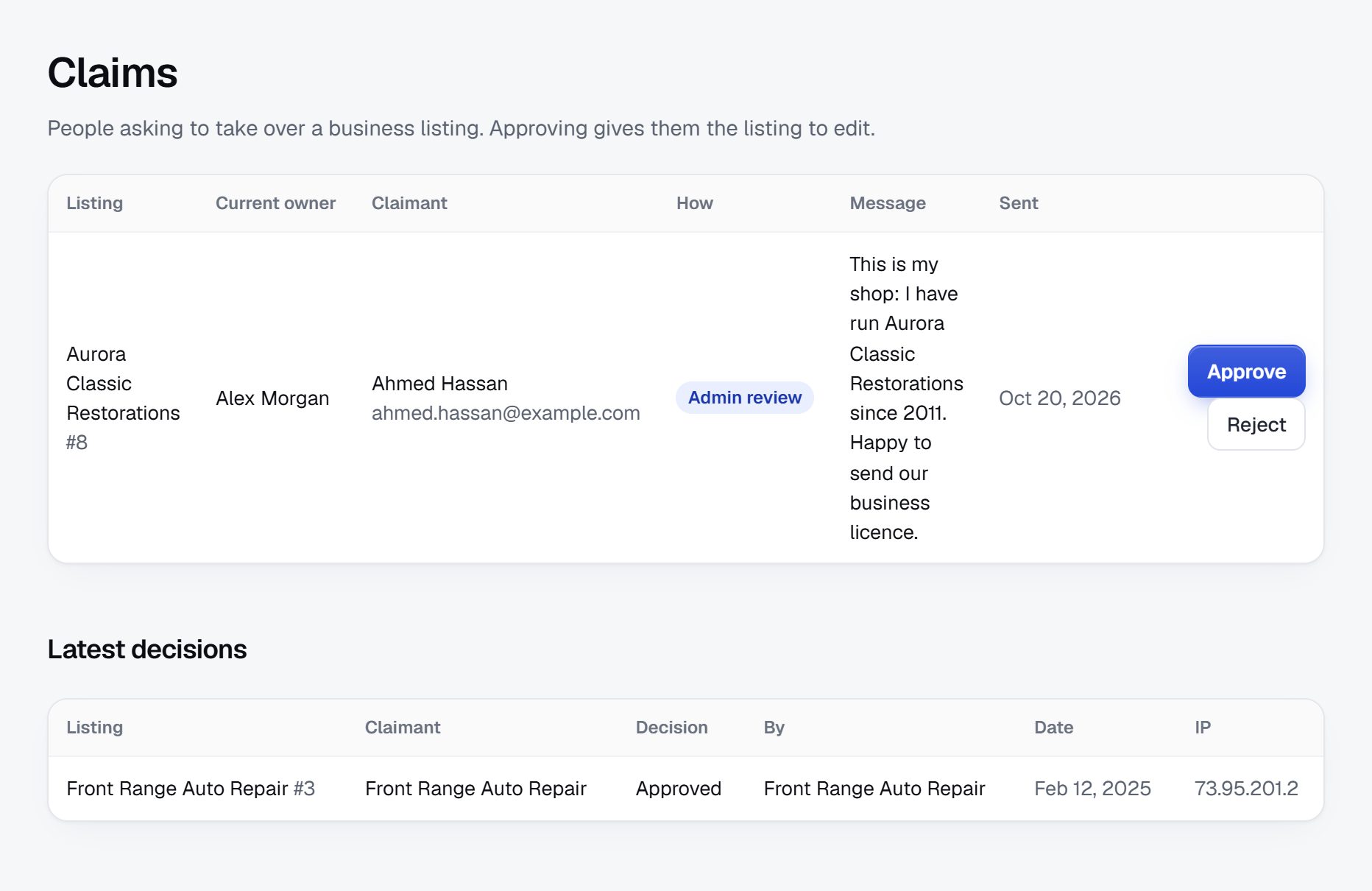
Be clear about licensing and safety, and about what you have not checked.
A childcare directory carries more weight than most. Parents may read a listing as a recommendation, so say plainly what you check and what you do not. If you do not inspect providers, state on every page that the directory does not vet, inspect or endorse them, and that parents should verify licensing themselves.
Rules for listings
- License status as stated by the provider, with the number and a note telling parents where to look it up. If you do compare numbers against the register, say how often.
- Remove or flag providers whose license is revoked or suspended when you learn of it, and give parents a way to report it.
- No listings for individual babysitters unless you have a clear plan for background checks; agencies are safer to list.
- No photos of identifiable children unless the provider confirms the parents consented. Ask for photos of rooms, play areas and outdoor space instead.
Reviews
Parent reviews help, but they can also carry accusations. Hold them for approval, let owners reply, and never publish claims of abuse or neglect as a review. Point the parent to the licensing authority or the police, and keep a written record.
Advice for parents
Publish a short checklist: look the license up on the official register, visit in person, ask about staff ratios, training and background checks, read the illness and pickup policies, and trust your instincts. Licensing, ratios and which care is exempt differ a lot from place to place, so check the rules where you operate.
Never call a provider verified or safe unless you have done the checking yourself.
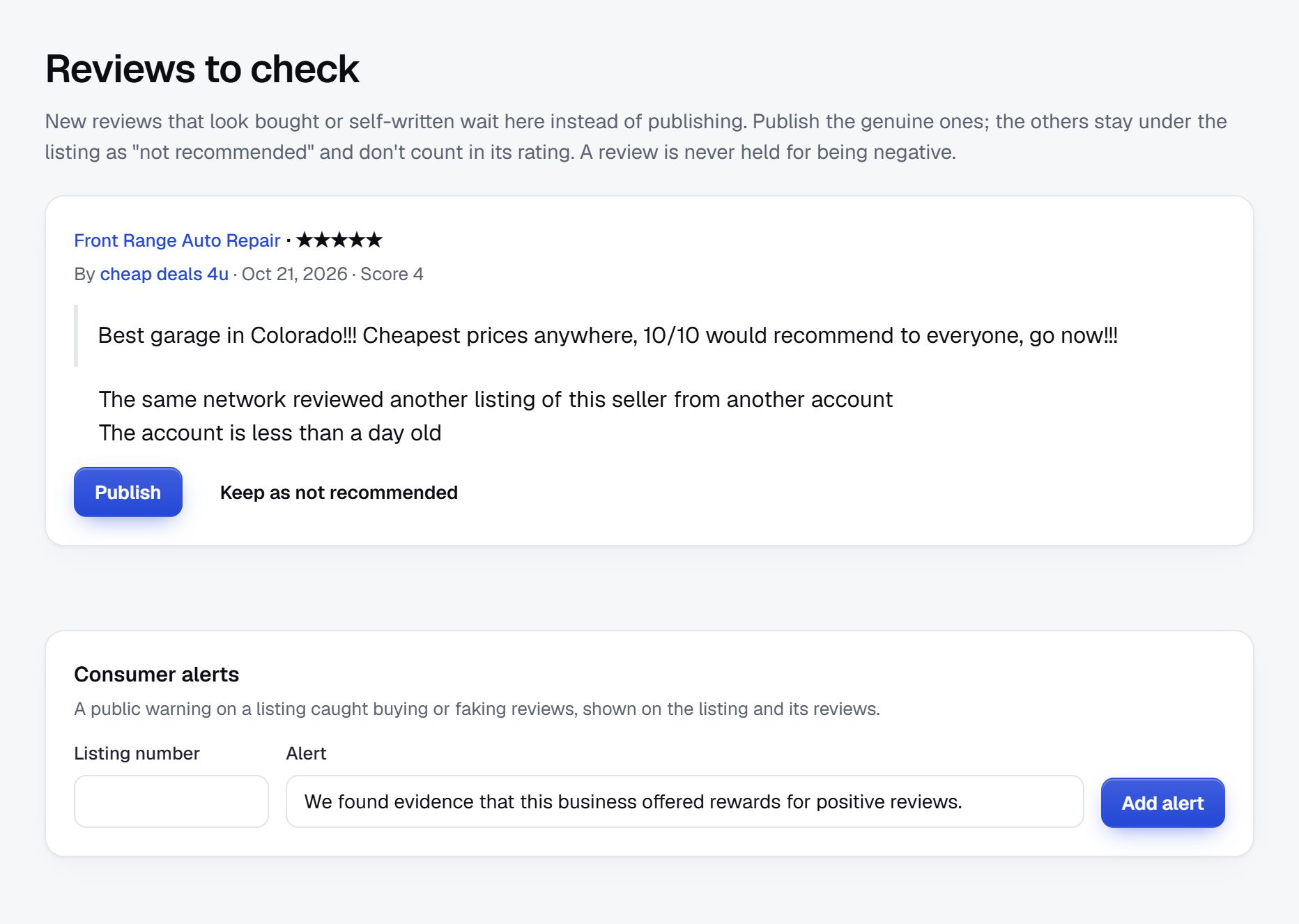
Rank for the searches parents make by area, age and type of care.
Childcare searches are local and specific. Parents type the place, the age of the child and the kind of care, often with "near me" or a neighborhood name.
- "infant daycare in Plano"
- "home daycare near Capitol Hill"
- "Montessori preschool Austin"
- "after school care Lincoln Elementary"
- "daycare that accepts subsidies Fresno"
- "summer day camps for 6 year olds Denver"
Pages to build
- Type of care plus place: infant care in each town, preschools in each neighborhood, after school care by school.
- A childcare cost guide for your area: typical fee ranges by age and type of care, updated every year, with how local subsidies work.
- A guide to choosing childcare: questions to ask on a tour, what licensing means where you are, the difference between centers and home daycares.
- A waitlist guide: when to start looking for an infant place and how to manage several lists at once.
- A summer camp roundup published each spring.
Build the cost guide from the fees providers list on your site, and say how many listings it is based on. It is the page local reporters and parent groups link to when childcare costs are in the news.
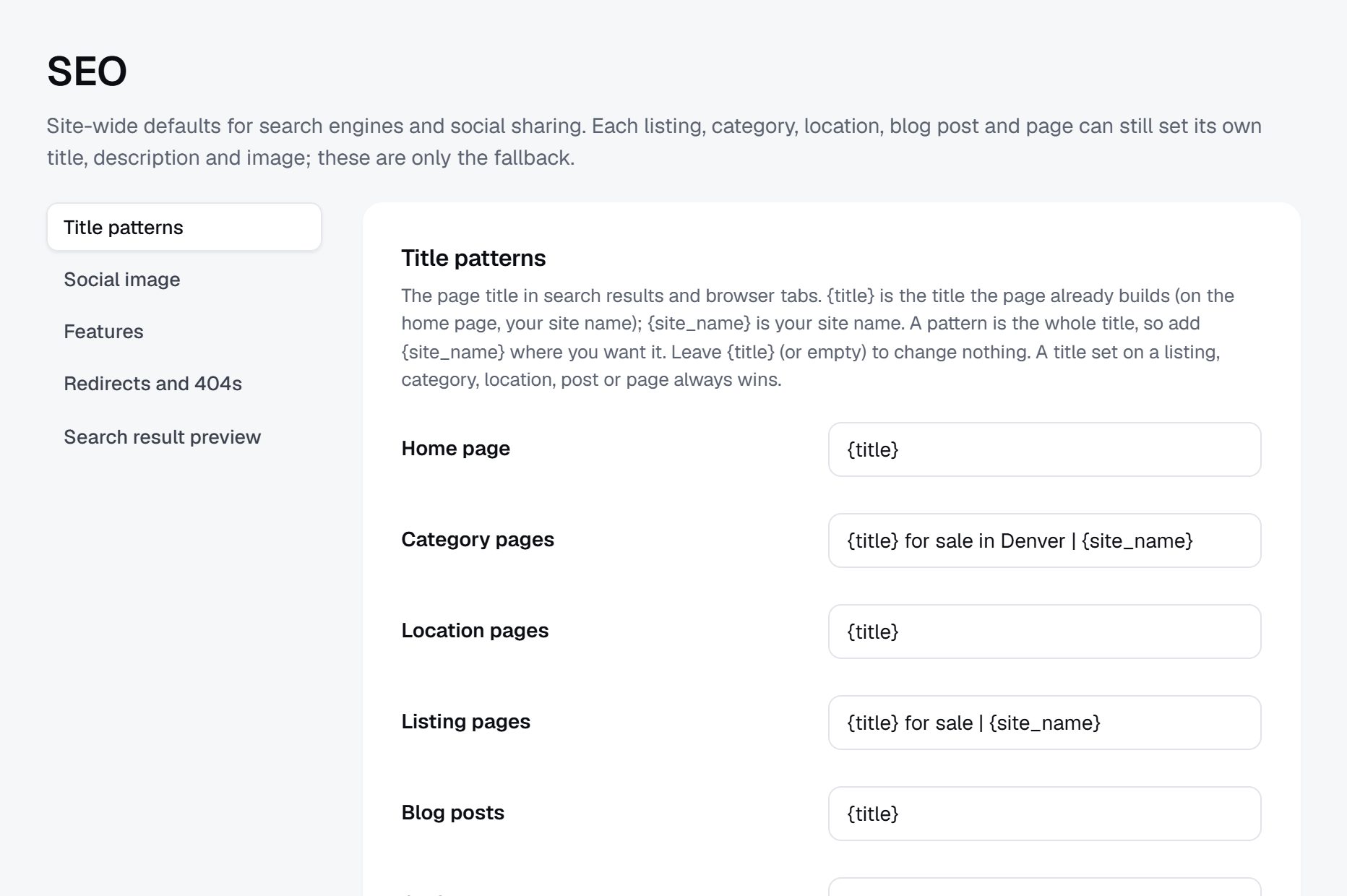
Launch in one area before the fall enrollment rush.
Childcare runs on a calendar. Many families look in late winter and spring for a September start, infant places are searched for months ahead, and summer camps fill from late winter. Aim to launch with a full area two or three months before the busiest stretch.
First area
Pick one city or a group of neighborhoods where you can list nearly every licensed provider. A directory that shows almost every option in one town is more useful than a thin one covering a whole state.
Partners
- Parent Facebook groups and parents' clubs, with the admin's permission before you post.
- Pediatricians, prenatal classes, maternity wards and libraries, for flyers and posters.
- Employers and HR teams who help staff return from parental leave.
- The local childcare resource and referral agency.
Checklist
- Load every licensed provider in the first area, with ages and hours.
- Write the "how we list providers" page and the parent checklist.
- Send claim invitations to every provider, then follow up by phone.
- Publish the cost guide and the guide to choosing care.
- Post in two or three parent groups and leave flyers where parents wait.
- Ask claimed providers to update their openings every month.
A worked example: a childcare directory for California's Tri-Valley.
Take a made-up example: Tri-Valley Kid Care Atlas, a directory for Pleasanton, Livermore, Dublin and San Ramon, four suburbs east of San Francisco Bay where many parents commute long distances and infant places are hard to find. The name, the founder and every listing below are invented to show how the pieces fit together.
How it is organized
- Center-based care
- Infant and toddler centers
- Preschools and pre-K
- Home-based care
- Licensed family child care homes
- Nanny agencies and nanny shares
- School-age care
- Before and after school programs
- Summer and holiday camps
Ages, hours, openings, fee range, subsidies accepted and languages sit in fields, so a parent can ask for infant care in Livermore that opens before 7 am without wading through categories.
Who it serves
The main audience is working parents of children under five, many of them two-income households with long drives to Silicon Valley or San Francisco, who need care that opens early and closes late. A second group is families relocating for jobs at the area's laboratories, hospitals and office parks, who arrive knowing nothing about the neighborhoods. A third is grandparents who handle pickup and want after school options near one particular elementary school.
How it started
The founder, a parent who spent two months phoning centers when her own leave ended, began with a spreadsheet of every licensed provider in the four cities, taken from the state's public lookup, then added hours and ages from provider websites. She imported the sheet, mailed a claim letter to every center, and spent Saturday mornings at library story times handing out cards. The first forty claimed pages came from home daycares, which had no website of their own and liked being found by neighborhood rather than by street address.
How it makes money
Listings and searching are free. Income comes from featured places in each city and age group, a membership for two small chains that run several centers, and a summer camp guide published each spring that camps pay to appear in. Banner spaces go to a swim school and a pediatric dental office. The founder sells no badge that suggests safety, and every provider page carries a line asking parents to check the license themselves.
| Listing | Weekly fee | Key details |
|---|---|---|
| Oak Hollow Infant Center, Pleasanton | About $560 full time | Ages 6 weeks to 2 years, opens 6:30 am, two infant openings for fall |
| Rivera Family Child Care, Livermore | About $380 full time | Licensed home, ages 1 to 5, Spanish and English, garden, neighborhood shown only |
| Sunpath Montessori Preschool, Dublin | About $420 full time | Ages 3 to 5, half or full day, waitlist for an August start |
| Canyon Creek After School Club, San Ramon | About $210 for five afternoons | Pickup from three elementary schools, homework room, closes 6:30 pm |
| Ridgeline Summer Day Camp, Pleasanton | About $340 per week | Ages 6 to 11, June to August, swimming twice a week |
Every name in this table is fictional.
Your first 90 days, two weeks at a time.
A childcare directory is judged on how complete and how current it looks in its first area. Spend the first three months almost entirely on provider data and provider relationships, and hold back parent promotion until a parent can search a neighborhood and find nearly every option there. Plan the twelve weeks to end just before families in your area start looking, which for a September start is often late winter or spring.
Two habits matter more than any single task. Put a last updated date on every opening and chase providers who let it go stale, because parents stop trusting a directory the first time they call about a place that filled months ago. And keep a simple log of parent inquiries by area and age group: those numbers are what you show directors when you ask them to claim, to update and, later, to pay.
The plan below assumes one founder working part time on one city or a small cluster of towns. With help you can compress it. With a larger area, add the extra towns only after the first one passes its done-when test.
| Weeks | Focus | Done when |
|---|---|---|
| 1-2 | Pull the licensing register and draw your area | Every licensed center and home daycare in the first city is in one spreadsheet with its license number and type |
| 3-4 | Enrich and import | Each provider has ages, hours and area filled in, and the sheet is imported with home addresses hidden |
| 5-6 | Write the trust pages | The how we list providers page, the parent checklist and the review rules are published |
| 7-8 | Send claim invitations | Every provider has had a letter or email, and the first 25 have claimed their page and added openings |
| 9-10 | Publish guides and reach parents | The cost guide and the choosing-care guide are live, and two parent groups have agreed to a post |
| 11-12 | Measure and follow up | Each claimed provider can see its views and inquiries, and every unclaimed center has had one phone call |
Build it yourself, install a script, or use a hosted builder.
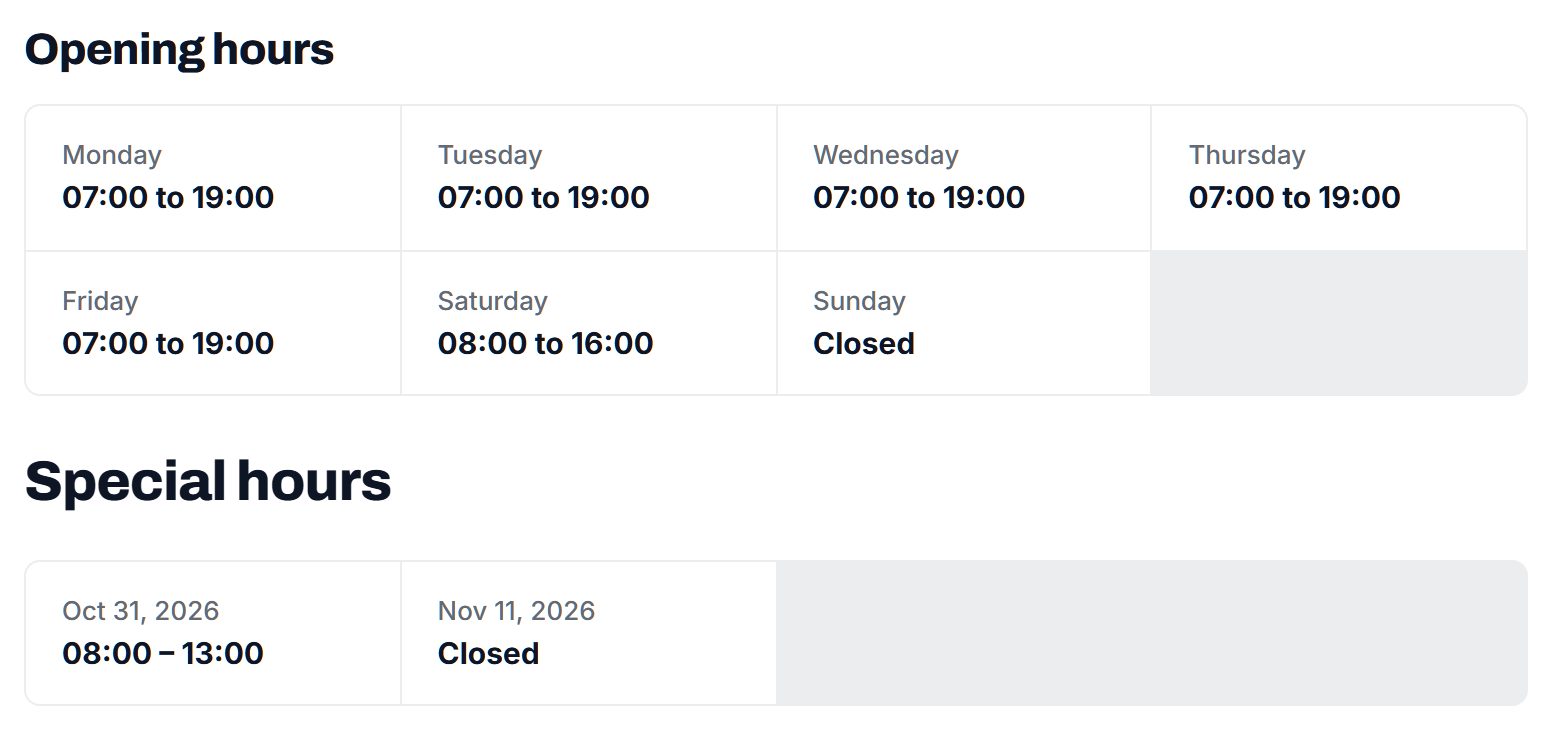
There are three common ways to put a childcare directory online, and the right one depends less on budget than on what this niche demands every week: pages that providers can claim and update, filters by age and hours, maps that can hide a home address, reviews you can hold for approval, and a page for every type of care in every town.
Hiring developers gives you full control, for example a custom waitlist tool or a direct feed from a licensing register if your state offers one. It also makes you responsible for the code, for the security of parent messages and for every fix after launch, which is a lot to carry while you are still filling a first area.
Installing a directory script or a WordPress directory plugin on your own server costs less at the start and comes with many themes. The work shows up later: keeping the plugin, the theme and the server updated, adding claims and moderation through extra add-ons, and checking that the pieces still agree after each update.
A hosted builder such as Yclas takes care of hosting, updates and the standard directory parts, such as claims, reviews with owner replies, maps and opening hours, so your hours go to providers and parents. The trade-off is that you work within the features the platform offers. Whichever route you pick, confirm that a home daycare can show a neighborhood instead of an exact address, because that one requirement rules out some tools.
| Route | Fits when | Watch out for |
|---|---|---|
| Custom build with developers | You need something unusual, such as a live link to a licensing database | Long build time, ongoing developer costs, and every security issue is yours |
| Directory script or WordPress plugin | You are comfortable running a server and applying updates | Add-ons for claims and reviews that clash, and updates nobody applies |
| Hosted builder | You want your time on providers and parents rather than servers | Working within the platform's features; test how addresses and reviews are handled |
What a childcare directory costs to run.
The software is the smallest part of the bill. Most of the cost is your time in the first months: finding the first listings, answering questions and checking what gets posted.
Budget for printed claim letters and flyers, usage charges on your Google key if you import places, and possibly a fee if your licensing register charges for data exports. Insurance and a short review of your disclaimer and review policy by a local lawyer are sensible, since parents may rely on what the directory says.
| Cost | Typical range | On Yclas |
|---|---|---|
| Domain | $10 to $20 a year | Your own, with SSL included |
| Software and hosting | $0 to $100+ a month, plus plugins and updates | Starter $19 a month, Professional $99 |
| Design | $0 to $100 for a theme, or a designer | 109 looks included |
| Payment fees | About 3% per payment | Your Stripe or PayPal fees; Yclas takes nothing |
| Business data | Free if you collect it, or a few cents per page of Google results | Paid to Google, with your key |
| Your time | 5 to 10 hours a week at the start | Finding listings, moderation, support |
Mistakes that sink childcare directories.
- Showing openings with no date. An opening entered in March and never touched looks the same as one added yesterday, and parents who call about a filled place blame the directory. Show a last updated date on every opening and hide openings that nobody has confirmed for a month or two.
- Publishing home daycare addresses. A licensed home is also where a family lives and where children nap. Show a neighborhood or nearby cross streets until the provider chooses otherwise, and never let an import push a full street address live.
- Implying you have vetted providers. Words like approved, trusted or safe on a provider card read as a promise you probably cannot keep. Describe what you actually check, such as whether a license number matches the register, and nothing more.
- Covering a whole state from day one. Thin coverage everywhere means a parent searching her own town finds three of twenty providers and leaves for good. Fill one city to near completeness, then add its neighbors one at a time, starting with the towns parents commute through on the way to work.
- Letting reviews turn into accusations. A one-line review alleging rough handling can do real harm if it is false, and it belongs with the licensing authority if it is true. Hold every review for approval and send safety claims to the authority rather than onto the page.
- Forgetting school-age care. Founders often think only of babies and toddlers, yet after school programs and summer camps are searched by many more parents, and every year. Add them early, because they bring families back each spring.
- Charging providers before parents arrive. A director asked to pay for a page that has had no inquiries will say no and remember it. Keep everything free until you can show each provider its own views and messages, and make the first paid offer to the centers whose inquiries clearly grew.
- Accepting photos of children. Even cheerful classroom shots raise consent questions a directory cannot settle. Ask for photos of rooms, play yards and kitchens, and reject uploads that show faces, even when the provider insists the parents agreed.
- Leaving out subsidy information. Many families can only use providers that accept childcare assistance, and few listings say who does. A simple yes or no field for subsidies accepted serves the parents other sites overlook, and the local resource and referral agency will notice and point families your way.
Childcare terms to know before you talk to providers.
You will hear these words from directors, licensing staff and parents, so learn them before your first claim call.
| Term | What it means |
|---|---|
| Licensed center | A childcare program in a nonresidential building, licensed by the agency that regulates childcare where it operates. |
| Family child care home | Care offered in the provider's own home, usually for a smaller group and often under separate rules from centers. |
| License-exempt care | Care that local rules do not require to be licensed, such as some part-day programs or care by relatives. |
| Ratio | The number of children allowed per adult caregiver, usually lower for infants than for older children. |
| Group size | The most children allowed in one room or group at once, set separately from the ratio in many places. |
| Opening or slot | A place a provider can offer a new child in a given age group, the detail parents ask about first. |
| Waitlist fee | A charge some providers ask before adding a child to their waiting list, refundable or not depending on the provider. |
| Registration fee | A one-time charge at enrollment, separate from weekly or monthly tuition. |
| Childcare subsidy | Public help that pays part of a family's childcare cost, usually based on income and paid to providers who accept it. |
| CCR&R | A child care resource and referral agency, a local organization that helps families find care and supports providers. |
| QRIS | A quality rating and improvement system, a rating program some states run for licensed providers. |
| Drop-in care | Care used now and then, by the hour or the day, rather than on a regular schedule. |
| Pre-K | A program for children in the year or two before kindergarten, sometimes publicly funded and free to families. |
| Nanny share | Two or more families who employ one nanny together and split the cost. |
The same steps for a childcare directory on Yclas.
- Describe your directoryThe setup wizard writes the categories, an About page and example listings from one sentence.
- Add fieldsHours, services, areas served, prices: the details people search by, as filters.
- Fill itImport businesses from a spreadsheet or Google Places, then check them.
- Bring owners inOwners claim their page, update it and answer reviews.
- EarnSwitch on featured places, banners or memberships when visits arrive.
What does it cost to get a childcare directory going?
Mostly your time. Apart from the platform and a domain, the spending goes on printed letters and flyers for providers, and on usage charges for your Google key if you import places.
Do I need to check every provider's license?
Not necessarily, but you must be honest about it. If you do not check, say so on every listing and tell parents to verify on the official register; if you do check, say how and how often.
Can I list home daycares without asking them?
Licensed providers often appear on public registers, but a home daycare is also a family home. Show the neighborhood rather than the street address until the owner claims the page, and remove any listing the owner asks you to take down.
How do I get providers to claim their pages?
Tell them how many parents viewed or contacted them. A short letter with that number, followed by a phone call, works far better than a generic email.
Should parents be able to leave reviews?
Yes, with moderation. Hold reviews for approval, let owners reply, and send any serious safety allegation to the licensing authority instead of publishing it.
How does a childcare directory make money?
From providers: featured places, memberships for chains, inquiry packages and banner spaces for family businesses. Searching stays free for parents.
How can I compete with map apps and the big care sites?
Be more complete and more current for one area: ages, hours, openings, fees and license numbers that map listings do not show. Parents come back to the site that saves them ten phone calls.
How often should providers update their openings?
At least once a month, and more often in late winter and spring when families decide. Send a short reminder with a link to the page, and hide openings nobody has confirmed for two months.
Can I show fees for providers who do not publish them?
Only a range the provider has given you, labeled with the date. Never estimate one provider's fee from an area average; put the area average on your cost guide instead, with the number of listings behind it.
Is a childcare directory worth starting in a small town?
Yes, if you add the nearby towns parents commute between. A county with a few dozen providers can be listed completely in a few weeks, and a complete small directory beats a patchy large one.
Do parents need an account to use the directory?
Not to search or read. Ask for an account only to send a message or leave a review, so providers know who is contacting them and reviews come from real families.
What do I do when a provider wants a negative review taken down?
Invite the owner to reply publicly first, and remove a review only when it breaks your published rules, for example by naming a staff member or a child. Write those rules before the first dispute so every decision follows them.
Related pages.
The parts of Yclas this leans on.
You have the plan. Now help parents in your town find care.
Describe your site in a sentence and the setup wizard writes the categories, example listings and a look. Free for 15 days, no credit card.
Start my directory