How to build a recruiter directory that hiring managers actually use.
This guide covers how to build a recruiter directory that lists agencies and independent recruiters by industry, role type and location: the angle to pick, the details employers filter on, how the directory earns money, where the first few hundred recruiters come from, fake recruiter scams and fee rules, the searches worth ranking for, and a launch timed to hiring seasons.
Free for 15 days · No credit card · Plans from $19 a month
Serve the hiring manager who needs a specialist recruiter, not a list of every agency.
A hiring manager at a 40-person software company who needs a senior data engineer does not want a general staffing firm. She wants a recruiter who fills data roles every week, knows the salary bands and works in her city or remotely. Today she asks around on LinkedIn, gets three cold emails from agencies she has never heard of, and picks one more or less at random.
Who searches a recruiter directory
- Founders and hiring managers at small and mid-sized companies with no in-house talent team.
- HR managers who need a second agency for a hard role, or a specialist for one department.
- Candidates who want to register with the recruiters that place people in their field.
- Nonprofits and public bodies looking for executive search firms for a director or CEO hire.
Why existing directories fail them
General business directories list recruiters under one heading, mixing temp labor agencies with retained executive search firms. Professional networks show individual profiles, not who specializes in what. Neither lets a buyer filter by industry, seniority, fee model or the roles a firm has actually placed.
Picking the angle
Choose one of three: one industry nationally (healthcare, tech, construction, legal, finance), one metro area across industries, or one type of search (executive search, contract staffing, recruiters for startups). Industry directories usually win, because a specialist recruiter will pay to be found by the exact employers she wants.
A buyer should be able to find three credible specialists for one role in under a minute.
List recruiters by the details an employer checks before the first call.
Use categories for the industry or function, and keep them to one level for a national industry directory or two levels for a city directory. Everything else that decides a shortlist goes in fields, shown as search filters.
Fields that matter most
- Search type: contingency, retained, contract and temp, recruitment process outsourcing. This is the first thing an employer filters on.
- Seniority placed: entry level, professional, manager, director, executive.
- Roles placed: free text such as "backend engineers, data scientists, engineering managers", searchable.
- Coverage: local offices, states served, and a checkbox for remote and international searches.
- Typical fee: a dropdown with ranges or "on request", never a required exact number, since fees are negotiated.
- Team size: solo recruiter, small boutique, regional firm, national firm.
Ask for a short paragraph on recent placements described without client names. Employers trust a line like "placed 12 ICU nurses for two regional hospitals last year" more than a logo wall.
| Category | Example listings | Fields employers filter on |
|---|---|---|
| Technology | Software engineering recruiters, IT contract staffing, cybersecurity search | Search type, roles placed, seniority, remote searches |
| Healthcare | Nurse staffing agencies, physician recruiters, travel nursing firms | Specialties, shift types, states covered, contract length |
| Finance and accounting | CPA recruiters, interim CFO firms, banking search | Seniority, certifications placed, permanent or interim |
| Construction and trades | Site manager recruiters, skilled trades staffing | Trades covered, project types, travel jobs, union or non-union |
| Executive search | Retained firms for CEO, board and nonprofit director roles | Sectors, typical fee range, search length, diversity practice |
| Light industrial and hospitality | Warehouse temp agencies, event staffing, hotel recruiters | Shifts covered, volume hiring, same-week starts |
Yclas custom fields can be text, numbers, dropdowns, checkboxes or dates, required or optional, and each one can show as a search filter.
Charge recruiters for visibility and leads once employers are searching.
Recruiters already spend money to win clients: job board credits, sales staff, conference booths. A directory that sends them a real hiring brief is cheap by comparison, but only once employers use it. Keep the basic profile free so the directory looks complete, and add paid options as search traffic and quote requests arrive.
What recruiters pay for
- Featured places at the top of an industry or city page, where a firm is seen first.
- Memberships that add a longer profile, more locations, a logo and a badge, billed monthly or yearly.
- Quote requests: an employer describes the role once and it goes to several matching recruiters. You can charge a fee per lead or include a number of leads in a membership.
- Banner spaces sold to suppliers recruiters buy from: applicant tracking systems, background check providers, job boards.
Charge for a lead only after you have watched employers send good briefs for a few months.
| Model | Works when | Switch it on |
|---|---|---|
| Featured places | Employers browse industry and city pages | Once a category has more than ten firms |
| Recruiter memberships | Firms want a fuller profile and a badge | After the first firms ask how to stand out |
| Paid quote requests | Employers send role briefs through the site | When briefs arrive every week in a category |
| Banner spaces | HR software and job board vendors want recruiters' attention | When you can show visitor numbers by industry |
| Sponsored salary guides | A firm wants to be the expert on one field | Once your guide pages rank and get read |
Seed the directory with recruiters who already want to be found.
A recruiter directory needs a few hundred firms in its chosen field before employers take it seriously. Recruiters are easy to reach, because finding clients is their job. They answer a message that offers them clients.
Where the first recruiters come from
- Industry associations and staffing associations: many publish member lists, and chapters run local meetups where you can sign up firms in person.
- Public business data: an import from Google Places of "employment agency" and "executive search firm" results in your area gives you name, address, phone and hours. Clean out unrelated results by hand.
- Job boards: agencies that post many jobs in your field are active and hiring for clients right now.
- Recruiter communities: LinkedIn groups, Slack and Discord communities for recruiters, and recruiting conferences.
- Independent recruiters: former agency recruiters who went solo need clients badly and fill in rich profiles.
Do not scrape professional networks; their terms forbid it and recruiters notice. Import public business data, then invite each firm to claim its page and add specialties, fees and placements. In Yclas, owners can claim their page, and a business import from Google Places runs with your own Google key, without photos.
An unclaimed listing with only a phone number is a reason to email the owner, not a finished page.
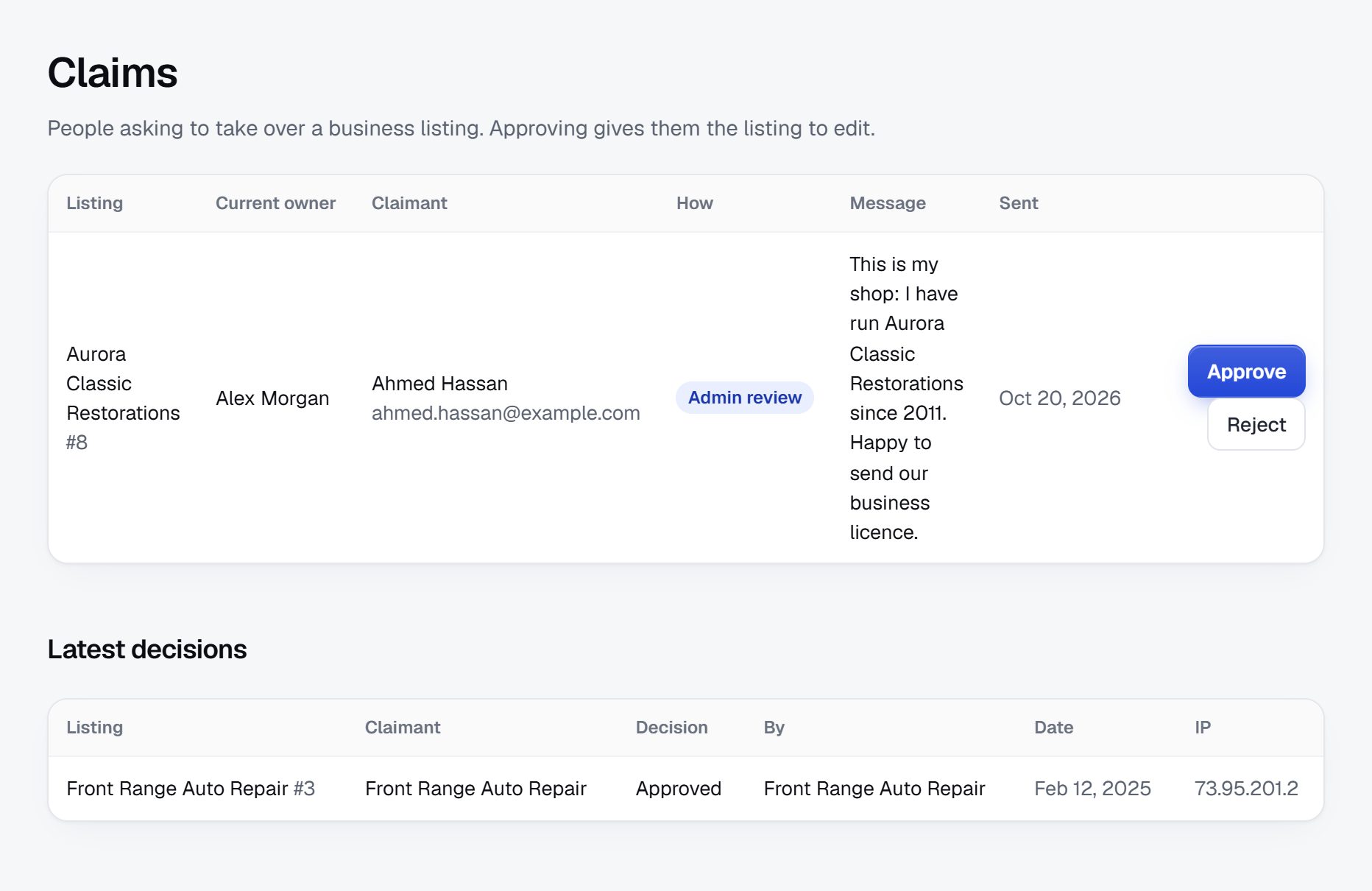
Keep fake recruiters out, because candidates are the ones who get hurt.
Recruitment is a favorite cover for scams. Fraudsters pose as recruiters to collect personal data, charge candidates for "training" or "placement", or run fake job offers that end in a check scam. A directory that lists them lends them credibility, so check firms before they appear.
Risks to watch for
- Fake firms with a new domain, a free email address, no business address and no named staff.
- Fees charged to candidates: in many places employers pay recruiters, and some jurisdictions restrict or ban fees to job seekers. Check the rules where you operate and make it a listing rule anyway.
- Copied profiles that borrow the name or logo of a real firm.
- Review manipulation: recruiters asking placed candidates for five-star reviews, or rivals posting bad ones.
Rules and checks
- Approve every new firm by hand and look up its business registration or website.
- Give a verified badge only after a call or a check of a company email domain.
- Some states and countries license employment agencies. Ask firms to enter a license number where one applies, and do not claim to know the rules for every area.
- Write a candidate safety page: real recruiters do not ask for money, bank details or ID before an interview.
- Let owners reply to reviews in public, and remove reviews that name candidates.
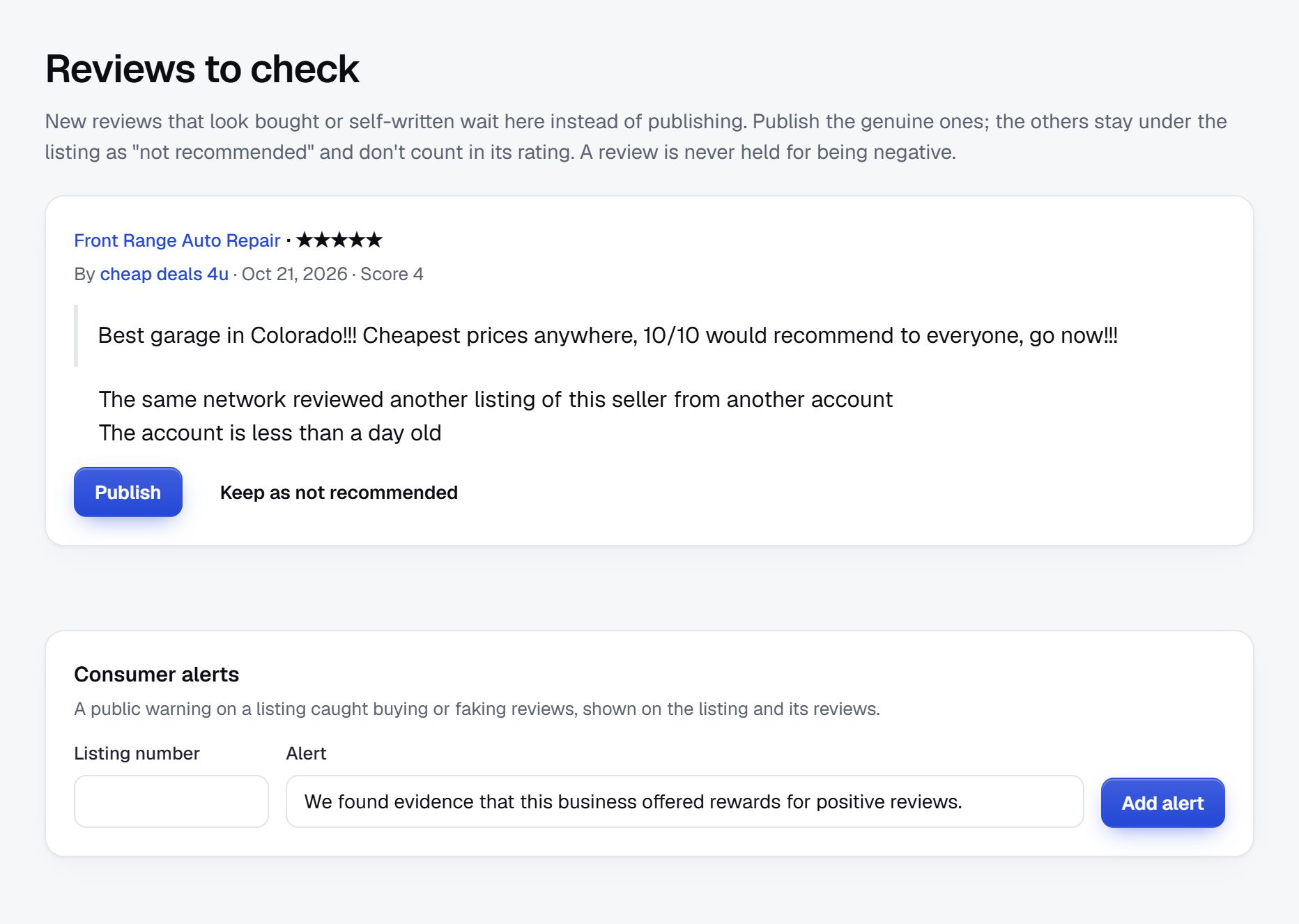
Rank for the searches employers make when a role is hard to fill.
Employers search for a recruiter the moment a job ad has failed. The searches name a field, a role or a place, and they are specific enough that a directory page matching them can rank.
Searches to target
- "IT recruitment agency Chicago" and "tech recruiters in Austin"
- "nurse staffing agency near me" and "travel nurse agencies in Texas"
- "executive search firms for nonprofits"
- "construction recruiters Denver"
- "how much do recruiters charge" and "retained vs contingency search"
Pages to build
- Industry pages: every specialty gets its own page with a short intro on how hiring works in that field.
- Industry plus city pages, but only where you have at least a handful of firms. Thin pages with one listing hurt more than they help.
- Recruiter profiles with specialties, roles and coverage written out in text, so they match long searches.
Content ideas
- A guide to recruiter fees: contingency, retained, contract markups, what is normal to negotiate.
- How to brief a recruiter, with a template employers can copy.
- Salary guides per field, written with recruiters who agree to be quoted.
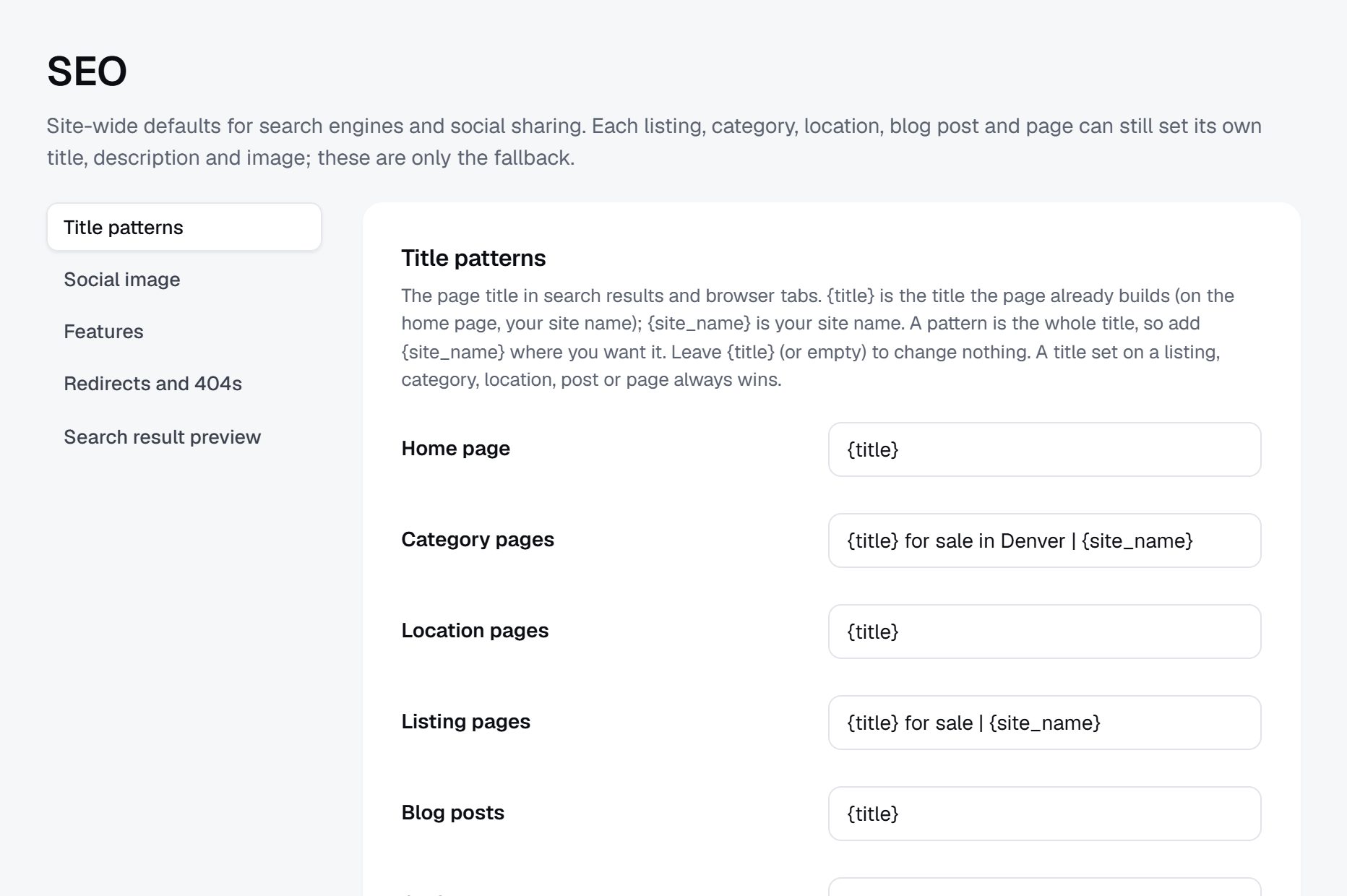
Launch in one industry, then reach employers through the people they trust.
Launch with one industry where you have contacts. Recruiters will tell you within a week whether your categories and fields match how their market works.
The order that works
- Load public data for your field and region, then personally invite the 50 most active firms to claim and complete their pages.
- Ask each claimed firm to share its profile with clients; recruiters like showing a page that lists their specialties.
- Reach employers through founder communities, HR meetups, coworking spaces, chambers of commerce and accelerators.
- Publish your fee guide and a salary guide, then send them to HR newsletters and local business media.
Timing
Hiring budgets often open in January and again after summer, and healthcare and retail staffing peaks before the winter season. Have your pages complete before those windows.
Launch checklist
- At least ten complete, claimed profiles in every category you show.
- Quote request form tested end to end with a friendly firm.
- Listing rules: no fees to candidates, real business details, honest specialties.
- Candidate safety page and an employer guide to briefing recruiters.
- Terms, a privacy policy and your own domain connected with SSL.
A worked example: a healthcare recruiter directory for the rural Plains.
Picture a fictional site called Prairie Health Recruiter Finder, covering Iowa, Nebraska and Kansas. It lists only recruiters and staffing firms that place clinical and healthcare leadership staff, and it is built for the people who hire them: administrators at critical access hospitals, directors of nursing at long-term care homes, and practice managers at rural clinics.
Categories
- Nursing
- ICU, ER and surgical
- Travel and per diem
- Long-term care and home health
- Physicians and advanced practice
- Family medicine and hospitalists
- Nurse practitioners and physician assistants
- Allied health
- Therapy
- Imaging and lab
- Pharmacy
- Healthcare leadership
- CEO, CFO and CNO searches
- Department directors
How it started
The founder spent nine years as an HR director at a 25-bed hospital in central Nebraska. Every time a night nurse quit, she called the same handful of agencies, most based in large cities far away, and kept a private spreadsheet of who actually returned calls and who sent candidates willing to live in a town of 3,000 people. Other HR directors kept asking her for that spreadsheet. The directory is that spreadsheet made public and searchable.
She imported firms from public business data for the three states, added the national travel nursing agencies that place in the region, and deleted anything that was really a home care provider or a job board. Then she called 60 firms herself and asked one question: which rural facilities in the region have you filled roles for in the last year? Firms that could answer got a verified badge. She launched with a talk at a state hospital association meeting, where most of the people who hire in rural healthcare are in one room.
Who it serves and how it pays
Hospitals and clinics search free and send role briefs at no cost. Firms pay for featured places on each state page, for a membership that adds facility types served and a longer placement history, and for role briefs beyond a few each quarter. A credentialing software vendor buys the banner on the nursing pages. None of it touches placement fees, which stay between the firm and the employer.
The detail that made it work was narrowness. A national directory would list hundreds of agencies that have never sent a nurse west of Des Moines. This one lists fewer than 200 firms, and an administrator can see in a minute which of them already know her kind of hospital.
| Firm (fictional) | Specialty | Key details |
|---|---|---|
| Cedar Ridge Nurse Staffing | ICU and ER travel nurses | Contract and per diem, 13-week assignments, Iowa and Nebraska |
| Bluestem Physician Search | Rural family medicine and hospitalists | Retained, fee on request, searches take about four to six months |
| Two Rivers Allied Partners | Physical and occupational therapists | Contingency, permanent roles, video interviews arranged |
| Northfork Imaging Staffing | Radiology techs and sonographers | Contract terms of 8 to 26 weeks, Kansas focus |
| Plainsview Leadership Search | CEO and CNO roles at critical access hospitals | Retained, board-led searches, references from three facilities |
Your first 90 days, from an empty site to employers sending briefs.
A recruiter directory has two audiences that arrive at different speeds. Recruiters show up fast, because a free profile costs them nothing and might bring a client. Employers arrive slowly, one failed job ad at a time. The first three months are about making the recruiter side complete and credible enough that the first employers who land on it send a brief instead of leaving.
Work on one industry and one region only. Resist adding a second specialty because a few firms from outside it ask to join; every category you open is one more page that has to look full. Measure progress by claimed and verified profiles and by role briefs, not by visits. A hundred visits from recruiters checking their own pages tell you nothing about whether employers will come.
From your first call, track in a sheet every firm contacted, whether it claimed, whether it was verified, and every brief with the firms it went to and whether any of them called back. That log becomes your sales material later, because it shows recruiters what a featured place would have been worth.
By week 12 you should know which categories employers actually search, which recruiters answer briefs quickly, and whether anyone would pay for a featured place yet.
| Weeks | Focus | Done when |
|---|---|---|
| 1-2 | Pick the industry and region, set categories, search type and seniority fields | Ten recruiters you know agree the categories match how they work |
| 3-4 | Import public business data and remove unrelated agencies by hand | Every remaining firm places staff in your chosen field |
| 5-6 | Call and email firms to claim pages, verify the first ones | Fifty claimed profiles, at least twenty with a verified badge |
| 7-8 | Write the fee guide, the briefing template and the candidate safety page | Each of the three is published and reachable from every industry page |
| 9-10 | Reach employers through HR groups, associations and founder communities | The first five real role briefs have come in |
| 11-12 | Follow up on every brief and ask employers what was missing | You have a written list of fixes and one firm asking about a featured place |
Three ways to build a recruiter directory, and which suits you.
What a recruiter directory needs is fairly specific: many filters (search type, seniority, industry, coverage), a claim process so firms keep their own profiles current, a way for employers to send one brief to several firms, verification badges, and reviews that owners can answer. It does not need payments between employers and recruiters, since placement fees are invoiced outside the site.
Building it yourself with developers makes sense if your idea goes beyond a directory, for example matching briefs to recruiters by scoring their placement history, or connecting to applicant tracking systems. Expect months of work before launch and an ongoing bill for maintenance and security.
Installing a directory script or a WordPress directory plugin on your own server gives you control and a large choice of themes. You will be the one handling updates, backups, spam and plugin conflicts, and features like claiming, quote requests and filters often come from separate add-ons that need to work together.
A hosted builder such as Yclas gives you claiming, reviews with owner replies, quote requests, custom fields as filters and featured places without running a server. You trade some control over code for a site you can launch in days and spend your time on calling recruiters.
For most founders the bottleneck is supply and employer trust, not software, so pick the route that leaves the most hours for phone calls. You can always rebuild later once you know which features employers use; a directory with 300 verified firms and steady briefs is worth moving, while a perfect platform with no firms is not.
| Route | Fits when | Watch out for |
|---|---|---|
| Custom build with developers | You plan matching or ATS connections no product offers | Long build time, maintenance costs, launching late in hiring season |
| Directory script or WordPress plugin | You or a partner can run a server and like to tinker | Add-ons for claims and leads that conflict, spam, update work |
| Hosted builder | You want to test the idea with recruiters within weeks | Less control over code; check that filters and claims fit your fields |
What a recruiter directory costs to run.
The software is the smallest part of the bill. Most of the cost is your time in the first months: finding the first listings, answering questions and checking what gets posted.
Beyond the site itself, budget for Google Places API usage when you import businesses, a little time or a paid service for checking business registrations, and travel or tickets for one or two recruiting conferences where you sign up firms in person.
| Cost | Typical range | On Yclas |
|---|---|---|
| Domain | $10 to $20 a year | Your own, with SSL included |
| Software and hosting | $0 to $100+ a month, plus plugins and updates | Starter $19 a month, Professional $99 |
| Design | $0 to $100 for a theme, or a designer | 109 looks included |
| Payment fees | About 3% per payment | Your Stripe or PayPal fees; Yclas takes nothing |
| Business data | Free if you collect it, or a few cents per page of Google results | Paid to Google, with your key |
| Your time | 5 to 10 hours a week at the start | Finding listings, moderation, support |
Mistakes that sink recruiter directories.
- Listing every staffing agency in the country. A huge list with no specialty signal is what employers already get from general directories. Pick a field, and remove firms that do not place in it, even if it makes the directory smaller.
- Treating recruiters as the customer from day one. Recruiters will happily fill in profiles, but they only pay if employers arrive. Spend at least half your time on the employer side: HR groups, associations, founder communities.
- Letting firms describe themselves as specialists in everything. When every profile ticks every industry and every seniority level, filters stop working. Cap the number of specialties a firm can select and ask for recent placement examples to back them.
- Forcing an exact fee. Recruiters negotiate fees per client and per role. A required fee field either gets skipped or filled with a number nobody honors. Use ranges and an "on request" option.
- Skipping verification to grow faster. One fake recruiter who scams a nurse or a software engineer can end up in the local news with your site name next to it. Approve every firm by hand and check that the business exists. Candidates are the ones who get hurt, so give them a safety page and a one-click way to report a firm.
- Selling briefs to everyone in a category. If an employer sends a brief and gets fifteen cold calls in an hour, she will not use the site again. Limit each brief to a few matching firms and let the employer choose them.
- Leaving profiles of recruiters who moved firms. Recruiters change agencies often. A profile that names someone who left two years ago tells the employer the directory is stale. Ask firms to confirm their team every six months, and let a recruiter who moves take her profile text to the page of her new firm instead of starting again.
- Publishing reviews with candidate names in them. A candidate who writes "they placed me at Mercy General and I hated my manager" has exposed herself and a client. Hold reviews for moderation, strip out the names of people and client companies, and explain the rule on the review form so writers leave them out.
- Launching in July or December. Hiring managers are on vacation and budgets are frozen or spent, so your first employer outreach meets silence and you conclude the idea does not work. Have the site complete before the January and September hiring pushes, and do your recruiter calls in the quiet months.
Recruiting terms a directory founder should know.
Recruiters and employers use these words in profiles and briefs, so your fields and filters should use them the same way.
| Term | What it means |
|---|---|
| Contingency search | The recruiter is paid only if a candidate they present is hired. |
| Retained search | The client pays part of the fee up front to engage the firm exclusively on a role, usually a senior one. |
| Engaged or container search | A middle model where a smaller up-front payment secures priority, with the rest due on hire. |
| Placement fee | The fee for a permanent hire, often quoted as a share of the first-year salary. |
| Guarantee period | The time after a hire during which the firm replaces a candidate who leaves, or refunds part of the fee. |
| Contract staffing | The firm employs or pays the worker and bills the client by the hour for a set period. |
| Bill rate and pay rate | What the client pays per hour for a contractor, and what the contractor is paid; the gap is the markup. |
| Contract-to-hire | A worker starts on contract and the client can hire them permanently after an agreed period. |
| RPO | Recruitment process outsourcing: a firm runs all or part of a company's hiring for an ongoing fee. |
| MSP | A managed service provider that coordinates a large employer's contract staffing suppliers. |
| Requisition | An approved open role inside a company, often shortened to "req". |
| Passive candidate | Someone who is employed and not job hunting, but open to the right offer. |
| Split placement | Two recruiters share a fee, one bringing the client and the other the candidate. |
The same steps for a recruiter directory on Yclas.
- Describe your directoryThe setup wizard writes the categories, an About page and example listings from one sentence.
- Add fieldsHours, services, areas served, prices: the details people search by, as filters.
- Fill itImport businesses from a spreadsheet or Google Places, then check them.
- Bring owners inOwners claim their page, update it and answer reviews.
- EarnSwitch on featured places, banners or memberships when visits arrive.
What does it cost to launch a recruiter directory?
Most of the early cost is your time: researching firms, inviting them and checking them. Cash costs are hosting and a domain, a modest Google Places API bill for the import, and perhaps a conference ticket.
Can I list recruiters without their permission?
Listing public business facts such as name, address and phone is common for directories, but practice and rules vary, so check the rules where you operate. Remove any firm that asks, and invite every firm to claim and edit its page.
How do I check that a recruiter is real?
Look up the business registration and website, call the listed number, and check that the email matches the company domain. Give a verified badge only after those checks.
Will recruiters pay to be listed?
Not for a bare listing. They pay for visibility on busy industry pages, for a fuller profile, and above all for employer briefs that match what they place.
Should candidates be able to use the directory?
Yes, as a way to find the specialists in their field, but build it for employers first. Employers are who recruiters pay to reach.
How do I compete with LinkedIn?
Do not try to be a network. Be the place that answers one question well: which recruiters fill this kind of role, in this area, on these terms.
Should I show recruiter fees?
Show a range or "on request". Fees depend on the role and the deal, and firms will not fill in an exact number they would then be held to.
Should recruiters be able to post jobs on the directory?
Not at first. Job posts turn the site into a job board competing with large ones, and they go stale quickly. Keep the focus on who places what, and add a short "currently hiring for" field if firms ask.
What should the role brief form ask an employer?
Job title, seniority, location or remote, salary range, start date and whether the employer prefers contingency or retained terms. Six questions is enough; a long form loses busy hiring managers. Add an optional free text box for anything unusual, such as a relocation package or a security clearance.
Can solo recruiters compete with big agencies on the site?
Yes, and they often fill in the most detailed profiles. Show team size as a filter so employers who want a large firm can choose one, and let placement detail speak for the independents. Many employers prefer a solo specialist who answers her own phone over a large firm where the account manager changes every year.
Should I take a share of the placement fee instead of charging for leads?
It is hard to track and can pull you into rules on employment agencies, which vary by place. Charging for featured places, memberships and briefs is simpler and does not depend on knowing who was hired.
When should I add a second industry?
When your first one has enough firms on every main category page and employers send briefs without being asked. Adding a field too early spreads your calls and your content thin. When you do expand, pick a neighboring field that shares employers, such as moving from nursing to allied health, so the HR contacts you already have can use the new pages too.
Related pages.
The parts of Yclas this leans on.
You know who searches and why. Now build your recruiter directory.
Describe your site in a sentence and the setup wizard writes the categories, example listings and a look. Free for 15 days, no credit card.
Start my directory