How to build a local business directory your whole town relies on.
This guide covers how to build a local business directory for one town, county or neighborhood: why a local directory still has a job to do, the details residents filter on, how it earns money from local businesses, how to load every business in town and get owners to claim their pages, fake reviews and impersonation, the local searches to rank for, and a launch built around the town calendar.
Free for 15 days · No credit card · Plans from $19 a month
Be the one page in town that knows every business, including the small ones.
Ask anyone in a small town how they find a plumber, a tailor or a Sunday brunch, and the answer is usually the community Facebook group. Someone posts "anyone know a good electrician?" and gets forty replies, half of them out of date. The big map and review apps cover the busy places well but miss the home-based bookkeeper, the mobile dog groomer and the shop that changed hands last spring.
Who uses a local directory
- New residents who need a dentist, a vet, a mechanic and a barber in their first month.
- Long-time residents who want to buy local and find the business they half remember.
- Visitors and second-home owners looking for what is open this weekend.
- Businesses looking for other local suppliers: a printer, a sign maker, an accountant.
Why existing directories fail them
National directories are thin outside big cities, full of closed businesses and padded with lead-generation listings for companies that are not local at all. Review apps favor restaurants. The town website lists businesses as a PDF updated once a year.
Picking the area
Pick an area people name when they say where they live: one town, a county seat and its villages, a neighborhood in a large city, or an island. It must be small enough that you can walk its main street and big enough to have a few hundred businesses.
Local knowledge is the advantage: you know the place on the corner reopened under a new name.
Sort businesses the way residents ask about them, then add the practical details.
Residents search by need, not by industry code. Use plain category names, "Home repairs" rather than "Building and construction contractors", and keep to two levels: about a dozen top categories with short lists under each.
Details residents filter on
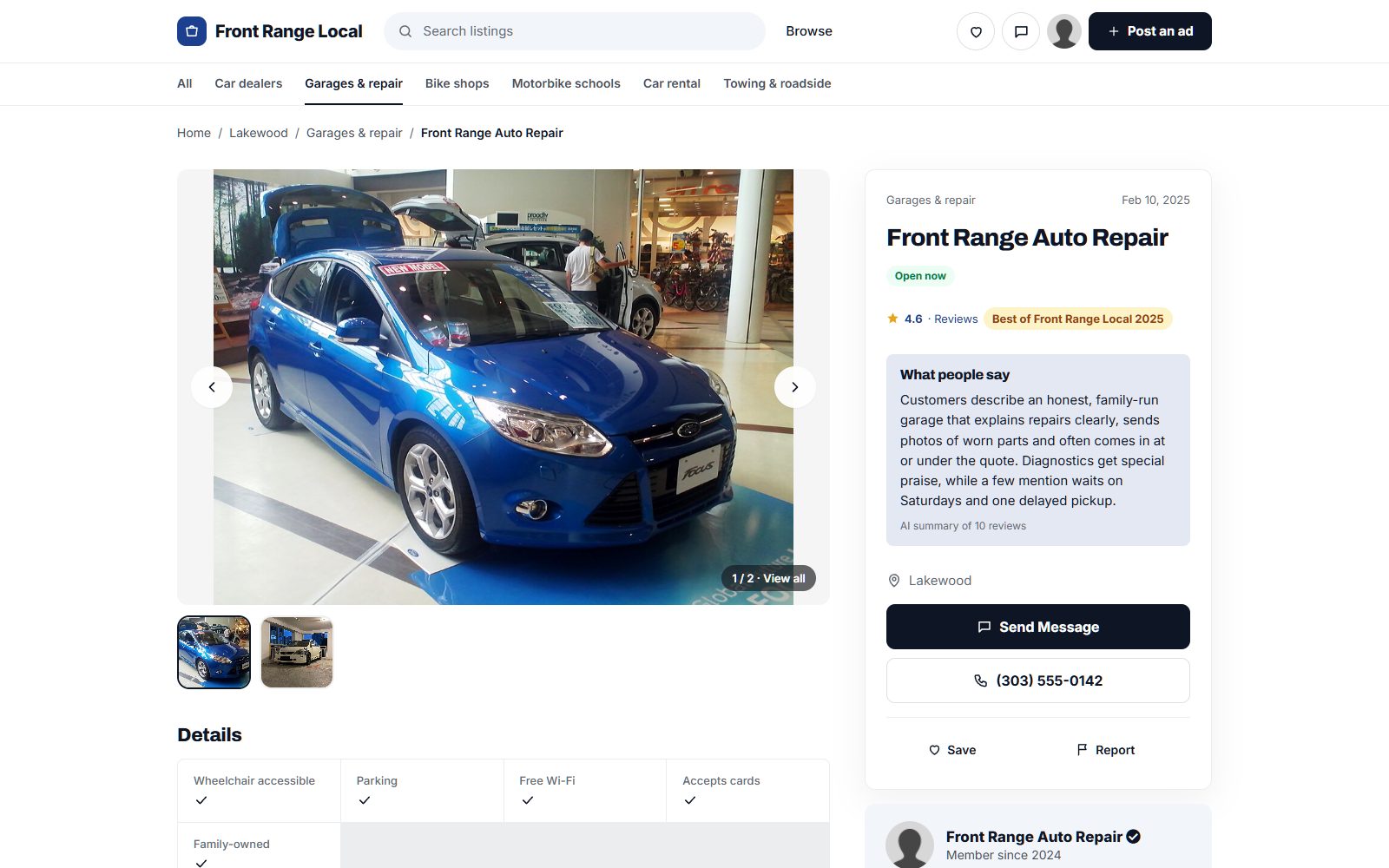
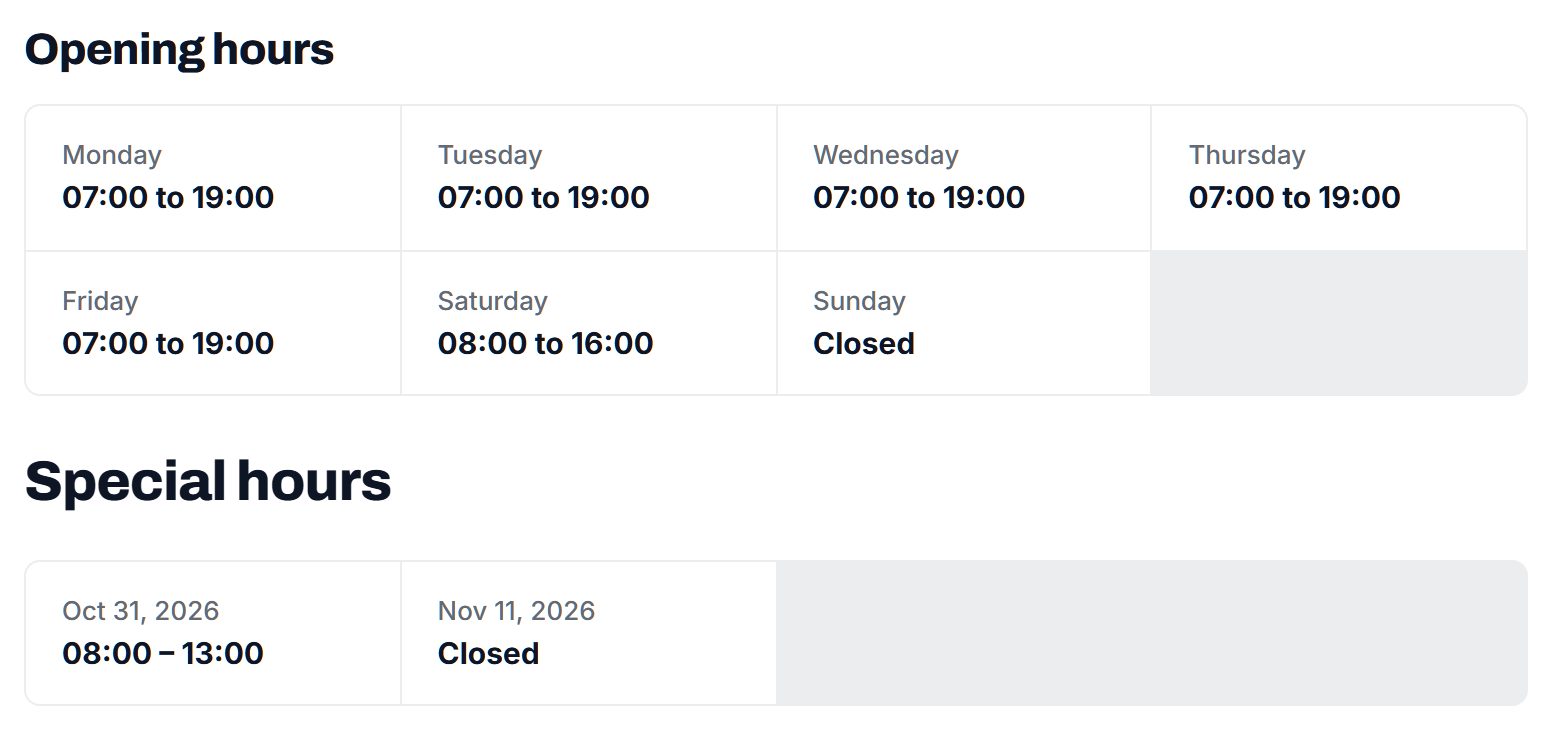
- Opening hours, including Sundays and evenings. "Open now" is the most used filter in any local directory.
- Neighborhood or village, so people in a spread-out county find what is close.
- Service area for businesses that come to you: plumbers, cleaners, landscapers, mobile mechanics.
- Accessibility: step-free entrance, accessible restroom, parking nearby.
- Ownership: checkboxes for locally owned, family-owned, women-owned or veteran-owned, filled in by the owner.
- Payment and ordering: cards accepted, delivery, curbside pickup, online ordering.
Ask owners for one sentence on what makes them different. "Third generation hardware store, keys cut while you wait" helps a resident decide, and it gives each page unique text.
| Category | Example listings | Fields residents filter on |
|---|---|---|
| Home repairs and services | Plumbers, electricians, roofers, cleaners, landscapers | Service area, emergency callouts, licensed and insured, free estimates |
| Food and drink | Cafes, diners, bakeries, food trucks, caterers | Opening hours, takeout, delivery, outdoor seating |
| Health and wellness | Dentists, physical therapists, gyms, salons | New patients accepted, appointments, evening hours, accessibility |
| Shops | Hardware, florists, gift shops, thrift stores | Opening hours, curbside pickup, locally owned |
| Professional services | Accountants, lawyers, insurance agents, printers | Specialties, languages spoken, home visits or office |
| Auto and transport | Mechanics, tire shops, car washes, taxis | Makes serviced, loaner cars, Saturday hours |
Yclas directories include opening hours, and custom fields such as service area or locally owned can show as search filters.
Sell local businesses better placement, not just a listing.
Local businesses already pay for visibility: the high school sports program, the church bulletin, the local paper, a sign at the fair. They will pay you once residents use the directory and the owner hears "I found you on it" from a customer. Until then, list every business free, because a directory with gaps is not trusted.
What local businesses pay for
- Featured places at the top of their category and on the home page.
- Memberships with photos, a longer description, offers, events and a badge, at a monthly or yearly price a small shop can manage.
- Quote requests: a resident describes a job once and it goes to several local tradespeople, who pay per lead or as part of a membership.
- Banner spaces on category pages: a bank on the home page, a hardware store on home repairs.
- Sponsorships of seasonal guides such as a holiday shopping guide or a summer events page.
Sell to owners face to face. A visit to the main street sells more memberships than any email.
| Model | Works when | Switch it on |
|---|---|---|
| Featured places | Categories have several businesses competing | When residents use the search every day |
| Business memberships | Owners want photos, offers and a badge | After the first owners claim and update pages |
| Quote requests for trades | Residents ask for repairs and estimates | Once requests arrive weekly in home services |
| Banner spaces | Banks, realtors and car dealers want local reach | When you can show monthly visitors |
| Sponsored seasonal guides | Holiday shopping or summer events bring traffic | From the second season on |
Load every business in town first, then get the owners to claim their pages.
A local directory is judged on completeness. If a resident looks up three businesses they know and one is missing, they stop trusting it. So load everything first, from public sources, and use claiming as your way to meet owners.
Where the businesses come from
- Google Places import: search each category for your area and import names, addresses, phone numbers and hours. Photos are not part of the import, so owners add their own when they claim.
- Chamber of commerce and main street association member lists, often public and usually current.
- Town business license lists, which some towns publish as public records.
- Local paper ads, church bulletins and community notice boards, where home-based businesses advertise.
- Farmers market, craft fair and holiday market vendor lists.
Getting owners to claim
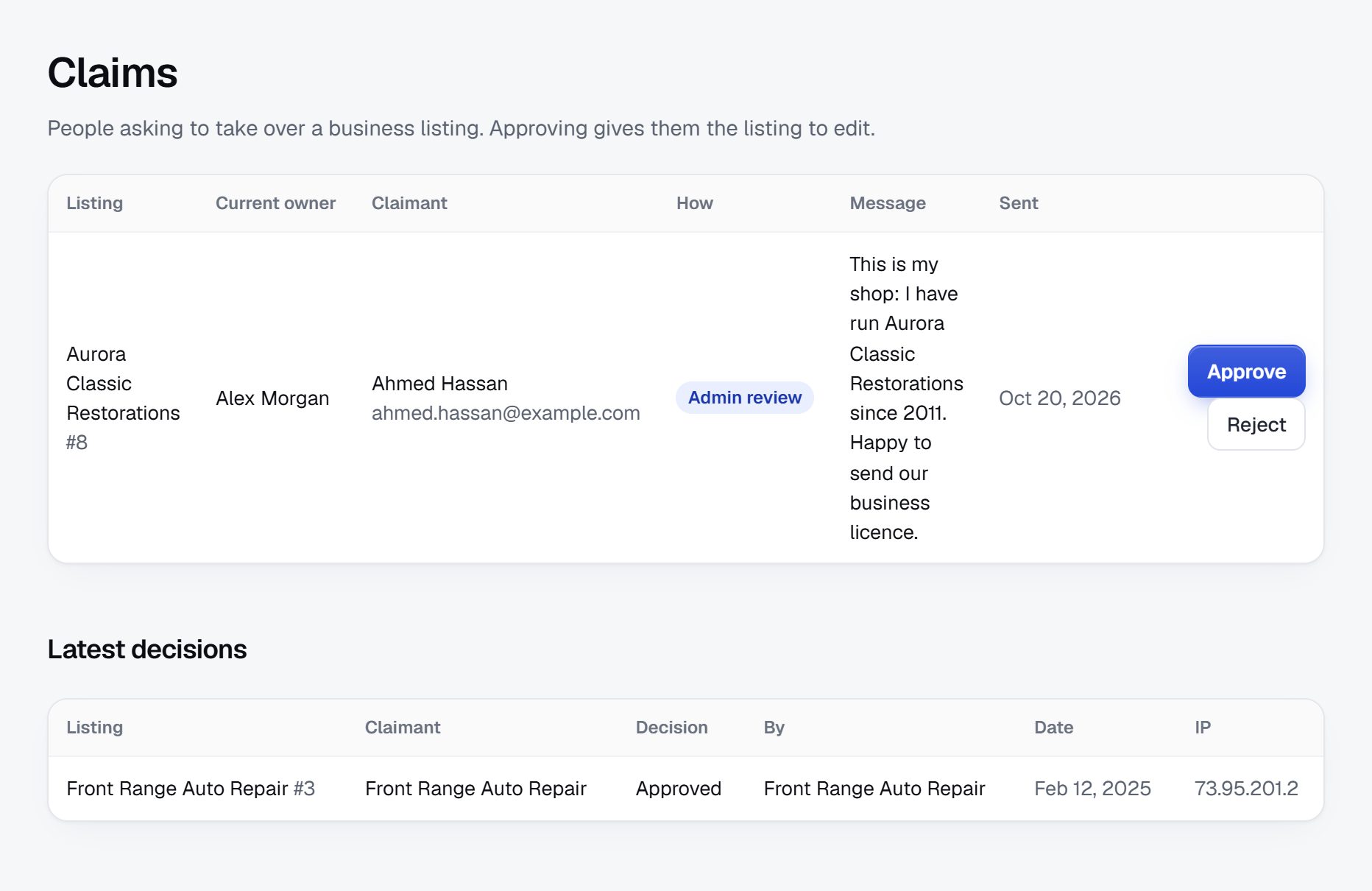
Walk the main street with a printed card that shows the shop's own page. Email the rest with a short note: "Your business is listed on the town directory. Claim it to add your photos and correct your hours." Owners who claim fix mistakes for you. In Yclas, owners claim their page and can reply to reviews, and featured places can be switched on later.
Check every imported business for closures before launch: residents notice dead listings first.
Protect owners and residents from fake reviews and fake claims.
The problems in local directories are personal, because everyone knows each other. A bad review from a neighbor, a competitor claiming the wrong page, or a closed shop still listed as open all land on you.
Risks typical of a local directory
- False claims: someone claims a business they do not own, then changes the phone number. Verify every claim by calling the listed number or by an email at the business domain.
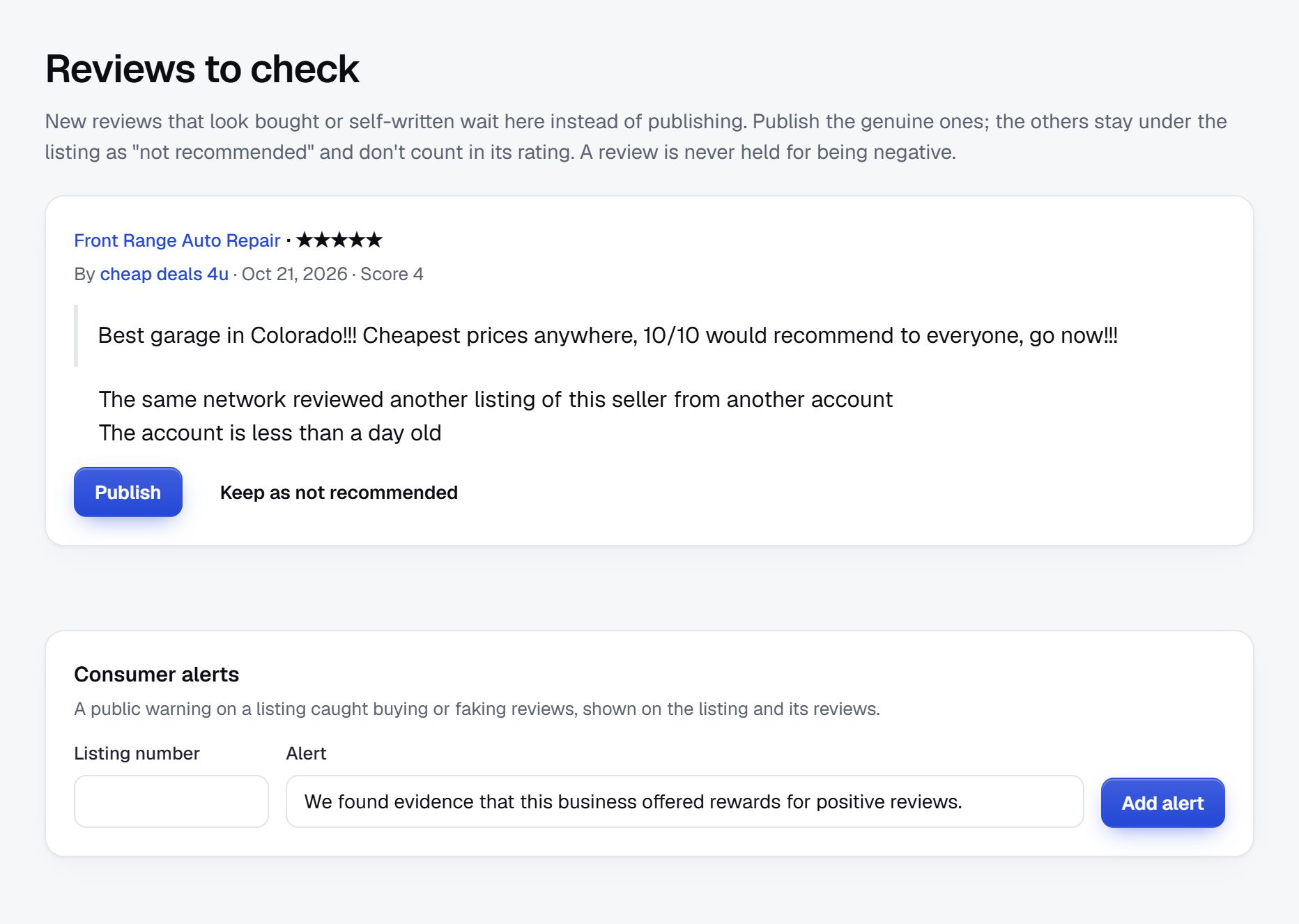
- Fake reviews: owners reviewing themselves, friends piling in, competitors posting one-star reviews. Require an account, hold reviews from new accounts and watch for bursts.
- Review disputes: let owners reply in public and have a written policy for what you remove, such as personal attacks and reviews of the wrong business. Rules on removing reviews differ by country, so check the rules where you operate.
- Out-of-area lead sellers posing as local tradespeople with a local phone number that forwards elsewhere. Ask for a street address and check it.
- Unlicensed trades: some trades need a license or insurance. Let owners show it, but do not certify it yourself.
Write a short page on how listings, claims and reviews work. Residents in a small town will ask, and pointing to a published policy settles most arguments.
Win the searches with your town's name in them.
Local searches have a place name in them or are made on a phone near the place. A small directory can rank for these because few sites cover one town properly.
Searches to target
- "plumber in Bend Oregon" and "emergency electrician Bend"
- "best breakfast in Bar Harbor"
- "what's open on Sunday in Bar Harbor"
- "dentist accepting new patients near Bend"
- "hardware store downtown" with the town name
Pages to build
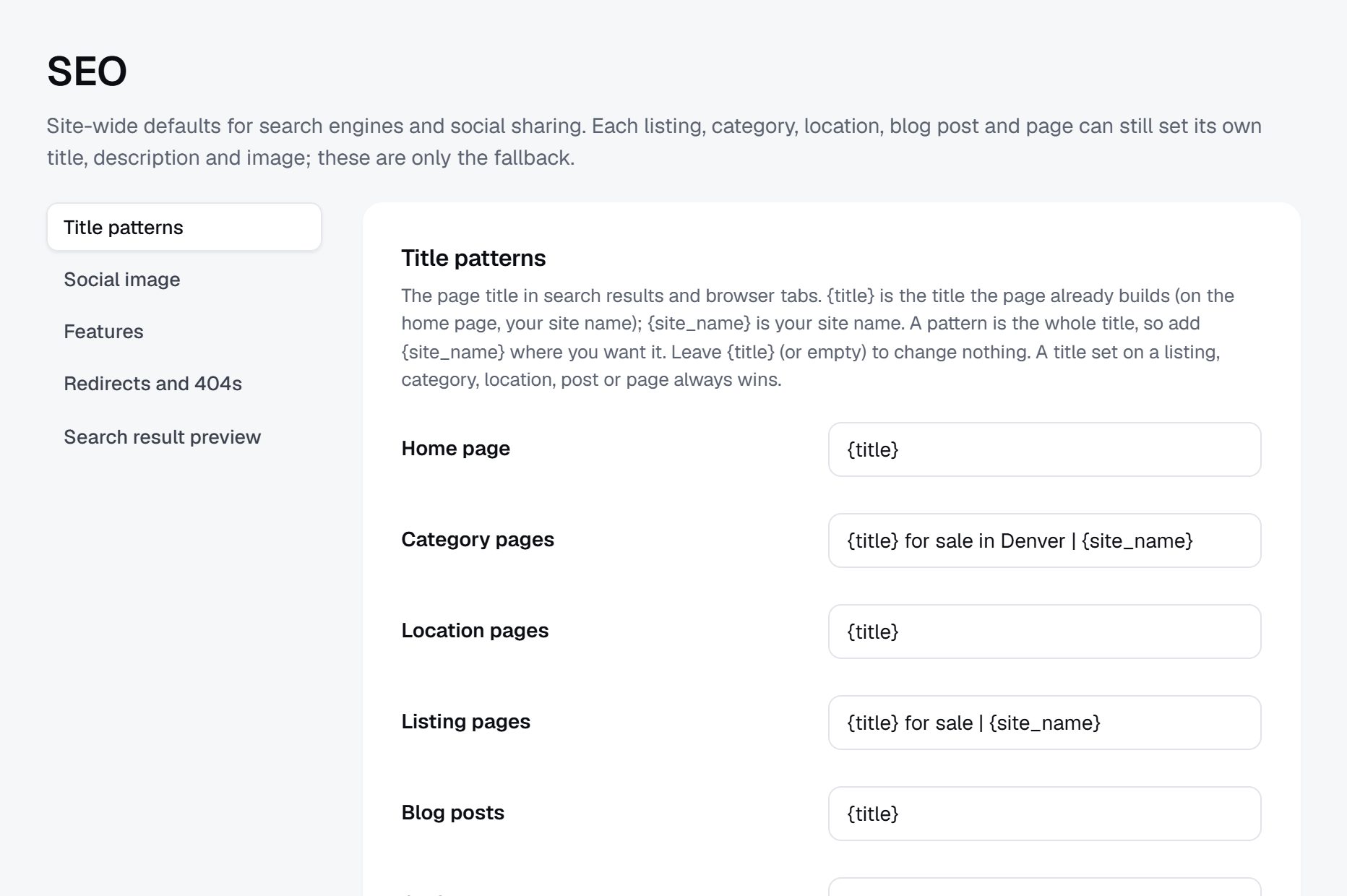
- Category pages for the town, such as "Plumbers in Bend", with a short intro written for that town.
- Neighborhood or village pages for spread-out areas.
- Business pages with hours, services and the owner's own description, so each page is different.
- Open now and open late pages, which people search on weekends and holidays.
Content ideas
- A new resident's guide: utilities, schools, doctors, trash pickup and the businesses people recommend.
- A holiday shopping guide to local shops.
- Short interviews with owners who have been in town for decades.
Launch with the main street, then the rest of town follows.
Your launch is a local event, not a website announcement. People need to see the directory in their own town before they use it.
The order that works
- Import and clean every business, then get the main street shops to claim their pages in person.
- Partner with the chamber of commerce or main street association: offer members a free membership for the first months in return for a mention in their newsletter.
- Post in the community Facebook group, not as an ad but as an answer: when someone asks for a plumber, link to the plumbers page.
- Put window stickers and counter cards in shops: "Find us on" with your domain.
- Ask the local paper or radio for a short story about a resident-built directory.
Dates that matter
Small Business Saturday after Thanksgiving, the summer festival, back to school and the holiday shopping season all bring residents looking for local businesses. Launch before one of them.
Launch checklist
- Every business you can find, with hours checked and closed ones removed.
- At least 30 claimed pages with photos.
- Review policy and claim policy pages published.
- A domain with the town name in it, SSL, terms and a privacy policy.
A worked example: one county seat and its villages in the Hudson Valley.
Take a fictional directory called Hollow Creek Main Street Guide, covering a small county seat in New York's Hudson Valley and the five villages within a 20-minute drive of it. About 14,000 people live in the area, plus weekenders from New York City who own second homes and fill the cafes from Friday evening to Sunday afternoon.
Categories
- Eat and drink
- Cafes and bakeries
- Restaurants and diners
- Farm stands
- Around the house
- Plumbing, heating and electric
- Snow plowing and landscaping
- Cleaning and caretaking
- Health and care
- Doctors and dentists
- Vets and pet care
- Shops
- Hardware and feed
- Antiques and gifts
- Services
- Accountants and lawyers
- Auto repair
Who it serves
Three groups use it. Year-round residents look up a plumber or check Sunday hours. New arrivals, many of them remote workers who moved up from the city, need a whole list of services in their first months. Weekenders want caretakers who check on a house over winter, and a place for breakfast that is open on Monday morning before they drive home.
How it started
The founder ran the community Facebook group for the county seat and was tired of answering "who plows driveways on the east side?" every November. He imported businesses for each village from public data, deleted the duplicates and the shops that had closed, then spent four Saturdays walking every main street with printed cards showing each shop its own page. The caretakers and plow operators, mostly one-person businesses with no website, were the most grateful: for many of them it was their first page anywhere online.
He launched the week before the first snow, with a "who plows your road" page that the group shared widely. Residents who came for a plow operator stayed to look up a dentist, and by spring the most viewed category was not plowing at all but "open on Monday", a list the weekenders had been asking for in the group for years.
How it makes money
Listings are free. A bank and a real estate office buy the banners on the home page. About 40 businesses pay for a membership with photos and offers. Plow and caretaking requests go out as quote requests to the businesses that cover each village, and in the second winter the founder started charging a small fee per request in those two categories only. Plow operators were happy to pay, because one new driveway contract covers a whole season of fees.
| Business (fictional) | Category | Key details |
|---|---|---|
| Stonewall Plowing and Sanding | Snow plowing | Covers two villages, seasonal contracts, emergency calls after storms |
| The Copper Kettle Bakery | Cafes and bakeries | Open Thursday to Monday from 7 am, cards accepted, outdoor tables |
| Highfield Caretaking | Cleaning and caretaking | Weekly house checks over winter, key holding, insured |
| Millrace Hardware and Feed | Hardware and feed | Family owned since 1962, keys cut, propane exchange |
| Two Bridges Veterinary | Vets and pet care | New patients accepted, Saturday mornings, farm calls by request |
The first 90 days of a local directory, week by week.
A local directory grows street by street, not by marketing campaign. The first three months decide whether residents see it as the complete, current list for their town or as one more half-empty website. That means most of your early weeks go into data cleaning and walking, and only the last few into promotion.
Two numbers tell you how it is going. The first is coverage: the share of businesses you can find on the ground that are also on the site, with correct hours. The second is claims: how many owners have taken over their page. A resident will forgive a page without photos, but not a missing business or a closed one listed as open.
Plan the 12 weeks so the public launch lands just before a moment when residents look for local businesses: the first snow, back to school, the summer festival or the holiday shopping weekend. Everything before that date is preparation. If you have a day job, expect the walking weeks to take longer than planned: owners are busy at the times you are free, and a good visit is a conversation, not a drop-off. Let the schedule slip rather than launch with streets unchecked.
| Weeks | Focus | Done when |
|---|---|---|
| 1-2 | Draw the area boundary, set plain-language categories and the opening hours and service area fields | Five residents can find a plumber and a breakfast spot without help |
| 3-4 | Import public business data and add chamber and town lists | Every business on the chamber list is on the site |
| 5-6 | Walk each main street and drive the business parks to check for closures | Closed businesses are removed and new ones added |
| 7-8 | Visit owners with printed cards and email the rest about claiming | At least 30 claimed pages with photos and current hours |
| 9-10 | Write the new resident guide and one seasonal guide | Both are published and the chamber has agreed to share them |
| 11-12 | Launch in the community group, the local paper and with counter cards | Residents are answering questions in the group with links to your pages |
Choosing how to build a directory for one town.
A town directory has modest technical needs but specific ones. It needs opening hours with an "open now" filter, a map, a claim process with owner verification, reviews with owner replies, quote requests for trades, and an import of businesses so you are not typing in 600 names by hand. It also has to be easy to keep current, because the founder is usually one person with a day job.
Hiring developers to build it only makes sense if the directory is part of something larger, such as a town app with parking, events and council notices. For a directory alone, a custom build spends money you will need for printing, a membership sales season and your own time.
A directory script or WordPress plugin on your own hosting is a common route for people who already run a local news blog on WordPress. The directory can sit beside the news. The cost is upkeep: plugin updates, spam registrations and keeping add-ons for claims and maps compatible.
A hosted builder such as Yclas already has opening hours, claims, reviews with owner replies, a business import from Google Places with your own key, and featured places. You give up some freedom over the code, and in return the evenings go to visiting shops rather than fixing a server. You can also start on a hosted builder to prove residents use the directory, then move later if the town portal idea grows.
Whatever you choose, check before you commit that you can export your business data. A town directory is mostly its data, and you should never be locked out of it.
| Route | Fits when | Watch out for |
|---|---|---|
| Custom build | The directory is one part of a larger town app or portal | Cost before any revenue, a single developer you depend on |
| Script or WordPress plugin | You already run a local blog or news site on your own server | Updates, spam, add-ons for claims and maps that break each other |
| Hosted builder | You want to spend your time on owners and residents, not servers | Check data export, custom fields and the look on phones |
What a local business directory costs to run.
The software is the smallest part of the bill. Most of the cost is your time in the first months: finding the first listings, answering questions and checking what gets posted.
The main costs beyond the site are Google Places API usage for the first import and later refreshes, printing counter cards and window stickers for shops, and time spent walking the main street. If you sell memberships in person, budget for a card reader or invoices.
| Cost | Typical range | On Yclas |
|---|---|---|
| Domain | $10 to $20 a year | Your own, with SSL included |
| Software and hosting | $0 to $100+ a month, plus plugins and updates | Starter $19 a month, Professional $99 |
| Design | $0 to $100 for a theme, or a designer | 109 looks included |
| Payment fees | About 3% per payment | Your Stripe or PayPal fees; Yclas takes nothing |
| Business data | Free if you collect it, or a few cents per page of Google results | Paid to Google, with your key |
| Your time | 5 to 10 hours a week at the start | Finding listings, moderation, support |
Mistakes that empty a town directory.
- Launching with gaps. Residents test a new directory by looking up the three businesses they know best. If one is missing, they decide it is incomplete and do not come back. Hold the launch until every main street is walked and checked.
- Drawing the area too wide. A directory for a whole state or a large metro needs thousands of businesses checked by hand and never feels local. Start with the place people name when they say where they live, and expand village by village.
- Leaving out home-based and mobile businesses. The house cleaner, the piano teacher and the mobile mechanic are the hardest to find and the main reason residents need you. Find them on notice boards, in church bulletins and in the community group, and give them a service area instead of a street address.
- Charging for basic listings. A pay-to-be-listed directory has holes wherever owners said no, and residents cannot tell why a shop is missing. List everyone free and charge for extras.
- Selling memberships by email only. Small business owners delete cold email all day. They buy from someone who walks in, shows them their page on a phone and remembers the name of their dog. Block out a few mornings a month for visits, and bring the page already filled in so the owner only has to approve it.
- Taking sides in review disputes. In a small town, the owner you upset is someone you will meet at the grocery store. Write the review policy before the first dispute, apply it the same way to everyone, and point to it when you remove or keep a review.
- Letting hours go stale. Hours change with seasons, staff shortages and new owners. A "closed" sign on a door the directory said was open costs more trust than any other error. Ask owners to confirm hours twice a year, and add a "report a problem" link on every page.
- Ignoring the community group. Residents already ask for recommendations in a Facebook group or on Nextdoor. Do not compete with it or spam it; answer questions there with a link to the relevant category page, and ask the admin to pin your new resident guide.
- Opening the site with no local content. A list of businesses alone looks like every national directory. A new resident guide, a "who plows the roads" page or a list of what is open on holidays shows that a person from the town runs it. One useful local page a month is enough to keep residents coming back between searches.
Local directory terms worth knowing.
These come up with owners, chambers and anyone who advises small businesses on being found online.
| Term | What it means |
|---|---|
| NAP | Name, address and phone number, the three details that should match on every site that lists a business. |
| Citation | Any mention of a business with its name, address and phone on another website, such as a directory page. |
| Claimed listing | A page the owner has taken over after verification, so they can edit hours, photos and details. |
| Unclaimed listing | A page built from public data that no owner has verified yet. |
| Service-area business | A business that goes to the customer, such as a plumber, and may not show a street address. |
| Google Business Profile | The free profile that controls how a business appears on Google Maps and in local search results. |
| Local pack | The block of three businesses with a map that Google shows for many local searches. |
| Chamber of commerce | A membership group of local businesses that promotes the area and often keeps a member list. |
| Main street program | A downtown revitalization organization that works with the shops on a historic main street. |
| Lead generation listing | A listing placed by a company that sells customer inquiries to whoever pays, often not a local business. |
| Featured place | A paid position at the top of a category or on the home page, labeled as such. |
| Duplicate listing | Two pages for the same business, often from an old and a new name or address. |
| Open now filter | A search option that shows only businesses whose listed hours include the current time. |
| Review gating | Asking only happy customers to leave reviews, which some review platforms prohibit. |
The same steps for a local business directory on Yclas.
- Describe your directoryThe setup wizard writes the categories, an About page and example listings from one sentence.
- Add fieldsHours, services, areas served, prices: the details people search by, as filters.
- Fill itImport businesses from a spreadsheet or Google Places, then check them.
- Bring owners inOwners claim their page, update it and answer reviews.
- EarnSwitch on featured places, banners or memberships when visits arrive.
How much money do I need to start a local business directory?
Very little cash: hosting and a domain, a modest Google Places API bill for importing businesses, and a few hundred dollars of printed cards. Your time visiting owners is the real investment.
Is it legal to list businesses that have not signed up?
Listing public facts about businesses, such as name, address, phone and hours, is common practice for directories. Rules vary, so check the rules where you operate, remove businesses that ask, and invite every owner to claim their page.
How do I compete with Google Maps and Yelp?
Be more complete and more current for one town. Include the home-based and mobile businesses they miss, keep hours right, and add local guides that a national app will never write.
How do I make money from a small town directory?
Featured places, business memberships, banner spaces for banks and realtors, sponsored seasonal guides, and quote requests for home services. Start charging only once owners hear customers mention the directory.
How many businesses does a town need for a directory to work?
A few hundred businesses is enough for a useful directory. If your town has fewer, include the surrounding villages or the whole county.
What do I do about a bad review an owner wants removed?
Follow your written review policy: remove reviews that break it, such as personal attacks or reviews of the wrong business, and invite the owner to reply in public to the rest.
Should I charge businesses to be listed at all?
No. A basic listing for every business keeps the directory complete, which is what residents trust. Charge for extras on top.
Should I list chains and franchises, or only independent businesses?
List them. Residents need the pharmacy and the auto parts store too, and leaving them out makes the directory look incomplete. You can still offer a "locally owned" filter and feature independents in your guides. Chains also tend to have accurate hours, which makes them easy pages to get right while you chase the small shops.
Do I need a business license to run a local directory?
It depends on your town, county and state. A directory that sells advertising is usually a small business like any other, so check the rules where you operate, and keep records of what you sell.
Should I add an events calendar or classifieds as well?
Not at launch. Events and classifieds each need their own steady supply and moderation. Get the directory complete first, then add a seasonal events guide if residents ask for one. A short, well kept list of yearly town events often does more than a full calendar that nobody updates.
How do I handle businesses that share one address?
Give each its own page with the suite or unit number, and use the description to say how to find it, for example "inside the old mill building, second floor". Residents care about what is inside, not the building. Pin each one at the right entrance on the map if the building has several.
What if an owner asks me to take their business off the directory?
Remove it promptly and politely, and note it so a later import does not add it back. In a small town the request usually comes from a misunderstanding, so explain once what the page is, then respect the answer. Many owners change their mind later, once a neighbor mentions finding a shop through the directory.
Related pages.
The parts of Yclas this leans on.
Your town already has the businesses. Now build the directory that lists them all.
Describe your site in a sentence and the setup wizard writes the categories, example listings and a look. Free for 15 days, no credit card.
Start my directory