How to build a contractor directory homeowners can hire from with confidence.
This guide covers how to build a contractor directory for one region: why homeowners distrust the big lead sites, how to organize trades and service areas, which details like license and insurance people filter on, how quote requests and memberships pay for the site, where the first contractors come from, and how to keep unlicensed operators and storm chasers out.
Free for 15 days · No credit card · Plans from $19 a month
Give homeowners what the lead sites hide: who the contractor really is.
A homeowner planning a roof, a kitchen remodel or a new deck wants three things: a contractor who actually works in their area, proof the contractor is licensed and insured, and honest word from past customers. The big lead sites often sell the same request to several contractors at once, so the homeowner's phone rings all evening and the contractors pay for leads they rarely win. Many good local builders refuse to join them at all, which means they are invisible online.
A regional contractor directory can fix both sides: a permanent page for every trade business, with its service area, license details and reviews, and quote requests that go to the businesses the homeowner chose.
Pick your angle
- One metro or county, all trades. The broadest audience, and the one local media will cover.
- One trade group: roofers and exterior contractors, remodelers and kitchen specialists, or licensed electricians and plumbers.
- One kind of client: older homes and historic renovation, accessibility remodeling for aging in place, or small commercial fit-outs.
Today homeowners find contractors through neighbors, Nextdoor threads, supply house counter staff, home shows, yard signs and local Facebook groups asking "anyone have a roofer they trust?"
Licensing and service area are the two details every homeowner checks first. Put them on every page.
Organize by trade and make credentials searchable.
Trades are the natural categories, kept shallow: a homeowner looking for a roofer does not need a tree of roofing types. The details that decide who gets the call belong in fields.
- Service area as a list of counties or cities served, not just the office address. Many contractors drive an hour for the right job.
- License number and license type, shown on the page so a homeowner can look it up with the state board.
- Insured and bonded as checkboxes, with the claim confirmed when you can.
- Residential or commercial, since many firms only do one.
- Job size: repairs, mid-size projects, full builds. A custom home builder does not want calls about a sticking door.
- Emergency service for plumbers, electricians, roofers and HVAC.
- Years in business, free estimates, financing offered, languages spoken.
Keep the number of required fields low. Contractors fill pages in from a truck, and a long form gets abandoned.
| Trade | Example businesses | Details homeowners filter on |
|---|---|---|
| General contractors and remodelers | Kitchen and bath remodelers, design-build firms | Service area, job size, license, free estimates |
| Roofing and exteriors | Roofers, siding, gutters, windows | Insured, storm damage work, emergency tarping, warranty years |
| Plumbing | Residential plumbers, drain and sewer specialists | Emergency service, license type, water heaters |
| Electrical | Electricians, generator installers, EV charger installers | License type, residential or commercial, permits pulled |
| HVAC | Heating and cooling installers, duct cleaning | Brands serviced, maintenance plans, 24-hour service |
| Concrete, decks and outdoor | Masons, deck builders, fence installers | Materials, job size, season available |
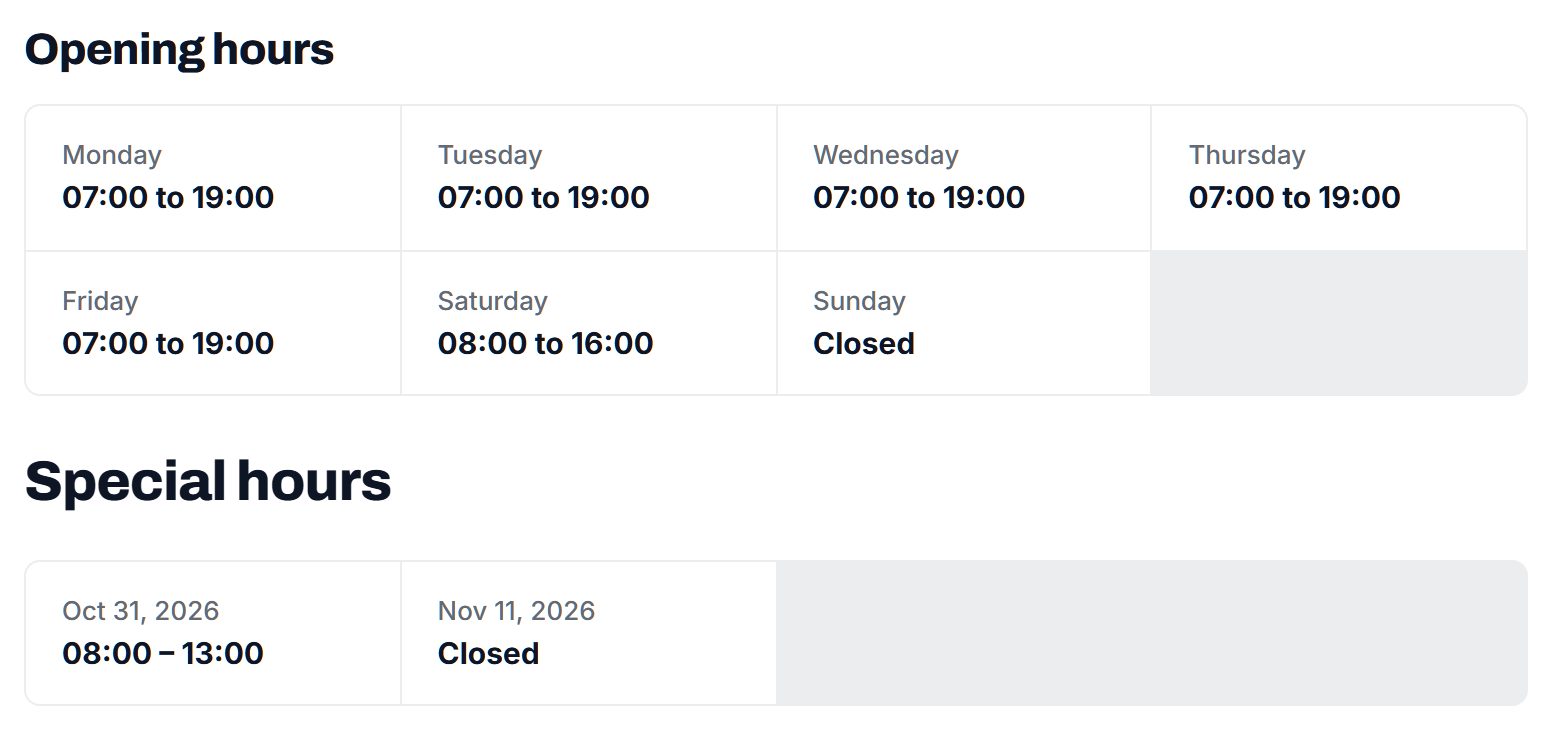
Directories built on Yclas get these as custom fields that homeowners can filter on, plus opening hours, a claim button for owners and quote requests sent to the businesses.
Let quote requests prove the value, then charge for membership.
Contractors are used to paying for marketing, and they are tired of paying for bad leads. That is your opening. List every licensed contractor for free first, so homeowners find a complete directory, and charge only when the requests are arriving.
- Quote requests and memberships. When a homeowner sends a quote request to two or three chosen contractors, those contractors get a real, exclusive inquiry. Once requests flow, a monthly membership that keeps a business visible and receiving them is easy to sell.
- Featured places at the top of a trade and city page. Roofers buy these after storms; HVAC firms buy them before summer and winter.
- Banner spaces for lumber yards, supply houses, equipment rental, kitchen showrooms and local banks offering home improvement loans.
- Verified badges for contractors whose license and insurance you have checked, which they value because homeowners do.
Avoid selling one homeowner's request to many contractors. It is exactly what makes homeowners and good contractors dislike the big lead sites.
| Model | Works when | Switch it on |
|---|---|---|
| Free contractor pages | You need every licensed business in the area | From day one |
| Paid memberships | Contractors are receiving quote requests through the site | After a few months of steady requests |
| Featured places | Demand spikes after storms or at the start of a season | When trade and city pages get regular visits |
| Banner spaces | Supply houses and lenders want homeowners and trades | Once you can show monthly visitors |
| Verification as part of membership | Homeowners ask about licenses and insurance | When you have a checking routine in place |
Start from the license lists, then bring contractors in through the supply houses.
Contractors are among the easiest businesses to find and the hardest to get on the phone. Build their pages first, then ask them to claim.
Where the first hundred come from
- State license lookups. Many licensing boards publish searchable lists of licensed contractors, with names, license types and cities. Use them to find businesses and to check licenses, not to copy whole databases without checking the board's terms.
- Google Places import. Searches for roofers, plumbers or general contractors across your county bring in name, address, phone, website and opening hours. No photos come over, so ask each contractor for photos of finished jobs.
- Trade associations and home builders associations. Local chapters keep member lists and run events where you can meet owners in person.
- Supply houses and lumber yards. The counter staff know every active contractor. A flyer on the counter and a word from the manager reach people who never answer marketing emails.
When a contractor claims a page, ask for the service area, license number, insurance carrier and five photos of recent work. Those turn a bare listing into one that wins quote requests.
A page with job photos and a license number gets the call. A page without them gets skipped.
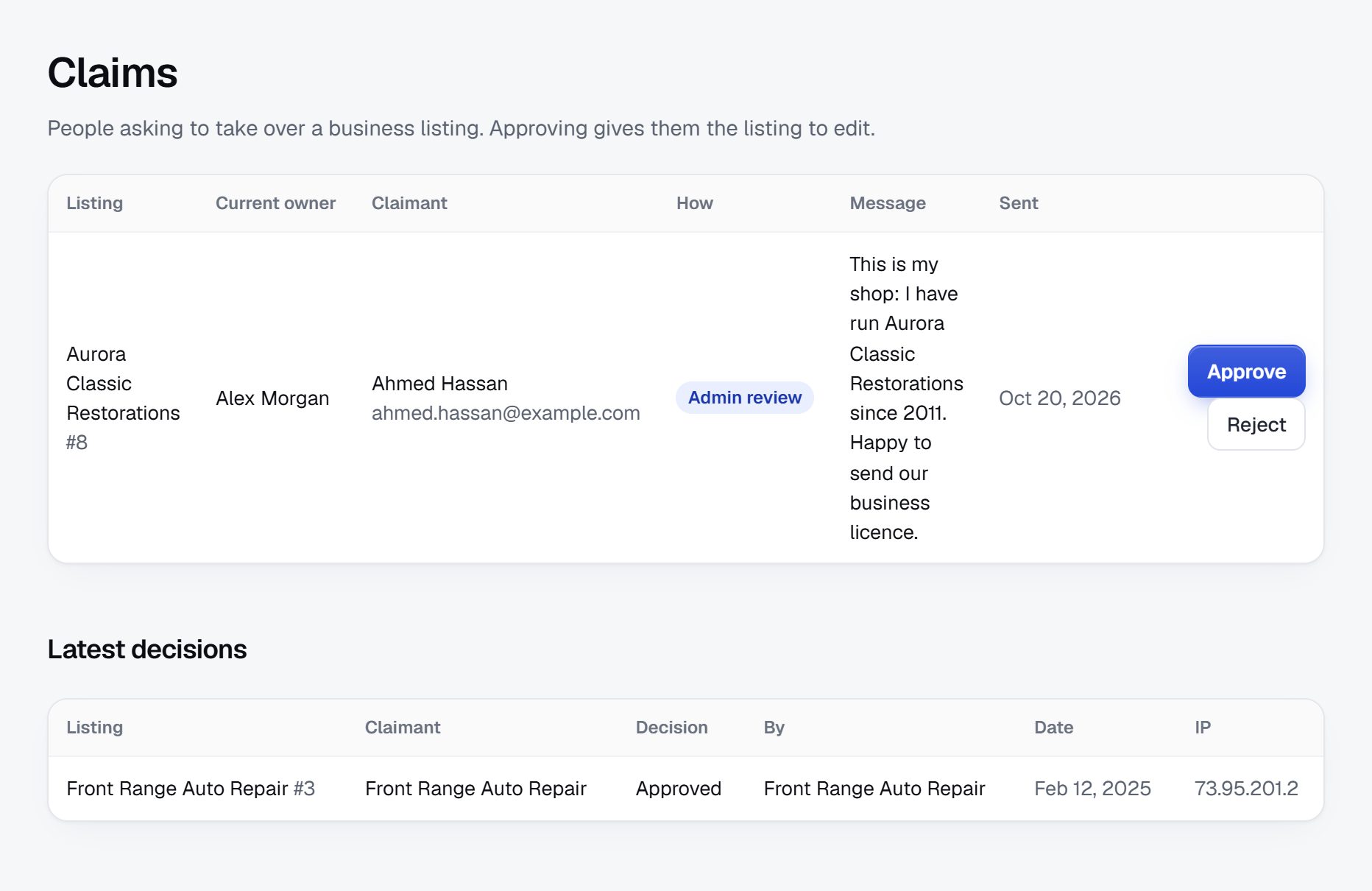
Keep unlicensed operators, storm chasers and fake reviews out.
Contractor fraud follows a few well-known patterns. After hail, hurricanes or floods, out-of-area crews go door to door, take large deposits and disappear. Unlicensed operators underbid and skip permits. Others ask for most of the job price up front, or pressure homeowners to sign over insurance claims. A directory that lists anyone who signs up becomes part of the problem.
Rules to set early
- Check licenses against the state board for trades that require one, and show the license number on the page.
- Ask for proof of insurance before giving a verified badge, and record the expiry date so you can ask again.
- Hold new listings for review, especially businesses with no local address that appear right after a storm.
- Moderate reviews. Expect fake five-star reviews from friends and fake one-star reviews from competitors. Approve reviews before publishing and let contractors reply.
Advice for homeowners
Publish a short guide on every trade page: get several written estimates, check the license and insurance yourself, do not pay large deposits in cash, make sure permits are pulled and never sign over an insurance claim under pressure. License requirements, deposit limits and lien rules differ from state to state, so check the rules where you operate before you state any of them as fact.
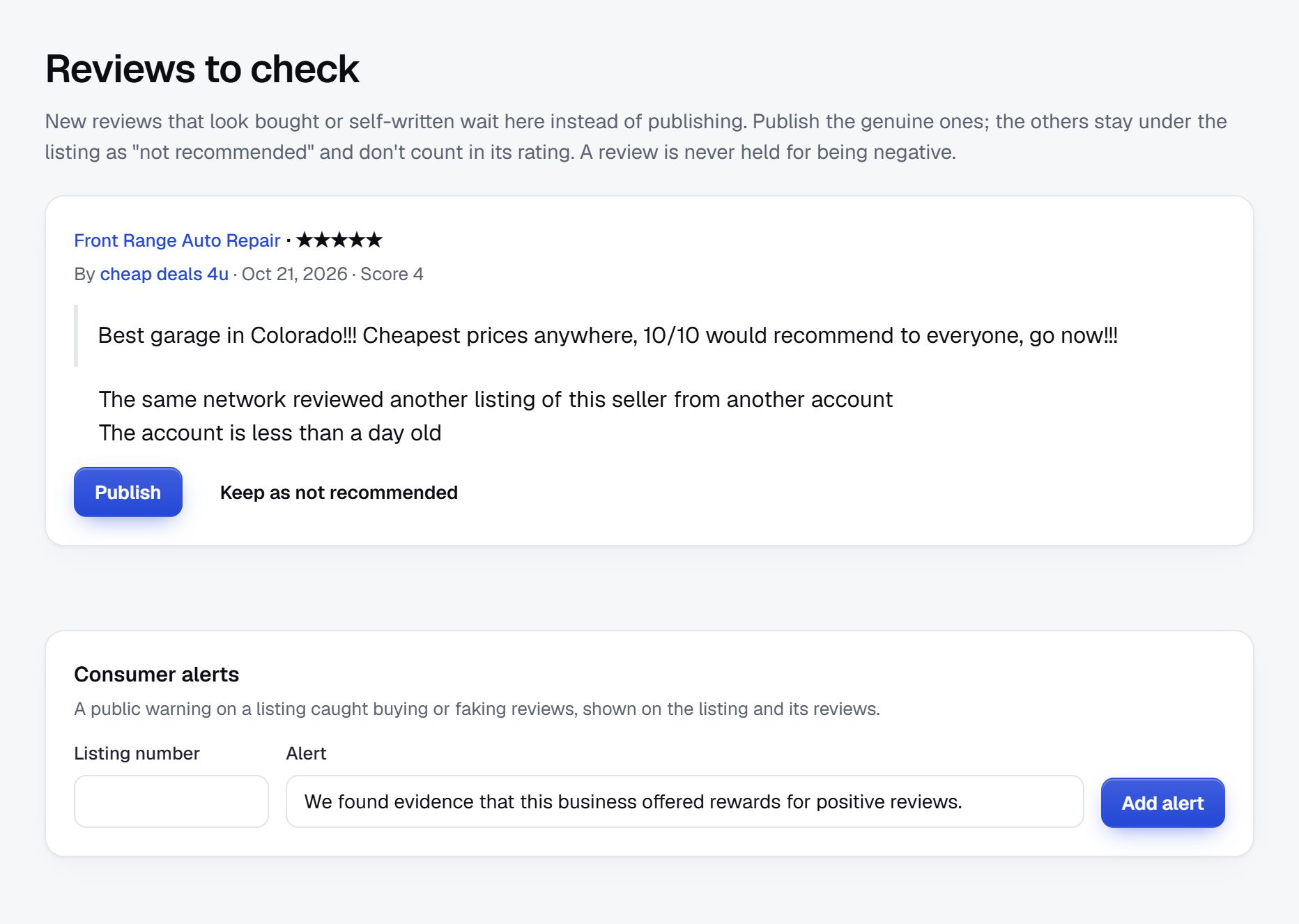
Rank for trade plus town, and for the questions before the hire.
Contractor searches pair a trade with a place, and they come with plenty of questions before anyone hires. Examples: "roofers in Wichita", "licensed electrician near me", "kitchen remodel contractors Boise", "emergency plumber Saturday", "how to check a contractor license in Texas", "deck builders who do composite", "roof replacement after hail what to do".
Pages to build
- Trade plus city for every combination you can fill with at least a few contractors.
- Service pages for specific jobs: EV charger installation, basement waterproofing, generator installation.
- Contractor pages that rank for the business name, often searched before a homeowner calls back.
Content ideas
- How to check a contractor's license and insurance in your state.
- What to ask before hiring a roofer after a storm.
- What permits a kitchen, deck or electrical job usually needs, written with local inspectors' guidance.
- Seasonal checklists: furnace service in fall, roof checks in spring.
Avoid publishing price guides unless you have real local quotes behind them. A wrong number on a remodel page costs you credibility with homeowners and contractors alike.
Launch before spring building season and plan for storm season.
Homeowners plan remodels and exterior work in late winter and hire in spring. Roofing demand jumps after each hail or hurricane season, HVAC demand at the first heat wave and the first cold snap. Launch in late winter so your trade pages are indexed when the planning starts.
First area and partners
- Pick one county and list every licensed contractor in the trades you cover before expanding.
- Home shows in late winter gather homeowners and contractors in one hall. A small booth or simply walking the floor can sign up dozens of businesses.
- Supply houses, lumber yards and equipment rental shops will put a stack of cards on the counter if you ask the manager.
- Real estate agents and home inspectors are asked for contractor names every week.
Launch checklist
- Every licensed contractor in your chosen trades listed for the county.
- License numbers checked for at least the trades that require them.
- Trade plus city pages built.
- Homeowner hiring guide written and linked from every trade page.
- Quote requests tested with three friendly contractors.
- A storm damage page ready before the season starts.
After each big storm, update the storm page with advice and check new sign-ups twice as carefully.
A worked example: Tallgrass Contractor Finder, south-central Kansas.
As an invented illustration, take Tallgrass Contractor Finder, a directory for the Wichita metro and the counties around it in south-central Kansas. Hail is a fact of life there, many neighborhoods are full of older homes that need steady work, and homeowners have been burned by crews that knock on doors after a storm and vanish with a deposit.
How the categories are arranged
- Roofing and exteriors
- Roof replacement and repair
- Siding, gutters and windows
- Remodeling
- Kitchens and baths
- Basements
- Plumbing, electrical and HVAC
- Concrete, decks and fences
- Storm shelters and safe rooms
Who it serves
Homeowners make up most of the traffic, especially in the days after a hailstorm, when they search for a roofer who has been in town for longer than a week. Landlords with a handful of rental houses come back often for plumbers and handymen. Real estate agents use the directory to send buyers a short list of contractors after an inspection turns up repairs, and that habit brings a steady flow of visits outside storm season. Insurance adjusters and property managers found it later, through the roofing pages.
How it got going
The founder sold building materials at a lumber yard for twelve years and knew which contractors paid their accounts and finished their jobs. He started with the local contractor licensing list, imported roofers, remodelers and trades from map data, and matched the two, holding back any business that did not appear on the license list until he could ask about it. The lumber yard let him leave cards on the contractor counter, and the local home builders association invited him to a breakfast meeting where twenty-two members claimed their pages. He wrote a hail damage guide in early spring, and after the first big storm it became the most visited page on the site.
How it makes money
Pages stay free. Contractors who receive quote requests every month pay for a membership, which includes a verified badge once their license and insurance certificate are checked. Roofers buy featured places on the roofing page in storm season, and a supply house and a home improvement lender hold banner spaces. The founder never passes a homeowner's request to anyone the homeowner did not pick, and he says so on every trade page. Two roofers told him that line alone was why they claimed their pages.
| Contractor | Typical job | Key details |
|---|---|---|
| Prairie Line Roofing | Roof replacement after hail | Locally licensed, insured, 9 years in business, works with insurance adjusters |
| Cottonwood Kitchen and Bath | Mid-size kitchen remodel | Design-build, free estimates, financing offered |
| Arkansas River Electric | Panel upgrade and EV charger install | Master electrician on staff, residential only, pulls permits |
| Keeper Concrete and Shelters | Below-ground storm shelter | Insured, 2 to 3 week lead time, Sedgwick and Butler counties |
| Old Town Plumbing Co. | Water heater replacement | Emergency service, Spanish spoken, written quotes before work |
These businesses are fictional, created only for this example.
The first 90 days, timed to the building season.
A contractor directory has a calendar it cannot ignore: planning in late winter, hiring in spring, emergencies after summer and fall storms, and quiet weeks in deep winter when contractors finally have time to talk. A twelve-week plan that starts in December or early January catches that quiet window for signing up businesses and finishes just as homeowners start looking.
Licenses come before marketing. Check every trade that needs a license against the board before the page goes public, and record what you checked and the date. Insurance takes longer, because contractors have to ask their agent for a certificate, so request it during the claim call and give the verified badge only when it arrives. Many contractors carry the certificate on their phone, so asking during the call often saves a week of reminders.
Keep the first area tight. A county with every licensed roofer, plumber and electrician beats a whole state with a scattering, and homeowners notice at once when the name their neighbor used is missing. Save memberships for the end of the plan, once quote requests are arriving and contractors can see them in their inbox. A contractor who has already won a job from your site needs no sales pitch.
| Weeks | Focus | Done when |
|---|---|---|
| 1-2 | Pick the county and trades; download license lists; import trade businesses from map data | Every licensed business in the chosen trades has a page |
| 3-4 | Match imports to license records; hold unlicensed or out-of-area businesses for review | Each public page shows a license status, and the rest are held |
| 5-6 | Visit supply houses and lumber yards; call contractors to claim their pages | 40 claimed pages with service area and job photos |
| 7-8 | Collect insurance certificates; publish badge rules; write the homeowner hiring guide | 15 contractors verified, with dates recorded |
| 9-10 | Build trade plus city and job pages; write the storm damage page | Each trade page in the county shows at least five contractors |
| 11-12 | Book a spot at the home show; test quote requests; offer memberships to contractors receiving requests | Ten quote requests delivered and the first memberships sold |
Ways to build a contractor directory, side by side.
A contractor directory needs license and insurance fields that display clearly, service areas that can be searched by town rather than by office address, galleries of finished jobs, reviews with contractor replies, and quote requests that reach only the businesses a homeowner picked. Seasonal featured places and a contractor membership complete the picture. Speed matters too: after a storm you may need to tighten moderation and update pages in a single evening.
You can test demand before any of this with a printed list for one supply house counter, but homeowners will want to search and compare within weeks.
Developers and custom code
Worth it if your model depends on something unusual, such as automatic license checks against a state board's data, or a project tracking tool for homeowners. Both are real products, and both take far longer to build than the directory itself. Many boards also limit how their data may be reused, so read their terms first and ask the board when in doubt.
A script or plugin you install
Self-hosted directory scripts and WordPress directory plugins cover listings, categories and claims. They suit a founder with a web developer in the family. Fake contractor sign-ups and review spam arrive quickly in this niche, so you will spend real time on filters and updates.
A hosted builder
A hosted builder such as Yclas handles servers and updates, so your evenings go to supply house visits and license checks. Whichever you pick, confirm that quote requests go only to chosen businesses, that new listings can be held for approval, and that verified badges can be shown on each page.
| Route | Fits when | Watch out for |
|---|---|---|
| Custom development | You plan automatic license checks or a project tool for homeowners | The tool can take a year while the directory waits |
| Script or WordPress plugin | Someone close to you maintains websites | Fake contractor sign-ups, review spam, upkeep |
| Hosted builder | You want to spend your time on contractors and verification | Check requests to chosen businesses only, listing approval and badges |
| Joining a lead network as an affiliate | You only want referral income, not a directory of your own | Homeowners and contractors already distrust shared leads |
What a contractor directory costs to run.
The software is the smallest part of the bill. Most of the cost is your time in the first months: finding the first listings, answering questions and checking what gets posted.
License lookups on most state boards are free, while Google Places imports run on your own key and grow with volume. Budget for a booth or entry at a home show and for printed cards for supply house counters, and allow time each year to recheck insurance certificates.
| Cost | Typical range | On Yclas |
|---|---|---|
| Domain | $10 to $20 a year | Your own, with SSL included |
| Software and hosting | $0 to $100+ a month, plus plugins and updates | Starter $19 a month, Professional $99 |
| Design | $0 to $100 for a theme, or a designer | 109 looks included |
| Payment fees | About 3% per payment | Your Stripe or PayPal fees; Yclas takes nothing |
| Business data | Free if you collect it, or a few cents per page of Google results | Paid to Google, with your key |
| Your time | 5 to 10 hours a week at the start | Finding listings, moderation, support |
Mistakes that sink contractor directories.
- Selling shared leads. Sending one request to many contractors earns quickly and destroys trust just as fast: homeowners get flooded with calls and contractors pay for jobs they lose. Let homeowners choose who hears from them, and charge through membership. The contractors who stay are the ones who care about their name, which is exactly who homeowners want to find.
- Badges without dates. An insurance certificate that expired last year turns your verified badge into a false statement. Store the expiry date with every check, remind contractors a month ahead, and remove the badge when coverage lapses.
- Relaxing during storm season. In the week after hail, out-of-state crews sign up in numbers, often with new phone numbers and no local address. Hold every new roofing listing for review, ask for a local license or registration where one applies, and look up the business before approving it.
- Mixing handymen with licensed trades. Rules on what an unlicensed handyman may do differ by state and job size. Give handymen their own category and keep them out of licensed trades such as electrical and plumbing. A homeowner who hires a handyman for wiring work and fails an inspection will remember where the name came from.
- Accepting stock photos. Glossy kitchens from a manufacturer's catalog make every remodeler look alike and mislead homeowners. Ask for photos of the contractor's own jobs, ideally with the town and year noted. Before and after shots of the same room are worth more than any number of finished-room photos.
- Defaulting the service area to the office address. A roofer based in one suburb may work in six counties, while a busy plumber may refuse calls beyond ten miles. Ask for the towns served, and match searches against that list. Recheck it each spring, since crews grow and shrink with the season.
- Chasing every trade at once. Twenty trades with three businesses each looks empty everywhere. Start with roofing, HVAC, plumbing and electrical, finish them, then add painters, flooring and landscaping.
- Crowning a best contractor. A painter with forty reviews from small jobs can outrank a builder who completes three homes a year. Show review counts next to job types and let homeowners sort, rather than publishing a single winner. Ranking lists also invite contractors to pressure customers for reviews, which spoils the reviews for everyone.
- Overlooking Spanish-speaking crews. Many skilled tradespeople run their businesses in Spanish and are missing from English-only directories. A languages field and a Spanish version of the hiring guide reach businesses your competitors never contact.
Contractor directory glossary.
Contractors, inspectors and insurers use these words, and you will need them on calls and on pages.
| Term | What it means |
|---|---|
| General contractor (GC) | The firm that manages a whole project and hires subcontractors for specialist work. |
| Subcontractor | A trade business hired by a general contractor for part of a job, such as plumbing or drywall. |
| Licensing board | The state or local body that licenses certain trades and usually offers a public license lookup. |
| Bonded | Backed by a surety bond that can compensate a client if the contractor fails certain obligations. |
| General liability insurance | Coverage for property damage or injury the contractor causes while working. |
| Certificate of insurance (COI) | A document from the insurer showing the policy, its limits and its expiry date. |
| Workers' compensation | Insurance for workers injured on the job, required in many places for firms with employees. |
| Permit | Approval from the local building department to do certain work, usually followed by inspections. |
| Mechanic's lien | A claim against a property by an unpaid contractor or supplier, governed by state rules. |
| Storm chaser | An out-of-area contractor who follows severe weather to sell repairs door to door. |
| Change order | A written change to a contract's scope or price after work has started. |
| Design-build | A firm that handles both design and construction under one contract. |
| Master electrician or plumber | The highest common license level in a trade, often required to pull permits. |
| Punch list | The list of small items left to fix at the end of a job before final payment. |
The same steps for a contractor directory on Yclas.
- Describe your directoryThe setup wizard writes the categories, an About page and example listings from one sentence.
- Add fieldsHours, services, areas served, prices: the details people search by, as filters.
- Fill itImport businesses from a spreadsheet or Google Places, then check them.
- Bring owners inOwners claim their page, update it and answer reviews.
- EarnSwitch on featured places, banners or memberships when visits arrive.
What should I budget to start a contractor directory?
Apart from the site, plan for Google Places usage on your key, a home show booth or two and printed cards for supply houses. The biggest cost is the time to check licenses and call contractors.
Do I have to verify licenses myself?
You do not have to, but it is the main reason homeowners would trust you over a lead site. Show the license number, link the check to your verified badge and say clearly what you checked and when.
Am I liable if a listed contractor does bad work?
This depends on where you operate and how you present listings. State clearly that homeowners hire contractors directly, describe what your verification covers, and check the rules where you operate with a lawyer.
How do I get busy contractors to claim their pages?
Build the page first, then reach them where they already are: supply house counters, trade association meetings and home shows. Quote requests waiting for them are the best reason to log in.
How does a contractor directory make money?
Paid memberships once quote requests flow, featured places in busy seasons, banners for supply houses and lenders, and verification bundled into membership.
Should I sell each quote request to several contractors?
It earns more at first, but it is why homeowners and good contractors dislike the big lead sites. Let homeowners choose who gets their request and charge through membership instead.
Can a local directory compete with the national contractor sites?
Yes, on depth and trust: every licensed contractor in one area, visible license and insurance details, honest reviews and requests that go only where the homeowner sends them.
Should I list contractors who do not hold a license?
For trades that require one where you operate, no, or only with a clear unlicensed status and outside the licensed categories. Handymen and trades with no license requirement can be listed normally, with the limits of their work stated. When a contractor's license is pending or under appeal, hold the page until the board shows it active, and tell the contractor why.
How do I handle a homeowner's complaint about a listed contractor?
Ask the homeowner to leave a factual review, give the contractor a chance to reply, and act yourself only on evidence of fraud, a lapsed license or repeated serious complaints. Keep a note of every complaint and what you did about it. Patterns matter more than single angry posts, and your notes are what let you see them.
Should contractors be able to post prices?
Allow optional fields for things like free estimates, minimum job size or a typical price for a standard job such as a water heater swap. Most remodel work cannot be priced without a visit, so never force a number. A field for whether the contractor charges for estimates answers the question homeowners actually ask.
Can I cover commercial contractors as well?
Yes, but keep them in their own categories or behind a residential or commercial field. Commercial clients care about bonding capacity and prequalification, and homeowners do not want commercial firms filling their results. Start residential, where search demand is, and add commercial once you have the contacts.
How do I keep a verified badge meaningful?
Publish exactly what it covers, such as a license checked with the board and a current insurance certificate, record the dates, and recheck at least once a year and whenever a certificate expires. Show the last check date on the page so homeowners can see the badge is current.
Related pages.
The parts of Yclas this leans on.
You have the plan. Now build the contractor directory your region can hire from.
Describe your site in a sentence and the setup wizard writes the categories, example listings and a look. Free for 15 days, no credit card.
Start my directory