How to build a home services directory people trust with their keys.
This guide covers how to build a home services directory for cleaners, gardeners, handymen and the other people who work inside and around homes: who searches and what they worry about, the details that matter for recurring work, how featured places and quote requests earn money, where small operators are found, and how to keep households and workers safe.
Free for 15 days · No credit card · Plans from $19 a month
Serve the household looking for someone they will let inside.
Hiring a cleaner or a dog walker is different from hiring a builder. The job is small, it often repeats every week or two, and the person will be in your home while you are out. Households want someone nearby, available on their day, reliable and safe around kids, pets and valuables. The people doing the work are mostly sole operators and small crews who do not have websites, do not show up well in map results and rely on word of mouth.
National apps cover some of these services, usually by taking a cut from each job and treating the worker as interchangeable. A local directory gives each operator a page of their own and gives households a way to compare people, not just prices.
Pick your angle
- One town or suburb, all home services. Cleaners, lawn care, handymen, pet sitters and window washers in one place.
- One service group: outdoor work only, or cleaning in all its forms from weekly visits to move-out deep cleans.
- One kind of household: older people living alone, busy families, short-term rental hosts who need turnover cleaning and laundry.
Today these hires happen through neighborhood Facebook groups, Nextdoor recommendations, school parent chats, flyers at the grocery store and hardware store notice boards.
In home services, the person matters more than the company. Let operators show who they are.
Use the details households ask before the first visit.
Keep categories to the services people name, one level deep. The details a household checks before inviting someone in are what the fields should hold.
- Areas covered by town or ZIP code. A cleaner who works in three neighborhoods does not want calls from across the county.
- Visit type: one-off, weekly, every two weeks, monthly, seasonal.
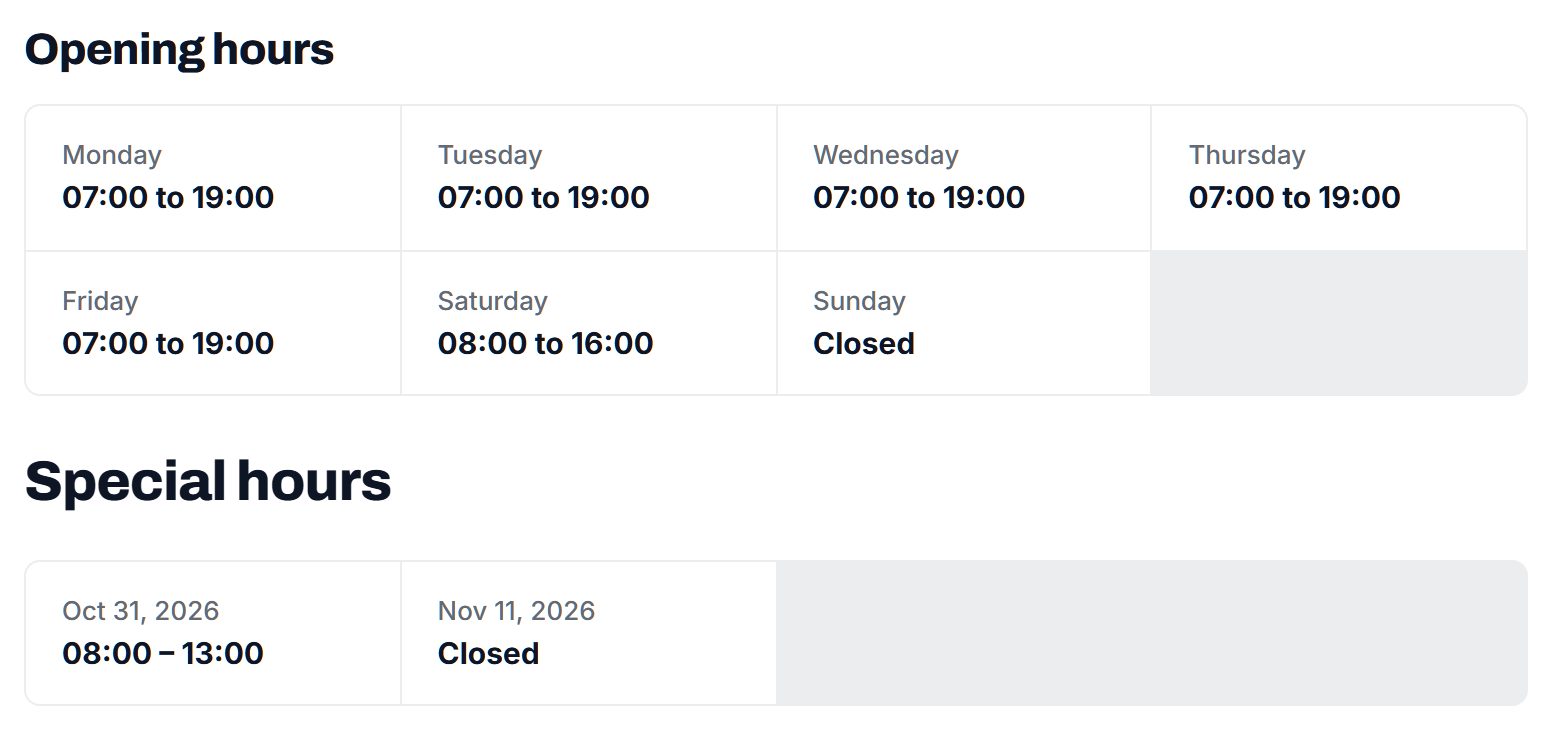
- Pricing basis: hourly, per visit, per room or per yard, as a dropdown rather than a number that goes stale.
- Insured, bonded and background checked as separate checkboxes, each shown clearly on the page.
- Brings own supplies or equipment, and for cleaners, eco or fragrance-free products.
- Pets and allergies: comfortable with dogs, cats, allergies noted.
- Languages spoken and whether weekend or evening visits are possible.
Small operators often fill in pages on their phone between jobs. Ask only for what households really decide on, and leave the rest optional. A household can always ask the remaining questions in a message.
| Service | Example businesses | Details households filter on |
|---|---|---|
| House cleaning | Independent cleaners, small cleaning crews | Visit frequency, own supplies, eco products, pets OK |
| Move-out and deep cleaning | End-of-lease cleaners, rental turnover teams | Same-week availability, appliance cleaning, carpet |
| Lawn care and gardening | Mowing services, gardeners, landscapers | Weekly or seasonal, leaf removal, hedge trimming |
| Handyman and small repairs | Handymen, furniture assembly, TV mounting | Job size, hourly or per job, tools supplied |
| Pet care | Dog walkers, pet sitters, mobile groomers | Background checked, insured, overnight stays |
| Windows, gutters and snow | Window washers, gutter cleaners, snow plowing | Season, height limits, one-off or contract |
These can all be custom fields with Yclas, set as checkboxes, dropdowns or numbers and offered to visitors as search filters.
Earn from visibility in busy seasons and from steady requests.
Home service operators run on thin margins and many work alone, so they are wary of paying before they see work. Keep the basic page free and earn when the directory is clearly sending jobs.
- Featured places sell well in predictable peaks: lawn care in early spring, gutter cleaning in fall, snow removal before the first storm, deep cleaning before the holidays.
- Quote requests let a household describe the job once and send it to the two or three operators it picked. Once operators see a steady stream, a monthly membership that keeps their page prominent and the requests coming is an easy offer.
- Memberships for larger crews and franchises covering several towns, with more photos and staff profiles.
- Banner spaces for hardware stores, garden centers, cleaning supply shops and local insurance agents.
Keep fees low and predictable. A sole operator will pay a small monthly amount far more readily than a per-lead charge they cannot plan around.
| Model | Works when | Switch it on |
|---|---|---|
| Free operator pages | You need every cleaner and gardener in the area | From day one |
| Seasonal featured places | Spring lawn work, fall gutters, winter snow, holiday cleaning | A few weeks before each peak |
| Memberships | Operators receive quote requests every week | After a season of steady requests |
| Banner spaces | Hardware stores and garden centers want local households | When you can show monthly visitors |
| Franchise memberships | Larger crews cover several towns | Once two or three have claimed pages |
Find the operators who never advertise.
The best cleaners and gardeners are often booked through word of mouth and have no web presence at all. Finding them takes legwork as much as data.
Where the first hundred come from
- Google Places import. Searches for house cleaning, lawn care and handyman services in your area bring in name, address, phone, website and opening hours for the businesses that have a map listing. No photos are imported, so ask each operator for one of themselves or their van.
- Neighborhood recommendation threads. Every Nextdoor and local Facebook group has posts asking for a good cleaner. The names that come up again and again are your first calls.
- Hardware stores, garden centers and equipment rental counters. Staff know which handymen and landscapers buy there every week, and notice boards are full of their cards.
- Property managers and short-term rental hosts. They hire cleaners and handymen constantly and can name the reliable ones.
Most of these operators will not fill in a page themselves. Offer to build it from a ten-minute phone call, then send them the link to claim it. Ask for a photo of the person, the areas they cover and two or three past customers willing to leave a review.
A face and a first name on the page does more for a cleaner than any logo.
Make safety visible for households and for the people doing the work.
Households worry about theft, damage and letting a stranger near children or an elderly parent. Workers face risks too: clients who refuse to pay, unsafe homes and a well-known scam where a fake client sends a check for more than the job and asks for the difference back before the check bounces.
Rules for operators
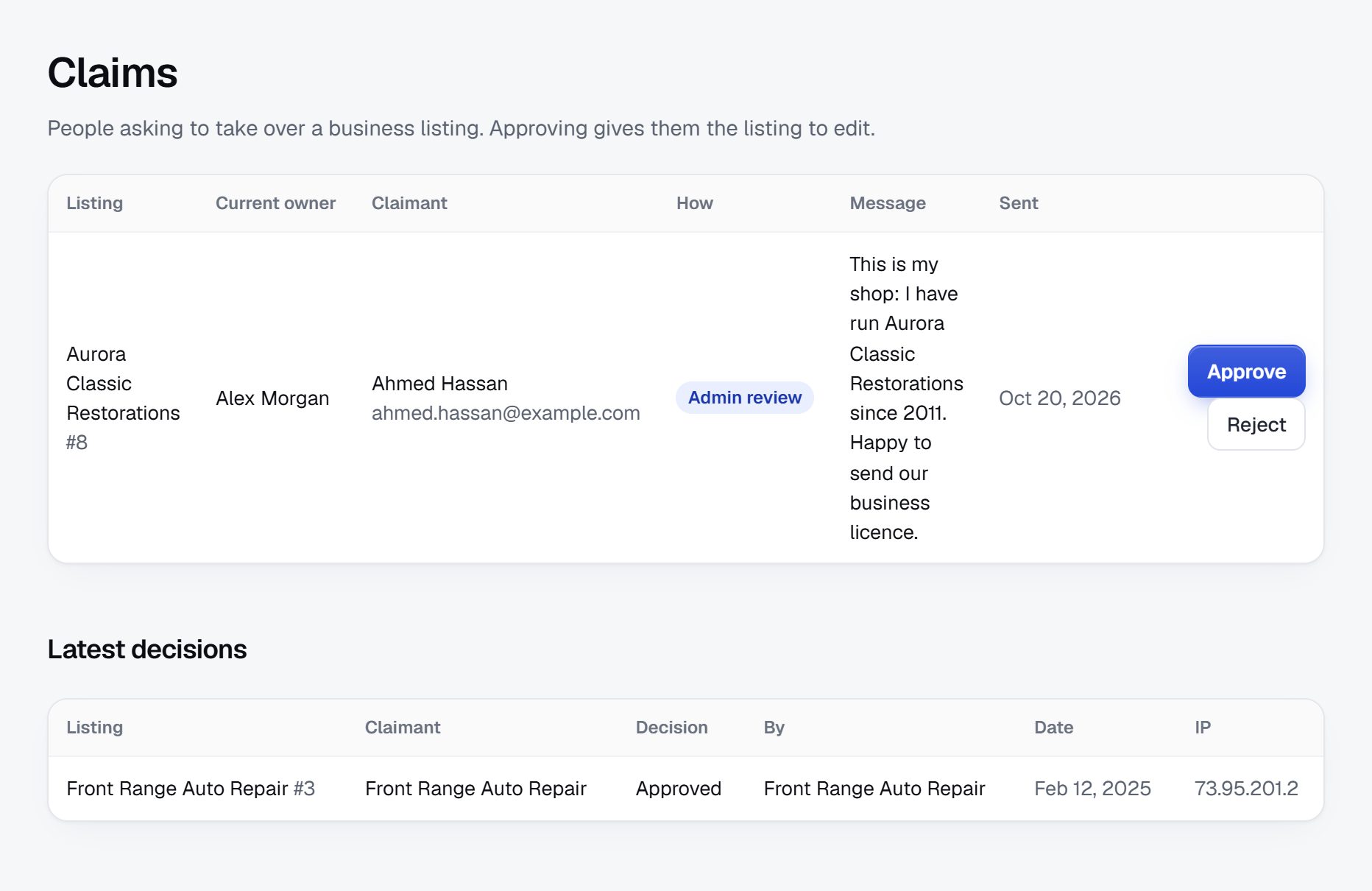
- Approve each new operator before the page goes live, and confirm the phone number by calling it.
- Separate badges for insurance, bonding and background checks, given only when you have seen the document, with a date you record so you can ask again.
- Remove operators after serious, credible complaints, and keep a note of why.
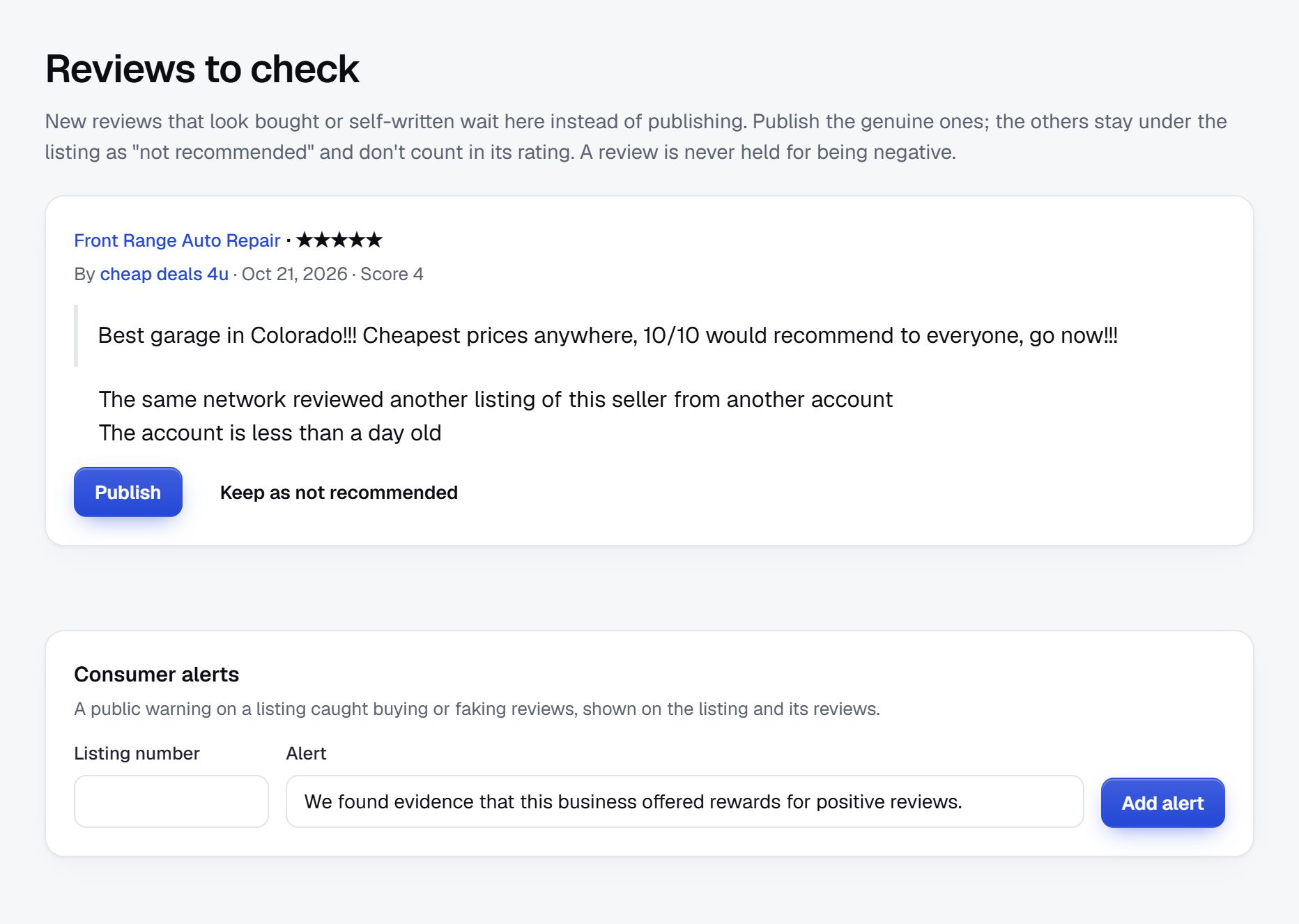
- Moderate reviews before they appear, and remove ones that share a worker's home address or personal details.
Advice to publish
- For households: meet the person first, ask for references, agree the price and tasks in writing, and lock away valuables and medicines.
- For operators: get paid through traceable methods, never refund an overpayment, and tell someone where you are working when visiting new clients alone.
Background check rules, worker classification and insurance requirements for these trades vary widely, so check the rules where you operate before you describe any of them as required.
Rank for the service, the town and the season.
Home service searches are short, local and timed to the season or a life event. Examples: "house cleaner near me", "move out cleaning Spokane", "lawn mowing service Naperville", "handyman for small jobs Fort Collins", "dog walker Brooklyn Heights", "gutter cleaning before winter", "snow plowing driveway contract".
Pages to build
- Service plus town for each service you list, and neighborhood pages in larger cities.
- Job pages for the specific tasks people type: furniture assembly, TV mounting, pressure washing, leaf removal, oven cleaning.
- Life event pages: moving out, preparing a home for sale, caring for an older parent at home, getting a rental ready between guests.
Content ideas
- What to agree with a new cleaner before the first visit.
- A seasonal calendar for home and garden upkeep in your climate.
- How to hire a pet sitter for a week away.
- Questions to ask a handyman before a small job.
Operator pages that show the person, the area and real reviews also rank for the operator's name, which word-of-mouth customers search before they call.
Launch in early spring, when lawns and spring cleaning start.
Home services run on a calendar. Spring brings the first mowing and spring cleaning, summer brings vacation pet care, fall brings leaves and gutters, winter brings snow and holiday deep cleans. The end of each month brings move-out cleaning. Launch in late winter so the spring pages are found when households start looking.
First area and partners
- Pick one town or a few neighboring suburbs and cover every service before you widen the map.
- Hardware stores and garden centers will often let you leave cards and talk to staff about the operators they know.
- Real estate agents and property managers need cleaners and handymen at every move.
- Senior centers and community groups are asked for trustworthy help at home all the time.
Launch checklist
- At least a dozen operators in each main service, with areas covered.
- Insurance and background check badges explained on the About page.
- Safety advice for households and operators written.
- Service plus town pages built for your area.
- Quote requests tested with a few friendly operators.
- A spring lawn and cleaning page ready before the first warm weekend.
Before each season, message operators to update their availability and ask past customers for fresh reviews.
A worked example: Bluestem Home Help, the western suburbs of the Twin Cities.
Consider an invented site, Bluestem Home Help, covering the western suburbs of the Twin Cities in Minnesota, from Hopkins and Minnetonka out to Wayzata and Plymouth. The seasons there are sharp: lawns for six months, leaves for one, snow for four, and a cleaning rush around every holiday and every end-of-month move.
How the categories are arranged
- Cleaning
- Regular house cleaning
- Move-out and deep cleans
- Yard and garden
- Mowing and fall cleanup
- Snow removal
- Handyman and small repairs
- Pet care
- Help for older adults at home
- Errands and companionship
- Grab bars and small safety fixes
Who it serves
Two-income families with young children make most of the cleaning and mowing searches. Adult children who live in other states look for help for an aging parent, and they read every badge and review before sending a message. Short-term rental hosts near the lakes look for turnover cleaners who can handle a Sunday checkout and a Sunday arrival on the same afternoon.
How it got going
The founder ran a two-person cleaning business and kept turning down work she had no time for. She started by listing the operators she already passed jobs to, then read three years of recommendation threads in local neighborhood groups and wrote down every name mentioned more than twice. A map data import added the larger companies. Most of the solo operators had no website, so she built each page from a short phone call and sent them the link to claim it. A hardware store in Hopkins let her pin a sign-up sheet to its notice board, and it filled within two weeks.
Her first steady users were not families but property managers, who needed move-out cleaners at the end of every month and liked having names with reviews in one place.
How it makes money
Pages are free. Snow removal operators buy featured places in October, before the first storm, and lawn services buy them in March. Operators who receive quote requests every week pay a small monthly membership. A garden center and a local insurance agency hold banner spaces. The site never takes a cut of the work: households and operators settle the schedule and the price between themselves, by message or by phone. In its second year she added a page of operators who help older adults, after adult children kept asking for it.
Every page shows a face, a first name and the towns covered. That alone set it apart from the map results.
| Operator | Price basis | Key details |
|---|---|---|
| Maren's Cleaning, sole operator | Per visit, every two weeks | Insured, brings own supplies, fragrance-free option, dogs OK |
| Two Pines Lawn and Snow | Seasonal contract | Mowing April to October, driveway plowing after 2 inches |
| Handy Hal Home Repairs | Hourly, two-hour minimum | Furniture assembly, TV mounting, grab bars, background checked |
| Lake Country Turnover Cleaning | Per turnover | Same-day cleans between guests, linens laundered, weekends |
| Good Neighbor Pet Visits | Per visit | Dog walks and cat visits, insured and bonded, lockbox keys accepted |
All five operators are made up for this example.
The first 90 days, one phone call at a time.
A home services directory succeeds when households find real people on it, so the first three months are mostly spent on the phone with sole operators. Many of them work all day with their hands busy and return calls in the evening. Plan your calls for late afternoon, keep each one under ten minutes, and fill in the page while you talk.
Line the plan up with the seasons. If you start in January, snow removal operators are busy and hard to reach, while lawn services and cleaners are planning their year and glad to hear from you. Aim to have the spring pages complete before the first warm weekend, when mowing and spring cleaning searches begin. Fall is the second window: leaves, gutters and snow contracts are all decided in September and October.
Write the safety advice and the badge rules early, in the third or fourth week rather than at the end. Operators ask what the badges mean before they send insurance papers, and households look for the rules before they trust a page. Selling memberships waits until quote requests are arriving every week, because a sole operator will judge the offer by the messages already in their inbox.
| Weeks | Focus | Done when |
|---|---|---|
| 1-2 | Pick the towns and services; import companies from map data; collect names from neighborhood threads | 100 operators identified, each with a service and an area |
| 3-4 | Write badge rules and safety advice for households and for operators | Both published and linked from every service page |
| 5-6 | Phone operators and build pages during the call; collect a photo and the towns covered | 50 pages claimed, each with a photo of the person or the van |
| 7-8 | Collect insurance and background check documents; give dated badges | 20 operators with at least one badge |
| 9-10 | Build service plus town and life event pages; ask past customers for reviews | Each main service has a dozen operators and some reviews |
| 11-12 | Leave cards at hardware stores and garden centers; test quote requests; offer seasonal featured places | Quote requests reach operators weekly and the first featured place is sold |
Ways to build a home services directory.
The operators in a home services directory are often one person with a phone, so the software has to make their pages easy for you to build and easy for them to claim later. Households need to filter by town, visit frequency and badges, read reviews from neighbors, and send one quote request to a few operators at once. Seasonal featured places and simple memberships cover the money side. Nothing here needs online payment or a booking calendar, which keeps the build simple.
Custom development
Developers make sense only if your idea is a different product, such as a scheduling and payment app for cleaners. That is a big build with its own questions about payments and worker status, and it stops working like a directory. Many operators also prefer to agree prices and times directly with households, without an app in the middle.
A script or plugin on your own hosting
Directory scripts and WordPress plugins can carry operator pages, reviews and contact forms. They fit a founder who already manages a website. Spam sign-ups and fake reviews are common in home services, so expect to tune filters often and to check new accounts by hand.
A hosted builder
A hosted builder such as Yclas lets you start from the data instead of the server. Whichever route you choose, check that badges can be shown per operator, that reviews can be held for approval and that one quote request can go to several chosen operators.
| Route | Fits when | Watch out for |
|---|---|---|
| Custom development | You want a scheduling and payment app, not a directory | Payment handling, worker classification questions, a long build |
| Script or WordPress plugin | You or a friend already maintain a website | Fake reviews, spam sign-ups, plugin upkeep |
| Hosted builder | Your strength is knowing the local operators | Check badges, review approval and quote requests first |
| A pinned list in a neighborhood group | You want to test demand in one subdivision | Nobody updates it, and nobody can search it |
What a home services directory costs to run.
The software is the smallest part of the bill. Most of the cost is your time in the first months: finding the first listings, answering questions and checking what gets posted.
Google Places imports run on your own key and cost depends on how many businesses you pull in. Plan for printed cards for hardware stores and garden centers, and decide early whether you will pay for background checks for the badge or ask operators to bring their own report.
| Cost | Typical range | On Yclas |
|---|---|---|
| Domain | $10 to $20 a year | Your own, with SSL included |
| Software and hosting | $0 to $100+ a month, plus plugins and updates | Starter $19 a month, Professional $99 |
| Design | $0 to $100 for a theme, or a designer | 109 looks included |
| Payment fees | About 3% per payment | Your Stripe or PayPal fees; Yclas takes nothing |
| Business data | Free if you collect it, or a few cents per page of Google results | Paid to Google, with your key |
| Your time | 5 to 10 hours a week at the start | Finding listings, moderation, support |
Mistakes that empty a home services directory.
- Showing companies and hiding people. A logo and a business name tell a household very little. A photo of the person who will come, their first name and how long they have worked locally are what earn the first message. Ask for a plain phone photo in work clothes; it reads as more honest than a studio portrait.
- Badges that mean different things. If verified covers a phone check for one operator and a background check for another, households will assume the strongest meaning. Use separate badges for insurance, bonding and background checks, and explain each one in a sentence. Put the date of each check beside the badge, since insurance and checks both go out of date.
- Publishing exact rates. Hourly rates change from season to season, and a stale number leads to arguments at the door. Show the pricing basis, such as per visit or hourly, and let households ask for a current quote. A minimum visit length or minimum charge is safer to show, because it changes less often.
- Covering too wide an area. A cleaner shown across a whole metro gets messages from places she will never drive to, and soon stops answering. Ask for the towns or ZIP codes served and keep search results to those.
- Ignoring seasonal turnover. Some lawn operators quit or switch trades each winter, and some snow operators exist only for three months a year. Ask every operator before each season whether they are taking new clients, and hide pages that do not answer. Bring them back the moment they reply, with their reviews intact.
- Showing home addresses. Sole operators often register their business at home. Publishing that address exposes them and their families. Show the towns served instead and keep street addresses private. The same applies to the operator's own phone number if they ask; on-site messages can stand in for it.
- Trusting reviews from relatives. New operators sometimes ask family to post five stars, and households can tell. Hold reviews for approval, watch for clusters from new accounts, and ask operators to put you in touch with real past customers.
- Forgetting the operator's safety. Workers enter strangers' homes alone. Publish safety advice for them as well as for households, and block accounts that harass operators or refuse to pay when an operator reports it.
- Promising a guarantee. Words such as guaranteed or fully vetted suggest you stand behind the work. Say what you checked and when, and make clear that households hire operators directly. The same goes for your own marketing copy and the emails you send.
Home services glossary.
Operators and households use these terms loosely, so define them once on your About page as well.
| Term | What it means |
|---|---|
| Sole operator | A self-employed person who does the work personally, usually without staff. |
| Bonded | Covered by a bond that can reimburse a client for certain losses, such as theft by the worker. |
| Background check | A records search on a worker, done with consent, whose scope varies by provider and place. |
| Recurring service | Work repeated on a set schedule, such as cleaning every two weeks or weekly mowing. |
| Deep clean | A one-off thorough clean covering inside appliances, baseboards and other spots a regular visit skips. |
| Move-out clean | A deep clean of an empty home at the end of a lease, often to help recover a deposit. |
| Turnover cleaning | Cleaning a short-term rental between guests, usually within a tight same-day window. |
| Seasonal contract | An agreement covering a whole season, such as all snow plowing from November to March, at a set price. |
| Trigger depth | The snowfall, such as two inches, at which a snow contract calls for a visit. |
| Handyman | A person who does small repairs and installs; what they may do without a trade license differs by state. |
| Pet sitter and dog walker | A pet sitter cares for pets at home, often for days; a dog walker comes for set walks. |
| Lockbox | A small coded box holding a house key so an operator can enter while the owner is out. |
| Supplies included | Whether the operator brings cleaning products and tools or expects the household to provide them. |
| Worker classification | Whether a worker counts as an employee or an independent contractor, which affects taxes and other rules. |
The same steps for a home services directory on Yclas.
- Describe your directoryThe setup wizard writes the categories, an About page and example listings from one sentence.
- Add fieldsHours, services, areas served, prices: the details people search by, as filters.
- Fill itImport businesses from a spreadsheet or Google Places, then check them.
- Bring owners inOwners claim their page, update it and answer reviews.
- EarnSwitch on featured places, banners or memberships when visits arrive.
How much does it cost to start a home services directory?
Little money and plenty of time: some Google Places usage on your own key, printed cards for local stores, and many short phone calls to operators who do not answer email. Background checks, if you pay for them, are the largest optional cost.
Should I run background checks on cleaners and pet sitters?
It builds trust, but rules on background checks vary by place and need the person's consent. Many directories show a badge only when the operator provides their own recent report, and say exactly what it covers.
Am I responsible if something goes missing in a client's home?
Make clear that households hire operators directly and that your badges describe documents you have seen, not guarantees. Check the rules where you operate with a lawyer before launch.
How do I find operators who have no website?
Read the recommendation threads in neighborhood groups, ask hardware store and garden center staff, and talk to property managers. Then build the page for them from a phone call.
How does a home services directory make money?
Seasonal featured places, memberships for operators who receive regular quote requests, banners for local stores and memberships for larger crews and franchises.
Why not just let people book through the site?
A directory connects households with operators and lets them send quote requests. The operator and the household agree the schedule and price between themselves, which suits independent workers who set their own terms.
Can I compete with the national home service apps?
Yes, locally. The apps take a cut of each job and treat workers as interchangeable; your directory shows the person, their area and real neighbors' reviews, and it is free for operators to start.
Should operators be able to list more than one service?
Yes, if they really do the work, since many handymen also mow and many cleaners do move-outs. Ask them to choose a main service for their page and add the others as checkboxes, so categories do not fill up with the same names. Review the extra services once a year, since operators drop work they no longer want.
What if an operator stops answering messages?
Call them once, then hide the page until they respond. Households who message someone who never replies blame the directory, not the operator, and rarely give it a second try.
Can franchises sit alongside sole operators?
Yes. Show the local franchise owner and the towns they cover rather than the national brand, and add a company size field so households who prefer one or the other can filter. Ask franchises which local staff actually do the visits, because households want to know who will come.
How do I get reviews when the work happens inside private homes?
Ask each operator for three to five regular customers and send those customers a short request yourself. Regular clients of a good cleaner or dog walker are usually glad to write a few lines about someone they trust with their keys.
Should I list home care for older adults?
Non-medical help such as errands, companionship and light housekeeping fits a home services directory. Personal and medical care is often licensed, so check the rules where you operate before listing it, or keep it in a separate category with license details shown.
Related pages.
The parts of Yclas this leans on.
You have the plan. Now build the home services directory your neighbors will pass around.
Describe your site in a sentence and the setup wizard writes the categories, example listings and a look. Free for 15 days, no credit card.
Start my directory