How to build a dentist directory that shows what each practice really offers.
This guide covers how to build a dentist directory for a city, a region or one kind of treatment: why people searching for a dentist struggle today, the treatments and payment details they filter on, how the directory makes money, seeding practices and getting them claimed, license checks and honest reviews, the searches to rank for, and a launch plan.
Free for 15 days · No credit card · Plans from $19 a month
Choose an area or a treatment where patients compare practices.
Dental patients search with a purpose. Someone with a cracked tooth on a Saturday needs an emergency appointment today. A parent wants a dentist who is good with nervous children. An adult who has avoided the dentist for years wants sedation and no lecture. Someone quoted a high price for implants wants a second opinion and a payment plan.
General map listings show the nearest dental offices and a star rating, but say nothing about which ones do implants in-house, which take a given dental plan, or which see emergencies at the weekend. Patients end up phoning around, or trusting whichever office spends most on ads.
Choosing the angle
- One city or county: every general and specialist practice, with treatments and dental plans listed.
- One treatment across a region: orthodontics, implants or pediatric dentistry, where patients drive further and compare carefully.
- Patients without coverage: practices with in-house membership plans, payment plans, dental schools and community clinics with sliding fees.
- Dental travel: clinics in one destination for patients who travel abroad for treatment, a field where trust is the main question.
Today recommendations travel through neighborhood groups, parents' chats and coworkers, and through the lists dental plans give their members. Read those threads to learn what people ask before they book.
A dentist directory earns its place by answering "can they help me, and how will I pay".
Filter by treatment, coverage and comfort.
Keep categories to the kinds of practice patients recognize: general and family dentistry, pediatric, orthodontics, oral surgery, periodontics, endodontics, cosmetic and emergency. A practice can sit in several. Treatments and payment belong in fields, so a patient can ask for implants, sedation and a payment plan in one search.
Fields patients use
- Treatments offered: a checkbox list such as cleanings, fillings, crowns, root canals, implants, dentures, clear aligners, braces, whitening, veneers.
- Dental plans accepted: the main plans in your area, plus Medicaid for children where it applies.
- Payment options: in-house membership plan, payment plans, financing, cash discounts.
- Emergency appointments: same day, weekends, after hours.
- Sedation: none, nitrous oxide, oral sedation, IV sedation, as stated by the practice.
- Good with: children, anxious patients, patients with special needs.
- Languages spoken and accepting new patients.
Ask practices to tick only treatments done in their own office. Many general dentists refer implants or root canals out, and a patient who books for a treatment the office does not do will blame the directory.
| Category | Example places | Details patients filter on |
|---|---|---|
| General and family | Neighborhood practices, group dental offices | Dental plans, new patients, Saturday hours, languages |
| Pediatric | Pediatric dentists, family practices that see toddlers | Youngest age seen, sedation, Medicaid for children, special needs |
| Orthodontics | Orthodontists, practices offering clear aligners | Braces or aligners, free consultation, payment plans, adult patients |
| Oral surgery and implants | Oral surgeons, implant practices | Implants in-house, sedation type, referral needed, financing |
| Emergency dental | Practices with same-day slots, after-hours clinics | Same day, weekend hours, walk-ins, patients without coverage |
| Low-cost care | Dental schools, community health clinics | Sliding fee, waiting list, treatments covered, eligibility |
A treatments checklist is more useful than a long free-text description, because it can be searched.
Sell visibility and enquiries for high-value treatments.
Dentistry has a clear money pattern: routine cleanings bring patients in, and treatments such as implants, orthodontics and veneers are where a new patient is worth a lot to a practice. Those are the categories where practices pay to be seen.
- Featured places in implants, orthodontics and cosmetic dentistry for each town, labeled as featured.
- Quote requests: a patient describes what they need, such as a full set of dentures or aligners, and the request goes to several practices, which reply with a price range and a consultation offer.
- Practice memberships: an enhanced page with team bios, more photos and priority in results.
- Banner spaces: dental labs looking for practices, dental supply stores, sleep apnea clinics, financing providers and local orthodontic product sellers.
Keep listings free for every practice at first, so the directory is complete. Introduce featured places once patients are sending quote requests, since a practice that has already received one is easy to convince. Check the rules where you operate on fees per patient referral before charging per quote.
| Model | Works when | Switch it on |
|---|---|---|
| Free basic listings | Patients need a complete list | At launch |
| Quote requests | Patients compare prices for big treatments | Once implants and orthodontics are seeded |
| Featured places | Practices compete for high-value treatments | When quote requests arrive weekly |
| Practice memberships | Groups want a richer page | After practices start claiming pages |
| Banner spaces | Labs, suppliers and financing firms want reach | When you can show visitor numbers |
Seed every dental office, then win the practice managers.
Start complete: every dental office in your first city should be on the site before you promote it. Then spend your effort getting practices to claim and enrich their pages, since the treatments and payment fields are what make the directory useful.
Sources for the first dental offices
- Google Places: dental office names, addresses, phone numbers and opening hours.
- The state dental board: public license lookups confirm who practices where.
- Dental society member lists: local and state societies list members by area.
- Dental schools and community clinics: these lower-cost options are often missing from map listings, and patients without coverage need them most.
- Specialist referral networks: general dentists refer to the same oral surgeons and orthodontists, who are worth listing early.
With Yclas, you can import businesses from Google Places with your own Google key (no photos are imported), and owners claim their page to add treatments, plans and photos. Call the office manager, not the dentist: office managers handle marketing and new patients, and they will fill in the treatment list if you show them the quote requests waiting. Aim for fifty claimed pages before you add a second city.
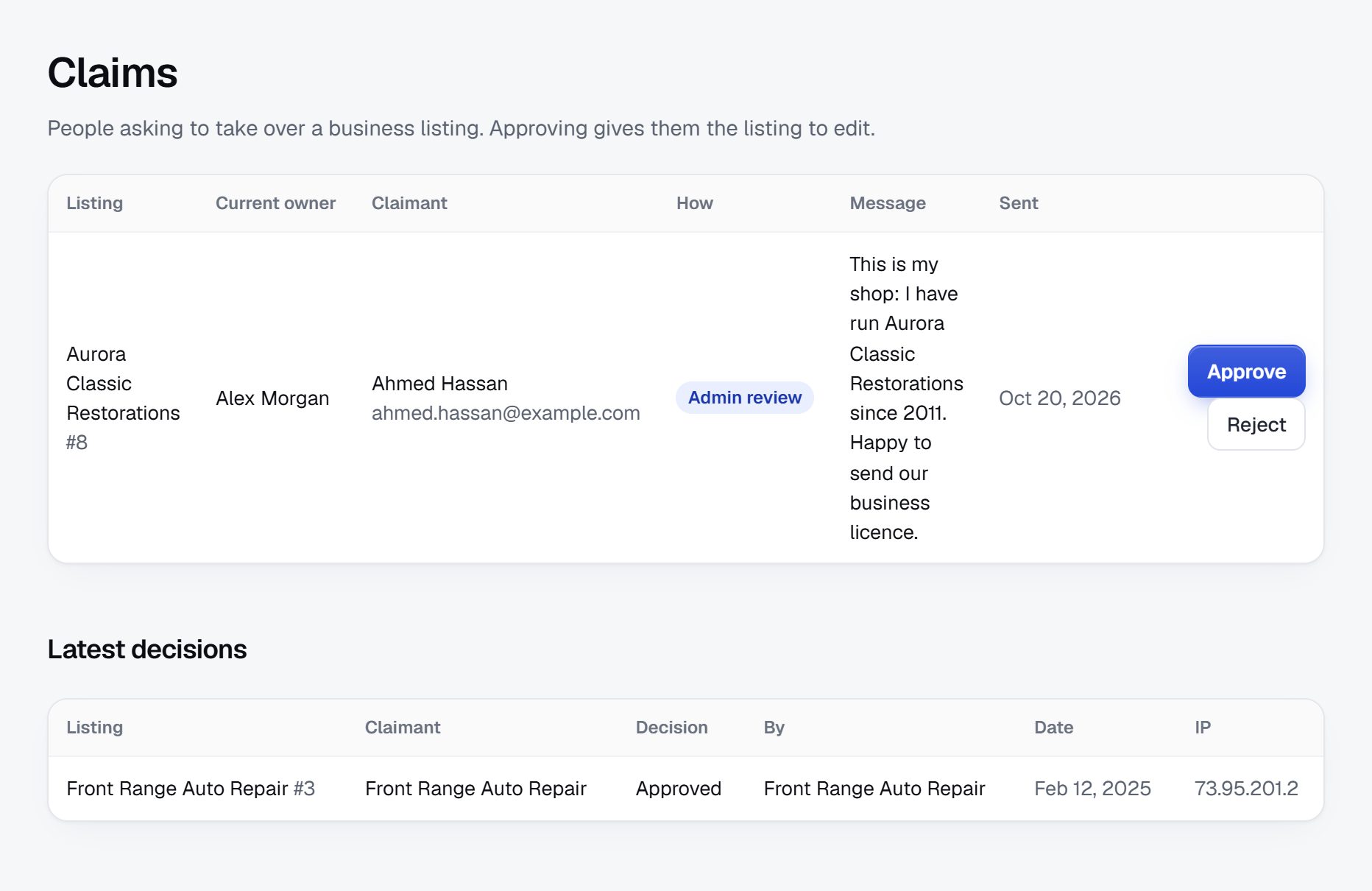
Watch for bait prices, unverified claims and review abuse.
Dentistry has its own trust problems, and patients have been burned by them. A directory that handles them openly becomes the place people check before they book.
What to handle
- License checks: look up each dentist and specialist on the state dental board before showing a verified badge. Specialist titles such as orthodontist or oral surgeon are regulated in many places, so check the rules where you operate.
- Bait pricing: "implants from" prices that leave out the abutment, crown or scans. Ask practices to say what a quoted price includes.
- Before and after photos: ask practices to use only their own patients' photos with consent, and remove stock images presented as results.
- Fake reviews: bursts of five-star reviews from new accounts, or attacks from rival offices. Hold them for checks.
- Patient privacy: ask reviewers not to post X-rays or health details, and remind practices that replies must not confirm treatment details.
- Clinics abroad: for dental travel listings, ask for the clinic's local registration and say plainly that you do not inspect clinics.
Add a short notice on every page: the directory helps people find dental practices and does not give dental advice.
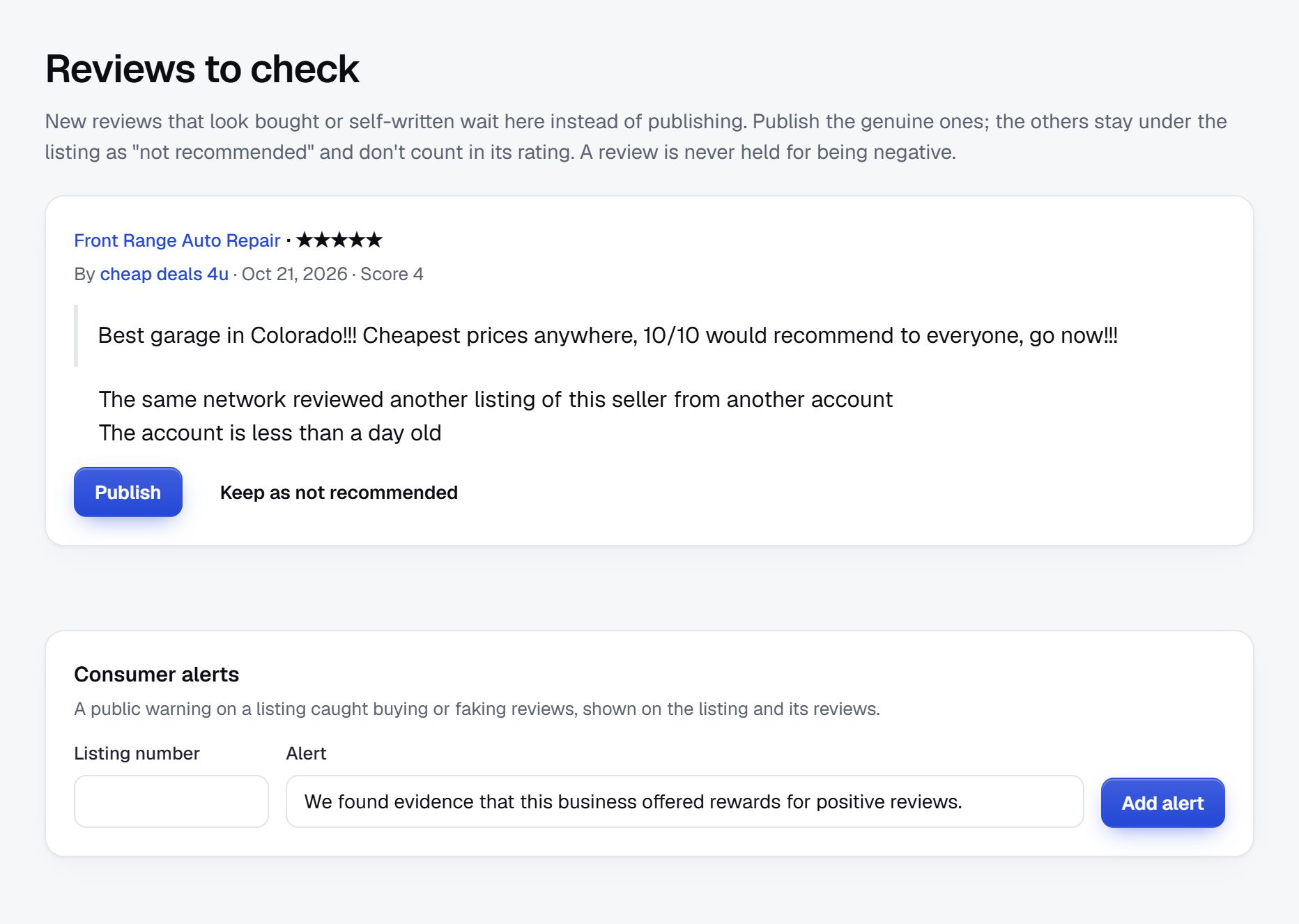
Rank for treatments, emergencies and price questions.
Dental searches are often urgent or about money. Both kinds are specific enough for a local directory to win against national sites.
Searches to aim for
- "emergency dentist open Saturday [city]"
- "dentist that accepts Medicaid for kids near me"
- "dental implants cost [city]"
- "sedation dentist for anxious patients [town]"
- "low cost dental clinic [county]"
Pages to build
Every treatment and every town gets a page, and the pages that answer urgency or cost deserve the most care: emergency dentists by town, practices with payment plans, dentists by dental plan. Show the opening hours on the listing card, since emergency searchers decide in seconds.
Content ideas
- What to ask when comparing implant quotes, written as questions for the dentist, not as advice.
- A list of low-cost options in the area: dental schools, community clinics and charity days.
- A guide for new parents on finding a pediatric dentist before the first birthday visit.
- Practice interviews about how they handle nervous patients.
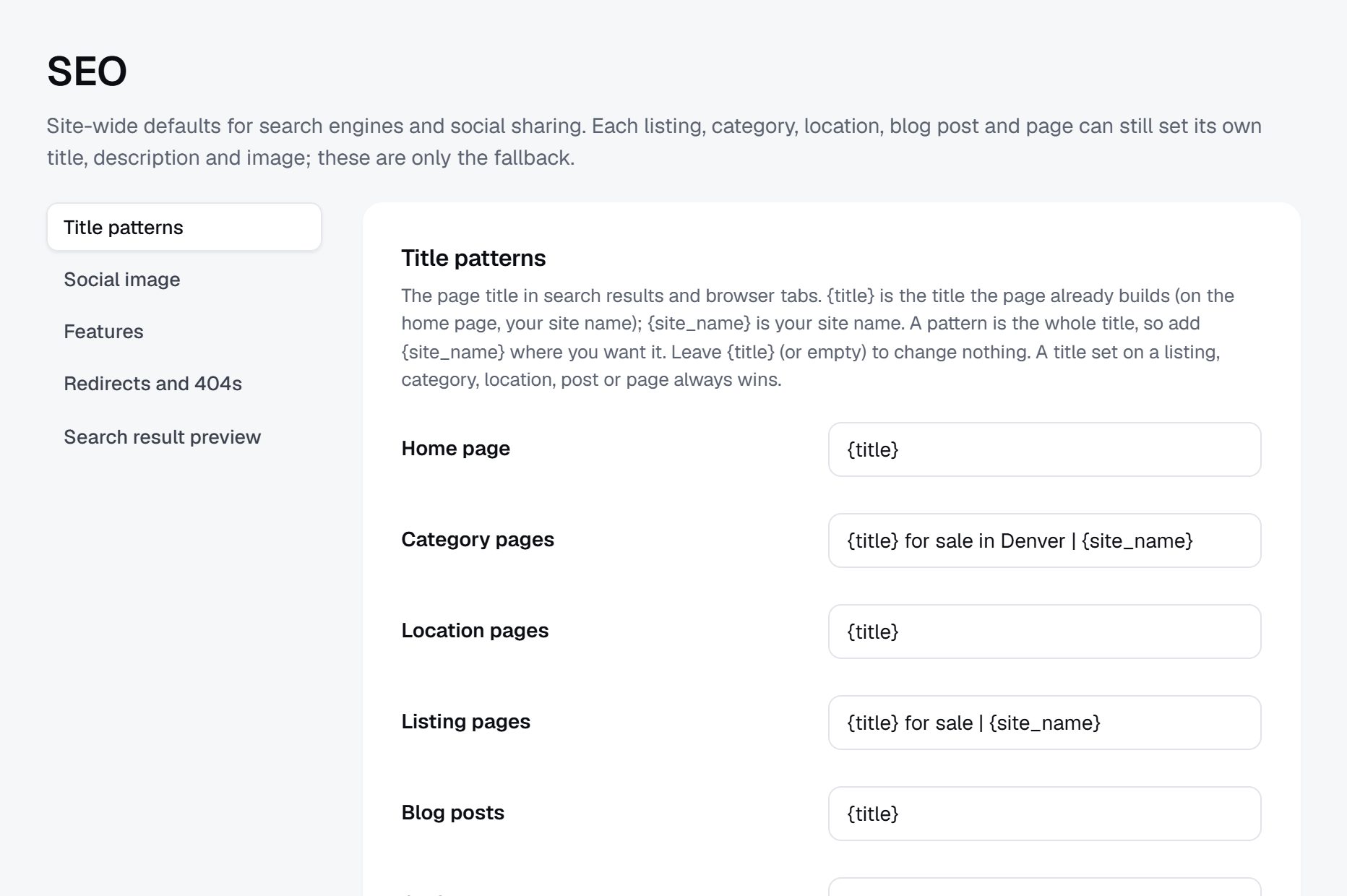
Launch city by city, with emergencies first.
Emergency and weekend availability is the page that brings patients back and tells their friends. Make it right in your first city before anything else, by phoning each practice that claims same-day appointments.
Seasons matter here too. Back-to-school months bring checkups for children, and the last weeks of the year bring adults using up their annual dental benefits before they reset, which is when practices most want to fill chairs.
Partners worth having
- Office managers at group practices.
- Pediatricians and school nurses, who are asked for dentist names.
- Community health workers and food banks, who meet people without dental coverage.
- Local employers that offer dental plans.
Launch checklist
- Pick the city and the categories.
- Import every dental office and add schools and community clinics by hand.
- Confirm emergency hours by phone.
- Check licenses before showing verified badges.
- Write the rules on prices, photos and reviews.
- Get fifty practices to claim and complete their pages.
- Switch on quote requests for implants and orthodontics.
- Promote the emergency page in local groups.
A worked example: Saltmarsh Dental Directory, the Charleston area of South Carolina.
Here is how the pieces fit in one invented case. Saltmarsh Dental Directory is a fictional site covering Charleston, North Charleston, Mount Pleasant, Summerville and the towns around them. Its founder had spent a weekend with a broken molar, phoning offices that turned out to be closed, booked solid, or unable to see someone without dental insurance. She built the directory she wished she had found that Saturday, starting with the one list nobody else kept: who actually sees emergencies this week, and what an exam costs without insurance.
How the categories are arranged
- General and family dentistry
- Practices open Saturday
- Practices with in-house membership plans
- Emergency dental
- Same-day appointments
- After-hours clinics
- Children
- Pediatric dentists
- Family practices that see toddlers
- Orthodontics and implants
- Low-cost care
- Community clinics
- Free dental days
Who uses it
The biggest group is adults without dental coverage, including many service workers in the restaurant and hotel trade, who need to know the price of an exam and a cleaning before they call. Next come parents looking for a pediatric dentist who takes Medicaid for children, and people in pain on a weekend.
How it got going
The founder imported every dental office in the area from map data and then called them in a fixed order: emergency availability first, payment options second, treatments third. She added the community clinics and a dental school clinic by hand, because they barely appeared in map results. The emergency page launched after five weeks with eighteen practices confirmed for same-day visits, each with the days and hours they actually keep a slot open.
The directory took off when a local food bank printed the low-cost care page on a flyer, and when two office managers started sending their overflow emergency calls to it on busy Mondays.
How it earns
All practices are listed free. Money comes from featured places on the implant and clear aligner pages, quote requests for dentures and implants that practices answer with a price range, and banner spaces bought by a dental lab, a sleep apnea clinic and a patient financing company. Practices pay a monthly fee to be featured, not a fee per new patient, which the founder chose after reading her state's rules on referral payments. In her first year, the low-cost page never earned anything directly, yet it brought most of the links and shares that made the paid pages worth buying.
| Practice | Area | Key details |
|---|---|---|
| Harborview Family Dental | Mount Pleasant | Saturday mornings; in-house plan covering two cleanings a year; nitrous oxide; new patients yes |
| Ashley River Emergency Dental | West Ashley | Same-day slots weekdays and Sunday; patients without coverage welcome; price list for exams posted |
| Little Palmetto Pediatric Dentistry | Summerville | First visit from age one; Medicaid for children; special needs experience; oral sedation |
| Cooper Street Orthodontics | North Charleston | Braces and clear aligners; free consultation; payment plans; adult patients |
| Lowcountry Community Dental Clinic | North Charleston | Sliding fee by income; waitlist about four weeks; extractions and fillings; Spanish spoken |
The first 90 days, laid out week by week.
For a dentist directory, the order of work matters more than the speed. Start with the information that changes behavior today, which is who can see a patient in pain this week and who sees patients without coverage. Treatments and photos can follow once practices claim their pages, because office managers will add those for you.
Each week, keep a call log with the office, the person you spoke to, what they confirmed and when to call again. Emergency slots and membership plan prices change more often than founders expect, especially when a practice hires or loses an associate dentist, and a page that shows the date of the last call is far more convincing than one that does not.
Hold off on selling anything until the emergency page and the low-cost page are complete in your first city. Those two pages bring the visitors and the shares that later make featured places worth buying. By week twelve, the target is a complete city, fifty claimed practices, quote requests switched on for the big treatments, and two or three practices interested in being featured. If you finish early, use the spare weeks to add a second kind of page, such as dentists who see patients with special needs, rather than a second city.
| Weeks | Focus | Done when |
|---|---|---|
| 1-2 | Choose the city; import dental offices; add dental schools and community clinics by hand | Every dental office in the city has one page, with no duplicates |
| 3-4 | Phone practices about emergency slots, weekend hours and patients without coverage | The emergency page lists only practices confirmed in the last month |
| 5-6 | Check licenses on the state dental board; write rules for prices, photos and reviews | Verified badges show only on checked dentists, and the rules are published |
| 7-8 | Ask office managers to claim pages and tick the treatments done in-house | Thirty practices have claimed pages with a treatments list |
| 9-10 | Build treatment, dental plan and payment option pages for each town; switch on quote requests for implants and dentures | The first quote requests reach practices and get replies |
| 11-12 | Share the low-cost and emergency pages with food banks, school nurses and community groups | Fifty practices are claimed and two have asked about featured places |
Ways to build a dentist directory, compared.
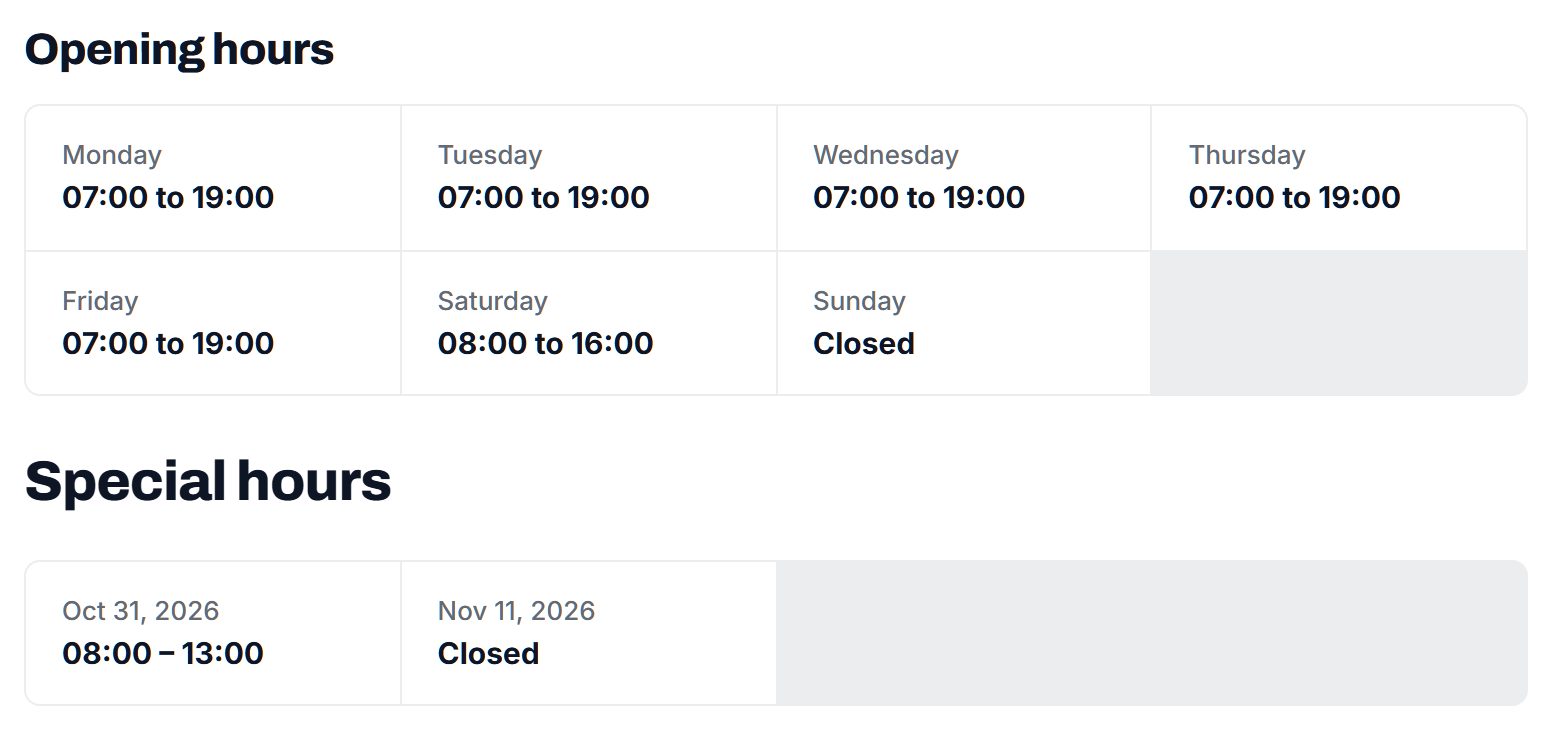
A dentist directory has a particular mix of needs. It must search on long checkbox lists, such as treatments, dental plans and sedation types, at the same time. It needs practice pages that office managers can claim and update without help, quote requests that go to several practices at once, reviews with owner replies, and enough pages to cover every treatment in every town. Opening hours have to be exact, because emergency searchers act on them.
Custom development
Paying developers to build it fits only if you have a feature nobody offers, such as a price comparison tool fed by practices' own fee schedules. Expect a long build, and expect to fund changes every time you learn something new about what patients want.
A self-hosted script or WordPress plugin
Directory scripts and WordPress plugins give you most of the listing features on a server you run. They suit a founder who already runs websites and enjoys it. The catch is the upkeep: plugin updates that break each other, review spam, backups and security fixes, all while you should be phoning dental offices.
A hosted builder
A hosted builder handles the software and the server, so your effort goes into the data. Check that it supports checkbox fields as search filters, claiming, quote requests and opening hours before you choose. For a first city, this is usually the quickest route to a complete, correct directory, and you can still move later if your angle outgrows it. Before you start, confirm you can export your practice list with its call dates, since that record is what makes the directory valuable whichever route you take.
| Route | Fits when | Watch out for |
|---|---|---|
| Developers build it for you | You have a feature such as fee comparison that no product offers | A long build and a bill for every change after launch |
| Directory script or plugin you host | You already run websites and want full control | Upkeep, plugin conflicts, spam filtering and backups fall on you |
| Hosted builder | Your time is better spent confirming practices than running servers | Check claiming, quote requests and checkbox filters exist before you commit |
| Starting on a spreadsheet and a simple page | You want to test demand for an emergency list in one week | It cannot grow into claiming or reviews, so plan the move early |
What a dentist directory costs to run.
The software is the smallest part of the bill. Most of the cost is your time in the first months: finding the first listings, answering questions and checking what gets posted.
Expect to spend mostly time: phoning offices to confirm emergency hours and plans, and visiting office managers. Google Places requests are billed to your own Google key, and a few printed cards for practices and clinics cost little.
| Cost | Typical range | On Yclas |
|---|---|---|
| Domain | $10 to $20 a year | Your own, with SSL included |
| Software and hosting | $0 to $100+ a month, plus plugins and updates | Starter $19 a month, Professional $99 |
| Design | $0 to $100 for a theme, or a designer | 109 looks included |
| Payment fees | About 3% per payment | Your Stripe or PayPal fees; Yclas takes nothing |
| Business data | Free if you collect it, or a few cents per page of Google results | Paid to Google, with your key |
| Your time | 5 to 10 hours a week at the start | Finding listings, moderation, support |
Mistakes that hold dentist directories back.
- Letting every practice tick every treatment. General dentists often refer out implants, root canals and wisdom teeth. If they tick them anyway, patients book a consultation that ends in a referral elsewhere. Ask practices to tick only what they do in their own office, and spot-check the claims that matter most.
- Emergency listings nobody has called. A practice that said it offers same-day care in March may have lost the dentist who covered those slots. Call emergency practices monthly and drop any you cannot confirm, even if the page gets shorter.
- Publishing price ranges without context. A low implant price that excludes the crown or the scans makes your directory look like part of the bait. Ask for prices with what they include, label them as the practice's own figures, and never add your own estimates.
- Ignoring patients without coverage. Many dentist directories are built around dental plans, which leaves out people who most need help finding care. Membership plans, sliding fees, dental schools and charity days deserve their own pages, and they bring loyal visitors and links.
- Forgetting the office manager. Dentists rarely deal with directories. Pitching the dentist at the end of a long clinical day gets a polite no; pitching the office manager, with real quote requests in hand, gets a claimed page. Learn the name of each office manager, note it in your call log, and ask for them by name every time you call.
- Mixing dental travel into local results. Clinics abroad attract a different patient with different risks. If you list them, give them their own section with clear notes on what you have and have not checked, rather than placing them next to local practices.
- Charging per patient before checking the rules. Pay-per-patient deals feel natural to sellers, but referral payments in health care are restricted in many places. Start with monthly fees for featured places and check the rules where you operate before anything else.
- Treating pediatric and adult care as one list. Parents of a three-year-old do not want to scroll past implant practices, and many general offices do not see very young children at all. Ask every practice for the youngest age it sees, and give pediatric dentistry its own pages, with special needs experience and sedation shown on the card.
- Letting reviews become price fights. Patients sometimes post their whole bill and argue about each line, and practices answer in kind. Ask reviewers to describe the visit and the explanation they received, keep bills and X-rays off the site, and suggest practices reply once, briefly.
Glossary of dental directory terms.
Office managers will use these terms on the phone, so learn them before your first round of calls.
| Term | What it means |
|---|---|
| DDS and DMD | Two degree titles for dentists that mean the same level of training; the name depends on the dental school. |
| General dentist | A dentist who handles routine care such as exams, cleanings, fillings and crowns, and refers more complex cases. |
| Endodontist | A specialist in root canal treatment and problems inside the tooth. |
| Periodontist | A specialist in gum disease and the bone around teeth, who often places implants as well. |
| Prosthodontist | A specialist in replacing teeth with crowns, bridges, dentures and implant-supported teeth. |
| Oral surgeon | A specialist who removes teeth, places implants and treats the jaw, often with deeper sedation. |
| Clear aligners | A series of removable plastic trays that move teeth, offered by orthodontists and many general dentists. |
| In-house membership plan | A yearly or monthly fee paid to the practice that covers checkups and discounts treatments for patients without dental insurance. |
| PPO and DHMO | Two common dental plan types: a PPO lets patients choose dentists with a network discount, while a DHMO limits them to assigned dentists. |
| Annual maximum | The most a dental plan will pay in a year, which drives the year-end rush to use benefits. |
| Nitrous oxide | A mild sedation gas, often called laughing gas, used for nervous patients and children. |
| IV sedation | Deeper sedation given through a vein, which in many places requires a special permit for the dentist. |
| Abutment | The connector between an implant post and the crown, often left out of advertised implant prices. |
| Dental board | The state agency that licenses dentists and hygienists and publishes license status and discipline. |
The same steps for a dentist directory on Yclas.
- Describe your directoryThe setup wizard writes the categories, an About page and example listings from one sentence.
- Add fieldsHours, services, areas served, prices: the details people search by, as filters.
- Fill itImport businesses from a spreadsheet or Google Places, then check them.
- Bring owners inOwners claim their page, update it and answer reviews.
- EarnSwitch on featured places, banners or memberships when visits arrive.
What does it really cost to launch a dentist directory?
Cash costs stay small, mainly a domain and Google key usage for the import. Your largest investment is the hours spent confirming treatments and hours with each office.
Can I publish dental prices?
Show the price ranges practices give you, labeled as their own figures and with what is included. Avoid publishing your own price claims, and check the rules where you operate on advertising dental fees.
How do I get dentists to claim their pages?
Call the office manager and show them the quote requests or visitors their page already has. A complete, accurate page is easier to sell than an empty promise.
Should I list dental clinics in other countries?
Only if you can confirm each clinic's local registration and are comfortable handling complaints from patients who traveled. Many directories keep this as a separate section with clear warnings.
How do I handle a dentist who wants a bad review removed?
Remove reviews that break your rules, such as fake accounts, health details or threats, and leave honest ones in place. Offer the dentist a public reply instead.
Will dental plan search tools make my site pointless?
They only cover their own network and rarely show treatments, emergency hours or payment plans. A local directory that answers all three is still needed.
Can I take a fee for each new patient I send?
Rules on paying for patient referrals vary and can be strict in health care. Check the rules where you operate before charging per patient, and prefer fixed monthly fees for featured places.
Should hygienists and denturists get their own listings?
Where they can see patients directly, yes, in their own categories with their license type shown. Rules on what hygienists and denturists may do without a dentist differ widely, so check the rules where you operate before listing them.
How do I handle a practice that gets bought by a dental group?
Keep the page and its reviews, update the name, owner and dental plans, and add a short note that the practice changed hands. Patients care about continuity, so ask whether the same dentists still work there and whether the old in-house plan is still honored.
Is it worth covering the year-end benefits rush?
Yes. In the last months of the year many patients try to use their annual maximum before it resets, and practices want to fill chairs. A page of practices with openings in November and December is useful to both sides. Start collecting those openings in October, and remove the page in January so it never shows stale slots.
What should I do about dental chains with many locations?
List each location as its own page with its own hours, dentists and treatments, and link them through one brand profile. Patients choose a location, not a brand, and chains often differ office by office. Ask the chain for one contact who can update all its locations at once.
Can I show which dentists are good with nervous patients?
Only as the practice describes itself, such as sedation offered or extra time for first visits. Avoid your own judgments, and let reviews speak to how patients felt, within your review rules. A field for extra-long first appointments is a helpful, factual signal that practices can fill in themselves.
Related pages.
The parts of Yclas this leans on.
You have the plan. Now build the dentist directory people check before they book.
Describe your site in a sentence and the setup wizard writes the categories, example listings and a look. Free for 15 days, no credit card.
Start my directory