How to build a senior care directory families can trust in a hard week.
This guide covers how to build a senior care directory for assisted living, memory care, nursing homes and home care in one region: who searches and why referral services leave them uneasy, the care levels and payment details families filter on, how the directory earns money, seeding providers from public licensing data, inspections and honest reviews, the searches to rank for, and a launch plan.
Free for 15 days · No credit card · Plans from $19 a month
Help families compare care in one region, honestly.
The person searching for senior care is usually an adult child, often searching from another city, often after a fall or a hospital stay, with days to decide. They need to know which places offer the right level of care, which have a room or a caregiver available, how families pay, and whether there are problems on record.
Many of the big senior living sites are referral services paid by the providers they recommend. Families fill in a form and get a stream of calls. That model helps some families, but many want to compare quietly first, without handing over their phone number.
Choosing the angle
- One region, all care types: independent living, assisted living, memory care, nursing homes, home care and adult day programs in a few counties.
- One care type: memory care or in-home care across a state, where families compare carefully.
- One community: providers with staff who speak a language, or that serve a faith or cultural community.
- Payment focus: places that accept Medicaid or veterans' benefits, which families struggle to find.
Families ask social workers at hospitals, elder law attorneys, churches, caregiver support groups and friends who went through it last year. Those people are your first audience and partners.
Let families compare without a sales call, and the directory earns their trust.
Describe care levels, payment and availability clearly.
Categories should follow the care types families hear from doctors and social workers. Inside each one, fields answer the questions families ask on every tour.
Fields families filter on
- Care level: independent living, assisted living, memory care, skilled nursing, respite stays, hospice support.
- Payment accepted: private pay, long-term care insurance, Medicaid, veterans' benefits, as stated by the provider.
- Monthly cost: a starting price as given by the provider, with what it includes.
- Availability: rooms or caregivers available, waitlist, with the date confirmed.
- Room types: private, shared, studio, one bedroom.
- Care offered: help with bathing and dressing, medication management, diabetes care, two-person transfers.
- Life on site: pets allowed, languages spoken, transportation, activities, couples welcome.
For home care agencies, add the hours offered (from a few hours a week to live-in), the area covered and whether caregivers are employees or contractors. Opening hours apply to adult day programs and offices.
| Category | Example places | Details families filter on |
|---|---|---|
| Assisted living | Assisted living communities, residential care homes | Care offered, monthly cost, Medicaid, room types, pets |
| Memory care | Dedicated memory care communities, secure wings | Secure building, staff training, activities, availability |
| Nursing homes | Skilled nursing facilities, rehab after hospital stays | Medicare or Medicaid, short-term rehab, inspection record |
| Home care | Home care agencies, live-in caregivers, companion services | Hours offered, area covered, languages, employees or contractors |
| Adult day and respite | Adult day programs, short respite stays | Days open, transportation, memory support, cost per day |
| Independent living | Senior apartments, retirement communities | Monthly rent, meals included, age rules, transportation |
Show the date each provider confirmed availability and prices, since both change quickly.
Earn from providers without turning families into leads.
Senior care providers spend heavily to find residents and clients, because each one stays for months or years. That makes the field valuable, but it also tempts directories into selling families' contact details. A directory that refuses to do that has a clear story to tell.
- Featured places: labeled spots on care type and town pages, which communities with open rooms value most.
- Provider memberships: an enhanced page with floor plans, photos, staff introductions and availability updates.
- Quote requests: families who choose to send their needs to a few providers they picked, rather than having their details sold.
- Banner spaces: elder law attorneys, senior move managers, medical alarm companies, home modification contractors and estate sale companies.
If you consider referral fees, be careful. Some states regulate senior placement and referral agencies and require disclosure to families. Check the rules where you operate before charging per move-in. Fixed fees for visibility are simpler and keep you neutral.
| Model | Works when | Switch it on |
|---|---|---|
| Free provider listings | Families need the full set of options | At launch |
| Banner spaces | Attorneys, movers and home modification firms want families | When family visitors are steady |
| Featured places | Communities have rooms to fill | Once area and care type pages are complete |
| Provider memberships | Providers want floor plans and staff pages | After providers claim their pages |
| Quote requests | Families want a few providers to contact them | When families ask how to reach several at once |
Build the list from state licensing data.
Senior care is one of the better documented fields for seeding a directory. Most care types are licensed, and the licensing data is often public.
Where the first listings come from
- State licensing lists: health or social services departments in many states publish lists of licensed assisted living, residential care homes and home care agencies, sometimes with inspection reports.
- Federal nursing home data: in the US, Medicare's public Care Compare data covers certified nursing homes, with ratings and inspection results.
- Google Places: names, addresses, phone numbers and hours for offices and communities.
- Area agencies on aging: they keep resource lists of home care, adult day and respite services.
- Hospital discharge planners: they know which places take which patients.
- Caregiver support groups: members know the small providers that never advertise.
Yclas can import businesses from Google Places with your own Google key, without photos, and listings can be imported from a spreadsheet (CSV), which suits state licensing lists. Providers then claim their page to add costs and availability. Call each community's admissions or sales director; filling rooms is their job, and a free, accurate page is an easy yes.
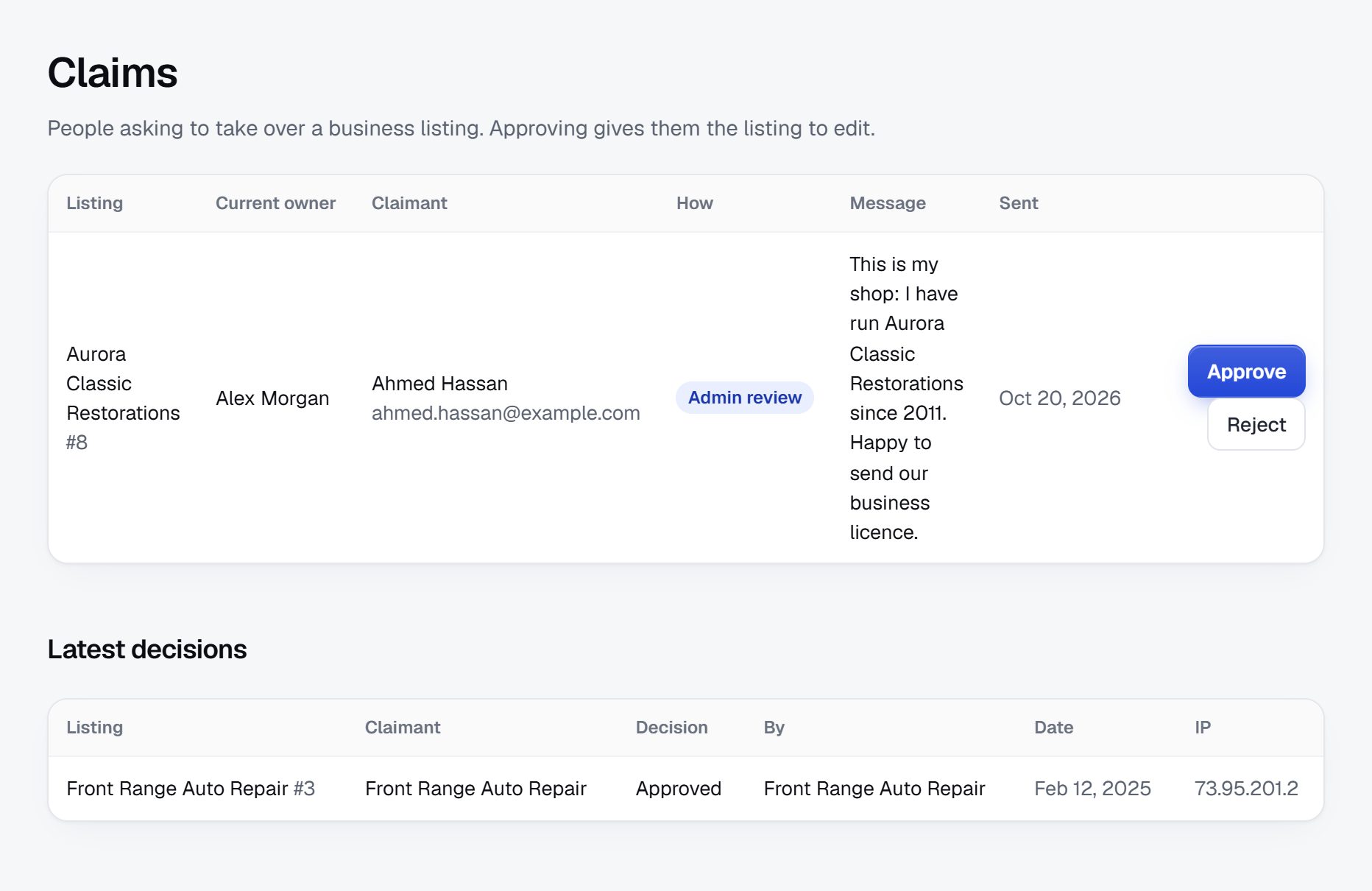
Show inspections, verify licenses and protect residents' privacy.
Families choosing senior care fear neglect, hidden costs and being misled. Trust comes from showing facts they cannot easily find elsewhere and refusing to hide problems.
What to handle
- License checks: confirm each provider against the state licensing list before showing a verified badge, and note the license type, since "assisted living" means different things in different states.
- Inspections: where reports are public, tell families where to find them. Summarize only in the agency's own terms.
- Outdated data: availability and starting prices change monthly. Hide them when they have not been confirmed recently.
- Unlicensed home care: remove listings from individuals or agencies that cannot show the license your state requires, and tell families to ask any caregiver about background checks.
- Fake reviews: communities sometimes post reviews from staff or ask families during move-in week. Hold reviews from new accounts.
- Resident privacy: reviews must not name residents or describe their health. Remind providers that replies must not either.
Add a clear notice that the directory does not assess anyone's care needs; families should talk to doctors, social workers and the provider. Check the rules where you operate on publishing reviews of care providers.
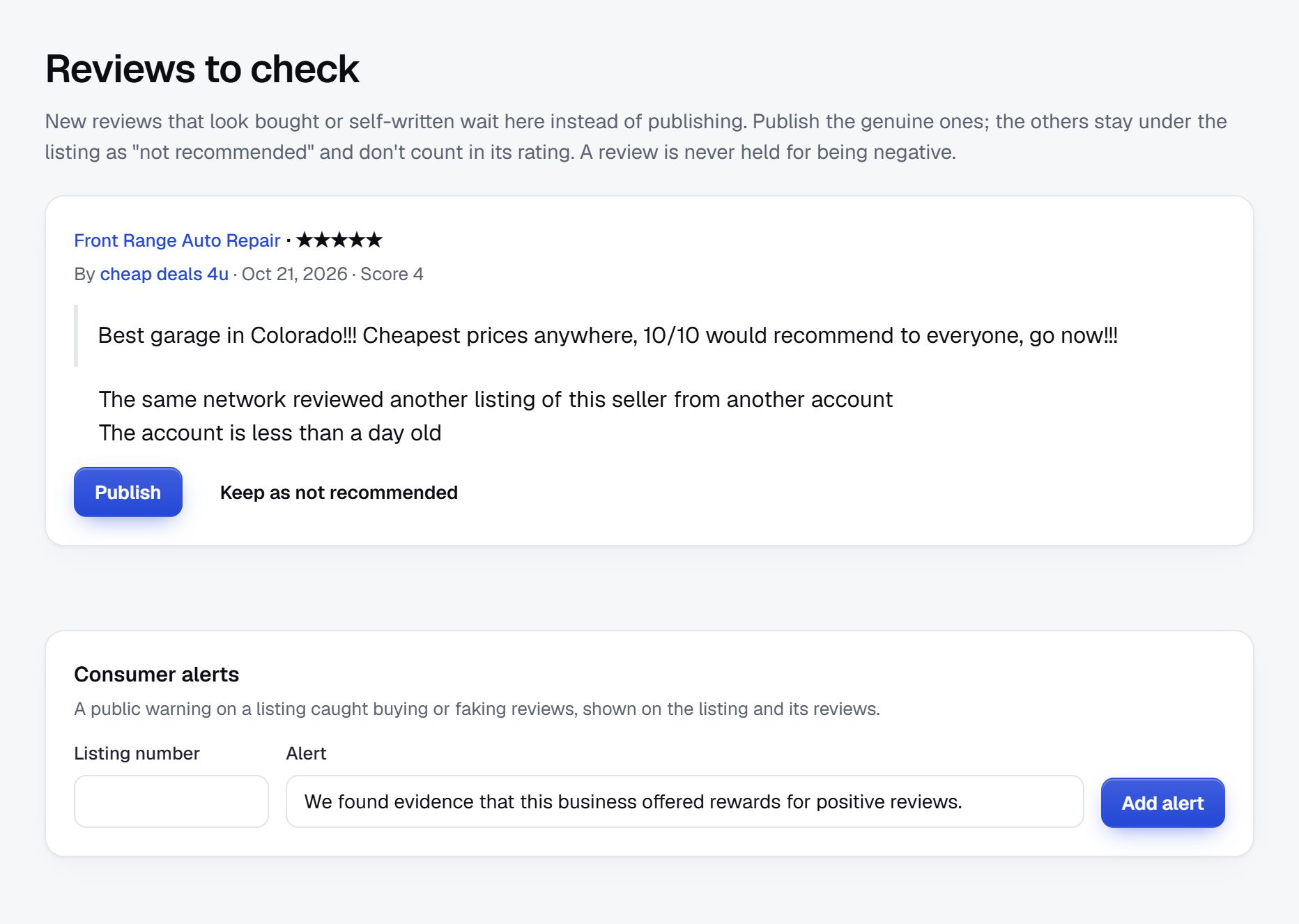
Rank for care type, payment and town.
Families search with a care type, a town and often a payment question. Many search for a town where a parent lives, far from their own home, which is why clear area pages matter.
Searches to aim for
- "assisted living near [town] that accepts Medicaid"
- "memory care [city] cost"
- "in-home care for elderly [county]"
- "respite care for dementia [city]"
- "difference between assisted living and nursing home"
Pages to build
A page for each care type in each town, pages for each payment option, and a page per county gathering all care types. Add a clear explainer for each care level, linked from every listing in that category.
Content ideas
- Questions to ask on a tour, and what to look for at mealtimes.
- How families commonly pay, with a reminder to check details with the agency or an elder law attorney.
- A guide for long-distance caregivers arranging care for a parent.
- Local resources: area agencies on aging, caregiver groups and respite programs.
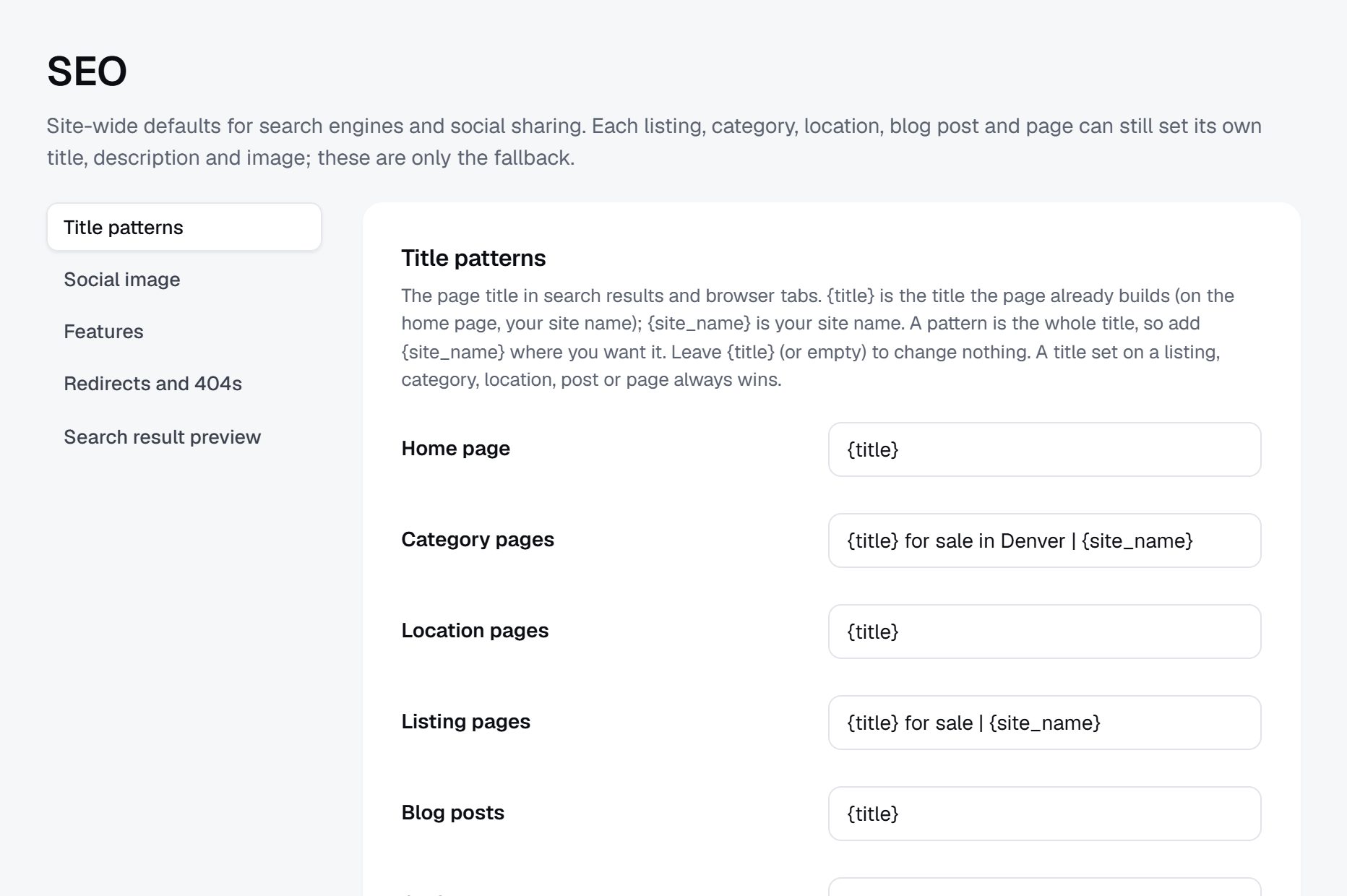
Launch with the people who advise families.
Families often arrive in a rush, guided by a hospital social worker or an attorney. Reaching those advisers matters more than reaching families directly at first.
Timing helps in two ways. The weeks after Thanksgiving and the winter holidays are when many adult children visit parents and notice they need more help, so searches rise in January. National Caregivers Month in November and local senior expos give you events to attend.
Partners worth having
- Hospital discharge planners and social workers.
- Elder law attorneys and geriatric care managers.
- Area agencies on aging and senior centers.
- Churches and caregiver support groups.
Launch checklist
- Choose the region and the care types.
- Import licensed providers from state lists and maps.
- Verify licenses and add inspection pointers.
- Call admissions directors to confirm costs and availability.
- Write review and privacy rules.
- Publish care-level explainers.
- Present the directory to discharge planners and senior centers.
- Recheck availability monthly.
After the first region is complete and advisers use it, add the next county where families from your area most often look.
A worked example: Lake Country Care Compare, Waukesha County, Wisconsin.
Here is a fictional case to make the plan concrete. Lake Country Care Compare covers Waukesha, Brookfield, Pewaukee, Oconomowoc, Delafield and Menomonee Falls, west of Milwaukee. The founder had spent a winter arranging care for her father from two states away, filling in forms on national sites and then fielding sales calls for weeks. She built a directory where families can compare quietly and contact only the providers they choose, at their own pace.
The category tree
- Living in a community
- Independent living
- Assisted living
- Memory care
- Nursing and rehab
- Skilled nursing
- Short-term rehab after a hospital stay
- Care at home
- Home care agencies
- Live-in care
- Day programs and respite
- Help for families
- Elder law attorneys
- Senior move managers
- Care managers
Who it serves
Most visitors are adult children, many living out of state, who need to shortlist places before a short trip to tour them, often over a long weekend. The second group is spouses caring for a husband or wife with dementia who need respite or a day program. Hospital discharge planners use the availability page when they need a short-term rehab bed quickly.
How it started
The founder loaded the state's public lists of licensed assisted living and residential care facilities from a spreadsheet, added home care agencies from the county's aging resource center list, and pulled nursing home details from the federal public data. She then called each admissions director with four questions: starting monthly price and what it includes, Medicaid or not, current openings, and whether pets are allowed. Pages without answers were marked as unconfirmed rather than hidden, and within two months most providers had called back to fill them in.
The turning point was a talk at a caregiver support group, where she showed how to compare memory care options without giving out a phone number. Two discharge planners started using the site the following month, and families began finding it through them.
How it earns
Listings are free, and families never pay or hand over their details unless they send a quote request to providers they picked themselves. Income comes from featured places on the memory care and assisted living pages, provider memberships with floor plans and staff introductions, and banner spaces bought by an elder law firm, a senior move manager, a medical alarm company and a home modification contractor. There are no referral fees per move-in, a policy the founder states on every page.
Being the site that never sells a family's phone number is a business model in itself.
| Provider | Town | Key details |
|---|---|---|
| Maple Shore Assisted Living, 40 apartments | Oconomowoc | Assisted living; starting price posted with meals and laundry included; Medicaid waiver beds; small pets allowed; one opening confirmed this month |
| Bridgewood Memory Care | Brookfield | Secure building; dementia training for all staff; private and shared rooms; waitlist about two months |
| Fox River Home Care | Waukesha | Home care agency; visits from four hours a week to live-in; caregivers are employees; Spanish and Polish spoken |
| Pewaukee Lakeside Adult Day | Pewaukee | Weekdays; memory support; transport within ten miles; daily rate posted; respite stays not offered |
| Westfield Rehab and Nursing | Menomonee Falls | Skilled nursing and short-term rehab; Medicare and Medicaid; inspection reports linked on the federal site |
The first 90 days, week by week.
Senior care directories are seeded from licensing data, so the early weeks are about cleaning that data and turning it into pages families can understand. State lists use their own license names, and "residential care" or "community-based residential facility" means little to an adult child reading at midnight. Map each license type to a plain care level before anything goes live.
Next comes the slow part: calls to admissions directors and home care agency owners for starting prices, payment options and openings. Expect many to give prices only after a tour; ask for a starting price and what it includes, and mark the page unconfirmed when they decline. Home care agencies are usually more open about hourly rates, so start the price calls with them to build momentum and a sense of what families will see.
The advisers who guide families, such as discharge planners, social workers and elder law attorneys, should see the directory before the public does. If they find it accurate, they will send families to it, and those families arrive at the moment they need it. By week twelve, the target is a complete region, confirmed prices for most communities, a small group of advisers using the site, and your first banner and featured place sales. Keep a dated call log for every provider from day one, because the monthly availability round starts as soon as the region is complete.
| Weeks | Focus | Done when |
|---|---|---|
| 1-2 | Choose the counties and care types; import state licensing lists and federal nursing home data | Every licensed provider in the region has one page, mapped to a plain care level |
| 3-4 | Check licenses and add pointers to public inspection reports; write review and privacy rules | Each page shows its license type, and the rules are published |
| 5-7 | Call admissions directors and agency owners for starting prices, payment options and openings | Most communities show a starting price and availability with a date |
| 8-9 | Publish care-level explainers and pages by town, payment option and care type | Every care type has an explainer linked from its listings |
| 10-11 | Present the directory to discharge planners, senior centers and caregiver groups | Advisers in three organizations are sending families to the site |
| 12 | Offer featured places and memberships to communities with openings; sell banners to elder law and move services | The first paid placement or banner is live and labeled |
Building a senior care directory: the main routes.
A senior care directory has to import long public lists, show care levels and payment options as filters, carry pages that providers can claim to add prices and photos, and keep a date on availability. It should let families send a quote request to providers they choose without exposing their details to everyone, and it should moderate reviews firmly for resident privacy.
Developers and a custom build
A custom build fits if your plan depends on deep data work, for example merging inspection records from several agencies into one view for each provider. That can set a directory apart, but it is a long project, and inspection data formats change. Make sure families want the basic directory before funding it.
A script or WordPress plugin on your own hosting
A self-hosted directory script gives you control of every detail, including how family contact details are stored, which some founders care about in this field. It also gives you all the upkeep: updates, security, backups and keeping the import working when a state changes its list format.
A hosted builder
A hosted builder lets you import a spreadsheet, set up care-level and payment fields, and open pages for providers to claim, without running a server. Check that quote requests go only to the providers a family picks, and that a provider who claims a page cannot edit the license type you recorded from the state list. For a founder whose days are filled with calls to admissions directors, this route usually gets a complete region online fastest, and leaves the custom data work for later, if it turns out to matter. Whatever you pick, make sure you can export your provider list and call dates at any time.
| Route | Fits when | Watch out for |
|---|---|---|
| Custom build | Your edge is merged inspection data from several agencies | Long build time, and changing government data formats |
| Self-hosted script or plugin | You want full control of how family details are stored | Security, backups and broken imports are yours to fix |
| Hosted builder | You need a complete region online while you call providers | Confirm spreadsheet import, custom fields and quote requests work the way you need |
| A plain list on a simple website | You want to test interest with advisers in one county first | It cannot handle claims, filters or reviews, so plan the move |
What a senior care directory costs to run.
The software is the smallest part of the bill. Most of the cost is your time in the first months: finding the first listings, answering questions and checking what gets posted.
The main cost is time: calling providers to confirm prices and availability each month, and meeting social workers and senior centers. Senior expos may charge for a table, and Google key usage for imports is billed to you.
| Cost | Typical range | On Yclas |
|---|---|---|
| Domain | $10 to $20 a year | Your own, with SSL included |
| Software and hosting | $0 to $100+ a month, plus plugins and updates | Starter $19 a month, Professional $99 |
| Design | $0 to $100 for a theme, or a designer | 109 looks included |
| Payment fees | About 3% per payment | Your Stripe or PayPal fees; Yclas takes nothing |
| Business data | Free if you collect it, or a few cents per page of Google results | Paid to Google, with your key |
| Your time | 5 to 10 hours a week at the start | Finding listings, moderation, support |
Mistakes that turn families away from senior care directories.
- Asking for a phone number before showing anything. Families have learned that a form on a senior living site leads to a week of sales calls. If your site asks for contact details before it shows prices and availability, they leave. Show everything first, and let families decide whom to contact.
- Copying the state's license names as categories. License categories differ by state and use terms families do not know. A category called by a license code helps nobody. Map each license type to a plain care level, and explain the difference on a page linked from every listing.
- Leaving prices off because providers resist. Many communities prefer to talk about cost on a tour, but families shortlist on price. Ask for a starting price and what it includes, and say clearly when a provider declined. Families respect the honesty, and providers often give in once competitors show prices.
- Showing availability with no date. A room that was open in spring is long gone. Families and discharge planners act on availability quickly, so date it, recheck it monthly, and hide it when unconfirmed. A planner who is sent to a full community twice will stop using the site, and will tell colleagues why.
- Hiding inspection problems. A directory that only shows the good news looks like an ad. Point families to the official inspection reports for every provider where they exist, and summarize only in the agency's own words, never with your own ratings.
- Listing unlicensed caregivers next to agencies. Individuals offering care for cash may be legal in some states and not in others, and families may not know what checks to ask for. Keep them out, or in a separate, clearly labeled section with the checks families should make.
- Taking per-move-in fees without checking the rules. Some states regulate placement and referral agencies and require disclosures. A directory that drifts into referral fees may become one without meaning to. Check the rules where you operate first, or stay with fixed fees.
- Allowing reviews that name residents. Family members writing in distress may describe a parent's health and name staff. Moderate every review, remove names and health details, and remind providers that their replies must not confirm who lives there.
- Treating home care like a building. Home care agencies have no rooms, tours or floor plans, and a template made for communities leaves their pages empty. Give agencies their own fields: hours offered, area covered, caregiver screening and minimum visit length, so families can compare them on what matters.
Glossary of senior care terms.
Families, providers and advisers will use these words, often loosely and sometimes with different meanings, so define them clearly on your site.
| Term | What it means |
|---|---|
| ADLs | Activities of daily living, such as bathing, dressing, eating and moving around, used to judge how much help someone needs. |
| Assisted living | Housing with meals and help with daily activities, licensed differently from state to state. |
| Memory care | Care for people living with dementia, usually in a secure building or wing with trained staff. |
| Skilled nursing facility | A nursing home with licensed nurses around the clock, often also offering short-term rehab after a hospital stay. |
| Respite care | A short stay or a few days of care that gives a family caregiver a break. |
| Adult day program | Daytime care, meals and activities in a center, with the person returning home in the evening. |
| Home care agency | A business that employs caregivers to help people at home, licensed in many states. |
| Medicaid waiver | A state program that can pay for some care at home or in assisted living for people who qualify. |
| Long-term care insurance | A private policy that pays toward care costs once its conditions are met. |
| Level of care fee | An extra monthly charge in many communities that rises with the amount of help a resident needs. |
| Discharge planner | The hospital staff member who arranges where a patient goes after leaving the hospital. |
| Placement agency | A service that refers families to providers and is usually paid by the provider, regulated in some states. |
| Care Compare | Medicare's public website with ratings and inspection results for certified nursing homes. |
| Area agency on aging | A local public or nonprofit agency that coordinates services and information for older adults and caregivers. |
The same steps for a senior care directory on Yclas.
- Describe your directoryThe setup wizard writes the categories, an About page and example listings from one sentence.
- Add fieldsHours, services, areas served, prices: the details people search by, as filters.
- Fill itImport businesses from a spreadsheet or Google Places, then check them.
- Bring owners inOwners claim their page, update it and answer reviews.
- EarnSwitch on featured places, banners or memberships when visits arrive.
How much do I need to launch a senior care directory?
A modest budget covers a domain, Google key usage and a table at a senior expo. Most of your investment is monthly calls to keep costs and availability current.
Can I make money from referral fees like the big senior living sites?
Some states regulate placement and referral agencies and require disclosure to families. Check the rules where you operate first; fixed fees for featured places avoid most of the issue.
Should I publish inspection results?
Point families to the official reports and summarize only in the agency's own terms. Avoid adding your own ratings of care quality.
How do I get providers to fill in prices?
Ask for a starting price and what it includes, and explain that families skip pages without one. Many providers prefer a range to a call from every family.
Should I list individual caregivers?
Only if your state allows independent caregivers and you can explain what checks families should do. Many directories list licensed agencies only.
Can families leave reviews?
Yes, with rules: no resident names, no health details and no personal attacks on staff. Moderate every review and hold new accounts.
How do I stand out against national senior care sites?
Let families compare without giving their phone number, keep data current in one region, and point to public inspection reports.
Should I cover hospice and palliative care providers?
You can list them as a separate category, since families often need them during the same search. Keep the language factual and gentle, and point families to their doctor for decisions about care. Show whether each hospice serves people at home, in nursing homes, or both.
How do I handle a provider that disputes its inspection record?
Keep linking to the official report and add the provider's own response if it gives one, clearly marked as theirs. Do not remove public records because a provider objects. If the agency later corrects or closes a finding, update your pointer the same week.
Can I list continuing care retirement communities?
Yes, as their own category, since they combine several care levels and often require an entry fee and a contract. Explain the model plainly and suggest families review contracts with an attorney. Fields for the contract type and whether the entry fee is partly refundable help families compare them.
What should I ask home care agencies for?
Hours offered, the area covered, whether caregivers are employees or contractors, how caregivers are screened, and the minimum visit length. Those answers matter more to families than photos or slogans. Ask too whether the agency can cover nights and weekends at short notice, since that is when families most often get stuck, often right after a hospital discharge.
How do I reach families who live far from their parents?
Write pages for the town where the parent lives and explain how to arrange care from a distance. Partner with employers and churches where adult children are, not only senior centers near the parents. A short checklist for a two-day visit to tour several places is a page those families share.
Related pages.
The parts of Yclas this leans on.
You have the plan. Now build the senior care directory families turn to first.
Describe your site in a sentence and the setup wizard writes the categories, example listings and a look. Free for 15 days, no credit card.
Start my directory