How to build a doctor directory that patients can rely on.
This guide covers how to build a doctor directory for one city, region or specialty: who searches for a doctor and why the big listings frustrate them, the details patients filter on, how the directory earns money from practices, seeding it from public provider data, license checks and review privacy, the searches worth ranking for, and a launch plan.
Free for 15 days · No credit card · Plans from $19 a month
Pick an area or a specialty that the big listings cover badly.
People looking for a doctor are rarely browsing. They have just moved, their insurance changed, their family doctor retired, or they need a specialist and the referral came with a name they cannot reach. They want one answer: who near me is taking new patients, takes my plan and speaks my language.
National listings and insurer search tools often fail that test. Many profiles are built from old records, so the doctor who left the practice two years ago still shows up, the phone number rings a different clinic, and "accepting new patients" is a guess. Patients call five offices to find one that says yes.
Choosing the angle
- One metro area or county: every primary care doctor, pediatrician and specialist in a place you know, kept current.
- One specialty across a state: dermatologists, sports medicine or allergists, where patients travel further.
- One community: doctors who speak Spanish, Vietnamese or Polish, or who focus on LGBTQ+ patients, women's health or older adults.
- A border or rural region: where the nearest specialist is an hour away and nobody lists them well.
Today patients find doctors through word of mouth, local parenting and newcomer groups on Facebook, hospital "find a doctor" pages and insurer lists. Each of those tells you what questions people ask and which practices get recommended.
Freshness is the product: a smaller directory that is right beats a huge one that is out of date.
List the details patients filter on before they call.
Categories should follow specialties, kept shallow: primary care, pediatrics, women's health, mental health prescribers, and the common specialist groups. The real work is in the fields, because two internists in the same building can differ on everything a patient cares about.
Fields that decide the call
- Accepting new patients: yes, no or waitlist, with the date it was last confirmed.
- Insurance plans accepted: a checkbox list of the main plans in your area, plus Medicare and Medicaid where relevant.
- Languages spoken: by the doctor and by the front desk, which matter separately.
- Telehealth visits: offered or not.
- Hospital affiliation: where the doctor admits patients.
- Board certification: as stated by the practice, with the board named.
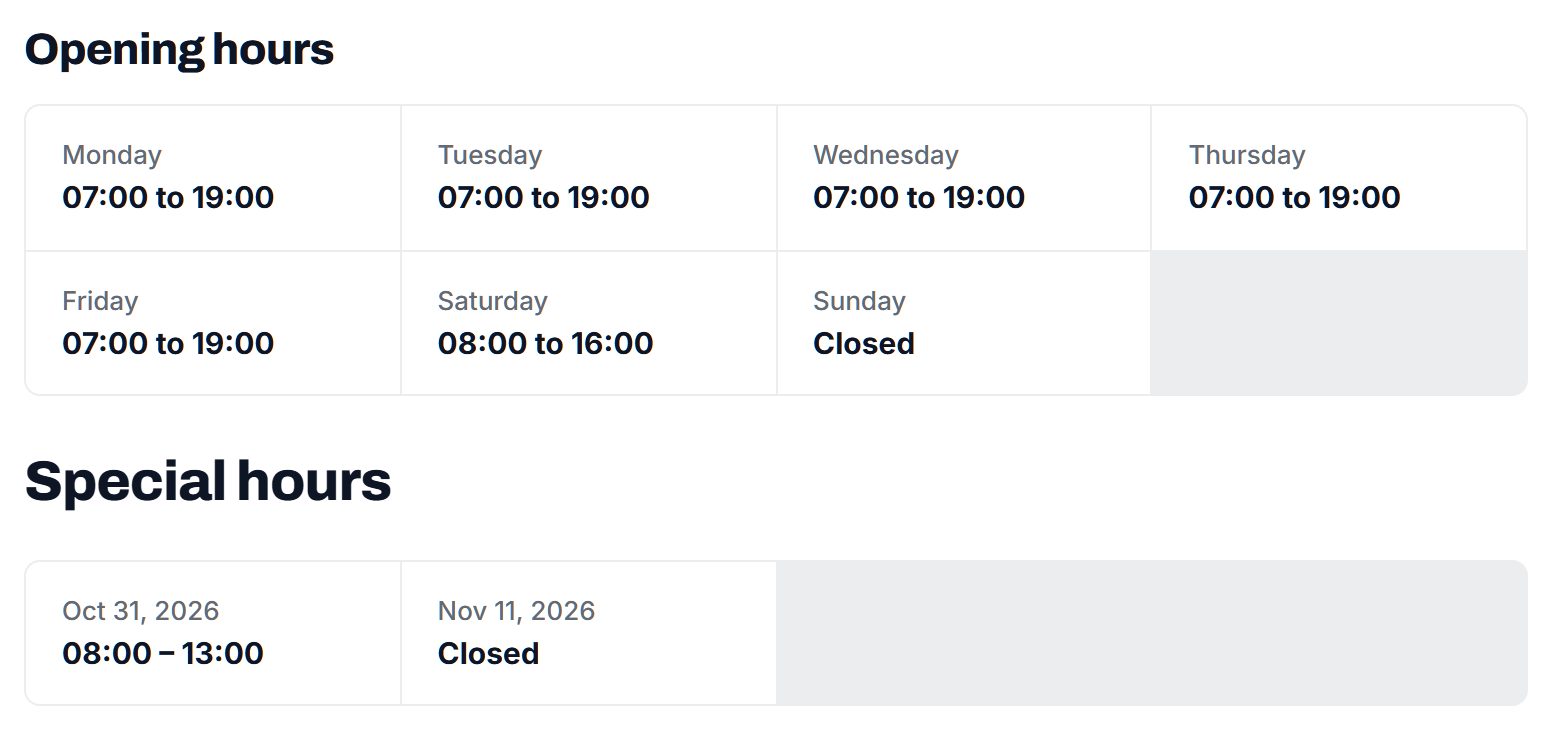
- Access: wheelchair access, parking, evening or Saturday hours.
Opening hours, a map and the practice's own description round out each page. Avoid fields that invite medical claims, such as "cures" or success rates.
| Category | Example places | Details patients filter on |
|---|---|---|
| Family and internal medicine | Solo family doctors, group practices, direct primary care clinics | New patients, insurance, languages, telehealth, Saturday hours |
| Pediatrics | Pediatric practices, adolescent medicine | Age range, new patients, insurance, after-hours line |
| Women's health | OB-GYN practices, midwife-led clinics | Doctor's gender, hospital affiliation, insurance, languages |
| Specialists | Cardiology, dermatology, orthopedics, allergy | Referral needed, insurance, board certification, wait time to first visit |
| Urgent and walk-in care | Urgent care clinics, walk-in clinics | Opening hours, walk-ins, ages seen, X-ray on site |
| Senior and home visits | Geriatric practices, house-call doctors | Home visits, Medicare, area covered, languages |
Insurance and new-patient status go out of date fastest, so show when each was last confirmed.
Earn from practices, never from patients.
Patients should never pay to search, and a doctor directory that charges them will not grow. The money comes from practices that want new patients, and from local health businesses that want to reach people looking after their health.
- Featured places: a practice appears first in its specialty and area, clearly labeled as featured.
- Practice memberships: a monthly fee for an enhanced page with more photos, staff bios and priority placement, aimed at groups with several doctors.
- Contact requests: new-patient enquiries sent to the practice, which practice managers value because they come from people ready to book.
- Banner spaces: pharmacies, physical therapists, labs, medical supply stores and health insurance brokers.
Keep paid placement visibly separate from ranking by distance or rating. Patients forgive a labeled ad; they do not forgive a list that quietly favors whoever paid. Check the rules where you operate on health advertising and on paying for patient referrals before you charge per lead.
| Model | Works when | Switch it on |
|---|---|---|
| Free basic listings | Every practice should be findable | At launch |
| Featured places | Patients search a specialty and area every day | Once the main specialties are complete |
| Practice memberships | Groups want staff bios and more photos | After a few practices claim their pages |
| Banner spaces | Pharmacies and therapists want local patients | When you can show monthly visitors |
| Paid enquiries | Practices are actively growing | Only after checking local referral rules |
Seed every practice from public data, then let doctors claim them.
A doctor directory cannot wait for practices to sign up one by one. Seed it with every practice in your area first, so patients find a complete list on day one, and then work on accuracy.
Where the first listings come from
- The NPI registry: in the US, the public National Provider Identifier data lists individual and group providers with their specialty and practice address. It is a starting point, not a source of truth, since addresses are often old.
- Google Places: practice names, addresses, phone numbers and hours as they appear on maps.
- Hospital and health system pages: affiliated doctors with their specialties.
- County medical societies: member lists and newsletters.
- Practice managers: the person who answers new-patient calls is the one who wants your page to be right.
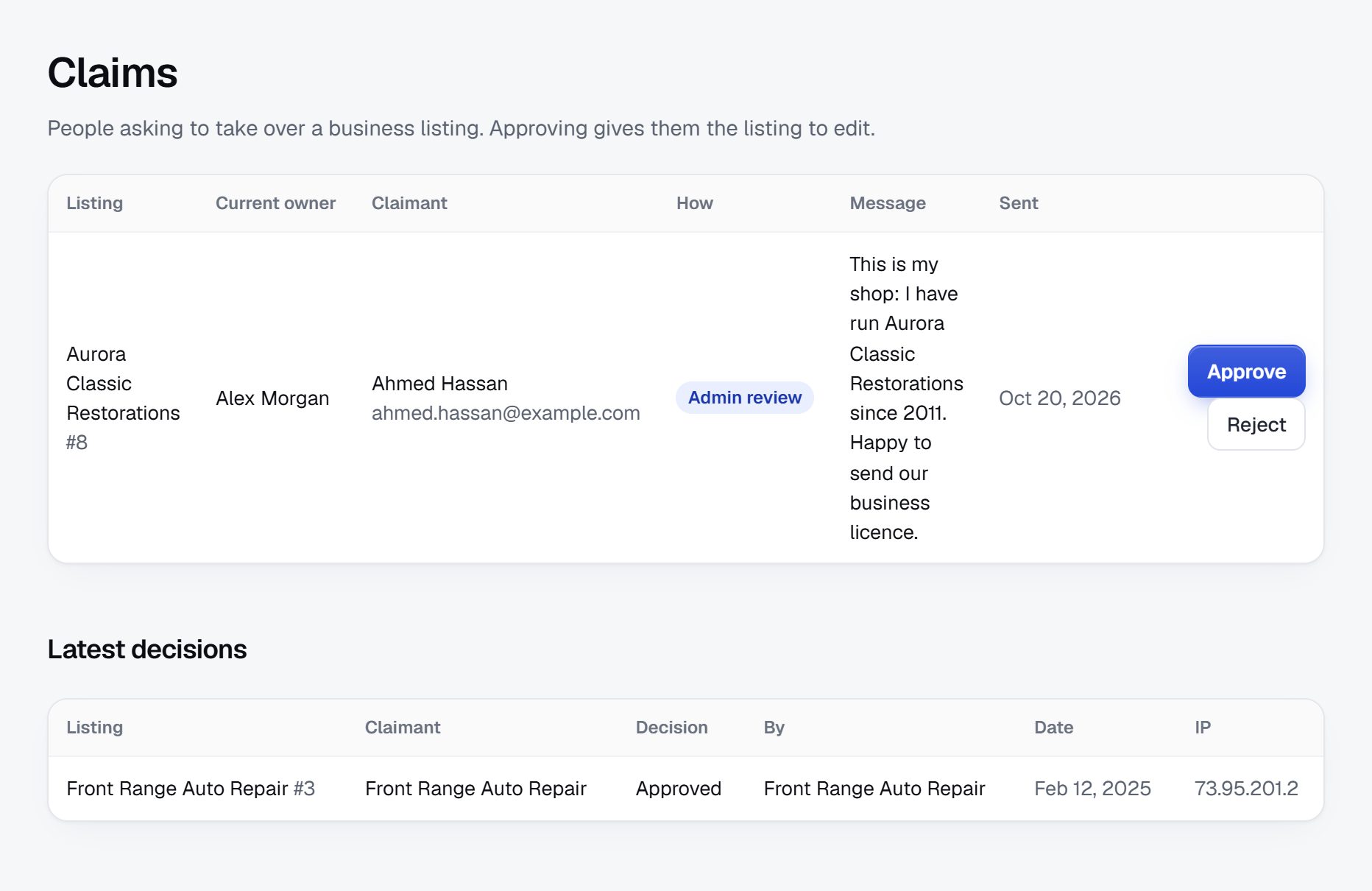
With Yclas, you can import businesses from Google Places with your own Google key (no photos are imported), and owners claim their page to correct it. Phone each practice in your first area to confirm new-patient status and insurance; that call is also your sales pitch. Begin with one specialty, such as primary care, and finish it before moving on.
Mark every unclaimed page clearly, and invite the practice to check it.
Check licenses, keep data current and protect patient privacy.
The risks in a doctor directory are wrong information, fake credentials and reviews that harm patients or doctors. A wrong listing can send someone with a health problem to an office that closed.
What to handle
- License checks: look up each doctor on the state medical board's public license search before you add a verified badge, and note any disciplinary actions the board publishes, following its wording.
- Outdated data: doctors move, retire and leave networks. Re-confirm new-patient status and insurance every few months, and show the date.
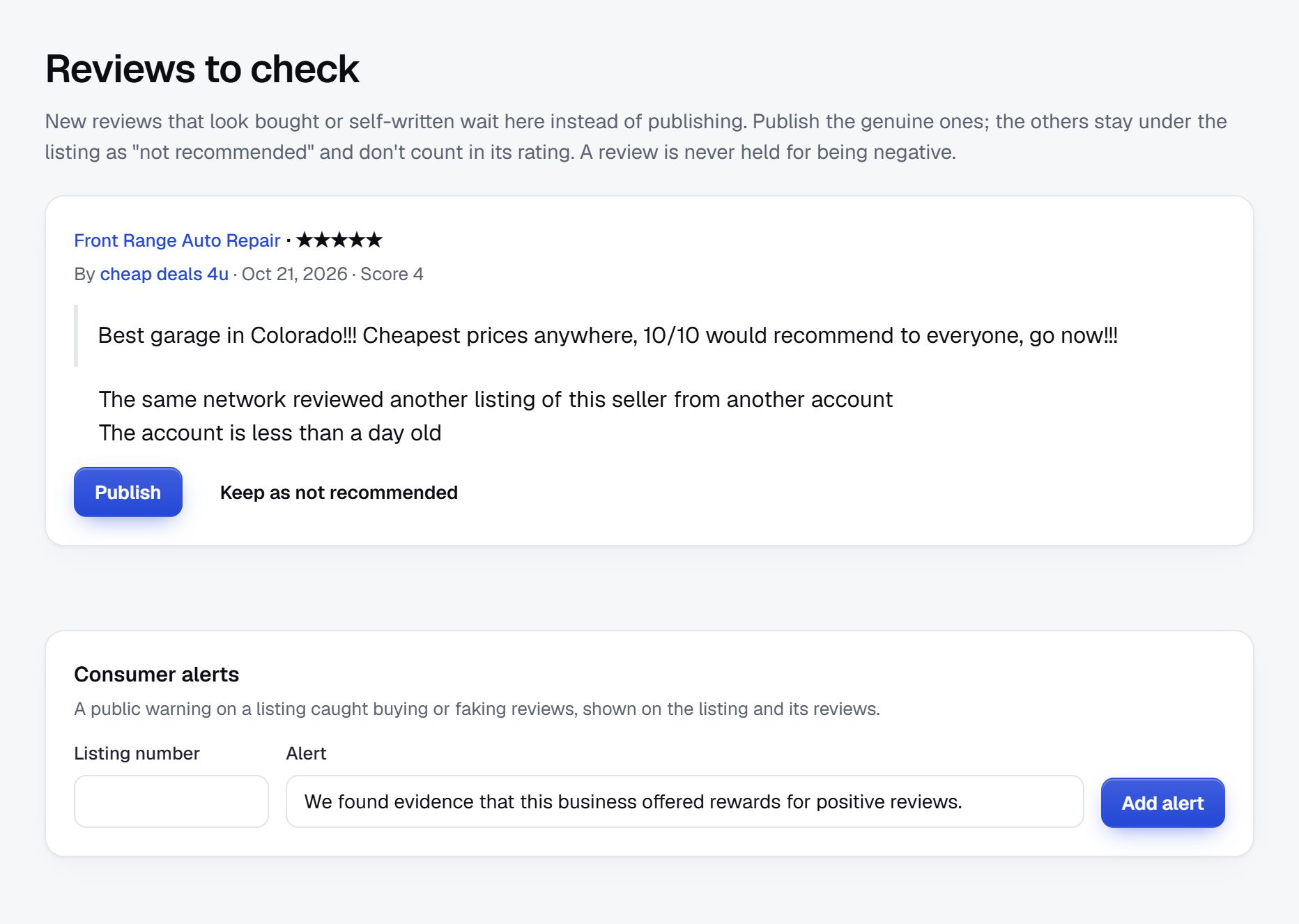
- Fake reviews: practices posting praise for themselves, or competitors posting attacks. Hold reviews from new accounts and look for bursts.
- Patient privacy: reviewers often share diagnoses. Ask them to describe the visit, not their condition. In the US, privacy rules limit what a practice can say when replying, so remind owners never to confirm someone was a patient.
- Medical claims: remove listings that promise cures or results.
Put a plain notice on every page: the directory lists practices and does not give medical advice, and anyone with an emergency should call their local emergency number. Check the rules where you operate on publishing health provider reviews.
Rank for specialty, insurance and town.
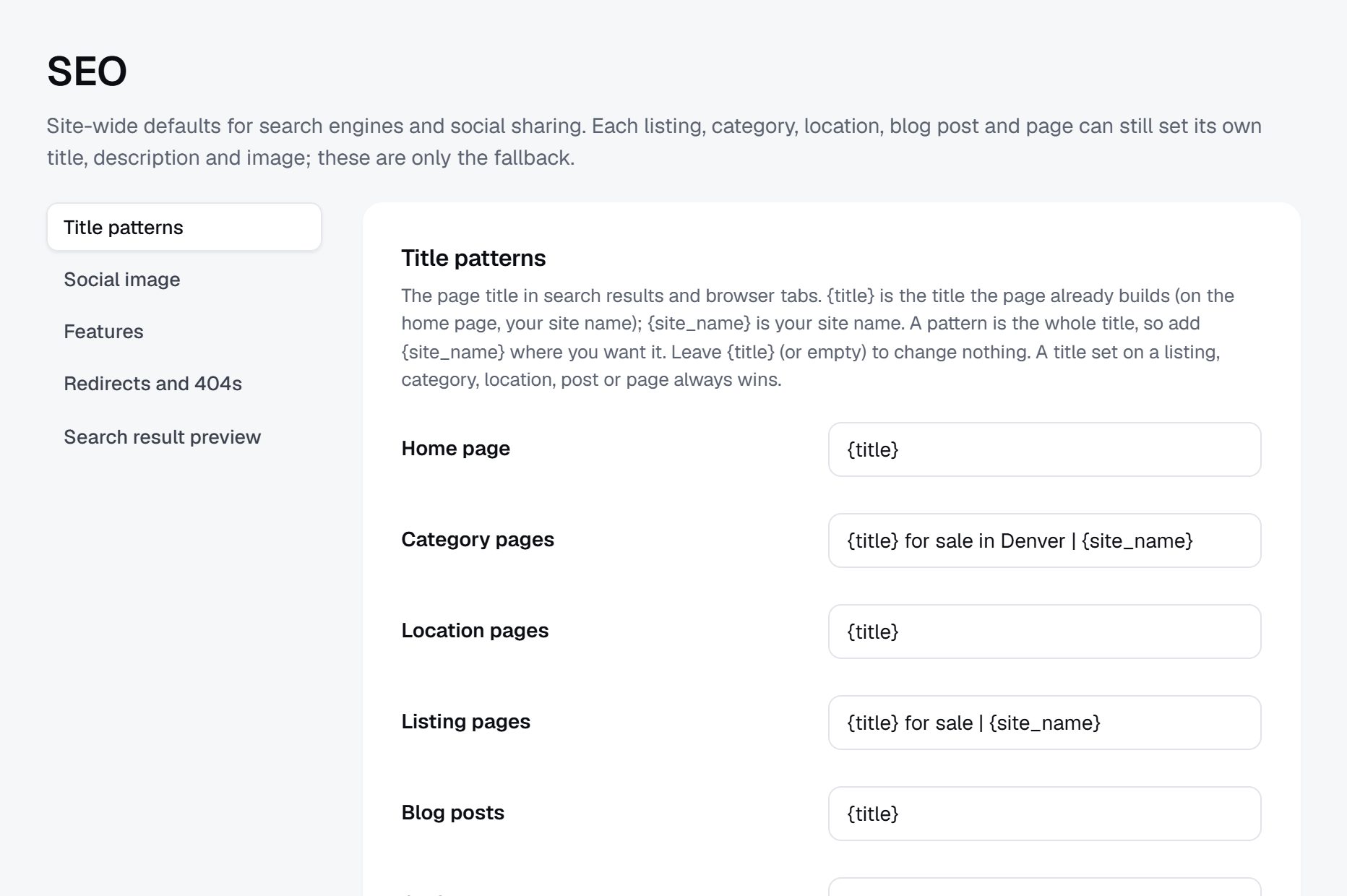
Doctor searches mix a specialty, a place and a practical filter. Those combinations are where a local directory can beat the national sites, because it can answer them accurately.
Searches to aim for
- "family doctor accepting new patients [city]"
- "pediatrician that takes Medicaid near me"
- "Spanish speaking doctor [city]"
- "dermatologist [county] no referral"
- "urgent care open Sunday [town]"
Pages to build
Each specialty in each town gets a page, and the most searched filters deserve their own: doctors accepting new patients, doctors by language, doctors by insurance plan. Keep the count of practices and the last-updated date visible on each one.
Content ideas
- A guide to finding a new doctor after moving to the area.
- What a referral is, and which specialists in the area see patients without one.
- A list of urgent care and walk-in clinics with weekend hours, kept current.
- Short interviews with practices about who they see and how new patients get started, written by the practice, not health advice from you.
Launch in one area and finish it.
Choose an area small enough to phone every practice in a few weeks. A county or a mid-sized city works. Timing helps: late summer brings families looking for pediatricians before school, January brings new insurance plans and people checking who is in network, and open enrollment season sends people searching for doctors by plan.
Partners worth having
- Practice managers at group practices, who can update several doctors at once.
- Newcomer and relocation groups, real estate agents and employers' HR teams, who field "where do I find a doctor" questions.
- Community groups for the languages you cover.
- Pharmacies with a notice board.
Launch checklist
- Choose the area and the specialties.
- Import practices and remove duplicates.
- Confirm new-patient status and insurance by phone for the first specialty.
- Check licenses before showing any verified badge.
- Write the review rules and the no-medical-advice notice.
- Ask the first twenty practices to claim their pages.
- Share the directory in local newcomer and parent groups.
- Recheck the data every quarter and add the next town.
A worked example: Lower Valley Doctor Finder, Yakima County, Washington.
To make the plan concrete, picture Lower Valley Doctor Finder, a fictional directory covering the towns of Yakima County in central Washington. The county is agricultural, many families speak Spanish at home, and some specialists are a long drive away. The founder, a former clinic receptionist, kept hearing the same two questions at the front desk: who is taking new patients, and which offices have someone who speaks Spanish.
Categories at launch
- Primary care
- Family medicine
- Internal medicine
- Community health centers
- Children
- Pediatrics
- Adolescent medicine
- Women's health
- OB-GYN
- Midwife-led clinics
- Specialists
- Cardiology
- Orthopedics
- Dermatology
- Urgent and walk-in care
Who it serves
Three groups use it most: farmworker families who need evening hours and Spanish at the front desk, retirees looking for a doctor still taking new Medicare patients, and newcomers hired by the hospital and the fruit packing companies who arrive with no doctor at all.
How it started
The founder pulled practice addresses from the public NPI data and from map listings, removed duplicates, and then spent six weeks phoning every primary care office in the county with the same short script: are you taking new patients, which plans do you accept, which languages does the front desk speak. Only primary care went live at first. Specialists were added in the second month, once twenty practices had claimed their pages and corrected their hours.
Word spread through a parents' group, two church bulletins and the hospital's new-hire packet, which now lists the directory as a resource for relocating staff. The page that gets shared most is the simplest one: family doctors accepting new patients, sorted by town, with the date each was confirmed. A second favorite is the list of clinics open on Saturday, which local radio read out during a busy flu season.
How it makes money
Every listing stays free. Income comes from three places: featured places on the busiest specialty pages, labeled clearly; a monthly membership for group practices that want staff bios and photos of their clinic; and banner spaces sold to two pharmacies, a physical therapy clinic and a medical supply store. The founder decided not to charge per enquiry until a lawyer had looked at the local rules on patient referrals. The first featured place went to a new direct primary care clinic that wanted to be found by families paying cash, and the clinic renewed after its first three months because the calls it received were from the right people.
The sample pages below are invented, but they show the level of detail that makes a patient pick up the phone.
| Practice | Town | Key details |
|---|---|---|
| Fruit Row Family Medicine, two doctors | Sunnyside | New patients yes, confirmed this month; Spanish at the front desk; Medicaid and Medicare; Thursday until 7 p.m. |
| Ahtanum Pediatrics | Union Gap | Newborns to age 18; waitlist about three weeks; interpreter on call; after-hours nurse line |
| Lower Valley Women's Clinic | Toppenish | OB-GYN and nurse midwife; delivers at the regional hospital; Medicaid; Spanish and English |
| Ridgeview Internal Medicine | Yakima | Adults only; new Medicare patients no; video follow-ups; step-free entrance |
| Grange Street Walk-In Clinic | Grandview | Walk-ins 8 a.m. to 8 p.m., Saturday until 4 p.m.; X-ray on site; ages 2 and up |
Your first 90 days, week by week.
A doctor directory lives or dies on whether its data is right on the day a patient opens it. The first three months are mostly phone work, so plan them around how many practices you can call in a week, not around features. Most founders can confirm twenty to thirty practices a week alongside other work, and that pace sets everything else.
Hold back public promotion until primary care is complete in your first area. A patient who finds three wrong phone numbers in a row will not come back, and will tell the parents' group why. Use the quiet weeks to settle your rules: what earns a verified badge, how often new-patient status is rechecked, what reviews may contain, and the exact wording of the no-medical-advice notice. Decide too how you will answer a doctor who asks to be removed, since a few will, and a quick, polite reply protects your name with the rest.
By the end of week twelve you want one area where primary care and pediatrics are complete and confirmed, the main specialists listed, a set of claimed pages, and an early answer to the money question: which practices would pay to be featured, and on which pages. Write down every call you make in a simple sheet, with the date and who you spoke to, because you will repeat those calls every few months.
| Weeks | Focus | Done when |
|---|---|---|
| 1-2 | Pick the area and specialties; import NPI and map data; remove duplicates and retired doctors | Every primary care practice in the area has one clean page |
| 3-4 | Phone primary care offices about new patients, plans and languages | Each primary care page shows a confirmed date |
| 5-6 | Check licenses on the state medical board site; publish review rules and the medical advice notice | Verified badges appear only on checked doctors, and the notices are on every page |
| 7-8 | Add pediatrics and the five most requested specialties; invite practice managers to claim pages | Twenty practices have claimed and corrected their pages |
| 9-10 | Build pages for new patients, languages and the main insurance plans in each town | Each filter page lists at least ten confirmed practices |
| 11-12 | Share with newcomer groups, HR teams and pharmacies; offer featured places to growing practices | Visitors arrive from three partner groups and two practices have asked about featuring |
Three ways to build it, and which suits a doctor directory.
A doctor directory is not hard software, but it has needs that shape the choice. It must hold thousands of practice records and update them often, filter on several checkbox fields at once (plans, languages, new-patient status), let practices claim and edit their own page, and show reviews under firm moderation. It also needs a page for every specialty in every town, because that is how patients search.
Building it with developers
A custom build makes sense if your angle depends on something unusual, such as matching patients to doctors by detailed insurance network data, or pulling updates from a health system's own records. It is also the slowest and most expensive way to learn whether patients want your directory at all, and the code needs care for as long as the site runs. If you go this way, launch the plain directory first and add the unusual part later.
Installing a script or WordPress plugin
Directory scripts and WordPress directory plugins give you listings, claiming and reviews on your own server. You control everything, and you also own the updates, security patches, backups and spam filtering. With reviews that may contain health details, a neglected plugin is a real risk.
Using a hosted builder
A hosted builder such as Yclas takes care of hosting and updates, so your hours go into phoning practices rather than patching servers. The trade-off is less freedom to build unusual features. For most local doctor directories the hard work is in the data, not the software, which favors the hosted route at the start. Whatever you choose, make sure you can export your practice records, since that list and its confirmation dates are the real asset you are building.
| Route | Fits when | Watch out for |
|---|---|---|
| Custom build with developers | Your angle needs insurance network matching or other unusual data work | Months before launch, and ongoing costs for fixes and security |
| Self-hosted directory script or WordPress plugin | You or a partner already run servers and like to tinker | Updates, backups, review spam and plugin conflicts are yours to handle |
| Hosted builder | You want your time spent confirming practice details | Less room for custom features; check that claiming, reviews and custom fields cover your filters |
What a doctor directory costs to run.
The software is the smallest part of the bill. Most of the cost is your time in the first months: finding the first listings, answering questions and checking what gets posted.
Your main cost is time spent phoning practices to confirm details, repeated every few months. Google Places imports use your own Google key, which bills by request, and promoting at health fairs or in local newspapers adds small costs.
| Cost | Typical range | On Yclas |
|---|---|---|
| Domain | $10 to $20 a year | Your own, with SSL included |
| Software and hosting | $0 to $100+ a month, plus plugins and updates | Starter $19 a month, Professional $99 |
| Design | $0 to $100 for a theme, or a designer | 109 looks included |
| Payment fees | About 3% per payment | Your Stripe or PayPal fees; Yclas takes nothing |
| Business data | Free if you collect it, or a few cents per page of Google results | Paid to Google, with your key |
| Your time | 5 to 10 hours a week at the start | Finding listings, moderation, support |
Mistakes that sink doctor directories.
- Publishing the raw provider data. Public registries include doctors who moved, retired, or only read scans for a hospital and never see patients. Launching with that list fills your pages with dead ends. Clean it first: remove duplicates, drop doctors with no patient-facing practice, and confirm the rest by phone.
- Showing new-patient status without a date. A plain yes that was true last spring sends patients to offices that now say no. Always show when the status was confirmed, and hide it once it is older than a few months.
- Listing doctors but not practices. Patients call a front desk, not a person. If each doctor has a page but the practice phone, hours and plans are repeated on every one, updates multiply and errors creep in. Organize around the practice, with its doctors listed inside it.
- Ignoring referral rules. Some specialists see patients only with a referral, and some plans require one. A patient who calls without it wastes a morning. Add a referral field to specialist categories and fill it in for every practice.
- Letting reviews turn into medical records. Patients describe symptoms, test results and medications in reviews, and practices are tempted to reply with details of their own. Write review rules before the first review arrives, moderate every one, and remind practices that a reply must never confirm someone was a patient.
- Selling rankings quietly. A practice that pays should be labeled as featured, and the rest of the list should keep its honest order. Once patients suspect the top results are bought, the directory becomes one more ad page and loses the trust that made it useful.
- Spreading across a whole state too early. Ten counties with half-checked data lose to one county done well. Finish primary care in one area before adding the next, and say on the home page which towns are covered. Patients forgive a short list of towns; they do not forgive a wrong number.
- Forgetting the front desk. Doctors rarely update directory pages; practice managers and receptionists do. Aim your outreach, your reminders and your sales pitch at them, and thank them when they keep a page current. A receptionist who sees new patients arriving from your site will mention it at the next staff meeting, which no email to the doctor achieves.
- Mixing up urgent care and emergency rooms. Patients with chest pain should not be reading opening hours on a directory page. Keep urgent care and walk-in clinics in their own category, say plainly what they do not handle, and put the emergency number on every one of those pages.
Glossary: the terms you will meet.
These are the words that come up when you collect, check and explain practice details.
| Term | What it means |
|---|---|
| NPI | The National Provider Identifier, a ten-digit number given to US health care providers and published in a public registry. |
| Board certified | The doctor passed a specialty board's exams beyond the basic license and keeps up that status over time. |
| DO | Doctor of Osteopathic Medicine, a physician licensed to practice like an MD, with extra training in the musculoskeletal system. |
| PCP | Primary care physician, the doctor a patient sees first, who often coordinates care with specialists. |
| In-network | The doctor has a contract with the patient's insurance plan, which usually lowers what the patient pays. |
| Out-of-network | The doctor has no contract with the plan, so the patient may pay more or the full fee. |
| Referral | A request from one doctor to another, which some plans and specialists require before a first visit. |
| Hospital affiliation | The hospitals where a doctor has privileges to admit and treat patients. |
| Telehealth | Visits held by video or phone instead of in the office. |
| Direct primary care | A model where patients pay the practice a monthly fee for primary care, often outside insurance. |
| FQHC | Federally Qualified Health Center, a community clinic that serves patients regardless of ability to pay, usually with sliding fees. |
| Medical board | The state agency that licenses doctors and publishes license status and disciplinary actions. |
| Practice manager | The person who runs the business side of a practice and usually decides on directory pages and advertising. |
| Open enrollment | The yearly window when people choose or change health plans, which sends many of them looking for in-network doctors. |
The same steps for a doctor directory on Yclas.
- Describe your directoryThe setup wizard writes the categories, an About page and example listings from one sentence.
- Add fieldsHours, services, areas served, prices: the details people search by, as filters.
- Fill itImport businesses from a spreadsheet or Google Places, then check them.
- Bring owners inOwners claim their page, update it and answer reviews.
- EarnSwitch on featured places, banners or memberships when visits arrive.
How much money do I need to start a doctor directory?
Very little cash, since the public data is free and the import runs on your own Google key. Plan instead for many hours on the phone confirming details with practices.
Do I need permission to list doctors?
Listing public business information such as a practice name, address and phone number is common practice, but check the rules where you operate and remove a listing quickly when a doctor asks.
Can patients leave reviews of doctors?
Yes, with rules: describe the visit, not the diagnosis, no names of staff, and no threats. Moderate new reviews and remind practices not to reveal patient details in replies.
How do I know a doctor is really licensed?
Use the state medical board's public license lookup for each doctor before showing a verified badge, and recheck once a year.
Will practices pay for a listing?
Most will not pay to exist, but growing practices and new clinics pay for featured places, memberships and patient enquiries once they see visitors.
How can I compete with insurer and hospital search tools?
Be more accurate in one area. Confirm new-patient status and plans by phone and show the date, which those tools rarely do.
Should I offer appointment booking?
No. Patients contact the practice by phone or message, and the practice books them in its own system, which keeps you out of medical records.
Should I list each doctor or each practice?
Both, organized around the practice: one page with the phone, hours, plans and address, and each doctor named inside it with their specialty and languages. Patients call the practice, and the practice only has to update one page. Patients searching for one doctor by name still find them, because the doctor's name sits on the practice page.
How often should I recheck practice details?
New-patient status and insurance plans every two to three months, hours and phone numbers twice a year, and licenses once a year. Show the date of the last check on each page, and send each practice a short reminder a week before you call.
What do I do when a doctor leaves a practice?
Move the doctor to the new practice if you know where they went, otherwise remove them, and leave a short note on the old practice page for a few weeks. Patients often search for a doctor by name after a move, so a page that says where the doctor went is one of the most useful things you can offer.
Can I list doctors who only see patients by video?
Yes, in their own category, with the states where they are licensed. Patients need to know a telehealth doctor can treat them where they live, so check the rules where you operate. Show the hours they see patients, whether they can order lab tests near the patient, and whether they ever see patients in person.
Is a doctor directory worth building for a small town?
It can be, if you cover the wider area patients actually travel across, such as a county or a valley. Rural places often have the weakest coverage on national sites, which gives a careful directory a real opening. Local businesses there also have fewer places to advertise, which helps banner sales later.
Related pages.
The parts of Yclas this leans on.
You have the plan. Now build the doctor directory your town actually trusts.
Describe your site in a sentence and the setup wizard writes the categories, example listings and a look. Free for 15 days, no credit card.
Start my directory