How to build a golf course directory that golfers use to pick their next round.
This guide is for founders who want to run a directory of golf courses for one region or one kind of golfer. It covers who searches for courses and what tee-time apps leave out, the course details golfers filter on, how featured courses, banners and outing requests pay, seeding every course in the area, honest green fees, search pages and a launch timed to the golf season.
Free for 15 days · No credit card · Plans from $19 a month
Golfers choosing a course want facts the tee-time apps do not show.
A golfer deciding where to play this weekend asks practical questions. Is it public? Can I walk, or is a cart required? What does 18 holes cost on a Saturday, and is there a twilight rate? Is there a driving range to warm up on? Do they rent clubs, because I am flying in? Many course websites bury these answers, and tee-time booking apps only show the courses that sell times through them, often with a short description and little else.
That leaves a gap for a directory that covers every course in an area, from the resort course to the nine-hole municipal track behind the high school, with the same set of facts for each.
Who searches it
- Local golfers looking for a new course or a cheaper round.
- Golf travelers planning a trip around several courses in one destination.
- Beginners and families looking for short courses, par-3 layouts and lessons.
- Organizers of charity scrambles, company outings and league nights.
Choose an angle
The strongest angles are a golf destination (a coastal resort area, a desert valley, a mountain region), a metro area with many public courses, or one type of golf: public and municipal courses, nine-hole and par-3 courses, or courses that welcome beginners. A destination directory suits trip planners; a metro directory suits regulars who play every week.
List every course in your area with the same facts, including the small ones nobody else covers.
Use access type as the category and put the course facts in filters.
Golfers first decide whether they can play a course at all, so access type makes a natural category. Everything else is a filter. Keep the fields factual and easy for an owner or pro shop to confirm.
- Holes: 9, 18, 27 or 36, as a dropdown.
- Par and yardage from the longest tees, as numbers.
- Course rating and slope from the back tees, as numbers, for golfers who care about difficulty.
- Green fee range: weekday, weekend and twilight, as text so courses can describe their own rate structure.
- Walking allowed, cart required, pull carts available.
- Practice facilities: driving range, putting green, chipping area, simulator.
- Rental clubs, lessons available, restaurant or bar, dress code.
- Season and opening hours, because northern courses close for winter.
Yclas custom fields can be numbers, dropdowns, checkboxes or dates, and each one shows up as a search filter, so a golfer can ask for public 18-hole courses where walking is allowed and a range is on site.
| Category | Example places | Fields golfers filter on |
|---|---|---|
| Public and daily-fee courses | Daily-fee 18-hole course, public links | Green fee range, walking allowed, range, rental clubs |
| Municipal courses | City-owned course, county park course | Resident rate, holes, cart required, season |
| Resort courses | Hotel course, destination golf resort | Stay and play, rental clubs, dress code, slope |
| Semi-private and private clubs | Country club, member club with guest play | Guest policy, reciprocal play, membership type |
| Short courses and par-3s | Nine-hole executive course, pitch and putt | Holes, total yardage, beginner friendly, lessons |
| Ranges and practice centers | Lighted driving range, indoor simulator studio | Bays, covered or heated, launch monitors, hours |
For private clubs, list only what the club itself publishes and say clearly that play is for members and their guests.
Courses pay for tee sheets filled on quiet days, not for vanity.
Golf courses think about revenue per tee time. A Saturday morning sells itself; a Tuesday afternoon in October does not. That is the angle for selling them anything: your directory brings golfers who would not otherwise have known about the course. Start with free listings for every course so golfers trust that the directory is complete, then charge for visibility once you can show visits.
What pays
- Featured places: a course pays to sit at the top of its area. Destination courses buy this before peak season; metro courses buy it in spring.
- Memberships for courses that want a longer profile, more photos, and a place to post specials such as twilight deals or replay rates.
- Outing and event requests: organizers of charity scrambles, company days and bachelor parties send one request, and it reaches the courses that host outings. These are valuable bookings, so courses will pay to receive them.
- Banner spaces sold to golf retailers, club fitters, teaching pros, indoor simulator studios and golf travel planners.
Tee-time sales are not your business. Link each course to its own booking page or phone number, and stay neutral.
| Model | Works when | Switch it on |
|---|---|---|
| Free course listing | Every course in the area, always | From launch |
| Featured courses | Golfers browse your area pages | Before the local season or travel peak |
| Course memberships | Pro shops have claimed pages and post specials | Second season |
| Outing and event requests | Organizers find the directory when planning | When your outing guide ranks |
| Banner spaces | Golf shops and fitters want local players | Once visits are steady |
Every course is public record, so the first hundred are a research job.
Golf courses are large, fixed, well-documented places. You can find every one in your region without asking anyone, and then spend your effort on the details that make the directory better than a map.
Where the data is
- State and regional golf associations keep lists of member clubs and publish course ratings and slopes.
- City and county parks departments list their municipal courses, with resident rates and season dates.
- Tourism boards and convention bureaus in golf destinations publish course guides for visitors.
- Google Places: Yclas imports businesses from Google Places using your own Google key, which brings in names, addresses and opening hours. Photos are not imported, so ask each course for theirs.
Then fill in the course facts from scorecards. Most courses publish their scorecard online, and it gives you holes, par and yardage. Green fees are on the course website or a phone call away.
Getting courses involved
Contact the head pro or general manager of each course, tell them the page exists, and offer to let them claim it to add photos, specials and replies to reviews. Pro shops are busiest on weekend mornings, so call midweek. Driving ranges and simulator studios are often the most eager to claim pages, because they rely on walk-in customers.
Scorecards give you the facts; pro shops give you the photos and the specials.
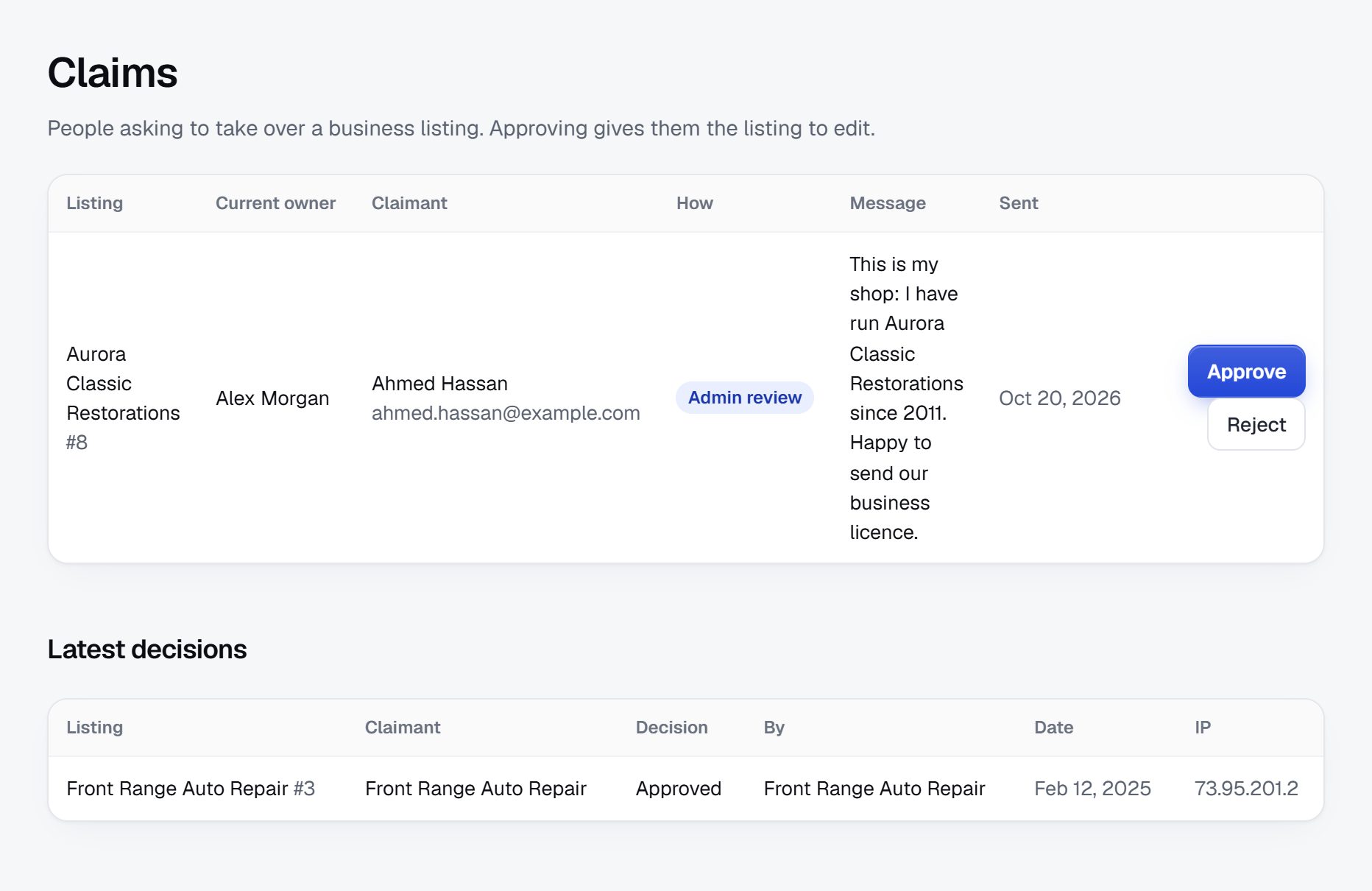
Wrong green fees and unfair reviews hurt both golfers and courses.
The main risk in a golf course directory is a mismatch between your page and reality. Green fees change with the season, many courses use changing rates that move with demand, and holes close for aeration, frost delays or renovation. A golfer quoted $45 who is charged $90 at the counter will blame you.
- Show fees as ranges with the season they apply to, and a note that the course sets current rates.
- Show when details were last confirmed, and ask claimed courses to update before each season.
- Let golfers report errors, for example a course that has closed or gone private.
Reviews
Golf reviews tend to focus on green speeds, pace of play and course conditions, which change week to week. One bad review after aeration can sink a good course. Let courses reply to reviews with owner replies, hold reviews from brand-new accounts, and remove reviews that are about a person rather than the course. Clubs sometimes post about competitors; moderation and reports help catch it.
Private clubs and permissions
Some private clubs do not want public pages. Use only what they publish themselves, make guest policies clear, and remove a page on request if you decide that is your policy. Label featured courses as paid placements, and check the rules where you operate about advertising disclosure and reviews.
Golfers search by place, price and practical detail.
Most golf searches combine a place with a need. Expect phrases like "public golf courses near Charlotte", "cheap green fees Phoenix", "9 hole golf courses Columbus Ohio", "golf courses open in winter near Seattle", "walkable golf courses Scottsdale" and "best golf courses Myrtle Beach for beginners". Each is a page you can build and own.
Pages to build
- Location pages for every town, county and golf destination you cover. Every category and location gets its own page, so add a short intro on the main ones.
- Filter pages: walkable courses, nine-hole courses, courses with driving ranges, courses open year round, courses that rent clubs.
- Price guide: typical weekday, weekend and twilight fees in your area, by course type, updated each season.
Content ideas
- A golf trip planner: three-day and five-day itineraries that group nearby courses.
- A beginner guide: which courses are relaxed about pace, where to take lessons, where to practice first.
- An outing planner for charity and company events, which also feeds your outing requests.
- Seasonal posts: when courses open in spring, aeration weeks, winter rates.
Set your SEO title pattern once, such as "course name, town: holes, fees and tee info", and every listing page follows it.
Launch just before your area's golf season begins.
Golf seasons depend on your region. In northern areas the season runs roughly April to October, and golfers start planning when the snow melts. In warm destinations the busy season is winter, when visitors and seasonal residents arrive from the north. Launch a few weeks before your area's peak, with every course listed and the main facts filled in.
First area
Start with one metro area or one destination. Cover it completely: every public, municipal, resort and short course, plus the ranges. A complete small directory beats a thin national one, and it gives you a story to tell local golf media.
Partners
- Golf leagues, men's and women's clubs at public courses and senior golf groups.
- Teaching pros and junior programs, who send beginners to friendly courses.
- Local golf shows and expos held in late winter, where courses sell passes and golfers plan their season.
- Golf travel planners in destination areas who need a reliable course reference.
Checklist
- Pick the area and access types you cover.
- Set up categories and course fields.
- Import the courses, then add scorecard facts and fee ranges.
- Write location pages and a fee guide.
- Contact pro shops to claim pages and add specials.
- Collect reviews from golfers in local leagues.
- Offer featured spots before the peak season.
A worked example: Marsh and Fairway Guide, on the Georgia and South Carolina coast.
Marsh and Fairway Guide is an invented directory, described here to show how a golf course directory comes together. It covers every course a visitor can play between Savannah and the barrier islands of the South Carolina Lowcountry, plus the ranges and simulator studios that keep local golfers busy on rainy days.
Categories
- Public courses
- Daily-fee 18-hole courses
- Municipal and county courses
- Resort courses
- Island resort courses
- Stay-and-play hotels
- Short courses and par-3s
- Practice
- Driving ranges
- Indoor simulator studios
Who it serves
Winter visitors from the Midwest and Northeast arrive between November and March and want two or three rounds a week without paying resort prices every time. Retirees in the planned communities along the coast play often and hunt for a good twilight rate. Families on beach vacations look for a par-3 course where a ten-year-old will not hold anyone up. Organizers of charity tournaments and company days want a course that can run a shotgun start for a hundred players. Local league captains round out the audience: they compare midweek rates and fall league slots when they plan the next season, and they share pages in their group chats.
How it started
The founder worked as a starter at a public course and answered the same visitor questions every morning: can I walk here, which course drains fastest after a storm, where can I rent decent clubs. She built the first listings from scorecards, the state golf association's course ratings and the county parks website, then added fee ranges after phoning each pro shop on a quiet Tuesday. Driving ranges and the two simulator studios were the first to claim their pages, because they depend on walk-in customers and wanted their evening hours shown correctly.
How it makes money
Listings stay free for every course. Featured places on the Savannah and island pages sell before the winter visitor season. Memberships let courses post twilight specials and replay rates. Outing requests from charity and company organizers go to every course that hosts events, and banner spaces are bought by a club fitter and a golf travel planner. The guide sells no tee times: every page links to the course's own booking page or phone number.
| Course | Green fees | Key details |
|---|---|---|
| Heron Bend Golf Club, near Savannah | $55 weekday, $75 weekend, $40 twilight | 18 holes, par 72, walking allowed after 1 pm, full-length range |
| Pluff Mud Municipal, Beaufort County | $28 resident, $38 visitor | 18 holes, pull carts available, closed Mondays for maintenance |
| Oyster Shell Par 3, near Hilton Head | $18 for nine holes | Lighted at night, rental clubs, children play free with a paying adult |
| Live Oak Island Resort Course | $125 to $210 by season | Cart required, stay and play with the resort hotel, collared shirts |
| Tidewater Swing Lab | $45 per bay per hour | Indoor simulators, launch monitors, lessons, open until 10 pm |
These courses are fictional; the fees only show the format.
The first 90 days: every course listed before the season's first tee times.
A golf directory lives or dies on completeness, so the first three months are mostly research, with owner outreach and golfers layered on once the facts are in. Count back twelve weeks from the start of your area's busy season: early spring for northern metro areas, late fall for warm-weather destinations that fill with winter visitors.
Resist two temptations in this stretch. The first is launching with only the well-known courses because they are easy to research; golfers notice the missing municipal nine-holer immediately. The second is selling featured spots to the first friendly pro shop before anyone uses the site. Both feel like progress and both cost you trust.
Measure three things each week: courses with complete scorecard facts and fee ranges, pages claimed by pro shops, and golfers arriving from search. The plan below gets all three moving in order, and it leaves the last two weeks for golfers, because a league captain who shares your fee guide does more than any amount of early advertising.
| Weeks | Focus | Done when |
|---|---|---|
| Weeks 1-2 | Area, access-type categories and course fields | Holes, par, yardage, rating, slope and fee fields work as filters, and five test courses are entered |
| Weeks 3-4 | Course import and scorecard research | Every public, municipal, resort and short course in the area shows holes, par and yardage |
| Weeks 5-6 | Fees, walking rules and practice facilities | Weekday, weekend and twilight ranges and walking policy are recorded for every public course |
| Weeks 7-8 | Pro shop calls and claim invitations | Every head pro or manager has been contacted and the first 15 courses are claimed |
| Weeks 9-10 | Area pages, fee guide and beginner guide | Each town page has an intro and the fee guide shows ranges by course type |
| Weeks 11-12 | Leagues, outing organizers and first reviews | Three leagues have shared the directory and the outing request form has brought its first inquiry |
Ways to build a golf course directory, compared for what golfers need.
A golf course directory has modest technical needs, but specific ones. It needs number fields golfers can filter on (holes, yardage, slope), text fields for fee structures that shift with the season, a map of every course, pages that pro shops can claim and refresh before each season, reviews with replies, and a request form that sends one outing inquiry to several courses at once. It does not need a tee sheet: courses already run one, and building a second is a distraction.
Developers and a custom build
A custom site can hold hole-by-hole scorecards, tee-by-tee ratings and clever comparisons. That depth is costly to build and costly to keep current, and the urge to add tee-time booking usually arrives halfway through and eats the budget.
A directory script or WordPress plugin
Self-hosted directory software handles basic course pages well. Range filters on numbers, such as slope between 115 and 130, and inquiries routed to several courses are often extra add-ons, and updating plugins in the middle of the season is a risk you carry alone.
A hosted builder
A hosted builder such as Yclas comes with custom fields as search filters, maps, claimed pages, reviews with owner replies and quote requests sent to businesses, so a founder can spend the first months on scorecards and pro shop calls instead of software.
| Route | Fits when | Watch out for |
|---|---|---|
| Custom build | You want hole-by-hole data and your own comparison tools | Upkeep of detailed data, and scope creep toward tee-time sales |
| Script or WordPress plugin | You are comfortable running and updating your own server | Add-ons for number filters and multi-course inquiries |
| Hosted builder | The value is in course research and pro shop relationships | Working inside the fields and features the platform offers |
| Pages added to an existing golf blog | You already have readers and cover only a handful of courses | No filters, and every fee change edited by hand |
What a golf course directory costs to run.
The software is the smallest part of the bill. Most of the cost is your time in the first months: finding the first listings, answering questions and checking what gets posted.
A golf course directory costs little beyond your own time: the main extras are Google API usage for importing courses, a table at a local golf show, and perhaps a few rounds of golf to see courses and meet pro shop staff in person.
| Cost | Typical range | On Yclas |
|---|---|---|
| Domain | $10 to $20 a year | Your own, with SSL included |
| Software and hosting | $0 to $100+ a month, plus plugins and updates | Starter $19 a month, Professional $99 |
| Design | $0 to $100 for a theme, or a designer | 109 looks included |
| Payment fees | About 3% per payment | Your Stripe or PayPal fees; Yclas takes nothing |
| Business data | Free if you collect it, or a few cents per page of Google results | Paid to Google, with your key |
| Your time | 5 to 10 hours a week at the start | Finding listings, moderation, support |
Mistakes that keep a golf course directory off golfers' phones.
- Listing only the famous courses. The resort course with a magazine ranking is already covered everywhere. The value is in the county nine-holer, the executive course and the range with lights. Leave those out and golfers see you as one more top-ten list. Those smaller places are also where beginners, juniors and older golfers play most, and they have the fewest other ways to be found.
- Publishing exact green fees. Many courses price rounds by demand, by day and by time, so a single number is wrong most of the week. Show ranges with the season they apply to, and say the course sets the current rate.
- Skipping the walking question. For a large group of golfers, whether they can walk decides everything, and many course websites hide the answer. Record walking rules, any time windows, and whether pull carts are allowed, for every course. Note any hilly layouts with long walks between greens and tees, which a cart-free golfer would want to know about before arriving.
- Treating private clubs like public courses. Writing a full review of a private club, or implying anyone can book a round, annoys the club and misleads golfers. Show only what the club publishes and make guest rules clear, or leave private clubs out.
- Leaving old condition reviews at the top. A complaint about bumpy greens from aeration week can sit at the top of a page for a year. Show the date of play next to each review, and let the course reply when conditions have recovered.
- Building tee-time booking. Courses already have a tee sheet and a booking partner, and they will not run a third system for a new directory. Link to their booking page and spend your effort on facts no one else collects.
- Calling the pro shop on a Saturday morning. Weekend mornings are the busiest hours a course has, and the person answering is checking in groups and selling range buckets. Call midweek in the early afternoon, or visit after a round, when the head pro has time to look at the page with you and point out what is wrong.
- Forgetting the ranges and simulators. Driving ranges, practice centers and simulator studios are searched all year, including winter in the north when courses close. They also claim pages and buy visibility early, because they rely on walk-ins.
- Taking logos and aerial photos from course websites. Course logos are trademarks and aerial photos usually belong to a photographer. Use your own pictures, or wait until the course claims its page and uploads its own.
Golf terms a course directory founder should know.
Use these words the way golfers and pro shop staff do, in your fields as well as your page copy.
| Term | What it means |
|---|---|
| Daily-fee course | A privately owned course open to the public, charging per round instead of selling memberships. |
| Municipal course | A course owned by a city or county, often with lower rates for local residents. |
| Semi-private club | A club with members that also sells tee times to the public at certain hours. |
| Green fee | The charge to play a round, usually listed separately from the cart fee. |
| Twilight rate | A reduced fee for rounds that start late in the afternoon. |
| Course rating | The score a scratch golfer is expected to shoot from a particular set of tees. |
| Slope rating | A number showing how much harder a course plays for higher-handicap golfers, with 113 as the standard. |
| Executive course | A short course made up mostly of par-3 holes with a few short par-4s. |
| Aeration | Punching small holes in the greens to keep them healthy, which leaves them bumpy for a week or two. |
| Reciprocal play | An arrangement that lets members of one private club play at another. |
| Stay and play | A package that combines hotel nights with rounds at one or more courses. |
| Scramble | A team format in which every player hits from the best shot, popular at charity outings. |
| Shotgun start | Every group tees off at the same moment from a different hole, used for outings and tournaments. |
| Pace of play | How long a round should take, often posted by the course as a target time. |
The same steps for a golf course directory on Yclas.
- Describe your directoryThe setup wizard writes the categories, an About page and example listings from one sentence.
- Add fieldsHours, services, areas served, prices: the details people search by, as filters.
- Fill itImport businesses from a spreadsheet or Google Places, then check them.
- Bring owners inOwners claim their page, update it and answer reviews.
- EarnSwitch on featured places, banners or memberships when visits arrive.
What does it really take to start a golf course directory?
Mostly research time: collecting scorecards, fee ranges and practice facility details for every course in your area. Cash costs are small and the work can be done before the season starts.
Can I take tee-time bookings on the site?
It is better not to. Courses manage tee sheets in their own systems and change rates often, so link to each course's booking page and earn from featured places, memberships and outing requests.
Can I list private clubs?
You can list facts the club itself publishes, such as its name, location and whether guests may play, but be clear that play is limited to members and guests. Some founders simply leave private clubs out; check the rules where you operate.
How do I compete with tee-time apps and golf review sites?
Cover every course in your area, including the ones that do not sell times through apps, and give the same practical facts for each. Local depth and honest fees are what the big sites lack.
How do I make money from a golf directory?
Featured courses, memberships for courses that want to post specials, outing and event requests sent to courses that host them, and banners for golf retailers and teaching pros. Wait until golfers are visiting before you charge.
Do I need to be a good golfer to run this?
No, but you need to know what golfers care about: pace, walkability, price and practice facilities. Playing a few local courses and talking to league players teaches you most of it.
How do I keep green fees accurate?
Show ranges by season rather than exact prices, note that each course sets its own rates, and ask claimed courses to confirm fees before every season.
Should I include course ratings and slope?
Yes, for golfers who choose by difficulty. Ratings and slopes are published by golf associations for each set of tees, so name the tees you are quoting and update them when a course is re-rated after changes.
How do I handle a course closed for renovation?
Keep the page live with a clear note on what is closed and the expected reopening, as stated by the course. Golfers searching for it learn something useful, and the page is ready when it reopens. Before and after photos from the course make the reopening page one of the most shared on the site.
Can I write my own reviews of the courses?
You can, as long as you label them as your own view and actually played the course recently. Keep featured status separate from your opinions, or golfers will assume every positive review was paid for.
Should driving ranges and simulator studios be in a course directory?
Yes. Golfers look for places to practice all year, and in cold regions ranges and simulators are the only golf searches in winter. They are also among the first businesses to claim pages and pay for visibility.
How do I get pro shops to keep fees current?
Ask once before each season, by email and a short call, with the current ranges already filled in so they only need to correct them. Courses that see golfers mention your site are the quickest to respond. For the rest, a quick look at their own website or booking page each spring catches most changes.
Related pages.
The parts of Yclas this leans on.
You know the courses. Now build the directory golfers check before they book a round.
Describe your site in a sentence and the setup wizard writes the categories, example listings and a look. Free for 15 days, no credit card.
Start my directory