
How to build a local classifieds website that your whole town checks first.
This guide is for founders who want to run the buy and sell board for one town or county, the job the newspaper classifieds used to do. It covers picking the area, keeping categories simple, how a local site earns money from local businesses, where the first listings come from, keeping it safe and spam-free, search and launch.
Free for 15 days · No credit card · Plans from $19 a month
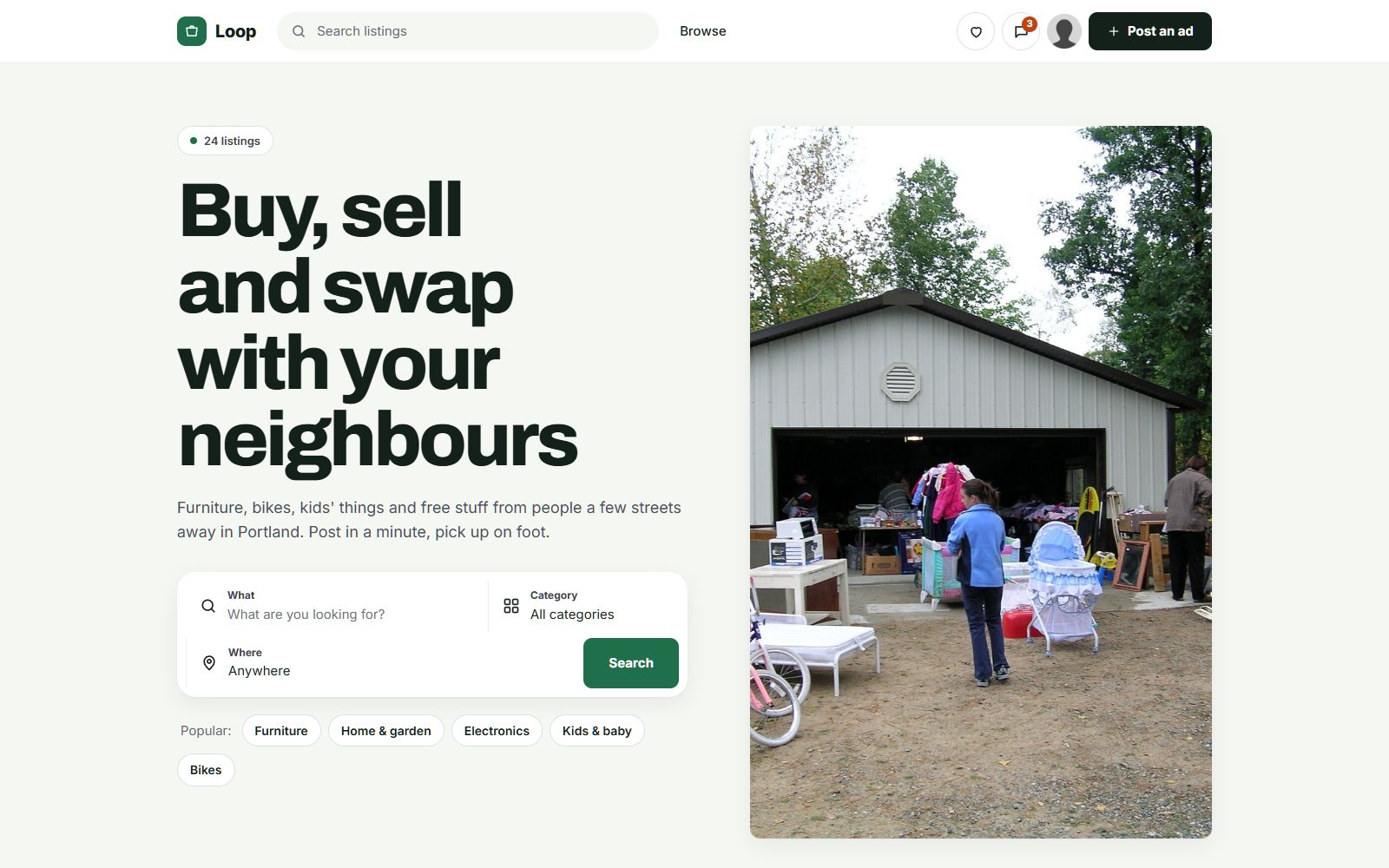
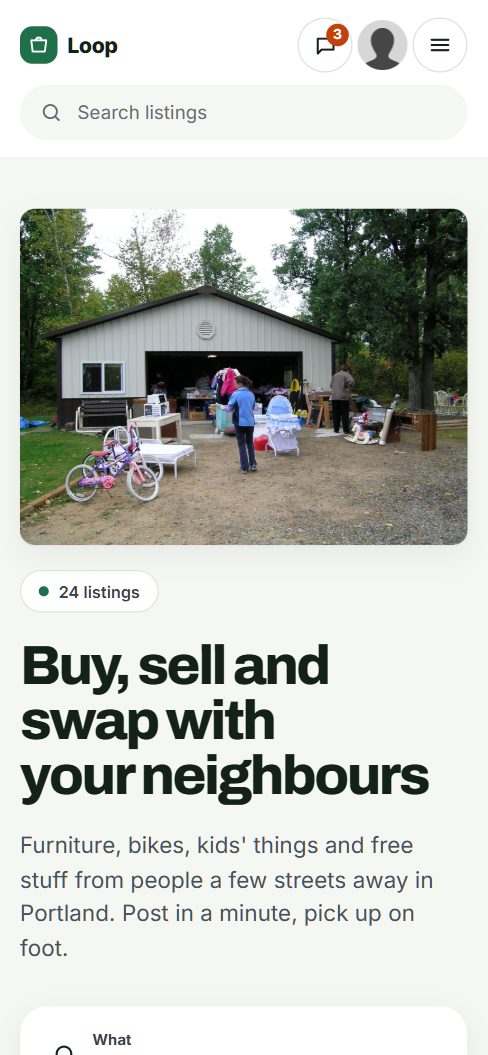
Own one town or county, not the whole internet.
People already buy and sell locally on Craigslist, Facebook Marketplace and town Facebook groups. A local site wins on the things those cannot give a small town: listings from neighbors only, a place that does not feel overrun by spam or resellers from three counties away, and room for the things that matter locally, like yard sales, local jobs, lost pets and rooms for rent.
Pick the area
- A county or a small city with a clear identity, where people say "I'm from here". Town pride brings visitors.
- A place that lost its paper, or whose paper's classifieds have shrunk to a few lines. People remember buying and selling through it.
- A place you know: you can name the hardware store, the church thrift shop, the swap meet and the people who run the town Facebook group.
Where local trade happens today
Town buy and sell groups with thousands of members, yard sale signs on telephone poles, bulletin boards at the grocery store and laundromat, the weekly shopper paper, church bulletins and word of mouth. Each has its weakness: groups bury posts within hours, boards fill with torn slips, and nobody can search a telephone pole.
Your angle
Be the town's own board, run by someone local. Use the town's name in the domain if you can, show local businesses on the home page, and be the person people can call when something goes wrong.
A local site is a community first and a listings site second. Run it like the town notice board, not like a portal.
Keep categories familiar and fields few.
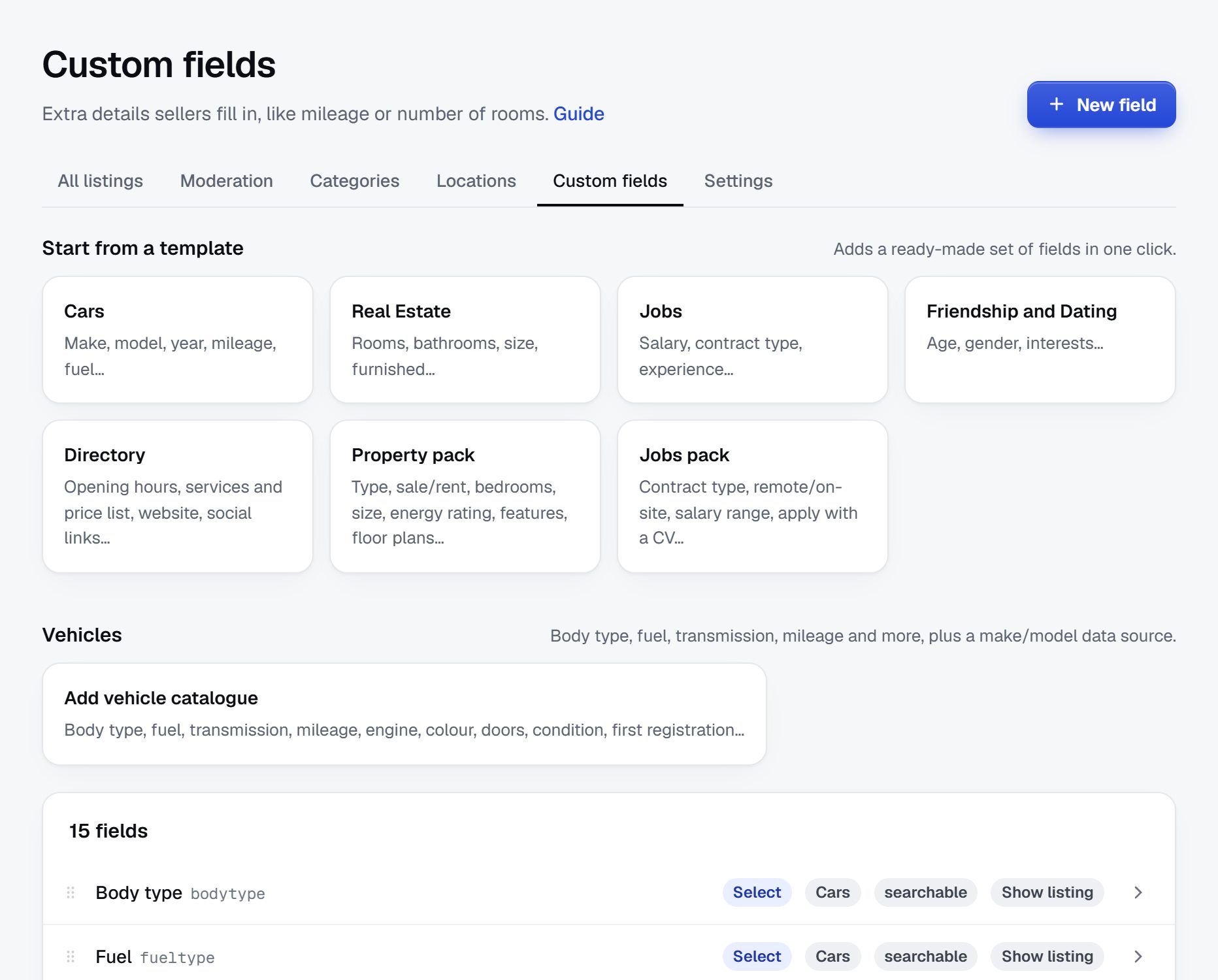
A local site covers everything, so resist the urge to build a deep tree. People should find the right category in one look, the way they found it in the paper. Add detailed fields only where buyers really filter: vehicles, housing, jobs and yard sales.
- Neighborhood or town as a location, so buyers can see how far they would drive.
- Pickup or delivery on general items, since most local deals are cash on collection.
- Condition as a dropdown: new, like new, good, fair, for parts.
- Free as a checkbox. Free stuff draws more visits than almost anything else on a local site.
- Sale date and hours for yard and estate sales, so the weekend list builds itself.
- Pay type and hours per week for jobs.
For vehicles and housing you can add a field pack in one click and keep the rest of the site simple. Every field should help someone in town decide whether to drive over.
| Category | Example listings | Fields buyers filter on |
|---|---|---|
| For sale | Couch, kids' bike, chest freezer, power tools | Price, condition, pickup or delivery, town |
| Free stuff | Firewood, moving boxes, kittens to a good home | Town, pickup by date |
| Yard and estate sales | Saturday yard sale, church rummage sale | Sale date, start time, town, items on offer |
| Vehicles | Pickup truck, riding mower, boat with trailer | Make, year, mileage, price |
| Housing | Room for rent, house for rent, land for sale | Rent or price, bedrooms, pets allowed, available from |
| Jobs | Part-time cashier, farm help, line cook | Pay type, hours per week, town |
| Services and community | Lawn mowing, piano lessons, lost dog, church supper | Town, type of service |
Make town or neighborhood required on every listing; most buyers filter on it first.
Local businesses pay the bills, not the people selling a couch.
Residents selling a used lamp will not pay to post, and asking them would empty the site. Keep personal listings free for good. The money on a local site comes from businesses that want the town's attention, just as it did for the local paper.
Who pays
- Local businesses buy banner spaces: the hardware store, the pizzeria, the dentist, the realtor, the auto shop. Sell them by town page or category, like a sponsor on the yard sale page every weekend.
- Employers pay to post jobs. Hiring is hard in many small towns, and a local audience is what they need.
- Car dealers and realtors pay to post in vehicles and housing, or take a membership covering all their listings.
- Anyone in a hurry pays for a featured listing or a bump, such as an estate sale that wants to be seen all week.
Sell the first banners in person, to owners you know. A low price and a business you visited in person beats any ad network on a small site.
| Model | Works when | Switch it on |
|---|---|---|
| Banner spaces for local businesses | Residents visit every week | When you can show visits from the town for a month |
| Pay to post jobs | Employers get applicants through the site | Once a few job posts bring replies |
| Pay to post vehicles and housing | These categories have steady buyers | When vehicles and rentals get messages within days |
| Memberships for dealers and realtors | Businesses post many listings a month | Once two or three post regularly |
| Featured listings and bumps | Categories are busy enough that posts drop down the page | A few hundred active listings |
Fill the board from the town's own notice boards and groups.
A local site with ten listings feels abandoned. With a hundred, spread across yard sales, free stuff, jobs and items for sale, it feels like the town is already there.
Sources for the first listings
- Town buy and sell groups. Message the regular sellers and offer to post their items for them. Ask the group admin if you can share the site once a week.
- Notice boards. Grocery stores, laundromats, libraries and feed stores have boards full of real listings. Ask the people who posted them if you can put them online too.
- Yard sale signs. On a Friday, collect every sale you can find and post them as a weekend list. It shows the site is useful from the first week.
- Local employers. Restaurants, farms and shops with "help wanted" signs often have nowhere good to post jobs. List them free to start.
- Car lots and realtors. Import their stock from a spreadsheet so vehicles and housing fill up in an afternoon.
- Thrift shops and consignment stores. A few weekly posts of their best items keep the home page fresh.
Make posting quick for older residents too. Offer to post by phone, and add your own unwanted things as real listings.
Post the weekend yard sale list every Friday from the start. It gives people a reason to come back.
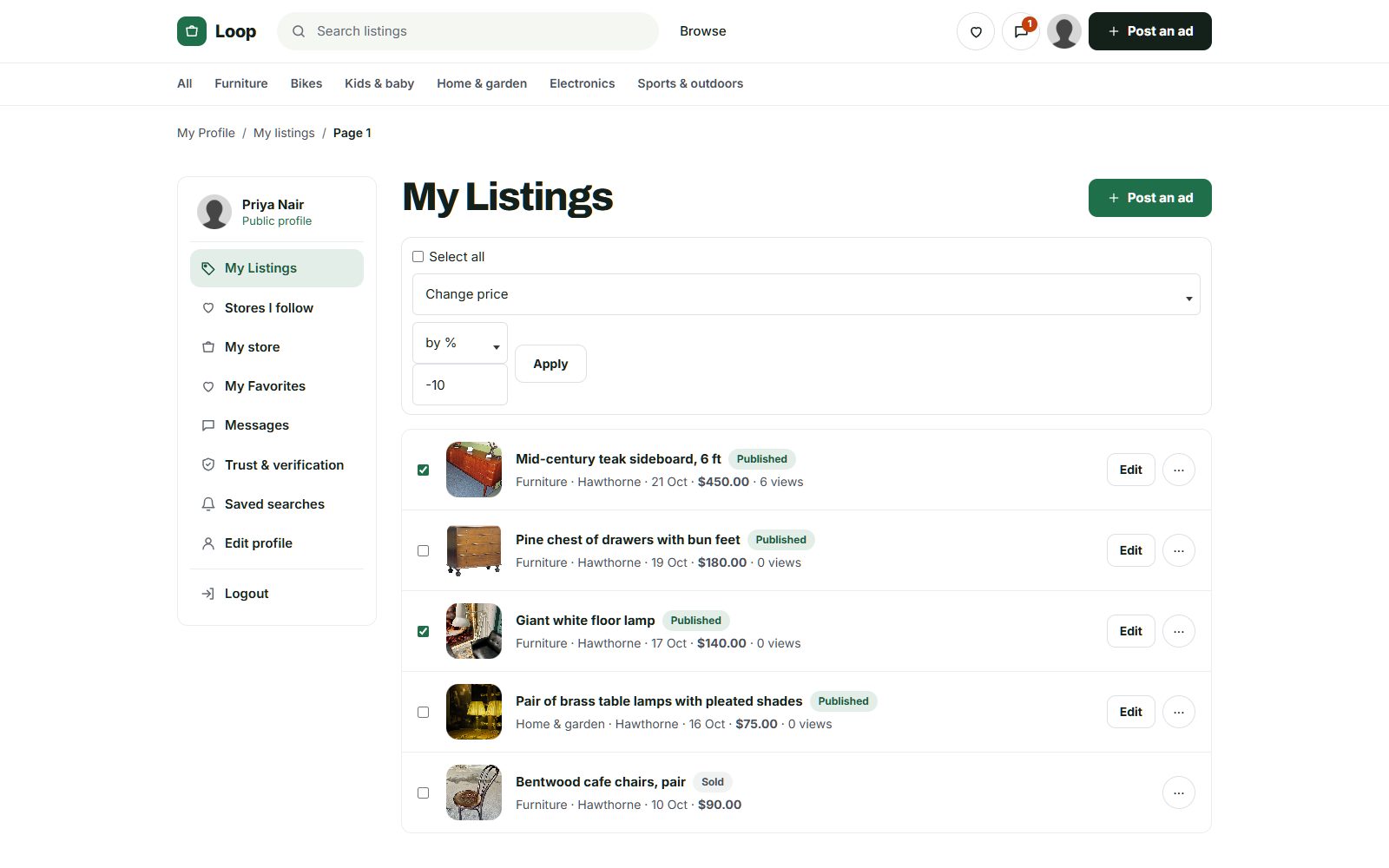
Keep the scams and spam that flood big sites out of your town.
Local sites are smaller targets, but the same scams arrive soon after search engines find you. Being local is your advantage: you can spot a fake far faster than a national site can.
Problems to watch for
- Overpayment scams. A "buyer" who cannot come in person offers to pay by check or transfer for more than the price and asks for the difference back. Warn sellers to accept cash or a payment they can confirm, in person.
- Rental scams. Photos of a real house copied into a fake rental with a deposit asked up front. Hold rentals from new accounts and check the address.
- Fake pets and tickets. Puppies that do not exist and concert tickets that are not real. Watch both categories closely.
- Spam and resellers from outside the area. Banned words, reCAPTCHA and approving every listing at first keep most out.
- Meeting safety. Many police departments offer a safe exchange spot in their parking lot. Name the ones in your area on your safety page.
Rules for the site
- Personal listings only from your town or county, with businesses clearly marked.
- No weapons, drugs, or anything your state restricts. Check the rules where you operate.
- Let residents report listings, and answer reports the same day.
- Use on-site messages so phone numbers and emails stay private.
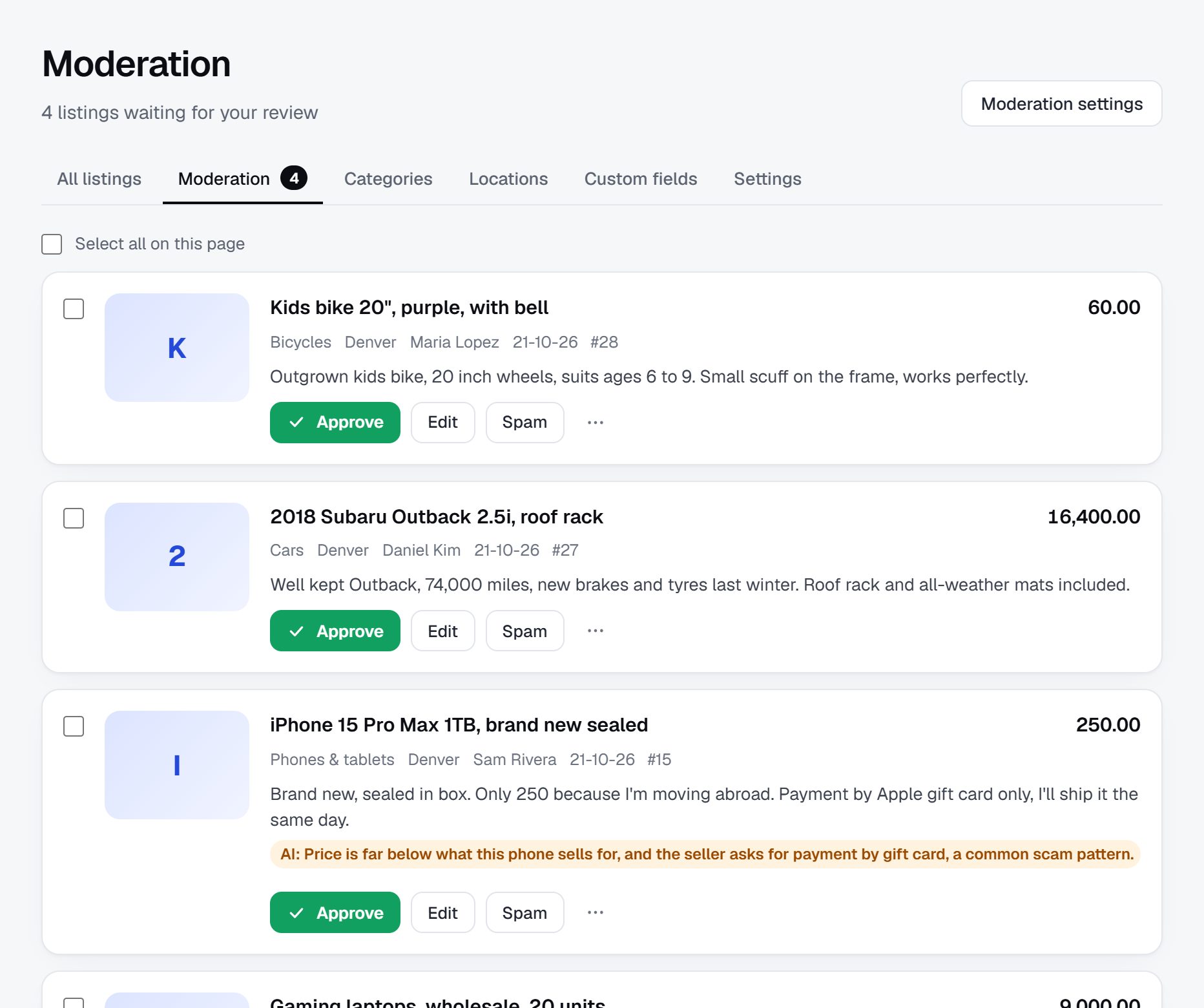
Rank for your town's name plus everything people need.
Local searches are short and include the town: residents type what they want and where. Big sites rank for the large cities, but in a small town or county a local site with real listings and good pages can reach the top.
Searches to target
- "[town] classifieds" and "[county] buy and sell"
- "yard sales in [town] this weekend" and "estate sales [county]"
- "used furniture [town]" and "free stuff [town]"
- "jobs in [town]" and "part time jobs [county]"
- "rooms for rent [town]" and "houses for rent [county]"
Pages to build
- A page for each town and village in your county, so "[village] yard sales" finds you.
- A weekend yard sale page that updates every Friday.
- Category plus town pages for jobs, rentals and vehicles.
- Title patterns that include the town, like "Oak dining table, pickup in [town]".
Content ideas
- A local safety guide with your safe exchange spots.
- A yard sale calendar for town-wide sale days and church rummage sales.
- Guides to where to recycle, donate or dump bulky items in your county.
- Seasonal pages: firewood in fall, snow blowers in winter, garden gear in spring.
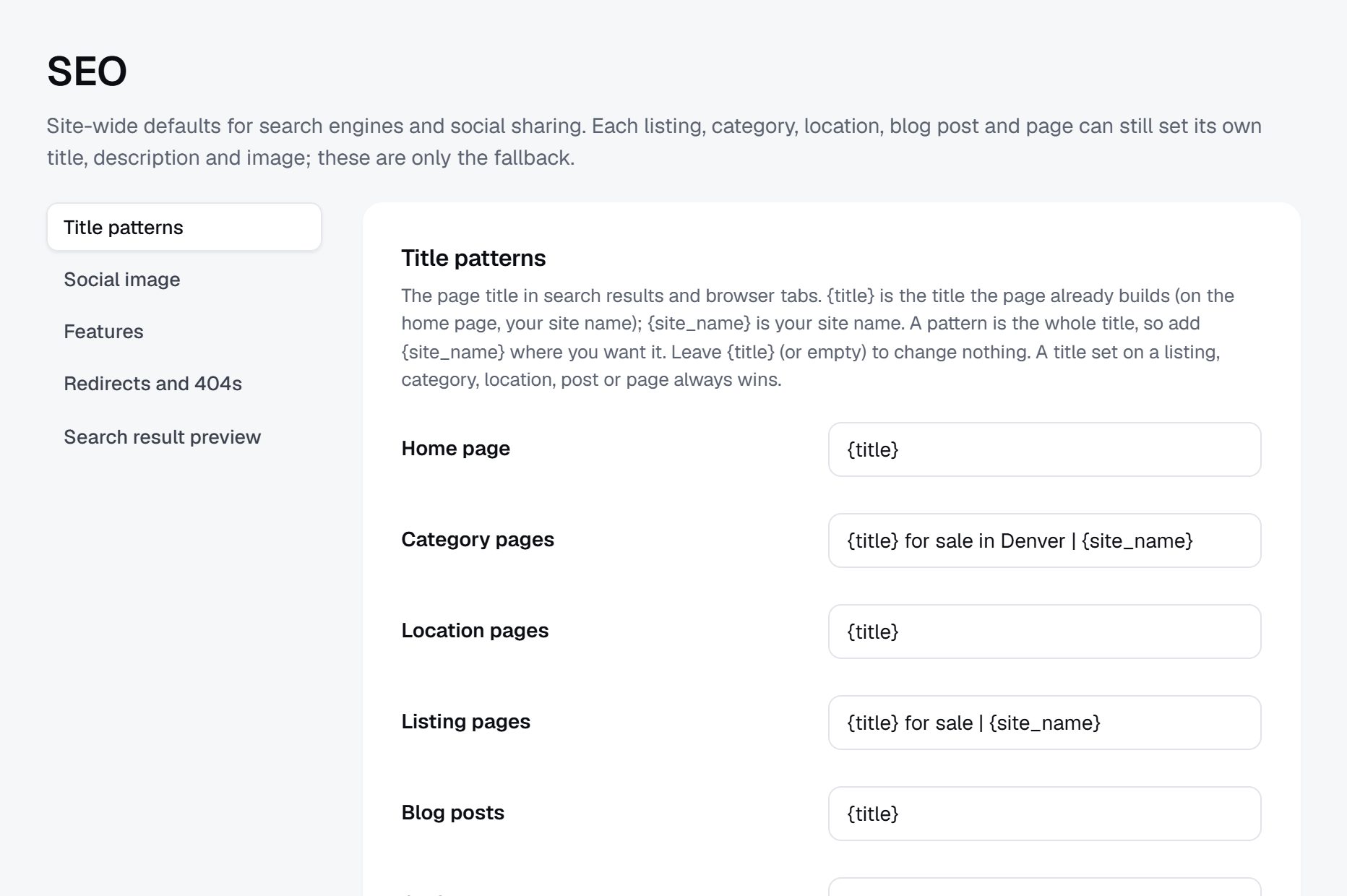
Launch on a weekend the whole town notices.
Local sites live by the town's calendar. Spring is yard sale season, late summer brings back-to-school buying, and moving season brings furniture and rentals. A town-wide yard sale day, the county fair or a holiday market gives you a crowd to launch to.
Launch plan
- Collect at least a hundred listings across yard sales, free stuff, jobs and items for sale.
- Sign up a few local businesses with banners at a launch price.
- Pick a launch weekend, ideally a town-wide yard sale or the fair, and publish that weekend's sale list.
- Put flyers on every notice board you used for listings, and leave cards at the hardware store and laundromat.
- Ask the local paper, radio station or town newsletter for a short story about the new board.
- Post in the town groups once a week with the weekend list, not with ads.
Partners
The chamber of commerce, the library, churches, schools, the police department for safe exchange spots, and thrift shops all reach residents. Ask each to share the site once.
Checklist
- A domain with your town's name and SSL.
- A home page that says which town or county it serves.
- Posting rules and a local safety page.
- Approve every listing for the first months.
- Saved searches with email alerts, so residents hear about free stuff and yard sales first.
A worked example: a three-county board in rural Wisconsin.
Consider Driftless Swap Sheet, an invented site for three rural counties in the Driftless Area of southwest Wisconsin. The free weekly shopper that used to carry the area's classifieds had shrunk to a single page, and the county buy and sell groups had grown so large that posts vanished within hours under a pile of reposts and arguments.
Who it serves
Everyone in the three counties: farm families selling equipment, hay and firewood, retirees clearing out a house, young couples furnishing a first rental, small employers looking for seasonal help, and the churches and volunteer fire departments that run rummage sales and pancake breakfasts. Most users are on phones, and many are over sixty. Summer brings a second audience: cabin owners and campers along the rivers who want a used canoe, a load of firewood or a part-time job for a teenager.
Categories
- For sale
- Household and furniture
- Farm and garden
- Tools and outdoor
- Free
- Garage and rummage sales
- Vehicles
- Housing
- Jobs
- Community notices
How it started
The founder grew up in the area and had worked at the shopper paper for a few years. She started by retyping the paper's last month of classifieds, with each poster's permission, then spent Friday afternoons photographing rummage sale signs along the county roads. The weekly sale list was what caught on: people shared it in the county groups every Friday, and two group admins started pinning it. Older residents called her to post for them, and she took their listings by phone at the kitchen table. By the county fair in August, the fair board was using the site to post vendor space and lost-and-found, and the feed mill asked how to advertise on it. That question, from a business everyone in the county knew, was the moment the site started to pay its own way.
How it makes money
Personal posts are free and will stay free. The feed mill, a hardware store, two auto repair shops and a dental practice rent banner spaces by county, sold face to face at a launch price. Employers pay a small fee per job post, which they accept because hiring locally has been hard. A used car lot and a farm equipment dealer pay monthly memberships covering all their stock. Estate sale companies pay for featured listings during the week before each sale. In winter, when yard sales stop, snowplow services and firewood sellers keep the paid pages busy.
| Listing | Price | Key details |
|---|---|---|
| Small square hay bales, first cutting | $6 per bale | Stored in a barn, 150 available, pickup near Viroqua |
| Oak dresser and matching nightstand | $120 | Good condition, pickup only, Richland Center |
| Church rummage sale | Free entry | Saturday 8 am to 2 pm, bake sale, Soldiers Grove |
| Weekend cook at a family restaurant | $15 per hour | About 20 hours a week, experience preferred, Westby |
| Compact tractor with loader | $14,500 | About 1,100 hours, diesel, Crawford County |
The site and these listings are fictional; the towns are real places used for color.
Your first 90 days as the town's board.
A local board grows on habit. People need a reason to check it every week before it becomes the first place they look for a used freezer or a weekend sale, so the first ninety days are about building one or two habits: the Friday sale list, the free stuff page, or local jobs. Pick your county, gather listings by hand, and sell the first banners only once you can show visits from real residents.
Keep a short weekly tally: new listings by category, visits from inside your county, and how many business owners you have talked to. If one category races ahead, lean into it in your weekly posts to town groups. If jobs or housing sit empty, call employers and landlords directly instead of waiting for them to notice you. And keep approving every listing yourself, since early spam on a small site is more visible than anywhere else.
By week twelve you want a clear answer to one question: do residents come back on their own? If the Friday list gets visits even in a week you forgot to share it, the habit has formed and you can start selling.
| Weeks | Focus | Done when |
|---|---|---|
| 1-2 | Area and categories | The county is chosen, a domain with the town or county name is live, and categories go only one level deep with a few subcategories |
| 3-4 | First hundred listings | At least 100 listings are up from notice boards, group sellers, employers and your own garage |
| 5-6 | Weekly habit | Three Friday sale lists have gone out in a row and at least one town group has shared them |
| 7-8 | Local businesses | Ten owners have been visited, and the first three banners are sold at a launch price |
| 9-10 | Press and partners | A story has run in the local paper or on the radio, and the library and chamber have shared the site |
| 11 | Paid categories | Jobs or vehicles get steady replies, and a fee for those posts is switched on |
| 12 | Review and next step | You have listed which categories residents use most, which businesses renewed banners, and which nearby town to add next |
Ways to build a town board, and what it really needs.
A local classifieds site is broad rather than deep. It needs a simple category tree, a few fields only where buyers filter, locations by town, messages that keep phone numbers private, strong spam control, and banner spaces you can sell page by page. It does not need complicated tools, which makes the choice of route mostly a question of where your hours go.
Developers
Custom code rarely pays off for a town board. Unless you plan to tie the site to a newspaper's subscriptions or a wider local media business, you would be paying to rebuild features that already exist elsewhere.
A script on your own server
Open-source classifieds scripts and WordPress plugins are a common choice for technical founders. They cost little, but spam is the burden: a town site with weak spam control can fill with junk faster than one person can clean it, and every update is yours to apply.
A hosted builder
A hosted builder such as Yclas comes with listing approval, reCAPTCHA, banned words and banner spaces already in place, so the founder can spend the week visiting businesses rather than patching software. You give up some freedom over unusual layouts in return.
Before choosing, list the five things your town will use every week: the sale list, free stuff, jobs, rentals and vehicles. Pick the route that makes those easy and cheap to run, and that someone else could take over if you were ill for a month.
| Route | Fits when | Watch out for |
|---|---|---|
| Custom development | You are building a wider local media business around the board | Paying to rebuild the basics, and slow changes later |
| Script or WordPress plugin | You are technical and happy to look after a server | Spam waves and updates that land on you alone |
| Hosted builder | You want to run the town board, not the software behind it | Fewer options for unusual layouts or one-off integrations |
What a local classifieds site costs to run.
The software is the smallest part of the bill. Most of the cost is your time in the first months: finding the first listings, answering questions and checking what gets posted.
The main costs beyond the software are printing flyers and cards, a launch-weekend table or booth, and a lawyer's review of your terms and prohibited items list. Selling banners in person costs time rather than money.
| Cost | Typical range | On Yclas |
|---|---|---|
| Domain | $10 to $20 a year | Your own, with SSL included |
| Software and hosting | $0 to $100+ a month, plus plugins and updates | Starter $19 a month, Professional $99 |
| Design | $0 to $100 for a theme, or a designer | 109 looks included |
| Payment fees | About 3% per payment | Your Stripe or PayPal fees; Yclas takes nothing |
| Your time | 5 to 10 hours a week at the start | Finding listings, moderation, support |
Mistakes that keep a town board quiet.
- Charging residents to post. A fee on a used lamp sends people straight back to the free groups, and an empty board never recovers. Keep personal posts free for good and look to businesses for revenue. If you want to filter out resellers and spammers, a small fee on vehicles or rentals does that job without touching everyday posts.
- Building a deep category tree. Forty categories with two posts each make the site look deserted. Start with the handful people knew from the paper and split a category only when it gets crowded. Farm and garden may deserve its own section in a rural county long before electronics does.
- Covering a whole region. A board for five counties feels like it belongs to nobody, and buyers do not want to drive an hour for a bookcase. Own one town or county, with its name on the home page, and grow from there.
- Launching with an empty site. First visitors decide in seconds whether to come back. Collect at least a hundred real listings before you tell anyone, including your own unwanted things. Spread them across categories so that every click lands on something real, and date them so nothing looks old.
- Letting spam sit overnight. A home page with fake puppies, loan offers or out-of-state rentals tells residents the site is not looked after. Approve every listing in the first months and answer reports the same day. On a small site, one bad week of spam can undo months of word of mouth.
- Filling the pages with ad network banners. Generic ads for things nobody in town buys make a small site look like spam. Local banners from businesses residents know look like part of the community and pay better per page. A sponsor on the Friday sale list, named in every share, is worth more to a local shop than a hundred anonymous clicks.
- Ignoring the seasons. Yard sales stop in winter, and a board built only on them goes quiet for months. Plan a winter habit, such as firewood, snow removal or indoor swap meets, before the first frost.
- Running the site anonymously. Residents trust a person they can call. Put your name, your town and a phone number on the About page, and show up at the fair and the farmers market. Being recognized in the hardware store is part of running a town board.
- Forgetting older residents. Many of the best sellers, from estate sales to farm equipment, are older people who will not fill in an online form. Offer posting by phone, keep the posting form short, and print a weekly sheet for the library or senior center if people ask for one.
Local classifieds terms to know.
Residents, advertisers and group admins use this shorthand, so your posting rules and guides should too.
| Term | What it means |
|---|---|
| OBO | Or best offer: the seller will consider less than the asking price. |
| FCFS | First come, first served: no holds, and the first person to arrive gets the item. |
| Curb alert | A post saying free items have been left at the curb for anyone to take. |
| ISO | In search of: a wanted post from someone looking for an item. |
| Cash and carry | Payment in cash at pickup, with the buyer moving the item. |
| Bump | Moving a listing back to the top of its category, often sold as a paid extra. |
| Featured listing | A listing shown above others or on the home page for a fee. |
| Shopper paper | A free weekly paper made up mostly of ads and classifieds. |
| Run of site | A banner that appears on every page rather than in one category or town. |
| Safe exchange zone | A spot, often in a police station lot, set aside for meeting strangers to trade. |
| Overpayment scam | A fake buyer pays more than the price and asks for the difference back before the payment bounces. |
| Reseller | Someone who buys items to sell again for profit, often with many listings. |
| Expiry | When a listing comes down automatically after a set number of days. |
| Cross-posting | Posting the same item on several sites or groups at once. |
The same steps for a local classifieds site on Yclas.
- Describe your nicheThe setup wizard writes the categories, an About page and example listings from one sentence.
- Add fieldsSwitch on a field pack or add the fields your buyers filter on.
- Fill itImport dealer spreadsheets, invite sellers and post your own.
- Set the rulesChoose moderation, banned words and AI checks.
- Go liveChoose a plan, connect your domain, switch on paid listings when it is time.
What does it cost to run a town classifieds site?
Very little to start: the site, a domain, some printing and your time. The bigger cost is the hours spent collecting listings and visiting businesses in the first months.
How can I compete with Facebook Marketplace and town groups?
Be easier to search and safer. Weekend yard sale lists, local jobs, and listings that stay findable by category and town are things groups do badly.
Should I charge people to post?
Not for personal listings. Charge for jobs, vehicles, housing and banners once those categories are busy, and keep everyday posting free.
What legal points should I think about?
Prohibited items, rental and job ad rules, and privacy. They differ by state, so check the rules where you operate and have a lawyer look at your terms.
How big an area should I cover?
Start with one town or county that people identify with. A full board for one county beats a thin one for a whole region.
How do I get local businesses to advertise?
Visit them in person with your visitor numbers, start with a low launch price, and offer spots on pages that match their trade, like a mechanic on the vehicles page.
How much time does moderation take?
At first, a few minutes a day to approve listings. Once most posters are regulars, publish straight away and rely on reports, banned words and AI that holds suspicious listings.
How long should listings stay up on a town board?
About thirty days works for most items, with an email reminder to renew. Garage sales should come down the day after the sale so the weekend list stays current.
Should businesses be allowed in the free categories?
Keep business posts clearly marked and in their own categories or paid options. Residents come for each other's listings, and a page full of shop ads drives them away.
Can I run the site alongside a local newspaper?
Yes, and it can help both sides. The paper can print a weekly selection of listings and send readers online, while you gain its readers and advertisers. Agree who sells which ads before you start. Some papers also want a share of banner revenue, so put the arrangement in writing.
What if a neighboring town wants to join?
Add it once your first town is busy, with its own location page. Ask someone from that town to help collect the first listings, since local knowledge is what made the first one work. Keep one set of rules across both towns so residents of each know what to expect.
What about people who post the same item in every group?
That is normal, as long as the item is real and local. Your site wins when the listing is easier to find, stays up longer and keeps its details. Make sure your listings show the town, the condition and pickup details that a scrolling group post often leaves out.
Related pages.
The parts of Yclas this leans on.
You have the plan. Now give your town its classifieds back.
Describe your site in a sentence and the setup wizard writes the categories, example listings and a look. Free for 15 days, no credit card.
Start my classifieds site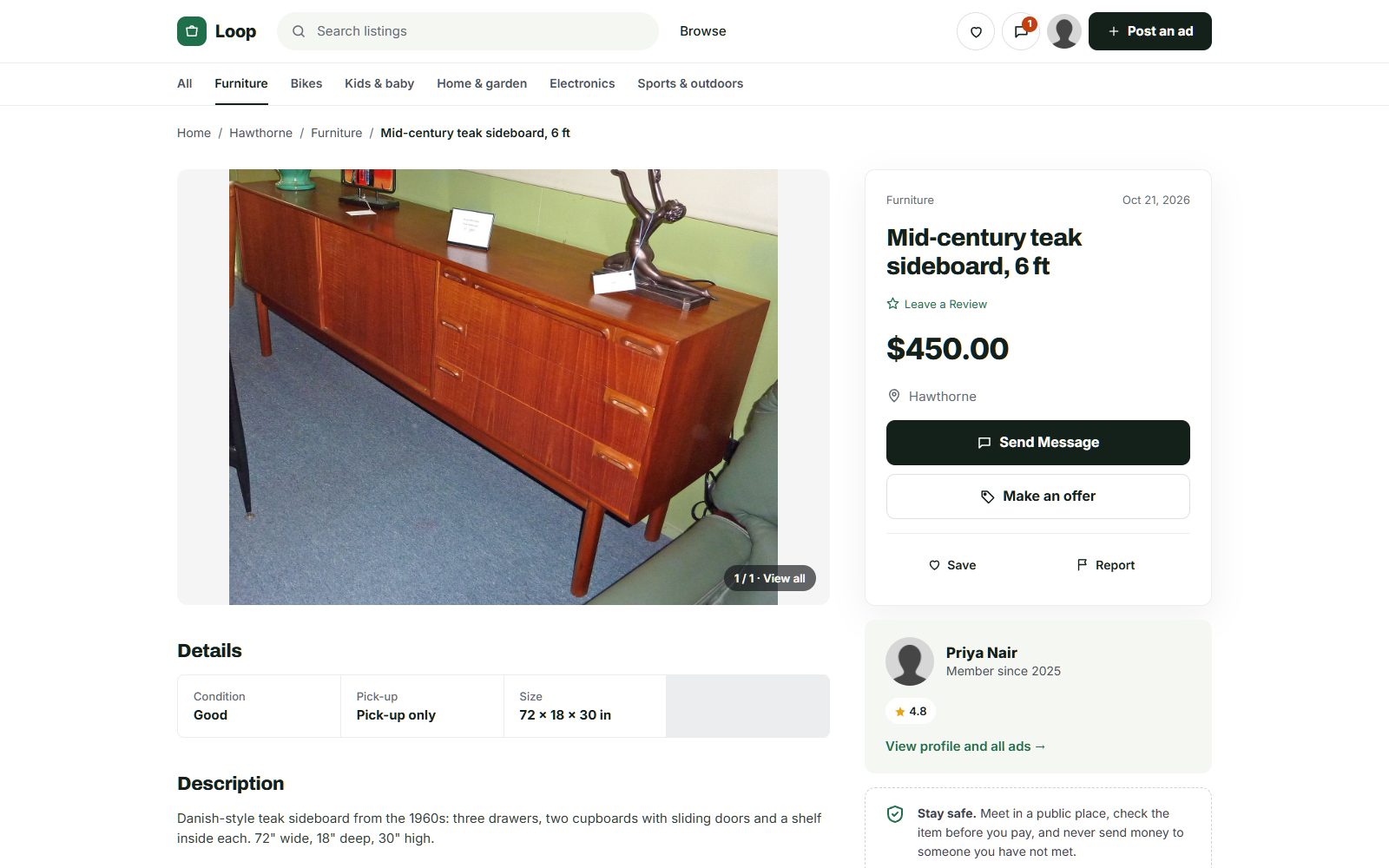
Photo credits
The screenshots show demo sites with made-up sellers. Their photos come from Wikimedia Commons, some cropped or with signs and plates blurred; these ones are under Creative Commons licences:
- McIntosh Teak Sideboard Circa 1960s, CC BY-SA 4.0
- Persian Rug Khorrasan 1, CC BY 2.0
- Fameg bentwood chairs of Poland 01, CC BY-SA 4.0
- View of the "Lost Dining Table and Chairs" in Eltham Palace - geograph.org.uk - 5797282, CC BY-SA 2.0
- Anglepoise Original 1227 Giant Floor Lamp, CC BY-SA 4.0
- Wooden Balance Bike for Kids oak frame with flame red tires, CC BY-SA 4.0
- Baby Crib (49935766018), CC BY 2.0
- Seth Thomas tambour mantel clock ca. 1930, CC BY-SA 4.0
- Rack of rock climbing gear at Horsethief Butte in a Mazamas class, CC BY 4.0
- Sideboard Teak 5 Door Rosando Furniture, CC BY-SA 4.0
- Teak 'Fresco' Sideboard by G Plan angled view, CC BY-SA 4.0