
How to build a neighborhood classifieds website that neighbors are glad to share.
This guide is for residents, HOA boards and community managers who want to run a buy, sell and swap board for one neighborhood, subdivision, apartment community or estate. It covers setting the boundary, simple categories, how it can pay for itself, getting the first posts, privacy and neighbor disputes, search and launch.
Free for 15 days · No credit card · Plans from $19 a month
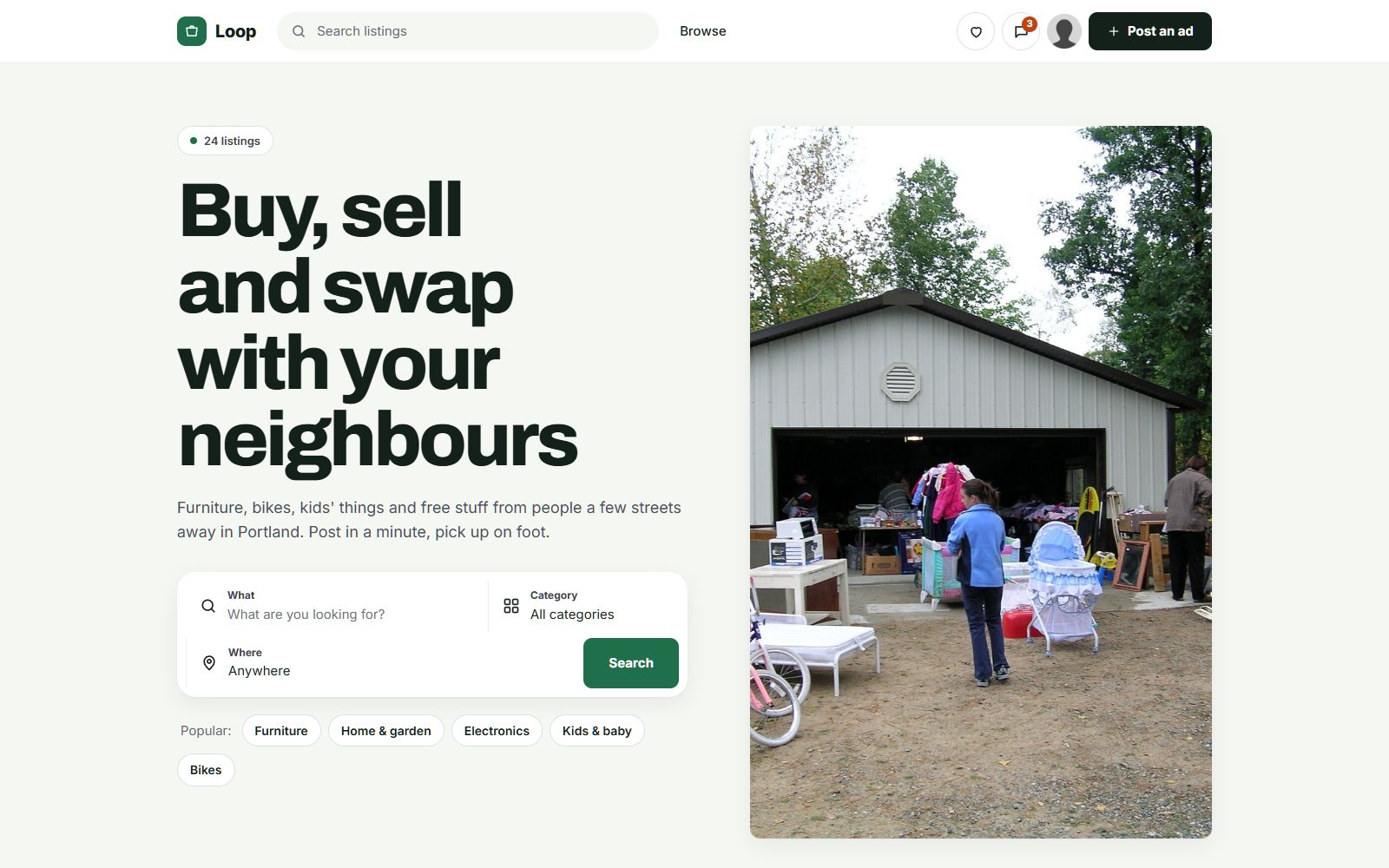
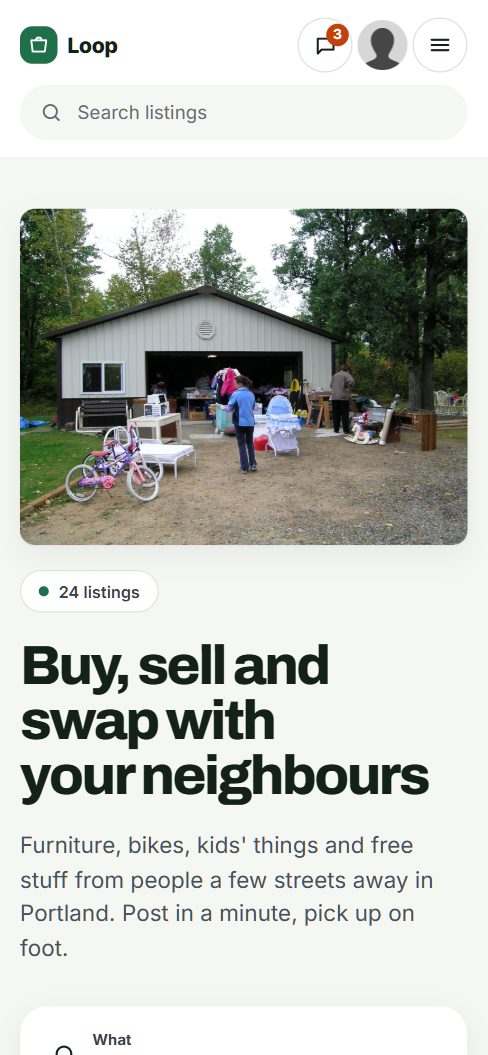
Build a board for the people within walking distance.
A neighborhood board is the smallest kind of classifieds site, and its size is its strength. Buyers and sellers live a few streets apart, so a crib, a lawn mower or a box of outgrown kids' clothes can change hands at the front door. Neighbors trust each other more than strangers from the city, and many prefer to give things away than to haggle.
Who it is for
- Families passing on baby gear, kids' bikes and school uniforms.
- People moving in or out who need furniture, or need to clear it in a week.
- Teens and retirees offering lawn mowing, babysitting, pet sitting and tutoring.
- Residents who rent a room, a garage space or their home when they move away.
Set the boundary
Choose a boundary everyone already knows: one HOA, one subdivision, one apartment complex, one estate or one named neighborhood. If it is too small, a few hundred homes, the board will be quiet; consider a group of neighboring subdivisions under one name.
Where neighbors trade now
Nextdoor, a neighborhood Facebook group, a WhatsApp chat, the HOA newsletter, the mailroom board, and the twice-yearly community garage sale. Chats bury posts, and the newsletter comes out monthly. A simple board lets anyone see what is available today.
Get the HOA board or the community manager on your side before launch. Their newsletter reaches every door.
Keep it simple: what it is, which street, and whether it is free.
Neighbors post quickly and from their phones, so ask for as little as you can. A title, a photo, a price or "free", and a pickup note is enough for most posts. The few fields you add should make pickup easy and protect privacy.
- Street or section as a location, never a house number. Neighbors can share the address in messages.
- Free as a checkbox, so a "free stuff" view builds itself.
- Porch pickup as a checkbox. Many neighbors leave items out for collection, which saves both sides time.
- Lend or borrow as an option for tools and party gear, since swapping is part of neighborhood life.
- Available until as a date for moving sales and giveaways.
- For services, age of provider (adult or teen with parent's consent) and type of service.
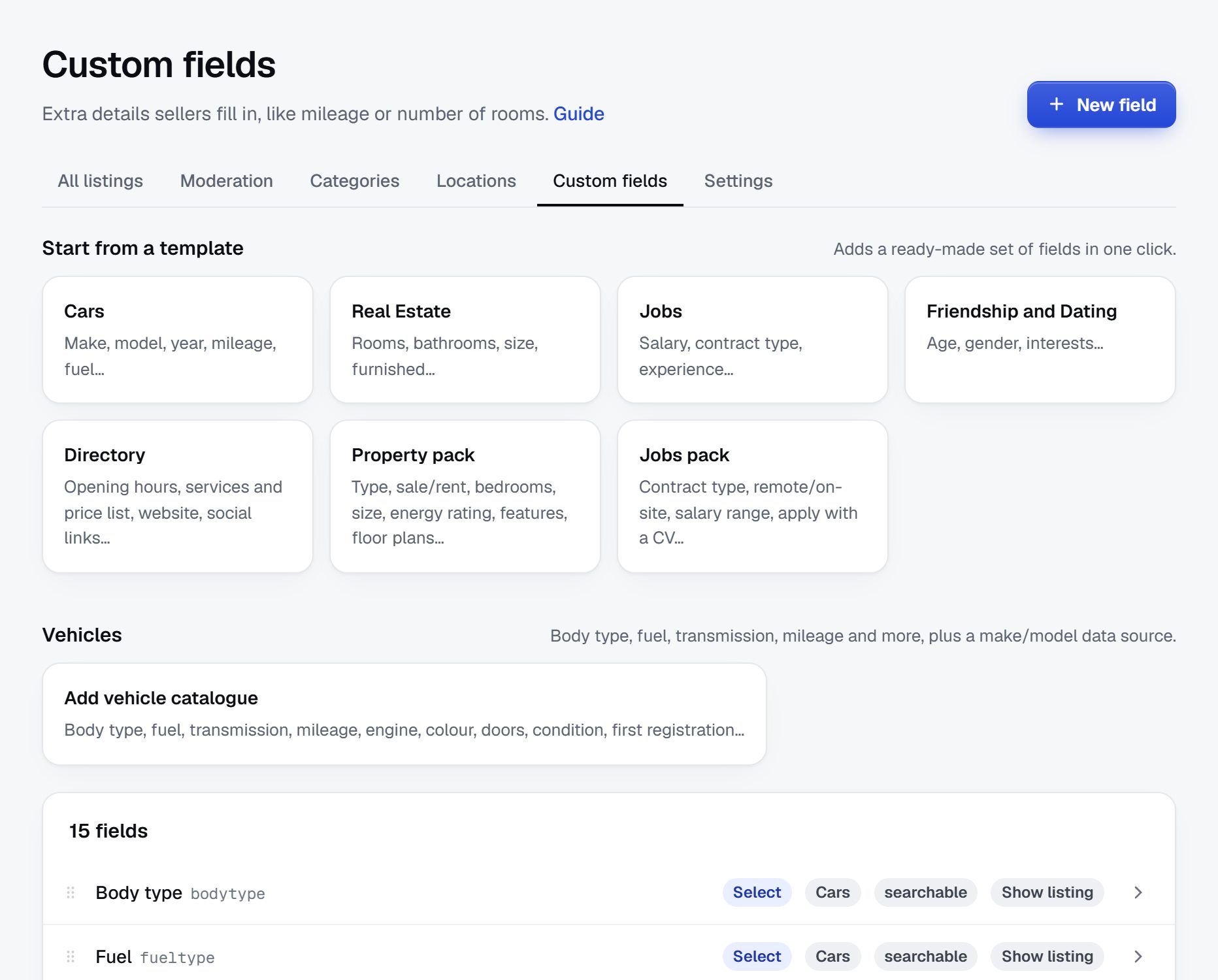
Custom fields can be text, numbers, dropdowns, checkboxes or dates, each one required or optional and shown as a search filter, so you can add or remove them as you learn how neighbors post.
| Category | Example listings | Fields neighbors filter on |
|---|---|---|
| For sale | Dining chairs, stroller, patio set | Price, porch pickup, street or section |
| Free and giveaways | Moving boxes, toys, leftover paving stones | Available until, porch pickup |
| Borrow and lend | Ladder, pressure washer, folding tables | Lend or borrow, street or section |
| Services by neighbors | Babysitting, lawn mowing, dog walking, tutoring | Type of service, adult or teen |
| Garage sales | Saturday sale, community-wide sale day | Sale date, start time, street |
| Rooms and homes | Room for rent, garage space, house for rent | Rent, available from, pets allowed |
| Wanted | Looking for a kids' bike, a carpool to school | Category, street or section |
Hide house numbers on every listing; a street or section is enough.
Make it pay for itself, not a business.
Most neighborhood boards are run as a community service, and charging neighbors to sell a stroller would kill one quickly. Keep every resident's post free. If you want the site to cover its costs, or a little more, look to the people who sell to the neighborhood.
Options
- The HOA or community manager pays the running costs as a resident benefit, the same way they pay for the newsletter or the pool app.
- Local businesses buy banner spaces: the nearby coffee shop, the plumber who does half the street, the pediatric dentist. Neighbors like seeing names they already know.
- Trades and realtors pay to post in a services or homes category, clearly marked as businesses so they do not crowd out neighbors.
- Featured spots for moving sales that want to be seen all week.
Check your HOA's rules first. Some restrict advertising or commercial activity in community channels, and the board may want a say in which businesses appear.
| Model | Works when | Switch it on |
|---|---|---|
| HOA or management pays | The board sees the site as a resident service | From the start, if they agree to it |
| Banner spaces for nearby businesses | Most households visit at least monthly | Once you can show regular visits |
| Pay to post for trades and realtors | Businesses want to reach the neighborhood | When residents ask for recommendations often |
| Featured listings for moving sales | The board is busy enough that posts drop down | When there are more than a page of active posts |
Find the first posts in garages, mailrooms and moving trucks.
A neighborhood will never have thousands of listings, and it does not need them. Thirty to fifty real posts at launch, many of them free, are enough to make neighbors look again next week.
Sources for the first posts
- The neighborhood chat or group. Ask people who recently posted items if you can put them on the board. Most say yes.
- Neighbors who are moving. A moving sale can fill a page on its own. Watch for for-sale signs and moving trucks, and knock.
- Your own garage. Post what you were going to donate. Ask a few friends on the street to do the same.
- The community garage sale. If your HOA runs one, put every participating house on the board and keep the unsold items up after the day.
- Teens offering services. Babysitters, lawn mowers and dog walkers want work. A services category fills quickly with parents' approval.
- The mailroom or clubhouse board. Copy the paper slips online, with permission.
Posting must be quick, since neighbors post in a spare minute. A seller can snap a photo and let AI suggest a title, description, category and price, then check it before it goes live.
Post a free item every week yourself in the first months. Free things get neighbors in the habit of looking.
Protect privacy and keep neighbor arguments off the board.
The risks on a neighborhood board are different from those on a city site. Scammers are fewer, but privacy, safety at the door and neighbor disputes matter more, because everyone knows where everyone lives.
Things to plan for
- Privacy. Never show house numbers or phone numbers on listings. Use on-site messages, and remind people not to post when they will be away on vacation.
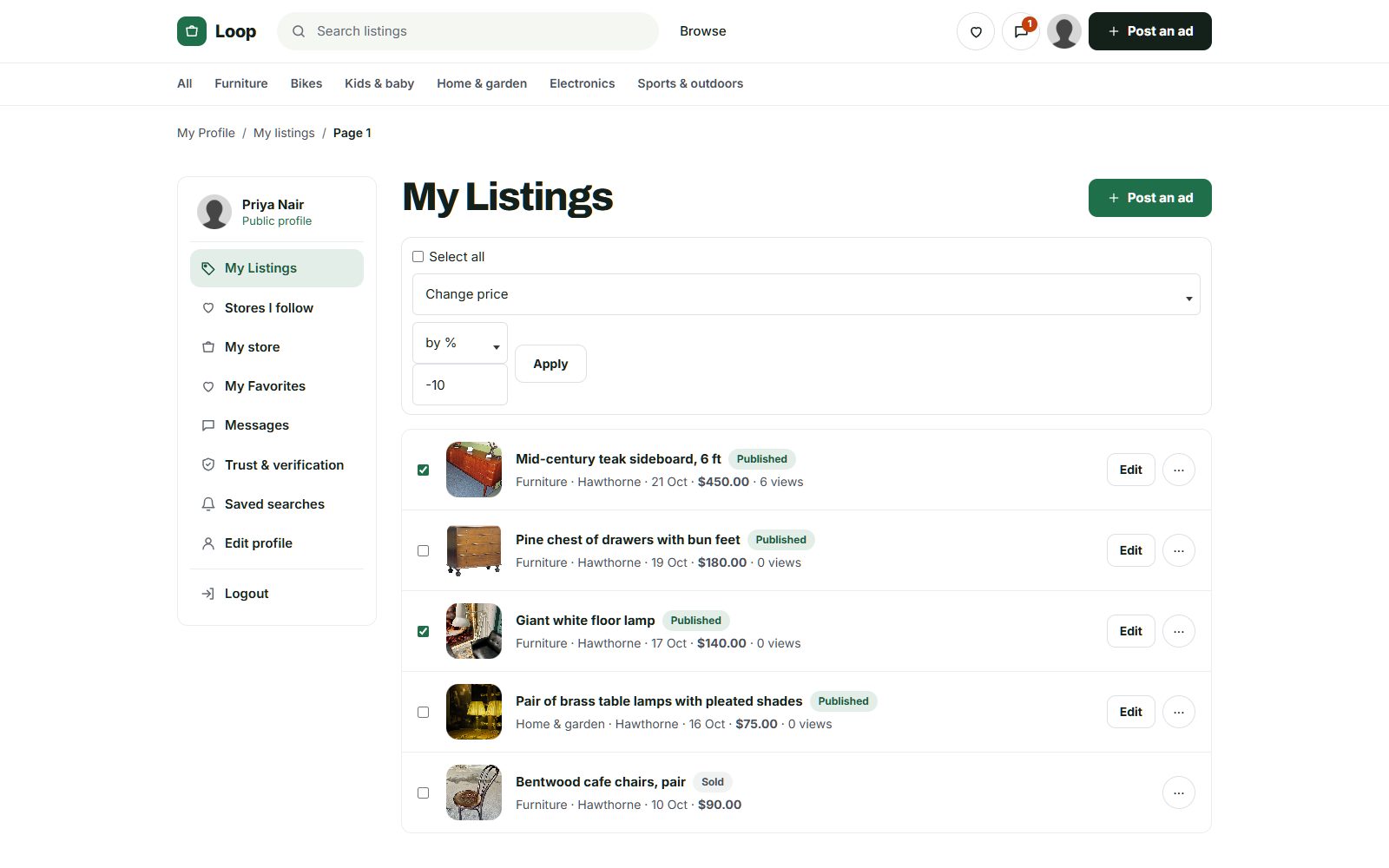
- Outsiders. Ask for a street or section on every post, approve every listing, and remove posts from people who are not residents.
- Rants and disputes. A buy and sell board is not the place for complaints about parking or barking dogs. Say so in your rules and remove those posts quickly, or the board turns into a fight.
- Kids offering services. Ask for a parent's consent for teens, and advise parents hiring a babysitter to meet them first.
- Rentals. Housing ads must follow fair housing rules, and some HOAs limit short-term rentals. Check the rules where you operate and your community's own rules.
- Home businesses. Some HOAs restrict running a business from home. Do not let the board become a reason for a dispute.
Rules for the site
- Residents only, with posting rules on the home page.
- No rants, no politics, no complaints about named neighbors.
- Reports answered within a day, by you or a co-moderator.
Be easy to find for your neighborhood's name.
Search matters less for a neighborhood board than for a city site, since most visitors come from the newsletter, a flyer or a neighbor. But new residents search before they move in, and people search when they want something nearby, so a few good pages help.
Searches to target
- "[neighborhood] garage sale" and "[subdivision] community garage sale [year]"
- "homes for rent in [subdivision]" and "rooms for rent near [community]"
- "babysitter in [neighborhood]" and "lawn mowing [subdivision]"
- "[neighborhood] HOA" and "moving to [neighborhood]"
Pages to build
- A home page that names the neighborhood clearly and says who the board is for.
- A page for each section or phase if your community has them.
- A garage sale page that you update for each community sale day.
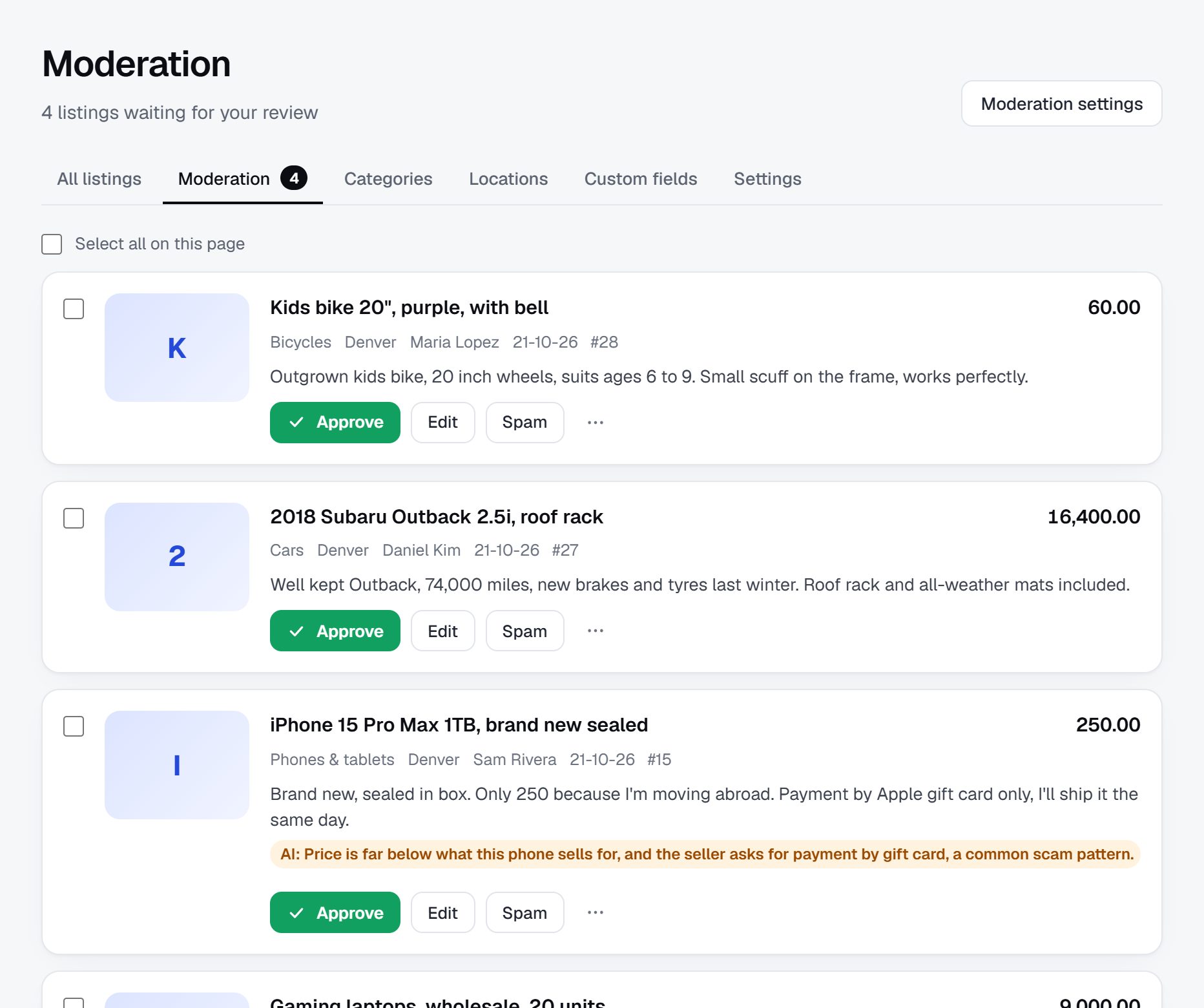
- Title patterns that include the neighborhood name, like "Kids' bike, free, porch pickup in [neighborhood]".
Content ideas
- A welcome page for new residents: trash days, the pool, schools, and how to use the board.
- A local recommendations list kept by neighbors: plumbers, sitters, vets.
- A guide to the community garage sale day.
- A short list of where to donate or recycle bulky items nearby.
Launch with the HOA newsletter and a community sale day.
Neighborhoods have their own calendar: the spring community garage sale, summer moves, back-to-school, the holiday decorations swap. A launch tied to one of those gets every household's attention at once.
Launch plan
- Agree the boundary, the rules and the site name with the HOA board or community manager.
- Collect thirty to fifty real posts from neighbors, moving sales and your own garage.
- Launch the week before a community garage sale, with every participating house on the board.
- Put a short note in the HOA newsletter, on the mailroom or clubhouse board and on the community notice boards.
- Leave a flyer with a QR code at each door if the HOA allows it.
- Post in the neighborhood chat with a link to the free stuff page.
- Add the welcome page to new resident packets.
Checklist
- Your own domain, with SSL, using the neighborhood's name.
- No house numbers on listings.
- Posting rules and the no-rants rule on the home page.
- Approve every listing.
- One or two co-moderators from other streets.
- Saved searches with email alerts, so neighbors hear when free furniture or a sitter is posted.
A worked example: a swap board for one subdivision near Raleigh.
Here is an invented case: Cedar Run Neighbors Board, the swap board for a fictional subdivision of about 600 single-family homes and two townhome sections outside Raleigh, North Carolina. Families with young children make up much of the neighborhood, houses change hands often as people move for jobs in the Research Triangle, and the HOA runs a pool, a clubhouse and a community yard sale every April and October.
Who it serves
Parents passing on outgrown gear and clothes, new arrivals who need a dresser or a desk in their first week, teens looking for babysitting and lawn work, retirees with tools to lend, and renters in the townhomes who move every year or two. The HOA itself uses the board for the yard sale map and for a short notices category about pool hours and clubhouse events.
Categories
- Kids and baby
- Gear and furniture
- Clothes by size
- Home and garden
- Free
- Borrow and lend
- Neighbor services
- Babysitting and pet care
- Yard work
- Wanted
How it started
A resident on the HOA's welcome committee was tired of watching the neighborhood Facebook group fill with lost-cat posts and arguments about trash cans left out too long. Good stuff for sale disappeared under the noise within an hour. She proposed a board for buying, selling, giving and lending only, with no comments and no discussion threads. The HOA board agreed to mention it in the newsletter on two conditions: no house numbers anywhere, and no business ads without the board's approval. She launched two weeks before the April yard sale with forty posts, half of them free, and put every participating house on the board as its own listing, by street, with a short list of what each would sell. After the sale, many of those households kept posting their leftovers, which gave the board its first busy month. By the October sale, the welcome committee was handing out a card with the board's address to every new household, and a borrow-and-lend list had grown to more than a dozen ladders, tents and pressure washers.
How it makes money
It barely needs to. The HOA covers the running costs from its communications budget, the same line that pays for the newsletter. Three nearby businesses, a pediatric dentist, a coffee shop and a lawn care company, rent banner spaces approved by the board, which pays for printing door hangers twice a year. Residents never pay to post anything.
| Listing | Price | Key details |
|---|---|---|
| Convertible crib with mattress | $80 | Smoke-free home, porch pickup, Section 2 |
| Bag of boys' clothes, size 4T | Free | About 25 pieces, porch pickup until Sunday |
| Extension ladder to borrow | Free to borrow | 24 ft, return within a week, Cedar Loop |
| Babysitting by a high school junior | $15 per hour | Weekend evenings, has taken a first aid course, parent's consent given |
| Wanted: kids' bike with training wheels | Up to $30 | For a 4-year-old, townhome section |
Cedar Run, its streets and these posts are made up for illustration.
The first 90 days in one neighborhood.
A neighborhood board lives or dies on whether it becomes a habit in its first few weeks. Unlike a city site, you cannot wait for search traffic to arrive; nearly every visitor comes from the newsletter, a flyer, a neighbor or the chat. So the ninety days run in short loops: get posts up, tell every door, see who comes back, and keep the board tidy enough that people trust it with their address and their kids' names.
Measure what you can count easily: posts per week, households with an account, and how often free items are claimed within a day. If posting slows after launch, post your own things again and ask a few active neighbors on different streets to do the same. A board with three new posts a week stays alive; one with none for two weeks is quickly forgotten. Watch the free category in particular: when giveaways are claimed within hours, neighbors start checking the board before they drive anything to the donation center.
Bring the HOA board an update at the end of each month, with numbers and one good story, such as a crib that went to a new family down the street. Those updates keep the newsletter mentions and the budget coming, and they make it easy for the board to defend the site if a resident ever complains about it.
| Weeks | Focus | Done when |
|---|---|---|
| 1-2 | Boundary and rules | The boundary, site name and posting rules are agreed with the HOA board or community manager |
| 3-4 | First posts | Forty posts are live, at least half free, from your home, friends on other streets and recent chat posts |
| 5-6 | Launch | The newsletter note has gone out, flyers are up in the clubhouse and mailroom, and a link is posted in the neighborhood chat |
| 7-8 | Moderation | Two co-moderators from different streets approve posts and handle reports within a day |
| 9-10 | Services and wanted | Babysitting, yard work and wanted posts are live, with a parent's consent noted for every teen provider |
| 11 | Community sale or season | The next community sale or seasonal swap runs through the board, and households have signed up for alerts |
| 12 | Hand-over ready | A co-moderator can run the board for two weeks without you, and the HOA holds a copy of the domain and admin details |
Ways to build a neighborhood board, and which lasts.
A neighborhood board needs very little technology: posting from a phone in a minute, a free checkbox, locations by street or section without house numbers, private messages, approval of every post, and a clear way to keep it to residents. What it needs most is a person, and later the next person, which is why the right route is the one that survives a change of volunteers.
Developers
Ask first whether you need software at all, or just a well-run board. Custom software only makes sense for a management company that wants one board across many communities, tied to its own resident records. For a single subdivision it is far more than the budget or the need.
A plugin or script you host yourself
A WordPress plugin or a classifieds script on cheap hosting works while a technical neighbor looks after it. The risk is that the volunteer moves away, the password goes with them, and nobody knows how to update the site until it breaks or gets hacked.
A hosted builder
A hosted builder such as Yclas runs the software for you, so the board keeps working when volunteers change, and listing approval, banned words and reports are there from the first day. The HOA or the sponsors pay a running cost instead of relying on someone's spare evenings.
Whichever you pick, put the domain and the admin account in the HOA's name or share them with a second person from the start. Boards rarely fail because of software; they fail when the only person with the keys stops answering.
| Route | Fits when | Watch out for |
|---|---|---|
| Custom software | A management company runs boards for many communities | Cost far beyond what one neighborhood can justify |
| Plugin or script on cheap hosting | A technical neighbor will maintain it for years | The board breaks or goes stale when that neighbor moves away |
| Hosted builder | Volunteers change and the board must keep running | A running cost the HOA or local sponsors need to cover |
What a neighborhood classifieds site costs to run.
The software is the smallest part of the bill. Most of the cost is your time in the first months: finding the first listings, answering questions and checking what gets posted.
Costs are small: the site, a domain, printed flyers or door hangers, and perhaps a table at the community garage sale. If the HOA pays, ask the board to approve the budget and the rules before launch.
| Cost | Typical range | On Yclas |
|---|---|---|
| Domain | $10 to $20 a year | Your own, with SSL included |
| Software and hosting | $0 to $100+ a month, plus plugins and updates | Starter $19 a month, Professional $99 |
| Design | $0 to $100 for a theme, or a designer | 109 looks included |
| Payment fees | About 3% per payment | Your Stripe or PayPal fees; Yclas takes nothing |
| Your time | 5 to 10 hours a week at the start | Finding listings, moderation, support |
Mistakes that turn a neighborhood board into a ghost town or a fight.
- Allowing open discussion. Once people can comment freely, the board becomes a place to argue about parking, fences and dogs, and the swapping stops. Keep it to posts and private messages, and point complaints to the HOA's own channels. A short line on the home page saying what the board is not for saves you many awkward removals later.
- Showing house numbers. A full address on a listing tells strangers which house has a new television, and when a moving sale means the home will be empty. Use streets or sections only, and remove addresses whenever they slip into a description. Remind people not to announce dates when they will be away.
- Choosing a boundary that is too small. One cul-de-sac or a forty-unit building will not produce enough posts to keep people checking. Join with the next subdivision or the other buildings in the complex under one shared name. Two or three hundred active households is a more realistic floor than one street.
- Launching without the HOA or the community manager. A board that the HOA did not know about can look like a rival, and you lose the newsletter, the clubhouse board and the welcome packet. Some HOAs also have rules on using the community's name. Ask early, share the rules, and offer them a say in which businesses appear.
- Running it alone. One moderator burns out, goes on vacation or moves away, and the board fills with spam or stops. Recruit two co-moderators from other streets before launch and write down how you handle reports, so all three of you answer them the same way.
- Letting businesses crowd out neighbors. If realtors and trades post more than residents, the board feels like an ad flyer. Keep business posts in their own category, mark them clearly, and limit how often each can post. Neighbors are happy to see the plumber everyone uses; they are less happy to see five realtors a day.
- Leaving claimed items up. Neighbors who message about a free crib that went yesterday stop trying. Ask posters to mark items pending or gone, and clear old free posts every week. Giveaways with an available-until date clean themselves up.
- Asking for too much when people sign up. A long form with phone number, birthday and household size scares neighbors off. Ask for an email and a street or section, and nothing else at first. You can always ask teens' parents for consent later, when they post a service.
- Forgetting renters and new arrivals. Renters and new owners move in with the most needs and the fewest contacts. Put the board in the welcome packet and on the mailroom board, and make it plain that everyone inside the boundary is welcome. A new family's first good trade on the board often turns them into its most loyal posters.
Words you will hear running a neighborhood board.
These terms come up with the HOA board, the community manager and the neighbors who post.
| Term | What it means |
|---|---|
| HOA | Homeowners association: the body that runs common areas and enforces rules in many subdivisions. |
| CC&Rs | Covenants, conditions and restrictions: the recorded rules of a community, often covering home businesses, signs and rentals. |
| Community manager | A paid manager, often from a management company, who runs the HOA's daily business. |
| Porch pickup | The seller leaves the item outside and the buyer collects it without meeting. |
| Buy Nothing | A gift-only style of neighborhood group, where items are given away rather than sold. |
| Pending | A post marked as promised to someone but not yet collected. |
| Section or phase | A named part of a subdivision, often built at a different time from the rest. |
| Community yard sale | A day when many households sell at once, often organized and advertised by the HOA. |
| Short-term rental | Renting a home for days or weeks, which many HOAs limit or ban. |
| Fair housing rules | Laws against discrimination in housing ads, which apply to room and home rentals. |
| Co-moderator | A volunteer who helps approve posts, answer reports and cover for the founder. |
| Resident check | Confirming a poster lives inside the boundary, for example by street or a code printed in the newsletter. |
| Lending list | A shared list of tools and party gear that neighbors are willing to lend. |
| Welcome packet | Information the HOA gives new residents, a natural place to introduce the board. |
The same steps for a neighborhood classifieds site on Yclas.
- Describe your nicheThe setup wizard writes the categories, an About page and example listings from one sentence.
- Add fieldsSwitch on a field pack or add the fields your buyers filter on.
- Fill itImport dealer spreadsheets, invite sellers and post your own.
- Set the rulesChoose moderation, banned words and AI checks.
- Go liveChoose a plan, connect your domain, switch on paid listings when it is time.
What does a neighborhood board cost to run?
The site, a domain and some printing, plus a little of your time each week. Many HOAs cover that as a resident service.
Do I need the HOA's permission?
Not always, if you run it privately, but check the HOA's rules on using its name and on advertising. Working with the board is the fastest way to reach every household anyway.
How do I keep non-residents out?
Ask for a street or section on every post, approve every listing, and remove posts from people who do not live there. Neighbors will report outsiders quickly.
How is this better than our neighborhood chat?
Posts stay organized and searchable by category instead of scrolling away, and arguments are kept out by the rules.
Can teenagers offer babysitting or lawn mowing?
Yes, with a parent's consent. Ask parents hiring them to meet first, and keep teens' contact details private through on-site messages.
Can the board cover its own costs?
Usually, through a few banners from nearby businesses or a small budget from the HOA. Keep residents' posts free.
What legal points should I think about?
Privacy, fair housing rules for rental posts, and your HOA's rules on home businesses and short-term rentals. Check the rules where you operate.
Can renters use the board, or only owners?
Everyone who lives inside the boundary should be welcome. Renters often move more than owners, so they post and need things more, and leaving them out splits the community in two. Ask the HOA to include the board in the information landlords pass to new tenants.
What should I do when someone posts a complaint about a neighbor?
Remove it quickly and send a short, friendly note pointing to the rules. Suggest the HOA's own channels for complaints, and do not debate it on the board where others can see. If the same person keeps posting complaints, a private call usually works better than repeated removals. Keep a short record of removals in case the HOA board asks about one.
Should the board carry lost pets and community notices?
A small notices category for lost pets and community events is useful, as long as it does not become a discussion forum. Keep comments off and clear out old notices every week. Found keys, wallets and parcels delivered to the wrong door fit there too.
Can several nearby subdivisions share one board?
Yes, and it often makes a quiet board busier. Use each subdivision as a location so residents can filter to their own streets, and agree the rules with each HOA before you start. A shared board also gives local sponsors a bigger audience, which makes covering costs easier.
What happens to the board if I move away?
Plan for it from the start. Keep a co-moderator who can take over, hold the domain and site account in the HOA's name or share them with the board, and write down how things work. A short hand-over note, kept with the HOA records, saves the next volunteer weeks of guessing.
Related pages.
The parts of Yclas this leans on.
You have the plan. Now give your neighbors one place to swap.
Describe your site in a sentence and the setup wizard writes the categories, example listings and a look. Free for 15 days, no credit card.
Start my classifieds site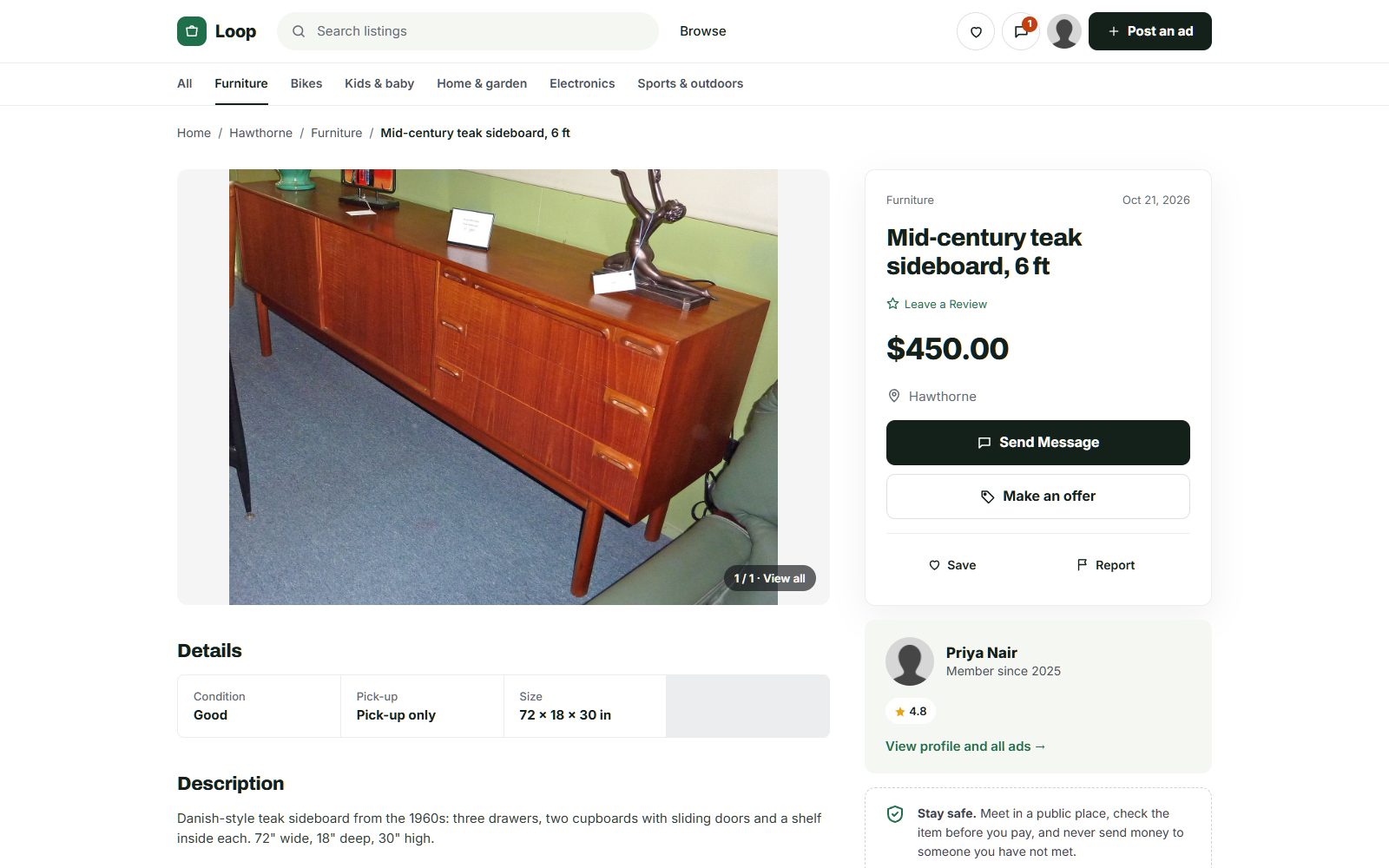
Photo credits
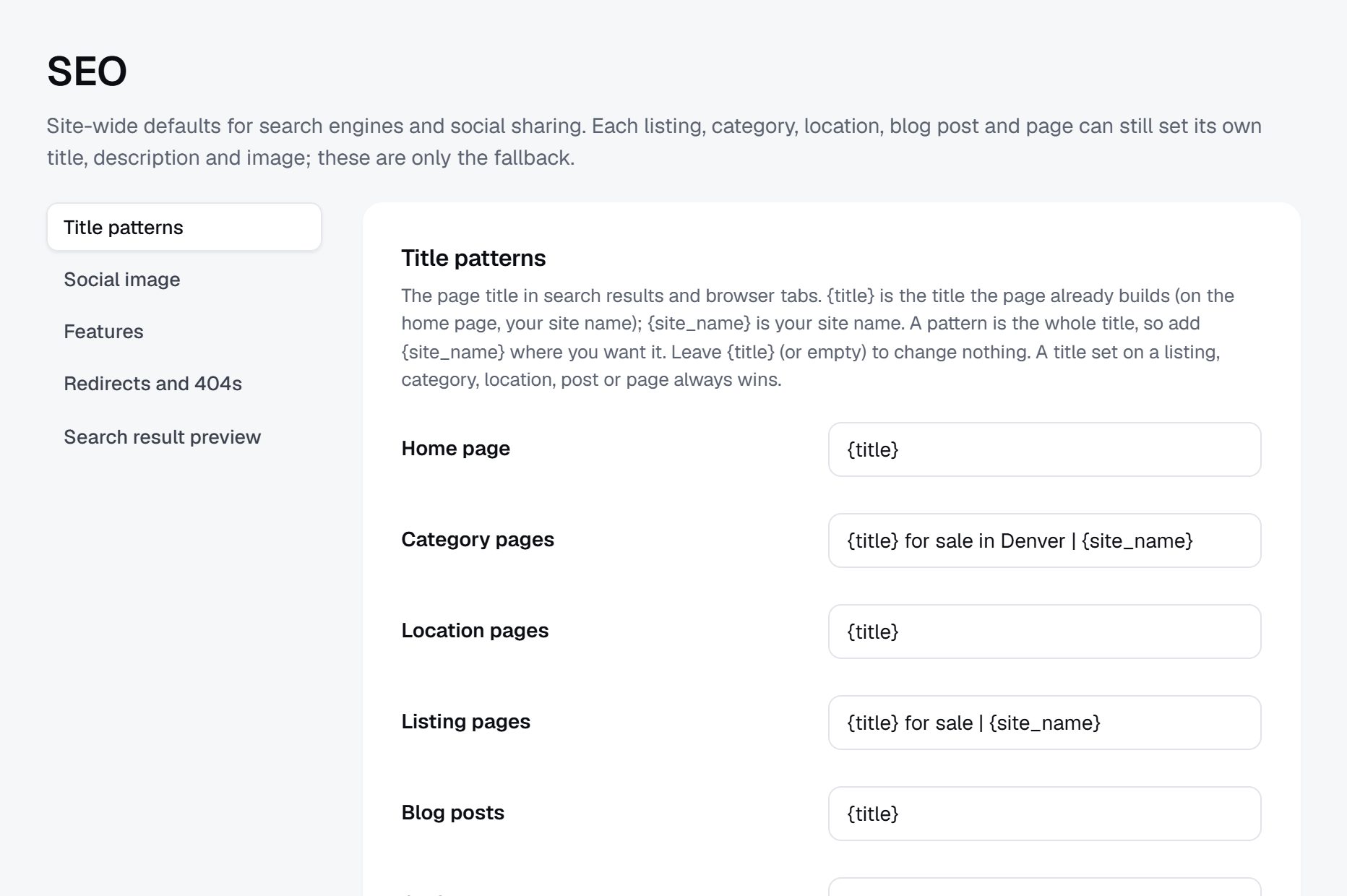
The screenshots show demo sites with made-up sellers. Their photos come from Wikimedia Commons, some cropped or with signs and plates blurred; these ones are under Creative Commons licences:
- McIntosh Teak Sideboard Circa 1960s, CC BY-SA 4.0
- Persian Rug Khorrasan 1, CC BY 2.0
- Fameg bentwood chairs of Poland 01, CC BY-SA 4.0
- View of the "Lost Dining Table and Chairs" in Eltham Palace - geograph.org.uk - 5797282, CC BY-SA 2.0
- Anglepoise Original 1227 Giant Floor Lamp, CC BY-SA 4.0
- Wooden Balance Bike for Kids oak frame with flame red tires, CC BY-SA 4.0
- Baby Crib (49935766018), CC BY 2.0
- Seth Thomas tambour mantel clock ca. 1930, CC BY-SA 4.0
- Rack of rock climbing gear at Horsethief Butte in a Mazamas class, CC BY 4.0
- Sideboard Teak 5 Door Rosando Furniture, CC BY-SA 4.0
- Teak 'Fresco' Sideboard by G Plan angled view, CC BY-SA 4.0